
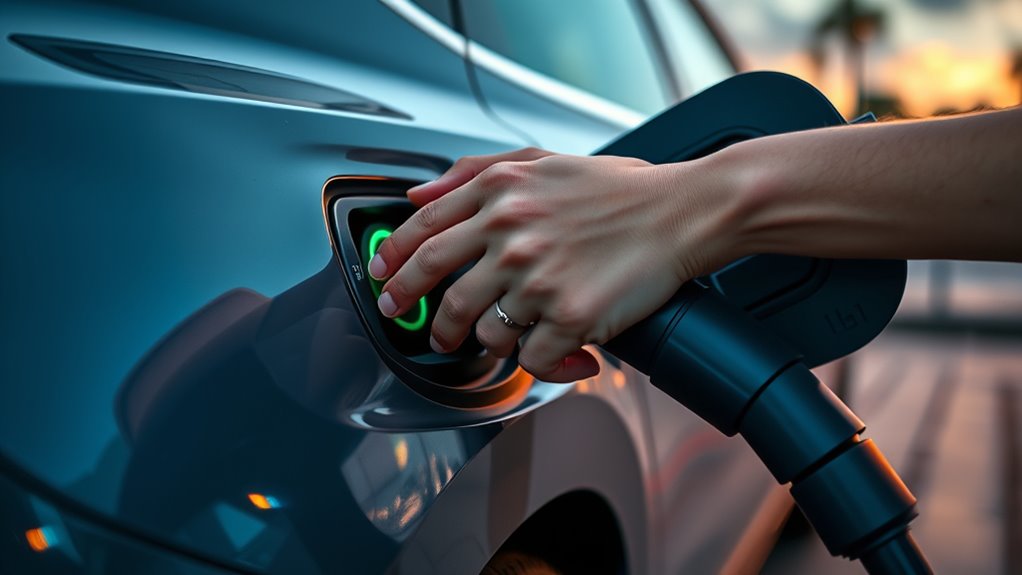
To stop an EV charging session safely, use the charger, app, or vehicle’s normal stop method, wait for the session to end, unlock the charge port if needed, and then remove the connector by the handle. At DC fast chargers, the session should be fully stopped before you unplug. With some Level 1 or Level 2 systems, releasing or unplugging the connector is itself the normal stop method, so follow the vehicle and charger instructions.
Last updated: September 8, 2026 — clarified Level 2 versus DC fast-charging stop behavior, updated public-network guidance, and added QR-code safety advice.
Quick Answer
At a DC fast charger, press Stop in the station interface, network app, or vehicle controls, then wait for confirmation before unplugging. At Level 1 or Level 2, the normal stop method may be an app, RFID card, vehicle control, station button, or simply releasing and removing the connector. Never force a locked plug.
Key Takeaways
- At DC fast chargers, fully stop the session before unplugging; Level 1 and Level 2 stop procedures can vary by vehicle and charging equipment.
- Wait for a clear “session ended,” “charging stopped,” or similar message before touching the connector.
- Unlock the vehicle if the charge port latch will not release the connector.
- Pull the connector handle, never the cable, and never force a stuck plug.
- Use the emergency stop only for hazards such as smoke, sparking, overheating, or unsafe charger behavior.
At a Glance
| Time Required | Usually brief for a normal stop; longer if the station, app, or vehicle lock needs troubleshooting |
| Difficulty | Easy for normal sessions; call support if the connector stays locked |
| Tools Needed | Charger screen, charging app, QR session page, vehicle screen, key fob, or payment card used to start the session |
| Cost | No direct cost to stop a session; network-specific idle or parking fees may apply after charging ends |
Which Stop Method Should You Use?
The correct stop method depends on the charger type and the network. Use this quick decision guide before you touch the connector:
| DC fast charger | Use the charger screen, network app, or supported vehicle control. Wait until the session is fully stopped before unplugging. |
| Public Level 2 | Follow the station instructions. Depending on the network, you may use an app, RFID card, Stop control, or unplugging as the normal way to end the session. |
| Home Level 1 or Level 2 | Use the vehicle, EVSE app, or connector-release procedure described by the vehicle and charger manufacturer. |
| Connector will not release | Confirm charging has ended, unlock the vehicle, remove cable tension, and use the owner’s manual or network support. Never force the plug. |
How Do You Stop EV Charging Safely?
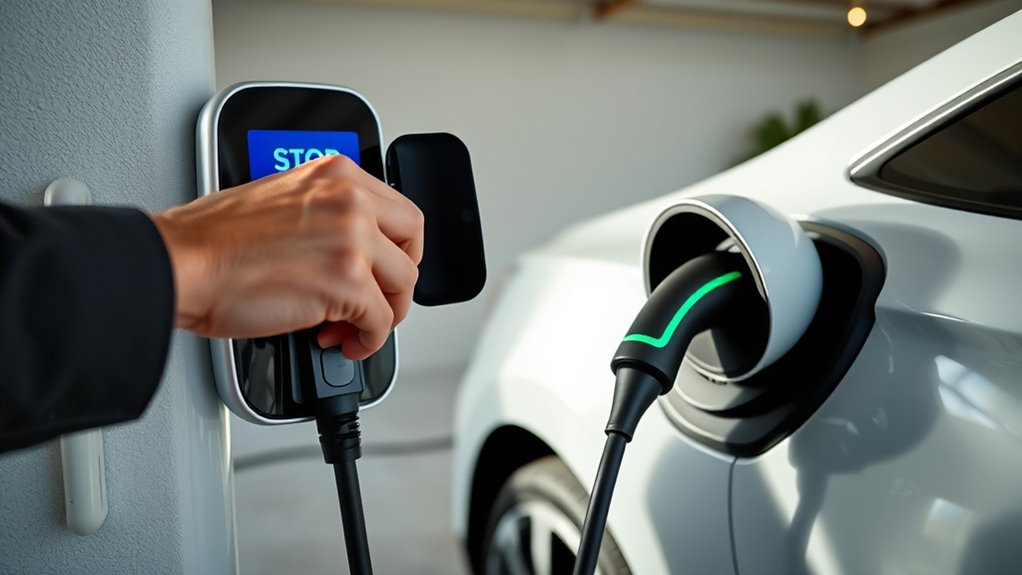
At a DC fast charger, end the session through the station screen, charging app, supported vehicle control, or the network’s normal stop process before unplugging. At Level 1 or Level 2, first check the vehicle and station instructions because some systems are designed to stop when you press the connector release or remove the plug.
For DC fast charging: stop first, confirm second, unplug third. For Level 1 or Level 2, use the stop-and-release sequence specified by the vehicle and charging equipment.
For a DC fast charger or any station that tells you to end the session first, wait for a clear confirmation such as “charging stopped,” “session ended,” “safe to unplug,” or “connector unlocked.” Indicator colors vary by vehicle and charger, so use the screen, app, or vehicle message instead of assuming a particular light color means it is safe to disconnect.
Once charging has stopped, unlock your vehicle if the port is still latched. Many EVs lock the connector during charging or while the vehicle is locked. Then hold the connector handle, press the release latch if your connector has one, and pull straight out with steady pressure.
Warning: Never yank the cable, twist a stuck connector, or force a locked charge port. Stop the session, unlock the vehicle, and follow the vehicle owner’s manual or station support instructions if the connector stays stuck.
Basic Stop Sequence for Any EV Charger
Use this order for DC fast charging and for any networked charger that requires a stop command before disconnection:
- Check the session status. Look at the charger screen, vehicle display, or app to confirm charging is still active.
- Stop the session. Tap Stop Charging in the app, use the QR session page, press the charger’s normal Stop button, stop charging from the vehicle menu, or follow the station’s stated authentication method.
- Wait for confirmation. Do not unplug until the screen, app, or vehicle shows the session has ended.
- Unlock the vehicle. Use the key fob, door unlock button, app, or vehicle screen if the charge port is locked.
- Unplug by the handle. Keep one hand on the connector handle and pull straight out. Do not pull the cable.
- Return the connector. Place the plug back in its holster and keep the cable off the ground when possible.
- Check for a receipt or status update. Make sure the app or station no longer shows active charging.
Pro Tip: If you started a public session with an app, RFID card, or QR page, check that same method first when stopping. Some networks let the same RFID authorization end a Level 2 session, while others use the station screen or app.
Stop at a DC Fast Charger
At a DC fast charger, stop the session before unplugging. DC fast chargers move much higher power than home or Level 2 chargers, and the connector may stay locked until the charger and vehicle complete their shutdown steps.
Use the Station Screen or App
Once your DC fast charging session is active, look for a Stop, Stop Charging, End Session, or Finish button on the charger screen or in the network app. Some stations also let you manage the session from a QR-code page opened on your phone.
Follow the prompts exactly. If the charger asks you to choose a connector, port number, or charger ID, match it to the connector plugged into your vehicle. This helps prevent stopping the wrong port at a multi-connector station.
Wait for Confirmation
After you select Stop, wait until the charger confirms the session has ended. You may hear the charger ramp down, see the power number drop, or see the vehicle display change from charging to complete. Do not rely on sound alone; use the screen, app, or vehicle message as your confirmation.
Some DC fast-charging sessions stop automatically when the vehicle is full, reaches a charging target, or the network ends the session under its own rules. Even then, verify the charger, app, or vehicle status before unplugging.
Unplug After the Connector Releases
Once the session is stopped and the connector unlocks, grip the handle and pull straight out. DC connectors are heavier than Level 2 plugs, so keep the cable supported and avoid letting it swing into the body panel.
If the connector will not release, unlock the vehicle, wait a few seconds, and try the normal release again. If it remains stuck, do not force it. Use the charger’s help button, the network app, or the support number shown on the station.
Unplug a Level 2 Charger
Level 2 stop behavior varies more than DC fast charging. Some public Level 2 networks end the session through an app, RFID card, or station control. Others treat unplugging the connector as the normal way to end the session. At home, pressing the connector release, unlocking the vehicle, or using the vehicle or EVSE app may stop power automatically. Follow the instructions for the specific vehicle and charger instead of assuming every Level 2 station works the same way.
Before you pull, unlock the vehicle if the port is latched. Hold the connector handle, press the release if your connector has one, and pull straight out. On systems where releasing the connector is the normal stop method, the charging equipment is designed to end power as part of that release sequence. Do not pull from the cord or force a connector that remains locked.
Hold the handle, not the cable. At DC fast chargers, wait until the session has stopped; at Level 2, use the release sequence specified by the vehicle and station.
After you disconnect, place the connector back in its holster. This keeps the plug clean, reduces trip hazards, and protects the connector from water, dirt, and vehicle traffic.
Note: Public Level 2 billing and session-ending rules vary by network. Before leaving, check the station or app for a completed session and review any posted idle or parking-fee rules.
Stop Home or Level 1 Charging
For home charging or Level 1 charging from a portable cord set, use the vehicle’s charging menu, charger app, or connector-release procedure described in the equipment manual. On some systems, pressing the release or removing the connector is the normal way to stop power. If the vehicle has already stopped charging and the connector is released, unplug from the vehicle and store the connector and cord neatly.
If you need to unplug the wall side of a portable charger, follow the equipment manual. In general, avoid unplugging under load when the vehicle is still actively charging. Stop charging first, confirm the vehicle is no longer drawing power, then unplug carefully.
Do not use damaged outlets, hot plugs, scorched connectors, or loose receptacles. If the plug, outlet, cord, or EVSE feels unusually hot, stop using it and have the setup inspected by a qualified electrician.
Stop Charging With an App or QR Code
Many public charging networks let you stop an active session from a mobile app. For example, ChargePoint says drivers can stop many sessions from the Current Session page, port details, or Activity tab in its driver app. Electrify America instructs drivers to press Stop in its app to manually end a charging session.
If you started with a QR code, open the same browser page if it is still active. Look for Stop, End Session, Finish, or similar wording. Confirm the stop request and wait for the session page or charger screen to show that charging has ended.
QR Safety: Use only a QR code that is clearly part of the charger operator’s official instructions. If a sticker looks altered, covered, or suspicious, use the network’s official app or support contact instead of entering payment details through the code.
- Open the app or QR session page used to start charging.
- Select the active charging session.
- Tap Stop Charging, Stop Charge, End Session, or the equivalent button.
- Confirm the prompt if the app asks.
- Wait for the app, station, or vehicle to show that charging stopped.
- Unlock the vehicle if needed, then unplug by the handle.
If the app freezes, close and reopen it, check your connection, and try again. If the app still does not respond, use the station screen, vehicle controls, or the support option shown in the app or on the charger.
Use the Charger Station Stop Button
Many chargers have a normal Stop button on the screen or near the charger interface. This is different from the red emergency stop button. Use the normal Stop button for routine session endings.
After pressing Stop, watch the screen and indicator lights. Do not unplug while the charger still shows active charging, power delivery, or “do not disconnect.” Wait until the charger confirms the session has ended or tells you the connector is safe to remove.
If the normal Stop button does not appear, check whether the charger wants you to select the correct connector, wake the screen, scan your app or card again, or open the active session in the app. Some stations hide the stop control until the active port is selected.
Stop Charging From Your Vehicle
You can often stop charging from the vehicle’s infotainment screen, driver display, or mobile app. Look for a Charging, Energy, Battery, or EV menu, then choose Stop Charging or a similar command.
Use Vehicle Charging Menu
Start by opening your vehicle’s charging menu on the infotainment screen or driver display. Follow the on-screen prompts and confirm the stop command. Keep the vehicle unlocked if your model requires that before the connector can release.
- Open the vehicle’s charging or energy menu.
- Select the active charging session.
- Tap Stop Charging or End Charging.
- Wait for the vehicle to show charging stopped.
- Unlock the port if needed and remove the connector by the handle.
If the screen does not respond, check your owner’s manual for the model-specific release method. Some vehicles also provide a manual charge-port release, but it should be used only as the manual describes and only after charging has stopped.
Can You Stop EV Charging at 80%?
Many EVs let you set a charge limit, such as 80%, in the vehicle menu or mobile app. If the feature is available, set the desired limit and confirm the vehicle follows it. The exact behavior varies by model and charger.
A charge limit is not a reliable “stop now” command on every vehicle. If you need to end an active session immediately, use the normal Stop Charging control for the vehicle or station. Then verify the session status before disconnecting when the charger requires that sequence.
Use the Emergency Stop Button Only If Needed
Use the emergency stop button only for a real hazard, such as smoke, sparking, burning smell, exposed wiring, overheating equipment, a damaged connector, flooding around electrical equipment, or a charger that behaves dangerously.
Use the red emergency stop for safety hazards, not as a normal way to end a charging session.
Emergency stop buttons can take a charger out of service until it is reset or inspected. Pressing one without cause can disrupt other drivers and may create extra work for the charging network or site host.
EVgo’s charging guidance, for example, says the red emergency stop on fast chargers is for emergencies and recommends using normal stop controls or support for routine session endings.
If there is a true emergency:
- Move yourself and passengers away from the hazard.
- Press the emergency stop if it is safe to reach.
- Do not touch damaged equipment or exposed wiring.
- Follow on-screen instructions if the charger remains readable.
- Call the charging network support number shown on the charger, and call emergency services if anyone is at risk.
Reset the Emergency Stop Button
Reset an emergency stop only if the charger screen or charging-network instructions tell you to do so and the original hazard is gone. Designs vary; some buttons twist or pull to reset, while other stations may need operator intervention.
If the charger shows an emergency stop message, follow the screen exactly. If the button does not reset, the charger keeps showing a fault, or you are unsure why it was pressed, leave the charger alone and contact support.
Do not open charger cabinets, access electrical panels, or try to repair public charging equipment. Your job is to keep people safe, report the problem, and wait for trained support when needed.
If the Connector Is Stuck
A stuck connector is usually caused by the vehicle lock, a station communication delay, cable tension, or a faulted session. Do not force it. ChargePoint’s driver guidance notes that the vehicle latches onto the connector and warns that forcing the connector can damage the port or cable.
This article focuses on ending the charging session. For a fuller connector-release walkthrough by charger type, see how to unplug an EV charger safely.
Try these steps in order:
- Confirm charging has stopped in the app, station screen, or vehicle display.
- Unlock the vehicle with the key fob, door button, or app.
- Shift the vehicle into Park if it is not already there.
- Remove tension from the cable by supporting the connector with one hand.
- Press the connector release latch if your connector has one.
- Try locking and unlocking the vehicle again.
- Check the owner’s manual for the vehicle’s manual charge-port release.
- Call the charging network or vehicle support if it still will not release.
Warning: Do not pry the connector, kick the cable, twist the plug, or drive away with the cable attached. A stuck connector needs a normal release method or support help, not force.
If Charging Still Won’t Stop
When charging still will not stop, work through the normal controls before considering any emergency action. Try the charging app or QR page, the station screen, the vehicle controls, and the authorization method used to start the session if the station asks for it. Public-network support may also be able to end a session remotely.
- Tap Stop in the app or QR session page.
- Use the charger’s normal Stop button or screen menu.
- Stop charging from the vehicle’s charging menu.
- Unlock the vehicle and check for a port-release message.
- Re-scan the same RFID card, credit card, or app authorization if the charger requests it.
- Record the charger ID, connector number, error message, location, and time.
- Contact the network support number shown on the charger or in the app.
If there is no hazard, do not use the emergency stop just because the app is slow. If there is smoke, sparking, overheating, exposed wiring, or a dangerous fault, move away and use the emergency stop only if it is safe to reach.
Before You Leave the Charger
After you unplug, take a few seconds to confirm the session is really finished. This helps you avoid idle fees, open sessions, or a connector left where another driver cannot use it.
- Check the app or station for a session-ended message.
- Look for a receipt, energy-delivered summary, or final cost if the station provides one.
- Return the connector to the dock or holster.
- Keep the cable off the driving path when possible.
- Report damaged cables, broken handles, blank screens, or stuck connectors.
- Move your vehicle from the charging stall when charging is done, especially at busy public stations.
Frequently Asked Questions
How do I stop an EV charging session?
Use the app, QR session page, charger screen, vehicle charging menu, or charger’s normal Stop button when that is the station’s stop method. At DC fast chargers, wait for confirmation that charging has stopped before unplugging. Level 1 and Level 2 release behavior can vary by vehicle and charging equipment.
How do I end an EVgo, ChargePoint, Electrify America, or other public charging session?
For DC fast charging, use the network app, charger screen, or supported vehicle control and wait for the session to end before unplugging. Level 2 rules vary: some networks use an app or RFID card, while others end the session when you unplug. Follow the station’s instructions.
How do I make EV charging stop at 80%?
If your EV supports a charge limit, set 80% in the vehicle menu or app and confirm the vehicle follows it. If you need to stop an active session immediately, use the normal Stop Charging control instead. Network billing and idle-fee rules can differ.
How do I force stop EV charging?
First use normal stop methods: app, charger screen, vehicle menu, payment or authorization method, or charger Stop button. If the connector is stuck, unlock the vehicle and follow the owner’s manual. Use the emergency stop only for real safety hazards, not routine stopping.
Can I just unplug a Level 2 charger?
Sometimes. On some Level 2 systems, releasing and unplugging the connector is the normal way to stop charging. Other public networks use an app, RFID card, station control, or vehicle command. Follow the charger and vehicle instructions, and never force a locked connector.
What should I do if the charging connector will not release?
Stop the session if it is still active, unlock the vehicle, make sure it is in Park, remove cable tension, and try the normal release again. If it remains stuck, use the vehicle owner’s manual for the manual release or contact the charging network. Do not force the connector.
Conclusion
To stop EV charging safely, first identify the charger type. At a DC fast charger, end the session, wait for confirmation, unlock if needed, and then unplug by the handle. At Level 1 or Level 2, use the stop-and-release method specified by the vehicle and charging equipment, because some systems are designed to end charging when the connector is released. Use the red emergency stop only for a real hazard. If the session or connector will not release normally, do not force anything; record the station details and contact the charging network or vehicle support.
Sources
- ChargePoint — How do I stop a charging session? — documents app-based stop controls.
- ChargePoint — How can I get the connector unstuck? — documents vehicle unlocking, Park, manual release, and the warning not to force the connector.
- Electrify America — How to Charge Your EV — documents manually ending a session with Stop in the app.
- EVgo — Stop a charging session — distinguishes DC fast-charger and Level 2 stop behavior and limits emergency-stop use to emergencies.
- BC Hydro — EV public charger help centre — documents app, touchscreen, RFID, connector-release, and QR-code safety guidance.
- Tesla — Charging Instructions — shows that vehicle-specific release behavior can differ and that unlocking may be required before disconnecting.