
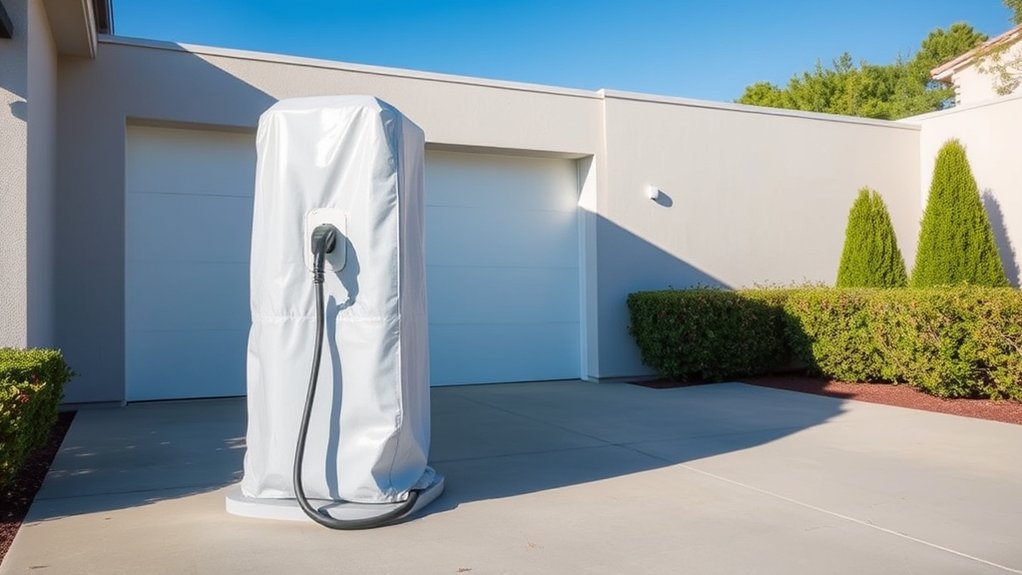
Dust, grit, pollen, road salt, and garage debris can shorten the life of an EV charger if they collect around the connector, cable, vents, or wall unit. The best protection is simple: install the charger in a sheltered spot, choose equipment rated for the environment, keep the connector capped or docked, clean it on a schedule, and inspect it before small wear turns into a charging fault.
Quick Answer
To protect an EV charger from dust and dirt, mount it in a sheltered location, use an outdoor-rated charger or enclosure, keep the plug in a holster, add a connector-specific dust cap, store the cable off the ground, and wipe the unit with a dry or lightly damp cloth. Stop using it if you see heat damage, corrosion, exposed wires, or cracked parts.
Key Takeaways
- A sheltered wall, carport, or garage location is the first defense against dust, grit, rain, and road spray.
- Look for a weather-rated charger, and check the actual IP, NEMA, UL, ETL, or ENERGY STAR details before buying.
- Use the correct dust cap or holster for your connector, such as J1772, CCS, Tesla, or SAE J3400/NACS.
- Clean gently. Do not pressure wash the charger or spray liquid into the connector or vehicle charge port.
- Call a licensed electrician if the charger gets hot, smells burnt, trips breakers, shows corrosion, or has damaged wiring.
At a Glance
| Time Required | 10 to 20 minutes for routine cleaning and inspection |
| Difficulty | Easy for cleaning and visual checks; professional help needed for wiring, mounting, breaker, or internal charger issues |
| Tools Needed | Soft microfiber cloth, dry soft brush, connector holster, dust cap, cable hook or reel, flashlight, and the charger manual |
| Cost | Usually $10 to $50 for caps, hooks, and cleaning supplies; more if you add a weather enclosure or hire an electrician |
Warning: Do not open the charger housing, repair wiring, replace a receptacle, or clean inside electrical contacts unless the manufacturer manual clearly allows it and power is safely disconnected. If you see exposed wire, melted plastic, burn marks, repeated breaker trips, corrosion, or a hot plug, stop using the charger and call a licensed electrician.
Choose the Best Location for Your Charger
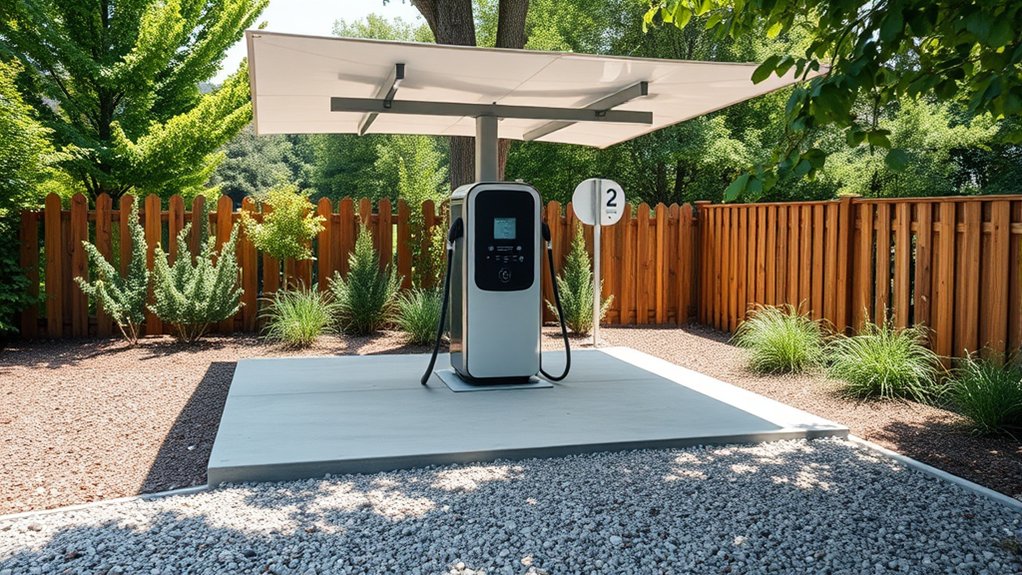
Start with location. A charger mounted under a carport, inside a garage, under an awning, or on a protected side wall will collect less dust and dirt than one placed in direct wind, rain, and driveway splash.
Avoid low spots where water pools after storms. Standing water can carry mud, grit, salt, and moisture toward the charger, conduit, receptacle, or cable. Also avoid placing the charger directly beside lawn equipment, woodworking tools, gravel drives, leaf blowers, or busy walkways where debris and impact damage are more likely.
Keep the wall unit visible and easy to reach. You should be able to see the cable, connector, lights, display, and plug dock without crawling behind the vehicle. Leave enough room around the charger for cleaning, inspection, and safe cable movement.
Pro Tip: Mount the charger so the cable reaches your vehicle without dragging across the floor. Less dragging means less grit on the cable jacket and less strain on the connector.
Select a Weather-Rated Charger for Outdoor Use
If the charger will be outdoors or in a damp garage, choose a unit designed for that environment. Look for a weather-rated enclosure, sealed cable entry points, a sturdy connector holster, and safety certification from a recognized testing lab.
For dust and water protection, check the charger’s IEC 60529 IP rating. An IP54 rating means the enclosure is dust protected and protected against splashing water. It does not mean the charger is dust-tight or safe to submerge. In harsher locations with windblown dust, heavy rain, or frequent spray, a higher rating may be a better fit.
NEMA ratings are also common in North America. A NEMA-rated enclosure can help protect electrical equipment from outdoor conditions, but NEMA and IP ratings are not identical. Always follow the charger label and manual rather than assuming one rating equals another.
If you are shopping for a new unit, also check for safety and efficiency listings. The ENERGY STAR certified EV charger database is one place to compare certified Level 2 charging equipment.
Key Features to Consider
- Outdoor-rated housing: Choose a charger built for the mounting location, not a unit meant only for dry indoor use.
- Sealed cable entry: Gaps around conduit or cable glands can let dust, insects, and moisture inside.
- Connector holster: A holster keeps the plug opening off the ground and away from blowing dirt.
- UV-resistant materials: Outdoor plastics and cable jackets should resist sun damage and cracking.
- Smart alerts: App alerts can help you notice charging interruptions, fault codes, or abnormal behavior sooner.
Importance of IP Ratings
An IP rating has two numbers. The first number covers solid particles such as dust. The second covers water exposure. For example, IP54 gives moderate dust protection and splash protection, while IP67 is dust-tight and tested for temporary immersion under defined conditions.
Do not rely on vague words like “weatherproof” or “waterproof” by themselves. Check the rating, the manual, and the installation instructions. A rating only applies when the charger is installed correctly, with covers, seals, conduit, and strain reliefs in place.
Selecting Durable Materials
Durable materials matter because outdoor chargers face sunlight, heat, cold, dust, moisture, and physical bumps. A strong housing, flexible cable jacket, sealed connector dock, and corrosion-resistant mounting hardware all help the charger last longer.
If the charger is near salt air, road salt, farms, industrial dust, or a gravel driveway, inspect it more often. Fine grit and salt can collect on the cable and connector, then scratch surfaces or speed up corrosion.
Add Weather-Resistant Protection Around the Charger
A weather-rated charger still needs a good setup. Use a purpose-made outdoor cover, canopy, or enclosure only if it does not trap heat or block the charger’s required ventilation. Some chargers need clear space around the housing to cool properly.
Make sure wall penetrations and conduit connections are sealed by the installer according to the charger manual and local electrical code. In the United States, EV charging equipment installation should follow the National Electrical Code, local permit rules, and the manufacturer’s instructions.
Note: A cover should protect the charger from debris without hiding damage. You still need to see warning lights, cracks, cable wear, and connector problems.
Use Dust Caps and Holsters for the Connector
The connector is the part most likely to touch dust, dirt, mud, and garage debris. Keep it in a holster whenever it is not plugged into the vehicle. If your charger does not include a tight holster, add one that is made for your connector style.
Use a dust cap that matches the connector. A J1772 cap will not fit the same way as a CCS, Tesla, or SAE J3400/NACS connector cap. If you use a SAE J1772 Level 2 charger, choose a cap or holster designed for that plug shape.
Dust caps help block pollen, grit, insects, and moisture from sitting inside the connector opening. They are especially useful in garages where sawdust, pet hair, leaves, and tire dust collect quickly.
- For daily charging: Use a holster that lets you dock the connector with one hand.
- For outdoor exposure: Choose a cap with a snug fit and weather-resistant material.
- For travel chargers: Store the connector in a clean bag or case before placing it in the trunk.
- For dusty garages: Keep the cap on even if the charger is indoors.
Implement Effective Cable Management Solutions
Good cable management keeps the cable cleaner and safer. When the cable lies on the ground, it picks up grit, water, leaves, and oil. It also becomes easier to step on, drive over, or kink.
| Cable Management Solution | Benefits |
|---|---|
| Wall hook or cable holder | Keeps the cable off dusty floors and reduces trip hazards |
| Retractable cable system | Reduces dragging, kinks, and cable wear |
| Connector holster | Keeps dirt out of the plug end and protects the pins |
| Weatherproof storage bag for portable EVSE | Protects portable chargers from trunk dirt, moisture, and loose tools |
Coil the cable in wide loops. Avoid sharp bends near the connector or wall unit because tight bends can stress the internal conductors over time.
Establish a Regular Cleaning Schedule
Clean the outside of your charger every 1 to 2 weeks if it is outdoors, in a dusty garage, near a gravel driveway, or in a high-pollen area. In a clean indoor garage, a monthly check may be enough.
Use a dry microfiber cloth for dust. For the outside housing only, you can use a lightly damp cloth if the manual allows it. Keep water away from the connector opening, receptacle, plug blades, exposed contacts, and vehicle charge port.
- Wipe the charger housing and cable jacket.
- Brush loose dust from the connector shell with a dry, soft brush.
- Check the holster for trapped grit or insects.
- Dry the cable before coiling it if it was exposed to rain.
- Do not use harsh solvents, abrasive pads, or pressure washers.
Warning: Never spray cleaner, alcohol, water, or compressed liquid into the charger connector or the vehicle charge port. If debris is stuck inside a contact area, check the manual or contact the manufacturer before cleaning further.
Inspect Charger Components for Wear and Damage
A quick visual inspection helps you catch damage early. Look over the wall unit, cable, connector, holster, plug, receptacle, and nearby conduit. Use a flashlight so you can see cracks, discoloration, dust buildup, and corrosion.
Visual Inspection Techniques
- Look for cracks in the charger case or connector shell.
- Check the cable jacket for cuts, flat spots, stiffness, or deep scuffs.
- Look for dirt, insects, or grit inside the holster.
- Check the connector face for bent, darkened, corroded, or loose-looking parts.
- Watch for heat signs, such as melted plastic, brown marks, or a burnt smell.
- Make sure the charger is still firmly mounted to the wall.
Common Damage Indicators
Stop using the charger and get help if you notice exposed wire, arcing marks, melted plastic, a hot plug, repeated breaker trips, water inside the housing, or corrosion on electrical parts. These are not cleaning problems. They are safety problems.
Also pay attention to charging behavior. Slower charging, frequent session failures, random fault lights, or a connector that no longer seats firmly may point to dirt, wear, or a damaged part.
Regular Maintenance Practices
Set a simple seasonal routine. In spring, clean pollen and insects from the holster. In summer, check sun-exposed cable areas for cracking. In fall, clear leaves and mud. In winter, keep road salt and slush off the cable and connector.
If your charger has an app, review fault logs and charging history. Smart alerts can help you spot repeated interruptions before the charger fails when you need it most.
Store Your EV Charger Cables Properly
When you finish charging, dock the connector first, then coil the cable loosely on a hook or reel. Do not leave the connector hanging by the cable. That can pull dust into the plug end and strain the cable near the handle.
For a portable charger, let the cable dry before storage. Place it in a clean storage bag or hard case instead of throwing it loose into a trunk with tools, sand, sports gear, or wet floor mats.
Keep cable loops large and relaxed. Tight coils, sharp bends, and repeated twisting can damage the jacket and internal wiring. A clean cable also makes inspection easier because cracks and worn spots are easier to see.
Track Charger Performance for Better Reliability
Dust and dirt do not always cause an obvious failure right away. They may first show up as poor connector seating, intermittent charging, lower-than-expected charging speed, or repeated fault messages.
Track a few simple signs:
- Charging speed: Compare normal charging time with recent sessions.
- Connector fit: The plug should seat smoothly and securely.
- Heat: The connector and cable should not feel unusually hot.
- Fault alerts: Repeated faults deserve attention, even if charging still works.
- Firmware: Install manufacturer updates if your smart charger supports them.
A clean connector is not just about appearance. It helps the plug seat fully, reduces grit-related wear, and makes heat or corrosion easier to spot.
Consider Professional Help for Long-Term Care
You can handle basic cleaning, cable storage, and visual checks. Leave electrical work to a qualified professional. This includes new circuits, hardwired charger installation, outlet replacement, breaker changes, conduit sealing, internal repairs, and diagnosis of repeated faults.
Expert Installation Benefits
A licensed electrician can mount the charger at the right height, seal the wiring path correctly, choose the proper circuit, and follow local code. Good installation also helps keep dust, insects, moisture, and strain away from the electrical parts.
Professional installation is especially helpful outdoors, near detached garages, in older homes, or anywhere the panel capacity, grounding, GFCI protection, or conduit path is uncertain.
Scheduled Maintenance Importance
If your charger is used daily, exposed outdoors, or shared by multiple vehicles, schedule a professional check if you notice new fault codes, charging interruptions, heat, loose mounting, or physical damage.
For commercial or multi-family chargers, create a written maintenance log. Track cleaning dates, damage reports, connector replacements, firmware updates, and service visits. A clear record helps spot patterns before they become expensive failures.
Frequently Asked Questions
Should I cover my EV charger?
Yes, a cover can help if the charger is outdoors or exposed to blowing dust, pollen, rain, or road spray. Use a cover or enclosure made for EV chargers, and make sure it does not trap heat, block ventilation, hide warning lights, or interfere with the cable.
How do I keep dirt out of a charging port?
Keep the connector docked in a clean holster, use a connector-specific dust cap, and avoid setting the plug on the ground. For the vehicle charge port, keep the factory door closed when not charging and wipe around the outside with a dry cloth. Do not push tools or liquid into the port.
Is it okay to put tape on a charger?
Tape is not a good long-term fix. It can leave adhesive, trap moisture, cover damage, and fail outdoors. Use a proper dust cap, connector holster, weather cover, or manufacturer-approved replacement part instead.
Is it safe to put isopropyl alcohol in a charging port?
Do not pour or spray isopropyl alcohol into a charger connector or vehicle charge port. For most routine care, use a dry cloth or soft dry brush around the outside. Use alcohol only if the charger or vehicle manual specifically allows it, and never leave moisture inside the port.
Can I pressure wash around an EV charger?
Do not pressure wash the charger, connector, receptacle, or wall area around electrical parts. High-pressure water can push moisture past seals and into openings. Clean the surrounding floor or wall carefully, keep spray pointed away from the charger, and let the area dry before charging.
Conclusion
Protecting your EV charger from dust and dirt comes down to good placement, the right weather rating, clean connector storage, gentle cleaning, and regular inspection. Keep the plug capped or docked, keep the cable off the ground, avoid spray cleaners and pressure washing, and act quickly if you see heat, corrosion, cracks, or exposed wiring. With a clean setup and safe habits, your charger is more likely to deliver reliable charging day after day.
Sources
- IEC 60529, Degrees of protection provided by enclosures — backs IP rating terminology for dust and water protection.
- NFPA 70, National Electrical Code — backs code-compliant electrical installation guidance.
- SAE J1772 Electric Vehicle Conductive Charge Coupler — backs J1772 connector terminology.
- SAE J3400 North American Charging System — backs current NACS/J3400 connector terminology.
- ENERGY STAR Certified EV Chargers — supports choosing certified EV charging equipment.

