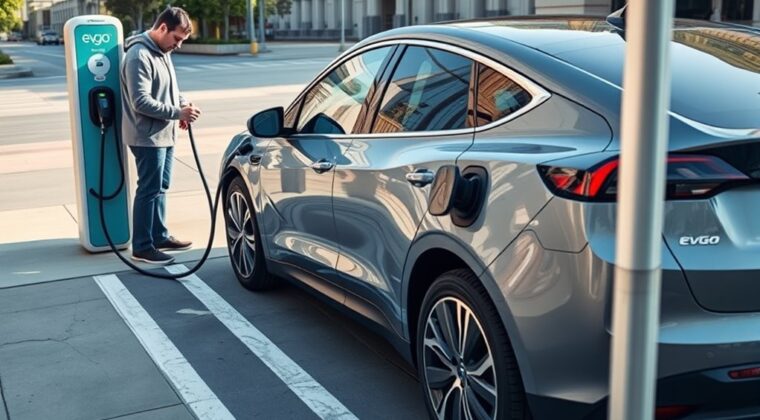
Using an EVgo charging station is simple once you know the order: check the station, choose the right connector, plug in until it clicks, then start the session with the EVgo app, Autocharge+, an RFID Program Card, or a credit card. The most important parts are confirming the exact charger you are using and stopping the session before you unplug.
Quick Answer
To use an EVgo charging station, park close enough for the cable to reach, choose the correct connector, plug in until you hear a click, then start charging through the EVgo app, Autocharge+, an active RFID Program Card, or the station credit card reader. Watch for charging progress before you walk away.
Key Takeaways
- The EVgo app is usually the best way to start a session because it ties the charge to your account and shows session details.
- Autocharge+ works only after enrollment and only with eligible CCS-compatible vehicles that support two-way vehicle data sharing.
- An active EVgo RFID Program Card is a useful backup if the app will not load or your phone has poor service.
- Credit card starts may not apply account benefits, may include extra fees, and may not be available at every station.
- Always stop a DC fast-charging session before trying to unplug the connector.
At a Glance
| Time Required | About 1 to 3 minutes to start, plus your vehicle’s charging time |
| Difficulty | Easy for most EV drivers |
| Tools Needed | EVgo app, enrolled Autocharge+, active RFID Program Card, or physical credit card |
| Cost | Varies by location, plan, time of use, and payment method |
Warning: Do not pull out a DC fast charger while the session is still active. Stop the session first, wait for the charger or vehicle to release the connector, then pull the connector straight back.
Start an EVgo Charging Session
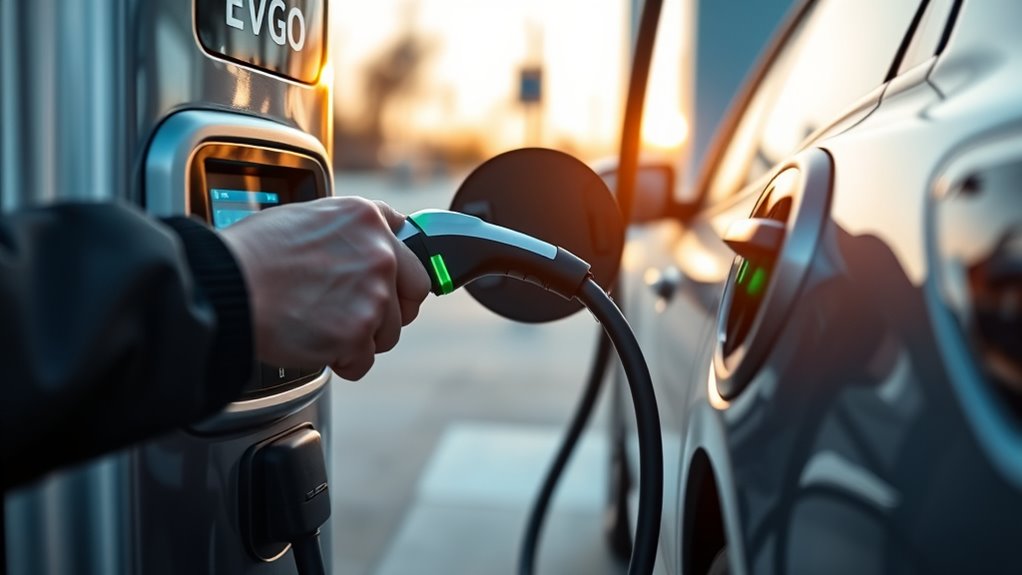
Before you start, make sure the charger matches your vehicle and your payment method is ready. EVgo’s official charging guide says drivers can start a session through the app, Autocharge+, RFID Program Card, credit card reader, or customer support at some locations.
- Park close enough for the cable to reach your charge port without stretching.
- Check the charger screen or the EVgo charging guide for the available connector type.
- Select the connector your vehicle uses, such as CCS, CHAdeMO, or NACS where available.
- Remove the connector from the holster and plug it into your EV’s charge port.
- Push the connector in firmly until you hear or feel a click.
- Start the session with your chosen method: app, Autocharge+, RFID Program Card, or credit card.
- Wait for the charger screen or app to show that power is flowing before you leave the vehicle.
The connector click matters. If the plug is not fully seated, the charger may not recognize your vehicle or may fail before power begins flowing.
Use the EVgo App to Start Charging
The EVgo app is usually the easiest method because it helps you confirm the station, connector, session status, and account details in one place.
- Open the EVgo app when you arrive at the station.
- Tap the station from nearby locations, or search for the charger or location name.
- Confirm the charger name or Asset ID shown on or near the charger screen.
- Select the connector that matches your vehicle.
- Plug the connector into your vehicle until it clicks.
- Tap Start Charging.
- Turn on push notifications if you want alerts when the session starts, ends, or has an error.
Once the session starts, the app should show the charge monitoring screen. Use it to track session time, energy delivered, and charging status. This is helpful if you walk into a store or wait away from the charger.
Pro Tip: Keep your EVgo app updated and allow location access before you arrive. If the app will not load because the garage or parking lot has poor signal, use your RFID Program Card as a backup.
Charge With an EVgo RFID Program Card
An EVgo RFID Program Card can start a session without opening the app, but it must be active and tied to your account first. EVgo says the card must be activated before use, and once active, it appears in the Program Cards section of your account.
- Choose the connector that matches your vehicle.
- Insert the connector into your EV’s charge port until it clicks.
- Select the RFID payment option on the charger screen if prompted.
- Tap your RFID Program Card where the charger tells you to tap it.
- Hold the card in place long enough for the reader to recognize it.
- Watch the charger screen or your app notifications to confirm charging has started.
If the reader does not recognize the card, check that your card is active, your EVgo account has a valid payment method, and your account balance is positive. If you still cannot start, try the app or call EVgo Charging Crew support.
Start Charging With Autocharge+ or Credit Card
Use EVgo Autocharge+
EVgo Autocharge+ lets eligible drivers start charging by plugging in without tapping a card or pressing Start in the app. It works only after enrollment and only with eligible CCS-compatible EVs that support two-way vehicle data sharing.
To use it, add your vehicle in the EVgo app and follow the enrollment prompt if your EV is eligible. After enrollment, plug in at an EVgo fast charger. The vehicle and charger communicate, EVgo links the session to your account, and the session starts automatically when the setup is recognized.
Note: Autocharge+ is not the same as every automaker’s Plug and Charge feature. If your vehicle does not appear as eligible in the EVgo app, use the app, RFID Program Card, or another available payment method instead.
Use a Credit Card at the Station
If you do not have an EVgo account, you may be able to start a session with a physical credit card at the charger or at a nearby payment kiosk. EVgo says some stations do not accept payment outside the EVgo app or RFID Program Card, so check the station screen.
- Select the connector for your vehicle.
- Plug the connector into your charge port until it clicks.
- Select the credit card payment option on the charger screen.
- Swipe, tap, or insert your physical credit card at the reader or kiosk.
- Enter any information requested on the screen.
- Wait for the charger to show that power is flowing.
Credit card sessions can be less convenient for account users. They may not apply your EVgo plan benefits, may not appear in your account history, and may not provide the same receipt access. EVgo also notes that credit card sessions can include a transaction fee and that pre-authorization holds may occur at some chargers.
Monitor, Stop, and Unplug Safely
After charging starts, check the screen or app long enough to make sure the session is stable. The charging rate can change during the session because your EV controls how much power it accepts. Battery temperature, battery state of charge, the vehicle’s charge curve, and charger sharing can all affect speed.
For faster DC charging, EVgo recommends fast charging when the battery is roughly 20% to 60% full. Charging often slows as the battery fills, especially near and above 80%, because the vehicle reduces power to protect the battery.
When you are ready to leave, follow these steps:
- Stop the session from the charger screen or the app if the session has not ended automatically.
- Wait until the screen shows the session is stopped.
- Unlock your vehicle and charge port if your EV uses a charge-port lock.
- Press the connector release button or latch.
- Pull the connector straight back without twisting or yanking.
- Return the connector to the station holster.
- Move your vehicle so the charger is open for the next driver.
At EVgo fast chargers, the session may end automatically when your battery is full or after the station’s maximum fast-charge session time. If the connector feels stuck, do not force it. Confirm that the session has fully stopped, unlock the vehicle, support the cable weight, and check your owner’s manual for vehicle-specific release steps.
Troubleshoot Common EVgo Charging Issues
If the session will not start, work through the simplest fixes first. Most start failures come from a loose connector, wrong charger selection, station maintenance, account issue, or payment problem.
If the Session Will Not Start
- Remove the connector and place it back on the charger holder.
- Wait 10 to 15 seconds so the station can reset.
- Plug the connector back into your vehicle and listen for the click.
- Confirm the charger name or Asset ID in the EVgo app.
- Make sure you selected the correct connector.
- Check whether the station is grayed out or marked under maintenance in the app.
- Look at the emergency stop button. If it has been pressed, follow the charger screen instructions to reset it.
If the App, Card, or Payment Fails
- Update and reopen the EVgo app.
- Check that location services are on.
- Confirm your account has an active payment method.
- Make sure your EVgo account balance is positive.
- Activate your RFID Program Card before using it.
- Use the correct credit card reader, not the RFID tap area.
- Try a physical credit card if virtual wallet payment fails.
If Charging Is Slower Than Expected
Slow charging does not always mean the station is broken. Your EV decides the charging speed based on battery state of charge, temperature, battery health, and charge-curve limits. The rate may also drop if the vehicle is on, climate control is running, or another vehicle shares the charger’s power source.
Note: A very low battery, a very high battery, or a cold battery can reduce fast-charging speed. Your owner’s manual is the best source for your vehicle’s charging limits.
EVgo Charging Etiquette and Safety
EVgo stations are shared public chargers, so a few small habits make charging easier for everyone.
- Return to your vehicle when charging is complete.
- Move your car after the session ends so another driver can use the charger.
- Do not unplug another driver’s vehicle unless the session is complete, the connector is released, and there is a clear note or local practice that allows it.
- Lock your vehicle and charge port if you leave during an active session.
- Avoid leaving your vehicle overnight unless the parking location clearly allows it.
- Use the emergency stop only for safety emergencies, not as a normal stop button.
If you need help, EVgo lists the EVgo Charging Crew phone number as 877-494-3833, with support available 24/7.
Frequently Asked Questions
How do you use an EVgo fast charging station?
Open the EVgo app, choose the correct station and charger, select the connector for your EV, plug in until it clicks, then tap Start Charging. If you use Autocharge+, plug in after enrollment. If you use an RFID Program Card, tap the card at the charger. If credit card payment is available, follow the screen prompts.
Can I use EVgo without the app?
Yes. You can use Autocharge+ after enrollment, an active EVgo RFID Program Card, or a credit card at stations that support credit card payment. The app is still recommended because it shows station details, session status, account history, and alerts.
What is the 80/20 rule for EV charging?
The 80/20 rule means many drivers try to keep the battery between about 20% and 80% for routine use. Fast charging is often quickest at lower to mid battery levels and usually slows as the battery gets closer to full, especially above 80%.
Why will my EVgo session not start?
Common causes include a loose connector, wrong charger selection, station maintenance, poor app signal, inactive RFID card, negative account balance, expired payment method, or a credit card reader issue. Reseat the connector, wait 10 to 15 seconds, check the app, and try again.
How do I stop an EVgo charging session?
Use the Stop button on the charger screen or stop the session in the app if available. Wait until the charger confirms the session is stopped, unlock your vehicle or charge port if needed, then press the connector latch and pull the plug straight back.
What stops someone from unplugging my electric car?
Many EVs lock the charge port while the vehicle is locked or while charging is active. A DC fast charger also should not be removed until the session has stopped and the connector is released. Lock your vehicle, enable alerts, and return when charging is complete.
Conclusion
An EVgo session is easiest when you follow the same order every time: confirm the charger, pick the right connector, plug in until it clicks, start the session, and verify that power is flowing. Use the app when you can, keep RFID as a backup, and treat credit card starts as a last-resort option if you want account benefits. When charging is done, stop the session before unplugging and move your vehicle so the next driver can charge.
Sources
- EVgo Help Center: Start a charging session with EVgo — start methods, app steps, RFID steps, credit card steps, and troubleshooting.
- EVgo Help Center: Start a charge with the EVgo app — app workflow, location settings, notifications, and app troubleshooting.
- EVgo Autocharge+ — Autocharge+ eligibility, enrollment, and plug-in start process.
- EVgo Help Center: Start a charge with a credit card at the station — credit card reader, kiosk, receipts, holds, and limitations.
- EVgo Help Center: Stop a charging session — stopping a fast charge, automatic stop behavior, and emergency stop guidance.
- EVgo Help Center: Guide to EV charging speed — charging speed, state of charge, charge curves, and why charging slows.