
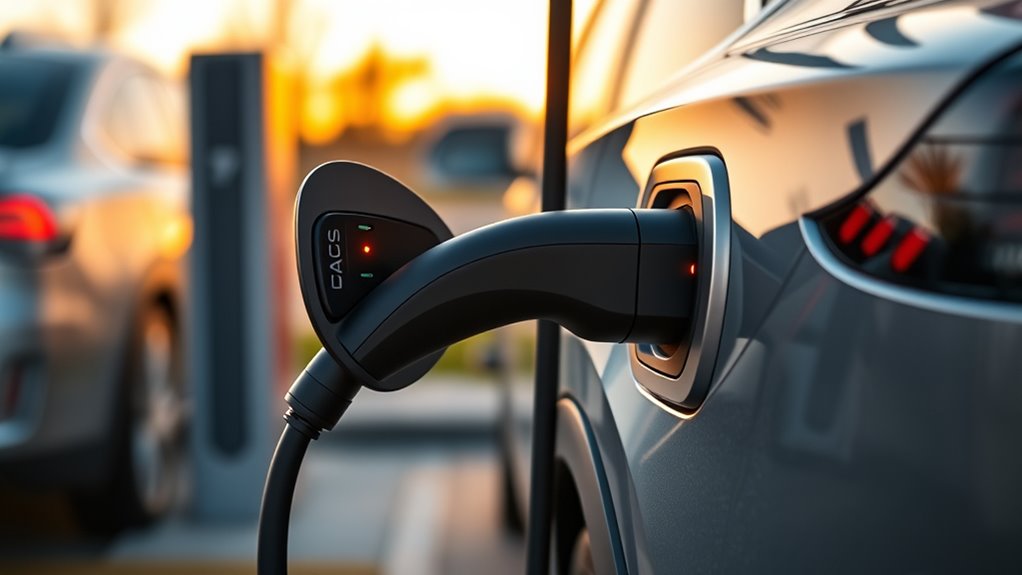
Using a NACS DC adapter can let a CCS-equipped, non-Tesla EV use select Tesla Superchargers, but only when your vehicle, app, station, and adapter are all supported. Before you leave, add your EV in the Tesla app or your automaker’s charging app, confirm the exact Supercharger site, and use only a Tesla-provided or vehicle-manufacturer-provided DC adapter. Do not use a Level 2 NACS adapter at a Supercharger.
Quick Answer
To use a NACS adapter with a non-Tesla EV, confirm your automaker has Supercharger access, use an approved NACS DC adapter, find a compatible station in the Tesla app or vehicle app, attach the adapter to the Supercharger cable first, plug into your EV, then start and monitor the session in the app.
Key Takeaways
- Not every Tesla Supercharger works with every non-Tesla EV, so always verify the station and stall in the app before you drive there.
- For Supercharging, use only a NACS DC adapter provided by Tesla or your vehicle manufacturer; third-party and AC-only adapters can be unsafe or unsupported.
- Attach the adapter to the Supercharger cable before plugging into your EV, then watch the app for session status, speed, and alerts.
- Charging speed and cost vary by vehicle, battery state, station, time of day, and possible fees such as congestion fees.
At a Glance
| Time Required | About 2–5 minutes to connect and start the session once you arrive |
| Difficulty | Easy, if your vehicle and adapter are already approved for the station |
| Tools Needed | Approved NACS DC adapter, Tesla app or automaker app, active payment method, and your EV’s charging access enabled |
| Cost | Varies by station, time, app, membership status, taxes, and possible congestion fees |
What Is an NACS Adapter?
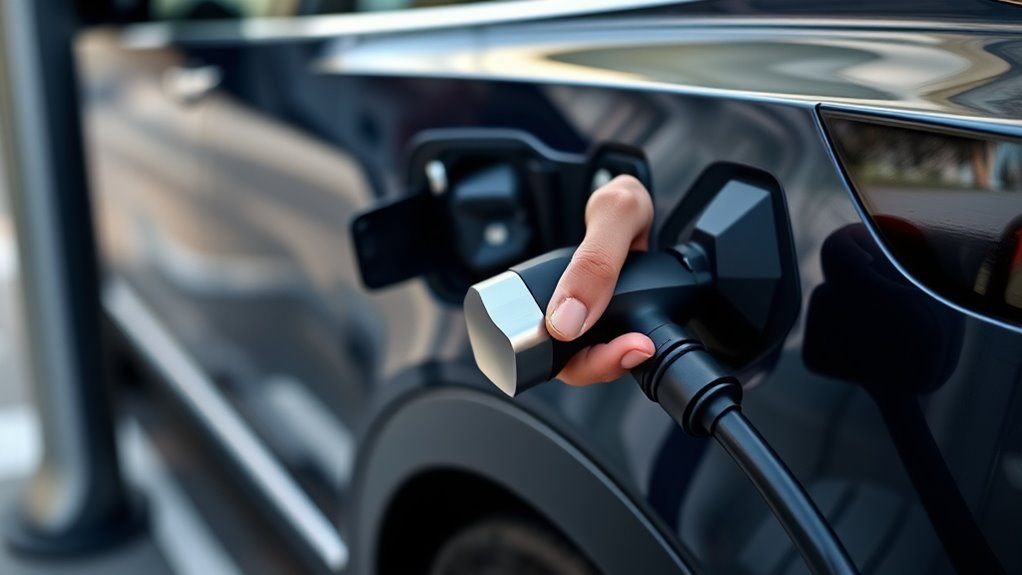
A NACS adapter connects one charging standard to another. For Tesla Supercharging, most CCS-equipped non-Tesla EVs need a NACS DC adapter that connects the Tesla Supercharger cable to the vehicle’s CCS1 charge port.
NACS stands for North American Charging System and is commonly tied to the SAE J3400 charging standard. Tesla notes that NACS supports AC and DC charging with one compact connector, but the adapter you use must match the charger type. A DC fast-charging adapter is different from a Level 2 AC adapter.
That distinction matters. A NACS-to-J1772 adapter for home or destination charging is not the same as a NACS DC adapter for Supercharging. Using the wrong adapter can fail to start the session and may damage charging equipment.
For current Supercharger access, start with Tesla’s official guidance on Supercharging other EVs and your vehicle manufacturer’s adapter instructions.
Warning: Do not use an AC-only NACS adapter, damaged adapter, loose connector, or unsupported third-party adapter at a Tesla Supercharger. Supercharging uses high-power DC charging, and unsupported hardware can overheat, fail, or be rejected by the network.
Which Tesla Superchargers Work With Non-Tesla EVs?
Not every Tesla Supercharger works with a non-Tesla EV. Tesla currently groups access into three broad types:
- Tesla-only Superchargers: These are not open to non-Tesla EVs.
- All EVs Superchargers: These have a built-in Magic Dock adapter at the charging post, so many CCS-equipped EVs can charge without bringing a separate adapter.
- NACS Superchargers: These are available gradually by vehicle manufacturer. A NACS-equipped non-Tesla EV may not need an adapter, while a CCS-equipped EV needs an approved NACS DC adapter from Tesla or the vehicle manufacturer.
Compatibility depends on your vehicle make, model, adapter, app setup, and the exact charging site. Tesla’s NACS access page shows that Supercharger access is expanding by automaker, but you should still confirm each stop before you travel.
Use the Tesla app, Tesla’s interactive map, or your automaker’s charging app to find supported sites. Do not assume a station works just because it is a V3 or V4 location; the app is the final check.
Check Compatibility Before You Go
Before you drive to a Supercharger, run through this short checklist. It helps you avoid arriving at a site that your EV cannot use.
- Vehicle access: Confirm your automaker has opened Supercharger access for your exact model and model year.
- Adapter type: Use a Tesla-provided or vehicle-manufacturer-provided NACS DC adapter for CCS-equipped vehicles.
- Station type: Confirm the site is listed as compatible in the Tesla app or your vehicle app.
- Payment: Add an active payment method before the session.
- App status: Update the Tesla app or automaker app before a trip.
- Connector condition: Inspect the adapter, cable, and vehicle port for dirt, damage, moisture on contacts, or loose parts.
Some automakers route Tesla Supercharger access through their own apps. For example, GM says supported Cadillac, Chevrolet, and GMC EV owners can use a GM-approved NACS DC adapter and the GM vehicle mobile app to access compatible Tesla Superchargers.
Note: If your EV already has a native NACS charge port and your automaker has Supercharger access, you may not need an adapter. If your EV has a CCS1 port, you need an approved NACS DC adapter for NACS Superchargers.
How Do You Set Up the Tesla App?
To set up the Tesla app for a non-Tesla EV, download the Tesla app for iOS or Android. Tesla says non-Tesla drivers should use app version 4.30.5 or later when charging through the Tesla app.
- Create or sign in to your Tesla account.
- Select the option to charge your EV or find a charger.
- Add your vehicle details so the app can filter compatible Superchargers.
- Add a payment method before you arrive.
- Use the map to find a compatible Supercharger site and review station details.
If your automaker handles charging through its own app, follow that app’s setup steps instead. The key point is the same: your vehicle, payment method, and charging access must be active before you plug in.
How Do You Find a Compatible Supercharger?
Use the Tesla app’s charger map, Tesla’s interactive map, or your automaker’s charging app to find Superchargers that support your non-Tesla EV.
Open the station details before you leave. Look for compatibility with your vehicle, current availability, stall identifiers, price, and any site notes. If the app does not show the site as compatible with your EV, choose another stop.
Tesla App Locator
In the Tesla app, open the charger locator and search near your route or destination. The app can show compatible Supercharger sites, real-time availability, and the station’s post identifiers.
When you arrive, match the post label in the app with the physical label on the charging post. If you select post 4A in the app, use post 4A at the site.
Stall Compatibility Check
Before you plug in, check the station details and post number. This matters because some sites have short cables, busy stalls, or posts that may not be ideal for your charge-port location.
If the site has Magic Dock, follow the app prompts to unlock the built-in adapter. If the site is a NACS Supercharger and your CCS-equipped EV is supported, use your approved NACS DC adapter.
Pro Tip: Tesla says most NACS Supercharger cables should reach, but some EVs may need careful parking. Avoid parking diagonally, and try to block as few stalls as possible when your charge port is on the opposite side.
How Do You Connect the NACS Adapter Correctly?
Before you connect, make sure the NACS adapter is compatible with your non-Tesla EV and rated for DC fast charging.
Remove the Supercharger handle, attach the adapter to the cable first, and confirm it is fully seated before you plug it into your vehicle.
Then plug it into your EV’s charging port, watch for the session to start, and check the app to confirm the connection and track charging.
Attach Adapter First
First, remove the Supercharger handle from the dock and firmly attach the NACS DC adapter to the cable before plugging it into your vehicle. This step helps the connector lock together correctly before power flows.
Align the NACS adapter with the Supercharger cable, then press it on until it feels fully seated. Do not force the hardware if it resists. Remove it, inspect the connector, and try again only if everything looks clean and undamaged.
- Check that the adapter is fully seated.
- Confirm the cable and adapter are aligned.
- Verify there is no wobble at the connection.
- Proceed only after the fit feels firm.
Plug In Securely
Once the NACS adapter is firmly attached to the Supercharger cable, plug it into your vehicle’s charging port until it sits securely and feels fully seated.
Hold the cable steady as you plug in. If the connector does not seat cleanly, stop and recheck the adapter position. A loose or crooked connection can prevent the session from starting.
If you selected the post in the Tesla app before removing the connector, work promptly. Tesla says that if you do not remove the connector within 30 seconds and plug in within one minute of selecting the post, you may need to start over.
How Do You Start a Charging Session?
To start a charging session with a non-Tesla EV using a NACS adapter, open the Tesla app or your automaker’s charging app and choose the compatible Supercharger site.
- Confirm your vehicle details and payment method.
- Select the correct Supercharger location and post number.
- Attach the NACS DC adapter to the Supercharger cable.
- Plug the cable and adapter into your EV’s charging port.
- Wait for the app and vehicle to confirm that charging has started.
After the session begins, monitor the app for charging speed, battery percentage, estimated cost, and alerts. If the session does not start within about a minute, check the app message, confirm the post number, and verify that the adapter is fully seated.
When you are done, tap Stop Charging in the app. Then press the adapter release button, unplug from your vehicle, and detach the adapter from the Supercharger cable according to your adapter instructions.
What Charging Speeds Should You Expect?
Your charging speed depends on your vehicle, adapter, battery temperature, state of charge, Supercharger hardware, and site conditions. A high-power Supercharger will not force your EV to charge faster than the vehicle can safely accept.
Tesla says charging speeds vary by Supercharger and vehicle, and the Tesla app shows the maximum charging speed for each Supercharger. Your vehicle’s charging curve also matters. Many EVs charge fastest at a lower-to-mid battery percentage, then slow as the battery fills.
Adapter Limits and Caps
An approved NACS DC adapter must be rated for the power level and use case. If the adapter, vehicle, or station limits the session, the charging rate will stay below the site’s maximum.
- Check adapter ratings before your first trip.
- Confirm your automaker supports Supercharger access for your vehicle.
- Expect your EV’s own DC fast-charging limit to control the session.
- Expect slower charging as the battery gets closer to full.
Vehicle Charging Curves
Your charging curve is the way your EV changes charging speed as the battery fills. Cold batteries, hot batteries, high state of charge, and battery-protection settings can all reduce speed.
For shorter stops, many drivers charge only enough to reach the next charger or destination. This can save time because charging from a high percentage to 100% is usually slower than charging in the lower-to-mid range.
Stall and Network Effects
Busy stations can affect both availability and cost. If the site is crowded, choose an open compatible stall, avoid blocking extra stalls, and move your vehicle when the session ends.
Use the app for real-time monitoring. It can help you see whether the station is busy, whether fees may apply, and whether another nearby site is a better stop.
How Much Does Tesla Supercharging Cost?
Tesla Supercharging is generally pay-per-use. The Tesla app shows pricing for each Supercharger site before or during a session, and prices may vary by location, time, and charging provider.
You do not need a Supercharging Membership to use Superchargers that are open to other EVs. However, Tesla offers optional Supercharging Memberships that may lower charging prices at select sites when you use the Tesla app.
If you do not own a Tesla vehicle, a temporary authorization hold may be placed on your payment method when a session starts through the Tesla app. The hold can take a few days to clear depending on your financial institution.
Congestion fees can also apply at busy Superchargers. Tesla says congestion fees may apply when a site is busy and your vehicle is at or above the congestion-fee level, commonly 80%, or when the charging session has ended. Tesla lists the typical U.S. congestion fee as $0.50 per minute and notes that it can be up to $1.00 per minute depending on location.
Check Tesla’s official Supercharger fees page and the app before each trip so you can compare price, timing, and possible extra fees.
Which Approved Adapters Are Safe to Use?
The safest choice is a NACS DC adapter provided by Tesla or your vehicle manufacturer for your exact EV. Tesla’s Supercharging guidance says CCS1-equipped vehicles should use an NACS DC adapter provided by Tesla or the vehicle manufacturer, and it prohibits third-party adapters for safety reasons.
Do not assume that an adapter sold online is approved just because it physically fits. Supercharging requires communication between the vehicle, adapter, charger, and app. Unsupported hardware can fail, overheat, stop the session, or put your charging access at risk.
- NACS DC adapter: Used by supported CCS-equipped EVs at compatible Tesla Superchargers and NACS DC fast chargers.
- Magic Dock: Built into select Tesla Supercharger posts, so you do not bring your own adapter at those stalls.
- NACS-to-J1772 AC adapter: Used for some Level 1 or Level 2 AC charging, not for Tesla Supercharging.
- Native NACS port: Found on some newer non-Tesla EVs, reducing or removing the need for a separate adapter.
Store your adapter in a dry, protected place. Inspect it before every charge and stop using it if you see cracked plastic, bent pins, corrosion, heat marks, loose locking parts, or moisture inside the connector.
How Do You Fix Common Charging Problems?
Even with a compatible adapter, charging can still fail. Start with the basics before moving to another stall or station.
- Session will not start: Confirm the station supports your vehicle, your payment method is active, and the selected post number matches the physical post.
- Adapter feels loose: Unplug, inspect the adapter and cable, then reconnect only if the hardware is clean and undamaged.
- App says the post is unavailable: Choose a different compatible stall or nearby Supercharger.
- Cable will not reach: Reposition carefully without parking diagonally or blocking extra stalls when possible.
- Charging is slower than expected: Check battery percentage, battery temperature, station max speed, and vehicle charging limits.
- Charging stops early: Review app alerts, restart the session if safe, or move to another compatible stall.
- Connector is hot, damaged, or smells unusual: Stop charging, disconnect safely, and do not reuse the adapter until it has been inspected or replaced.
If problems continue, try another compatible Supercharger or use a CCS fast charger instead. Repeated failures can point to an app issue, payment issue, adapter problem, vehicle setting, or station limitation.
Frequently Asked Questions
Do I need a special membership to use Tesla Superchargers?
No. Tesla says Superchargers open to other EV drivers do not require a membership. A Supercharging Membership is optional and may lower the charging price at select sites when you use the Tesla app.
Can I charge if my EV’s port is on the opposite side?
Yes, if the cable reaches safely. Park carefully, avoid diagonal parking, and try not to block extra stalls. Tesla says V4 posts are being deployed with longer cable reach for more EV charge-port locations.
Will the adapter work in cold or rainy weather?
Approved adapters are designed for normal outdoor charging conditions, but you should still inspect the connector before use. Do not charge with cracked plastic, bent pins, corrosion, loose parts, or moisture inside the electrical contacts.
Can I charge other devices while using a Supercharger?
The Supercharger is for charging your EV, not separate devices. You can usually use your vehicle’s USB ports or outlets for phones and small electronics if your vehicle supports that use during charging.
How often should I inspect my NACS adapter for damage?
Inspect your NACS DC adapter before every charging session. Look for cracked housing, bent or dirty contacts, corrosion, swelling, heat marks, loose locking parts, or anything that prevents a firm connection.
Can I use a Level 2 NACS adapter at a Tesla Supercharger?
No. A Level 2 NACS-to-J1772 adapter is for AC charging, not DC fast charging. For a CCS-equipped non-Tesla EV at a compatible Supercharger, you need an approved NACS DC adapter or a Magic Dock stall.
Do I need my own adapter at a Magic Dock Supercharger?
Usually, no. Magic Dock is the built-in adapter at select Tesla Supercharger posts. Follow the app prompts to unlock it, then connect it to your CCS-equipped EV.
Why is my charging speed lower than the station maximum?
Your EV controls how much power it accepts. Speed can drop because of battery temperature, high state of charge, vehicle limits, adapter limits, site hardware, or network conditions. Check the app and your vehicle screen for current speed and alerts.
Conclusion
A NACS adapter can make road trips easier for many non-Tesla EV drivers, but only when the vehicle, adapter, app, and Supercharger site are all compatible. Use the Tesla app or your automaker’s app to confirm access, bring only an approved NACS DC adapter, attach the adapter before plugging into your EV, and monitor the session until it starts. With the right setup, Supercharging can be a smooth DC fast-charging option instead of a stressful guess.
Sources
- Tesla Support: Supercharging Other EVs — supports non-Tesla Supercharger access, app setup, adapter rules, post selection, Magic Dock, cable reach, and payment guidance.
- Tesla Support: Supercharger Fees — supports congestion fee rules, fee triggers, grace period, and typical U.S. congestion fee information.
- Tesla: North American Charging Standard — supports NACS background, Supercharger access expansion, and automaker transition details.
- GM Energy: Public EV Charging — supports manufacturer-approved NACS DC adapter guidance and GM app charging steps for compatible GM EVs.
- SAE International: SAE J3400 — supports the standards reference for the North American Charging System.

