
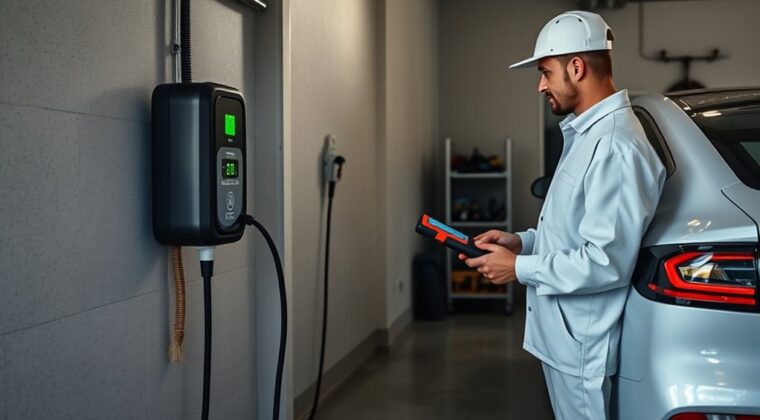
You should service your home EV charger with a simple routine: wipe the exterior weekly, check the cable and connector monthly, inspect outdoor units after storms, and schedule a licensed electrician or qualified EV charger technician once a year if the unit is hardwired, outdoors, older, damaged, or showing faults. Do not open the charger housing or work inside the electrical panel yourself. Look for cracks, fraying, heat marks, corrosion, loose mounting, slow charging, fault lights, repeated breaker trips, or unusual warmth.
Quick Answer
For most homes, check your EV charger cable, connector, mount, and outlet area once a month. Clean dust from the exterior weekly. Inspect outdoor chargers after heavy rain, flooding, ice, heat waves, or wind. Call a licensed electrician if you see damage, heat marks, exposed wiring, repeated trips, or charging faults.
Key Takeaways
- Do a quick visual check before charging and a fuller cable, connector, mount, and outlet check every month.
- Clean only the outside with a soft cloth and mild soap. Do not spray water into vents, ports, plugs, or the charger body.
- Stop using the charger if you find frayed cable, exposed wire, melting, burning smell, corrosion, heat marks, or repeated breaker trips.
- For hardwired, outdoor, older, or faulting units, have a qualified electrician or trained EV charger technician inspect the installation.
At a Glance
| Time Required | 5 minutes for a weekly wipe-down; 10 to 20 minutes for a monthly visual inspection |
| Difficulty | Easy for cleaning and visual checks; professional-only for wiring, breaker, voltage, or internal charger service |
| Tools Needed | Soft cloth, mild soap, dry nonabrasive brush, flashlight, cable strap, phone app for smart chargers, and your charger manual |
| Cost | Usually $0 to $20 for basic cleaning supplies; professional inspection costs vary by local labor rate, charger type, and repair scope |
Warning: EV chargers use high current. Do not open the charger housing, touch exposed wiring, remove the faceplate, bypass a breaker or GFCI, or test live voltage unless you are qualified to do that work. If anything looks burned, loose, wet inside, cracked, or unsafe, stop using the charger and call a licensed electrician.
How Often Should You Service Your Home EV Charger?
For most homeowners, home EV charger maintenance is simple. You are not rebuilding the unit. You are keeping it clean, watching for damage, and catching electrical warning signs early.
A practical schedule looks like this:
- Before each use: glance at the cable, connector, and plug area for damage, dirt, moisture, or heat marks.
- Weekly: wipe the charger housing, cable handle, and nearby wall area with a soft cloth.
- Monthly: inspect the cable, connector pins or inlet area, mount, outlet or hardwired entry point, strain relief, and breaker behavior.
- After severe weather: check outdoor chargers after heavy rain, flooding, snow, ice, extreme heat, or high wind.
- Yearly: consider a professional inspection for hardwired, outdoor, older, heavily used, or fault-prone chargers.
The U.S. Department of Energy Alternative Fuels Data Center says general EV charging maintenance includes storing cables securely, checking parts periodically, and keeping equipment clean. That matches the routine most homeowners need.
If your charger is still under warranty, also follow the manufacturer’s manual. Some brands may require certain inspections, update steps, or repair procedures to keep coverage intact.
Note: “Service” does not mean opening the charger. For a homeowner, service usually means cleaning, visual inspection, cable care, app checks, and knowing when to stop using the unit.
Home EV Charger Maintenance Schedule
A schedule keeps small issues from turning into unsafe charging. Use this checklist as a routine, then adjust it based on your charger manual, climate, and how often you charge.
Weekly Maintenance
- Wipe dust, pollen, and grime from the charger housing with a soft, slightly damp cloth.
- Check that the cable is not twisted, pinched, driven over, or tightly wrapped.
- Make sure the connector sits securely in its holster.
- Look for insects, spider webs, leaves, or debris around outdoor units.
- Check your smart charger app for fault messages or failed sessions.
Monthly Maintenance
- Inspect the full cable length for cuts, flattened spots, cracks, fraying, bulges, or exposed conductors.
- Look at the connector for corrosion, dirt, bent parts, melted plastic, moisture, or a loose latch.
- Check the wall mount and screws for movement.
- Look around the outlet, plug, breaker area, or hardwired entry point for heat marks or discoloration.
- Review charging speed. A sudden drop can point to a vehicle setting, utility issue, heat limit, app setting, or charger fault.
- Test the GFCI if your setup has a GFCI receptacle or breaker and the manufacturer’s instructions call for user testing.
Yearly Maintenance
A yearly professional inspection is wise if your charger is outdoors, hardwired, used daily at high amperage, exposed to salt air, installed in a hot garage, or more than a few years old. Ask the electrician or technician to check terminal tightness, breaker condition, GFCI function, cable strain relief, enclosure condition, mounting, labeling, and any stored fault history.
Residential Level 2 charging is usually installed on 240-volt service in homes. Installations must follow local code and the National Electrical Code, including Article 625, according to AFDC. If you see signs of electrical stress, do not guess. Call a qualified electrician.
Monthly Checks for Your EV Charger Cable and Mount
Each month, inspect your EV charger cable from end to end. Start at the charger body, follow the cable slowly, and finish at the connector. Use a flashlight if the charger is in a garage corner or outdoors at night.
Look for these cable problems:
- Cracks in the outer jacket
- Frayed areas or exposed wire
- Flattened sections from being driven over
- Kinks near the handle or charger body
- Heat-softened or melted plastic
- Loose strain relief where the cable enters the charger or connector
Then check the mount. A loose bracket can stress the wiring and cable over time. The charger should sit flat, feel stable, and not shift when you holster or remove the connector.
If you use a plug-in Level 2 charger, inspect the receptacle area without touching metal contacts. Look for a loose plug, browning, melting, odor, buzzing, or warmth after charging. If any of those appear, stop using the charger and call an electrician.
Pro Tip: After a normal charging session, the connector may feel slightly warm. It should not feel hot, smell burned, soften the plastic, discolor the outlet, or cause repeated breaker trips.
How to Clean Your EV Charger Safely
Before cleaning, stop the charging session and disconnect the connector from the vehicle. For a plug-in charger, unplug it only if the manual says it is safe to do so and your hands are dry. For a hardwired charger, do not remove covers or open the unit.
Use a soft cloth with mild soap and water for the exterior only. Wring the cloth out first so it is damp, not dripping. Keep water away from vents, seams, plugs, terminals, and connector openings.
Avoid harsh chemicals, pressure washing, abrasive pads, and household cleaners that can damage plastic, labels, seals, or rubber parts. If the connector is dirty, follow the manufacturer’s manual. Do not spray liquids into the connector unless your charger maker specifically allows it.
Safe Cleaning Steps
- Stop charging: End the charging session from the car, charger, or app.
- Disconnect from the vehicle: Remove the connector and place it in the holster.
- Check for damage first: If you see burning, cracking, exposed wire, or moisture inside the unit, stop and call a professional.
- Wipe the housing: Use a soft damp cloth with mild soap.
- Dry the surface: Use a clean dry cloth before the next charging session.
- Clear loose debris: Use a dry, nonabrasive brush around the holster, cable hook, and wall area.
- Coil the cable loosely: Avoid tight wraps that strain the conductors.
Tools and Supplies
Keep the tool list simple. You do not need special equipment for routine homeowner maintenance.
- Soft microfiber cloth
- Mild soap and clean water
- Dry nonabrasive brush
- Flashlight
- Cable strap or hook for loose coiling
- Your charger manual
- Your charger app, if the unit is connected
Do not use steel wool, metal picks, solvents, pressure washers, dripping wet cloths, or extension cords. Do not use electrical contact cleaner unless the manufacturer’s manual says it is acceptable for that exact connector or plug.
Outdoor EV Charger Maintenance After Weather
Outdoor charging can be safe when the equipment is rated for outdoor use. AFDC notes that outdoor home charging is safe, even in rain, when outdoor-rated equipment is used. Still, weather adds wear, so inspect outdoor chargers more often.
After storms, freezing weather, flooding, or heavy heat, check for:
- Cracked housing or broken cover
- Water inside the connector holster
- Loose mounting from wind or impact
- Corrosion on visible metal parts
- Sun-damaged cable jacket
- Ice or packed snow around the cable and connector
- Fault lights after power returns
If floodwater reached the charger, outlet, conduit, pedestal, or electrical panel, do not use the charger until a licensed electrician inspects it. Water can leave corrosion and hidden conductive paths even after the surface looks dry.
Warning Signs Your EV Charger Needs Service
Stop using the charger and arrange service if you see visible damage, such as cracks, frayed cables, exposed wiring, melted plastic, burned marks, corrosion, or a loose connector.
You should also act if the charger suddenly becomes unreliable. A single failed session can happen because of a vehicle setting, app schedule, utility event, or software issue. A repeated fault is different. Repeated trips, failed starts, unusual heat, or slow charging need attention.
Watch for these warning signs:
- Charging takes much longer than normal with no change to vehicle settings.
- The connector, plug, outlet, or wall area feels hot.
- The breaker or GFCI trips more than once.
- The charger shows recurring red, amber, or fault lights.
- The app reports ground fault, overtemperature, relay, cable, or communication errors.
- You hear buzzing, crackling, or popping near the charger or breaker.
- You smell burning plastic or ozone.
- The connector latch no longer holds firmly.
Do not treat these as normal wear. Heat, odor, discoloration, and repeated electrical trips are safety warnings.
A damaged charger cable is not a cosmetic issue. Cuts, heat damage, exposed wiring, or loose fittings can turn a normal charging session into an electrical hazard.
GFCI and Breaker Checks for EV Chargers
A GFCI helps protect people from severe electric shock by interrupting power when it detects a ground fault. The U.S. Consumer Product Safety Commission recommends testing GFCIs after installation, at least monthly, after a power failure, and according to the manufacturer’s instructions.
If your EV charger uses a GFCI breaker or GFCI receptacle, follow the instructions for that device. Do not keep resetting a breaker or GFCI that trips again. Repeated tripping can point to moisture, damaged cable, wiring problems, charger failure, or a mismatch between the charger and circuit protection.
Call a qualified electrician if:
- The GFCI test button does not work.
- The charger trips the breaker repeatedly.
- The breaker feels warm or smells burned.
- The outlet is loose, cracked, browned, or melted.
- The charger worked before but now faults after rain or a power outage.
Smart Charger App, Firmware, and Wi-Fi Checks
Many newer Level 2 chargers are connected. Smart models may track energy use, schedule charging, show fault codes, support demand response, and receive software updates. ENERGY STAR notes that some certified chargers are connected and allow remote monitoring and control.
Once a month, open your charger app and check:
- Firmware or software update status
- Recent fault messages
- Charging schedule settings
- Maximum amperage setting
- Wi-Fi signal strength
- Energy-use history
- Notifications from the charger maker
Some products, such as the Tesla Wall Connector, can connect to Wi-Fi and receive firmware updates. Your charger may work differently, so use the manual or app for your exact model.
Note: A firmware update will not fix a burned outlet, damaged cable, loose terminal, or overheating connector. Software checks are useful, but electrical damage still needs professional inspection.
When to Call a Licensed EV Charger Technician
Call a licensed EV charger technician, qualified electrician, original installer, or manufacturer support when the issue goes beyond cleaning and visual inspection.
Get professional help for:
- Frayed cords or exposed wiring
- Burn marks, melting, or burning smell
- Repeated breaker or GFCI trips
- Slow charging that does not match vehicle settings
- Loose outlet, loose plug, or loose wall mount
- Water exposure, flooding, or suspected moisture inside the unit
- Recurring fault lights or app error codes
- Any repair that requires opening the charger or panel
Do not bypass safety features to “get one more charge.” If the charger is unsafe, use another charging location until the unit is inspected.
What’s Included in a Professional Charger Service?
A professional charger service should focus on the electrical path, mounting, safety devices, visible wear, and charger performance. Ask what the visit includes before scheduling.
Visual Inspection And Cleaning
The technician should inspect the charger body, cable, connector, holster, wall mount, conduit, plug or hardwired entry point, and nearby outlet or breaker area. They look for cracking, corrosion, loose fittings, heat marks, worn insulation, water intrusion, and signs of electrical stress.
They may clean exterior surfaces, clear debris from vents or holsters, and document any damage. They should not simply wipe the charger and leave. A good service visit checks the whole charging setup.
Electrical Testing And Updates
Electrical testing may include checking the breaker, GFCI function, circuit rating, conductor size, torque on accessible terminals, grounding, charger configuration, and fault history. In a residential garage, Level 2 service is typically 240 volts, while some commercial Level 2 installations use 208 volts. The important point is not a homeowner number on a meter. The important point is whether the circuit, charger, and vehicle are operating within their design limits.
If the charger is connected, the technician may also review firmware, Wi-Fi connection, app settings, amperage limits, and error logs. If the charger maker has issued updates or service guidance, the technician can apply or recommend the correct fix.
Maintenance Habits That Extend Charger Life
Good daily habits protect the cable, connector, housing, and circuit. They also make it easier to spot problems early.
- Return the connector to its holster after every charge.
- Coil the cable loosely instead of wrapping it tightly.
- Keep the cable off the floor where it can be driven over.
- Do not close a garage door on the cable.
- Do not use adapters unless they are approved by the vehicle and charger manufacturer.
- Keep vents and drain paths clear.
- Protect outdoor chargers from sprinklers, impact, and standing water.
- Review app alerts instead of ignoring repeated fault messages.
- Use a charger that is safety-certified by a recognized testing laboratory. ENERGY STAR says certified EV chargers are safety tested by a nationally recognized testing laboratory.
These habits do not replace professional electrical work, but they reduce preventable wear and make your charger easier to trust.
Common Mistakes to Avoid
Most charger damage comes from simple habits repeated over time. Avoid these mistakes:
- Dragging the connector: It can damage the latch, pins, and handle.
- Tightly wrapping the cable: It stresses conductors and traps heat.
- Ignoring a warm outlet: Heat near a receptacle can be a sign of poor contact or wiring stress.
- Resetting a breaker again and again: A breaker trips for a reason.
- Cleaning with spray water: Water can enter openings and damage electrical parts.
- Using a damaged adapter: Bad adapters can overheat and create charging faults.
- Opening the charger: Internal service is not a homeowner maintenance step.
Frequently Asked Questions
Do home EV chargers need servicing?
Yes. A home EV charger needs routine visual inspection, cable care, and safe cleaning. Most homeowner maintenance is simple, but damaged cables, hot outlets, breaker trips, water exposure, and wiring concerns should be handled by a licensed electrician or qualified EV charger technician.
How often should I inspect my EV charger cable?
Do a quick glance before each charging session and a full cable inspection once a month. Check for cuts, cracking, fraying, flattened sections, loose strain relief, heat damage, corrosion, and connector latch problems.
Should I charge my EV to 80% every night?
For many EVs, setting a daily charge limit around 80% can support battery health, but the best setting depends on your vehicle, battery type, driving needs, and owner’s manual. This is battery-care advice, not charger maintenance. Follow your vehicle manufacturer’s guidance.
What is the 80/20 rule for EV charging?
In everyday EV use, the 80/20 rule usually means avoiding routine charging above about 80% and avoiding deep discharge below about 20% when you do not need the extra range. It is a battery habit, not a rule for where you charge. Follow your vehicle manual because some battery types have different recommendations.
What is the lifespan of a home EV charger?
A quality home EV charger can last many years, but lifespan depends on installation quality, weather exposure, charging frequency, cable care, heat, moisture, and manufacturer support. Check the warranty, keep the charger clean, protect the cable, and fix electrical issues early.
Can I clean my EV charger with a hose?
No. Do not hose down or pressure wash an EV charger. Use a soft, slightly damp cloth on the exterior only, then dry it. Keep water away from vents, seams, plugs, connector openings, and electrical contacts.
Why does my EV charger feel warm?
Slight warmth at the connector can be normal during charging, especially at higher amperage. Heat is not normal if the handle, plug, outlet, breaker, or wall area feels hot, smells burned, changes color, or causes repeated faults. Stop using the charger and call a professional.
Conclusion
You keep your home EV charger reliable by following a steady routine: clean the exterior weekly, inspect the cable and mount monthly, check outdoor units after severe weather, and call a professional when faults appear. Do not ignore heat, burning smells, cracks, corrosion, repeated breaker trips, or exposed wiring. Routine maintenance is simple, but electrical repair is not a DIY task. Stay consistent, follow your manual, and treat warning signs early so your charger remains safe and dependable.
Sources
- U.S. Department of Energy Alternative Fuels Data Center: Operation and Maintenance for EV Charging Infrastructure — supports cable storage, periodic checks, cleaning, maintenance costs, and maintenance planning.
- U.S. Department of Energy Alternative Fuels Data Center: Charging Electric Vehicles at Home — supports home Level 1/Level 2 charging, outdoor-rated equipment, qualified electrician guidance, and code compliance.
- U.S. Department of Energy Alternative Fuels Data Center: Electric Vehicle Charging Stations — supports Level 2 voltage, amperage, charging speed, and connector context.
- ENERGY STAR: Electric Vehicle Chargers — supports safety-certified charger guidance, connected charger features, and qualified contractor maintenance.
- U.S. Consumer Product Safety Commission: GFCI Fact Sheet — supports GFCI safety and monthly testing guidance.
- Tesla Support: Wall Connector — supports examples of connected charger features, app setup, power output, and firmware updates for supported models.