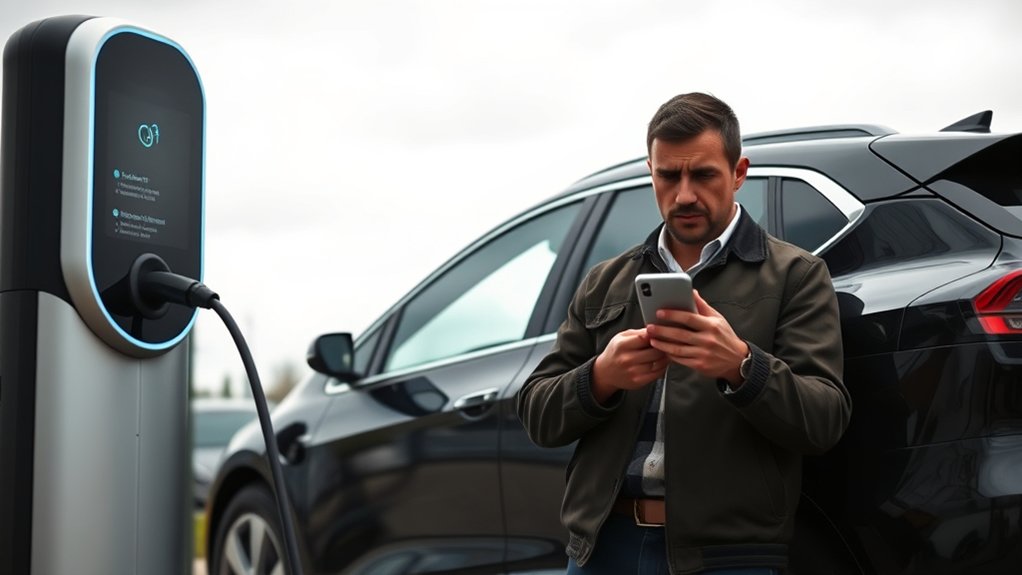
If your EV charger app is not working, start with the simple checks before assuming the charger is broken. Most app problems come from weak Wi-Fi, phone permissions, outdated software, account conflicts, scheduled charging settings, or a loose connector. Work through the connection path in order: phone, app, charger, router, cable, and vehicle.
Quick Answer
If your EV charger app is not working, check phone permissions, app login, charger power, Wi-Fi signal, and router band first. Many smart chargers work best on stable home Wi-Fi, often 2.4 GHz. Restart the phone, router, and charger, update the app and firmware, then check cable seating and error lights.
Key Takeaways
- Most charger app failures are connection problems, not charger failures.
- Check 2.4 GHz Wi-Fi, router distance, app permissions, Bluetooth, and firmware before resetting anything.
- A charger can look offline in the app and still charge manually, depending on the model and schedule settings.
- Stop troubleshooting and call support or an electrician if you see heat, damage, burning smells, repeated breaker trips, or persistent red fault lights.
At a Glance
| Time Required | 10 to 20 minutes for basic app and Wi-Fi troubleshooting |
| Difficulty | Easy for app, phone, Wi-Fi, and cable checks; professional help for electrical faults |
| Tools Needed | Smartphone, charger app, Wi-Fi password, charger manual, and access to your router app |
| Cost | Usually free; Wi-Fi extenders, mesh nodes, replacement cables, or service calls may cost extra |
Understanding the Importance of EV Charger App Connectivity
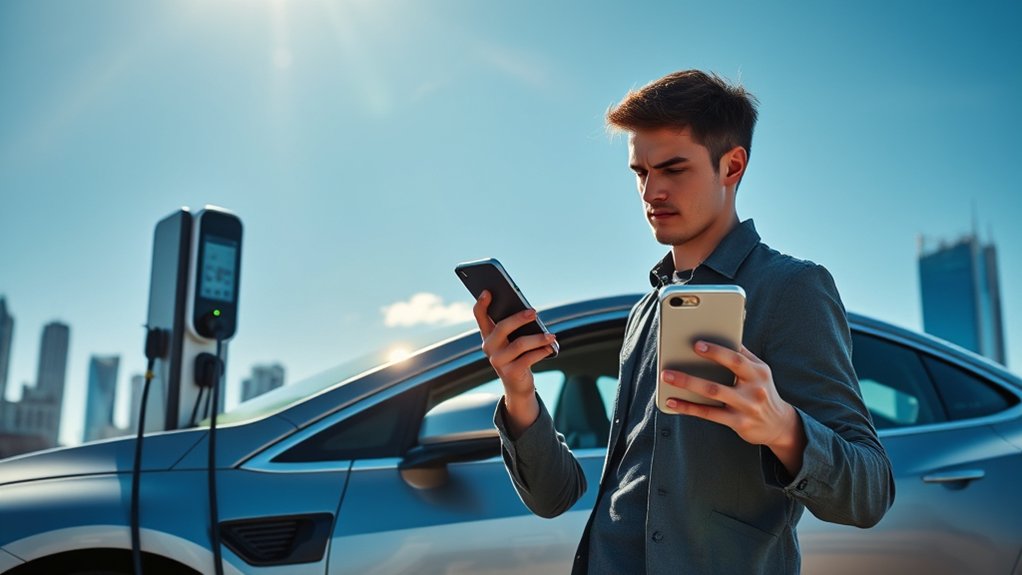
A smart EV charger app lets you view charging status, set charging schedules, track energy use, start or stop a session, and receive fault alerts. The U.S. Department of Energy’s Alternative Fuels Data Center notes that advanced Level 2 chargers can include timers, communications features, displays, and user controls.
When the app loses connection, the charger may show as offline, fail to update session data, ignore schedule changes, or stop sending alerts. That does not always mean the charger has failed. It often means one part of the connection chain has dropped: your phone, the app account, Bluetooth, Wi-Fi, router, charger cloud service, or the charger itself.
Note: A charger can be offline in the app but still able to charge if it has power and the vehicle accepts the session. However, smart schedules, energy tracking, load management, and remote start features may not work until the connection returns.
Top Reasons Your EV Charger App Fails and How to Fix Them
If your EV charger app suddenly stops working, check these common causes first:
- Weak Wi-Fi in the garage or driveway: Walls, metal garage doors, distance from the router, and outdoor placement can weaken the signal.
- Wrong Wi-Fi band: Many smart chargers require, or pair more reliably with, a 2.4 GHz Wi-Fi network. Some newer models also support 5 GHz, so check your charger manual.
- Phone permission problems: Bluetooth, location, local network access, notifications, and background data may need to be enabled.
- Bluetooth pairing conflicts: Old pairings, another user’s phone, or a previous setup attempt can block discovery.
- Outdated app or firmware: Older software can cause login, syncing, and charger communication errors.
- Account or user conflicts: Shared logins, changed passwords, expired sessions, or multiple users changing settings can create sync issues.
- Router security settings: MAC filtering, WPA3-only settings, captive portals, VPNs, or guest-network isolation can block setup.
- Charger or vehicle settings: A scheduled charge, vehicle charge limit, utility demand-response setting, or locked connector can make the app look like the problem.
Quick Fixes for EV Charger App Connectivity Issues
Use this order so you do not waste time resetting the wrong device.
- Close and reopen the app. Force-close it, then reopen it and sign back in if asked.
- Check the charger’s power. Look for normal status lights. If the charger has no lights, check the outlet, breaker, or disconnect only if you can do so safely.
- Restart your phone. This clears stuck Bluetooth, Wi-Fi, and app processes.
- Restart the router. Wait until the router is fully online before reopening the charger app.
- Power-cycle the charger. Follow the manufacturer’s reset instructions. For many plug-in chargers, this means unplugging from the wall only if the manual allows it. For hardwired chargers, use the breaker only if it is safe and accessible.
- Update the app. Install the latest version from the official app store.
- Check firmware. If the app offers a charger firmware update, keep the charger powered and do not interrupt the update.
- Reconnect Wi-Fi. Re-enter the Wi-Fi password, choose the correct network, and avoid networks that require a web login.
- Check the cable and vehicle. Unplug, inspect, and firmly reconnect the charging connector. Make sure the vehicle is not already full or limited by its own charging schedule.
Warning: Do not open an EV charger, electrical panel, junction box, or hardwired connection to troubleshoot an app problem. EV charging equipment is a continuous electrical load, and unsafe repairs can cause shock, fire, or equipment damage. Call a licensed electrician for repeated breaker trips, heat, burning smells, damaged wiring, or persistent fault lights.
How to Troubleshoot Wi-Fi and Bluetooth Problems
Wi-Fi and Bluetooth are the two most common reasons a smart charger app will not connect. Bluetooth is often used during setup, while Wi-Fi keeps the charger connected after setup.
Wi-Fi Signal Strength Check
Stand next to the charger and check your phone’s Wi-Fi signal. If your phone has a weak signal near the charger, the charger likely does too.
Try these fixes:
- Use a 2.4 GHz network during setup. If your router combines 2.4 GHz and 5 GHz under one name, create a separate 2.4 GHz SSID temporarily or use an IoT network if your router supports it.
- Move the router or add a mesh node. A garage, exterior wall, or detached driveway may need a closer access point.
- Avoid captive portals. Chargers usually cannot join hotel, apartment, or workplace networks that require a browser login.
- Check the password. Re-enter it carefully. Some chargers are sensitive to unusual characters in SSID names or passwords.
- Review security settings. If setup fails, try WPA2 or WPA2/WPA3 mixed mode instead of WPA3-only mode.
- Disable MAC filtering during setup. If your router blocks new devices by default, approve the charger in the router app.
- Turn off VPN or private relay temporarily. Some apps struggle to discover local devices when phone traffic is routed through privacy tools.
Pro Tip: Name your 2.4 GHz network clearly, such as “Home-2G,” during setup. After the charger is paired and stable, you can decide whether to keep separate network names or return to your normal router setup.
Bluetooth Pairing Issues
If the app cannot find the charger during setup, Bluetooth may be the problem. Start close to the charger, then work through these checks:
- Enable Bluetooth on your phone. Make sure it is not connected to another device that could interfere.
- Enable app permissions. On many phones, charger apps need Bluetooth and location permission to scan for nearby devices.
- Forget old pairings. Remove the charger from your phone’s Bluetooth list if a previous setup failed.
- Restart both devices. Restart your phone and power-cycle the charger according to the manual.
- Use the owner account. Some charger apps only allow pairing from the account that owns or manages the charger.
- Try one phone at a time. Keep other users from attempting setup while you pair the charger.
App and Firmware Updates
Outdated app versions and charger firmware can cause offline status, failed schedule changes, missing energy data, or login loops. ENERGY STAR explains that some certified charger models are connected or networked, allowing remote monitoring and control of charging status, so software stability matters for those features.
Before updating, confirm the charger has power and a stable connection. Do not interrupt a firmware update once it starts. If the update fails repeatedly, take a screenshot of the error code and contact the charger manufacturer’s support team.
Check Phone, App, and Account Settings
Sometimes the charger is fine, but the phone or account is blocking the app. Check these items before resetting the charger:
- App login: Sign out and sign back in. Reset the password if the app keeps looping.
- Permissions: Enable Bluetooth, location, local network, notifications, and background refresh where required.
- Battery saver: Turn off aggressive battery optimization for the charger app.
- Mobile data: If setup fails, try turning mobile data off temporarily so the phone stays on the charger’s setup Wi-Fi.
- App cache: On Android, clear the app cache if the app freezes. On iPhone, reinstalling the app can clear stuck local data.
- Shared access: Make sure only one user is changing schedules, pricing settings, or load-management settings at a time.
Verifying Charger Compatibility and Cable Connections
Before blaming the app, make sure the charger, connector, cable, adapter, and vehicle can actually work together. The Alternative Fuels Data Center explains that Level 1 and Level 2 charging commonly use J1772 for many non-Tesla vehicles in North America, while J3400, also known from the NACS connector design, is part of the current North American transition.
Charger Model Verification
Check your charger model in the app and compare it with your vehicle manual. For AC home charging, the main question is usually whether the connector fits your vehicle or whether you need the correct adapter. For DC fast charging, compatibility depends on the station, the connector type, the vehicle’s fast-charging capability, and the network’s access rules.
- J1772: Common for AC Level 1 and Level 2 charging on many non-Tesla EVs and plug-in hybrids in North America.
- CCS: Common for DC fast charging on many EVs, using the J1772-style inlet plus two DC pins.
- J3400 / NACS: The newer North American connector standard based on Tesla’s connector design and used for AC and DC charging depending on the vehicle and station.
- Adapters: Use only vehicle-approved or charger-approved adapters. A poor adapter fit can cause failed sessions, overheating, or connector lock errors.
Cable Connection Integrity
A loose or damaged connector can make the app show confusing errors. Unplug the connector, inspect it, and reconnect it firmly.
Look for:
- Frayed insulation or exposed wire
- Burn marks, melted plastic, or unusual heat
- Moisture, dirt, corrosion, or debris in the connector
- A connector that will not latch or unlock normally
- A vehicle charge-port door or lock that is not fully open
Some AC stations, especially outside North America, may require you to bring your own cable. Many North American home and public Level 2 units have attached cords. DC fast chargers usually have fixed cables because of their higher power levels.
Compatibility With Adapter Types
If you use an adapter, confirm three things before charging: the adapter fits your vehicle, the charger supports that charging type, and the app or network allows the session. A connector may physically fit but still fail if the vehicle, station, or network does not support that charging method.
Note: If the app says “plug not detected,” “connector fault,” or “vehicle not ready,” check the physical connector and the vehicle’s charging screen before changing router settings.
Use Status Lights and Error Codes
Most chargers use lights, icons, or error codes to show what is wrong. Your charger manual is the final authority, but these general meanings can help you narrow the issue:
| Light or Message | Likely Meaning | What to Check |
| No light | No power or charger asleep | Outlet, breaker, disconnect, charger manual |
| Blue or ready light | Powered and waiting | App login, schedule, vehicle settings |
| Green or charging light | Charging is active | App sync delay, cloud status, energy data refresh |
| Amber or yellow light | Warning, limited power, or setup issue | Wi-Fi, firmware, load sharing, utility schedule |
| Red fault light | Fault or safety lockout | Stop charging, check manual, contact support or electrician |
How to Know When to Update Your Charger Software
Update your charger software when the app shows an update notice, the charger repeatedly appears offline, charging schedules fail, energy reports stop syncing, or the manufacturer lists a fix for your model.
Firmware updates can improve stability, security, vehicle compatibility, and network behavior. Since smart chargers connect to your home network and may exchange charging data, software updates are part of normal charger maintenance.
Before updating:
- Keep the charger powered.
- Keep the phone close if the update uses Bluetooth.
- Use a stable Wi-Fi connection.
- Do not unplug the vehicle or charger unless the app tells you to.
- Take a screenshot if an update fails and save the error code.
Can You Charge an EV Without the App?
Often, yes. Many home chargers can start charging when you plug in, even if the app is offline. But this depends on the charger, account settings, and vehicle settings.
You may still be able to charge without the app if:
- The charger has power and no active fault.
- The vehicle is not already full or limited by a schedule.
- The charger is not locked by the app, RFID, access control, or load-management setting.
- The charger has a fallback mode that allows plug-in charging.
For public chargers, the app may not be the only option. Some stations support credit-card tap, RFID cards, web payment, roaming through another network, or Plug & Charge where supported. Public charging reliability problems can include network failures, payment issues, broken screens, or damaged connectors, so check the station screen and call the network’s support number if the app will not start the session.
When to Call in the Experts for EV Charger Troubles?
Call the charger manufacturer or charging-network support when the app problem is tied to login, firmware, account ownership, payment, public station access, or repeated offline status. Call a licensed electrician when the issue looks electrical.
Get professional help if you notice:
- Repeated breaker or GFCI trips: This can point to a wiring, ground-fault, or equipment issue.
- Heat, smoke, buzzing, or burning smells: Stop using the charger immediately.
- Damaged cable, plug, outlet, or charge port: Do not keep testing with damaged equipment.
- Persistent red fault light: A safety lockout needs proper diagnosis.
- Water intrusion or corrosion: Outdoor-rated equipment is designed for weather, but damage still needs inspection.
- Hardwired charger problems: Do not open the charger or electrical panel yourself.
The ENERGY STAR EV charger program notes that certified chargers are tested for safety by a nationally recognized testing laboratory. For home installation and electrical capacity questions, the AFDC home charging guide recommends safety-certified equipment and qualified electrical help.
Frequently Asked Questions
Why is my EV charger not working?
Your EV charger may not be working because of weak Wi-Fi, a failed app login, outdated firmware, a vehicle charging schedule, a loose connector, a tripped breaker, or a charger fault. Start with the app, phone permissions, Wi-Fi signal, cable connection, and charger status lights before assuming the unit has failed.
Can I charge an EV without an app?
Yes, many EVs can charge without an app if the charger has power, the connector is seated, and no access lock or schedule is blocking the session. At public chargers, you may be able to use a card reader, RFID card, web payment, or Plug & Charge if the station and vehicle support it.
How do I reset an EV charger?
Follow your charger manual first. A safe user-level reset usually means closing the app, restarting your phone, restarting the router, then power-cycling the charger according to the manufacturer’s instructions. Do not open the charger, panel, or hardwired connection. If the charger trips a breaker again, call a licensed electrician.
How do I connect my EV charger to Wi-Fi?
Open the charger app, choose setup or network settings, and connect the charger to the Wi-Fi network recommended by the manufacturer. Many chargers pair best with 2.4 GHz Wi-Fi. Keep your phone close to the charger, enable Bluetooth and location permissions, enter the Wi-Fi password carefully, and avoid networks that require a browser login.
Why does my charger show offline in the app but still charge?
The charger may still deliver power locally even if its cloud connection is offline. This can happen when Wi-Fi is weak, the router is down, the charger cloud service is delayed, or the app has not refreshed. Charging may continue, but remote controls, energy tracking, and schedules may not sync.
Should my EV charger use J1772, CCS, or J3400/NACS?
It depends on your vehicle and charging type. J1772 is common for AC Level 1 and Level 2 charging on many non-Tesla vehicles in North America. CCS is common for DC fast charging on many EVs. J3400, also known from the NACS connector design, is the newer North American connector standard being adopted by many brands.
Conclusion
When your EV charger app is not working, troubleshoot in a clear order: phone permissions, app login, Bluetooth, Wi-Fi, router settings, charger power, cable seating, vehicle settings, and firmware. Most issues are quick connection problems, but safety comes first. If you see fault lights, heat, damaged parts, repeated breaker trips, or wiring concerns, stop using the charger and contact the manufacturer, charging network, or a licensed electrician.
Sources
- U.S. Department of Energy Alternative Fuels Data Center: Charging Electric Vehicles at Home — home charging levels, smart charger features, installation safety, permits, and electrical contractor guidance.
- U.S. Department of Energy Alternative Fuels Data Center: Electric Vehicle Charging Stations — charging levels, connector terminology, J1772, CCS, CHAdeMO, and J3400/NACS context.
- ENERGY STAR: Electric Vehicle Chargers — safety-certified chargers, connected charger features, Level 1 and Level 2 buying guidance.
- SAE International: J3400 North American Charging System Recommended Practice — standardized J3400/NACS connector reference.
- Reliability of Open Public Electric Vehicle Direct Current Fast Chargers — public charging failure categories, including network, payment, and connector problems.