
If your EV charger is not working, start with the safe basics before assuming the charger has failed. A tripped breaker, loose plug, dirty connector, charge schedule, app issue, incompatible adapter, or damaged cable can all stop a charging session. Use the steps below to narrow the problem without opening electrical panels, repairing cords, or bypassing safety devices.
Quick Answer
If your EV charger is not working, unplug safely, check the charger status light, confirm the breaker or GFCI has not tripped, inspect the cable and connector for damage, review your vehicle’s charging settings, and restart the session. Stop and call a licensed electrician if breakers keep tripping or anything looks hot, melted, wet, or burned.
Key Takeaways
- Most EV charging problems can be narrowed down by checking power, the cable, the connector, the vehicle settings, and the charger app.
- Do not keep resetting a breaker or GFCI that trips repeatedly. That can point to a ground fault, overload, wiring problem, or damaged charger.
- Connector type matters. Level 1 and Level 2 charging often use J1772 or NACS/J3400, while DC fast charging may use CCS1, CHAdeMO, or NACS/J3400.
- Damaged cables, melted plugs, exposed wires, water intrusion, burning smells, and hot outlets require professional help.
At a Glance
| Time Required | 5 to 20 minutes for basic checks; longer if an electrician or manufacturer support is needed. |
| Difficulty | Easy for visual checks and app settings; professional-only for panel, wiring, hardwired charger, or repeated breaker issues. |
| Tools Needed | Vehicle manual, charger manual or app, soft dry cloth, flashlight, and access to the breaker or GFCI reset if safe. |
| Cost | Often $0 for basic troubleshooting; repair, replacement, or electrical work varies by charger, wiring, warranty, and local labor rates. |
Top Factors Causing EV Charger Malfunctions
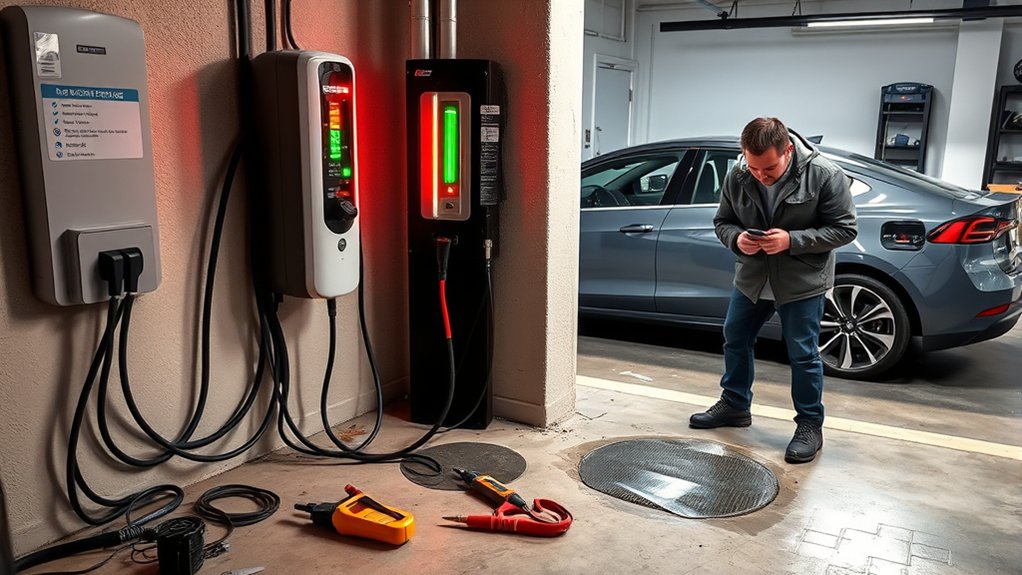
When your EV charger is not working, the problem usually falls into one of a few buckets: power supply, charger hardware, cable or connector damage, vehicle settings, software, network access, or connector compatibility.
The U.S. Department of Energy’s Alternative Fuels Data Center explains that charging times and performance depend on battery state of charge, battery capacity, vehicle onboard charger limits, charger power output, and electrical service. That means a “charger problem” can actually come from the vehicle, the electrical circuit, or the charger itself.
A failed charging session does not always mean the EV charger is broken. Check the power source, cable, connector, vehicle settings, and app authorization before replacing equipment.
Common Causes at Home
- Tripped breaker or GFCI: A breaker, outlet GFCI, or charger protection feature may shut off power after a fault or overload.
- Loose plug or poor connection: A plug that is not fully seated can stop the charger from starting.
- Damaged cable or connector: Cuts, cracks, corrosion, bent pins, melted plastic, or exposed wiring can prevent safe charging.
- Vehicle charging schedule: Your EV may be waiting for a scheduled off-peak charging window.
- Charge limit already reached: If your EV is set to stop at 70%, 80%, or 90%, the charger may look inactive even though it is working correctly.
- Temperature protection: Very hot or cold conditions can slow, delay, or stop charging depending on the vehicle and charger.
- Software or Wi-Fi issues: Smart chargers may need a firmware update, app login, or network reconnection.
Common Causes at Public Chargers
- Payment or app authorization failed: Some chargers will not start until the session is authorized.
- Wrong connector: A J1772, CCS1, CHAdeMO, or NACS/J3400 plug must match your vehicle or approved adapter.
- Network outage: A connected public charger may fail if its screen, card reader, or network is down.
- Cable reach or parking position: The connector must fully latch into the vehicle port.
- Station hardware fault: Broken connectors, damaged screens, and failed communication can stop charging.
Warning: Do not use a charger, outlet, plug, adapter, or cable that is hot, melted, cracked, wet inside, burned, sparking, or showing exposed wire. Stop using it and contact the charger manufacturer, site operator, or a licensed electrician.
How to Troubleshoot Your EV Charger
Use this sequence before assuming the charger needs replacement. It moves from the safest and easiest checks to issues that require professional help.
- Stop the charging session. Use the vehicle screen, charger app, or station screen if a session is active.
- Unplug the connector safely. If the vehicle locks the connector, unlock the vehicle or use the release process in your owner manual.
- Read the status light or error code. Many chargers use colored lights or codes to show no power, ground fault, waiting for vehicle, charging, or fault status.
- Check the breaker or GFCI once. If it has tripped, reset it one time only if there is no heat, odor, damage, or water exposure.
- Inspect the cable and connector. Look for cuts, crushed insulation, corrosion, bent pins, melted plastic, or dirt in the connector.
- Check the vehicle settings. Look for charge schedules, charge limits, valet modes, departure timers, or battery temperature warnings.
- Confirm connector compatibility. Match the charger plug or adapter to your vehicle’s charge port.
- Restart the charger. For a plug-in portable charger, disconnect it from the outlet if the manual allows. For a hardwired charger, follow the manufacturer reset steps.
- Try another charging source. If your EV charges elsewhere, the issue is likely with the charger, circuit, outlet, app, or installation.
- Call for help if the problem repeats. Repeated trips, burning smells, heat, water damage, hardwired charger faults, or unclear error codes need expert help.
Pro Tip: Take a photo of the charger error light, app message, breaker position, and connector condition before calling support. Those details help the manufacturer or electrician diagnose the issue faster.
Check Power Supply and Circuit Breakers
Power supply problems are one of the first things to check when an EV charger is not working. For a plug-in Level 1 or Level 2 charger, confirm the plug is fully seated and that the outlet is not visibly damaged. For a hardwired Level 2 charger, check the charger display or app, but do not open the charger or electrical panel.
If the breaker or GFCI has tripped, reset it once only if the area is dry and nothing looks damaged. If it trips again, stop. Repeated tripping can point to overload, ground fault, damaged EVSE, water intrusion, wiring problems, or a charger that is not matched to the circuit.
AFDC home charging guidance notes that Level 2 charging equipment may require added electrical capacity and that installations must follow local and state codes. It also points to National Electrical Code Article 625 for EV charging equipment.
Home Charger Power Checks
- Look for a status light: No light can mean no power, but it can also mean the charger is in sleep mode.
- Check the app: Smart chargers may show “offline,” “ground fault,” “over temperature,” or “waiting for vehicle.”
- Check the vehicle screen: Some EVs display “charging delayed,” “charge limit reached,” or “unable to charge.”
- Do not use extension cords: Use the charger as directed by the manufacturer and the vehicle manual.
- Do not bypass safety devices: Never tape down a breaker, defeat a GFCI, modify a plug, or use an adapter not approved for your vehicle and charger.
When a Breaker Trip Is a Warning Sign
A breaker that trips once may be a temporary fault. A breaker that trips repeatedly is different. Stop charging and call a licensed electrician if you notice repeated trips, buzzing, heat, burning odor, scorch marks, loose outlet fit, melted plastic, or water inside the outlet, plug, or charger.
Note: Outdoor charging can be safe when the equipment is rated for outdoor use and installed correctly. Do not assume an indoor charger, damaged plug, or wet outlet is safe just because the vehicle is outdoors.
Inspect Your Charging Cables and Connectors
Your charging cable and connector take daily wear from pulling, dropping, weather, road grit, and repeated plugging. A small amount of dirt can cause poor contact, while damaged insulation or pins can create a safety risk.
Visual Damage Assessment
Inspect the full cable length, connector handle, plug, adapter, and vehicle charge port. Look for:
- Frayed, cut, crushed, or cracked cable insulation.
- Exposed wiring.
- Melted plastic, scorch marks, or discoloration.
- Bent, recessed, corroded, or missing pins.
- Moisture, mud, leaves, or debris inside the connector.
- A connector that will not latch fully into the charge port.
- A cable that feels unusually warm during charging.
If you find serious damage, do not test the charger again. Replace the damaged equipment or contact the manufacturer. Do not tape a damaged cable or attempt a DIY repair.
Clean Connectors Regularly
Keep connectors clean and dry. If you see dust or light debris, wipe the outside of the connector with a soft, dry cloth. Do not spray cleaners into the connector, scrape pins with metal tools, or use compressed air if the charger manual warns against it.
AFDC operation and maintenance guidance recommends storing charging cables securely, checking parts periodically, and keeping equipment clean.
Test With Alternative Cables
If your vehicle can charge from another known-good charger, the original charger, outlet, cable, or installation may be the issue. If the same vehicle fails on multiple chargers, the problem may be vehicle-side, such as a charge-port fault, software setting, 12-volt battery issue, or battery temperature protection.
Only test with cables, adapters, and portable EVSE equipment that are approved for your vehicle and rated for the circuit. Avoid unknown adapters, damaged public connectors, or third-party cables that do not match the charger and vehicle requirements.
Update Charger Software and Ensure Compatibility
Smart EV chargers depend on software, app authorization, Wi-Fi, and vehicle communication. If your charger starts and then stops, refuses to recognize the vehicle, or shows a communication error, check for firmware updates in the charger app or manufacturer portal.
Also confirm that the connector type fits your vehicle. In North America, Level 1 and Level 2 AC charging commonly use J1772 or NACS/J3400, while DC fast charging may use CCS1, CHAdeMO, or NACS/J3400. The Joint Office of Energy and Transportation explains that NACS is being standardized as SAE J3400 and is being adopted across the EV industry.
Connector Types to Check
- J1772: Common for Level 1 and Level 2 AC charging on many non-Tesla EVs in North America.
- NACS/J3400: Used by Tesla and increasingly adopted by other EVs and chargers in North America.
- CCS1: Common DC fast-charging connector on many non-Tesla EVs.
- CHAdeMO: Older DC fast-charging connector used by some vehicles, including many older Nissan Leaf models.
- Adapters: Only use manufacturer-approved adapters that match the charger, vehicle, and charging level.
Vehicle Settings That Can Look Like a Charger Failure
- Charging schedule: The EV may wait until your off-peak time.
- Charge limit: The EV may already be at the selected limit.
- Connector lock: The vehicle may not release or accept the connector until it is unlocked.
- Battery temperature: Extreme heat or cold can delay or reduce charging.
- Software update: A vehicle or charger update may be needed to fix communication errors.
- 12-volt battery issue: A weak 12-volt system can cause odd EV errors, including charge-start problems.
Public EV Charger Not Working
If a public charger will not start, the problem may be with the station rather than your vehicle. Try these steps before moving to another station:
- Confirm the connector matches your vehicle or approved adapter.
- Make sure the connector is fully seated and latched.
- Start the session through the correct app, RFID card, credit card reader, or plug-and-charge process.
- Check the station screen for an out-of-service notice or connector-specific fault.
- Try another port at the same station if available.
- Call the network support number printed on the charger if payment, authorization, or station hardware fails.
- If your vehicle charges at another station, report the failed charger to the network operator.
Do not force a stuck connector, pull sharply on a locked cable, or continue using a connector that looks burned, cracked, or damaged.
When to Seek Professional Help for Persistent Charger Problems
If your EV charger keeps malfunctioning after basic troubleshooting, it is time to involve the right professional. For a public charger, contact the network or site operator. For a home charger, contact the charger manufacturer, vehicle manufacturer, installer, or a licensed electrician depending on the symptom.
Signs You Need Help
Stop charging and get professional help if you notice any of these issues:
- Breaker or GFCI trips more than once.
- The charger, outlet, plug, cable, or adapter feels hot.
- You smell burning plastic or see smoke, sparks, scorch marks, or melted parts.
- The charger was exposed to flooding or water intrusion.
- The cable is frayed, cracked, crushed, or showing exposed wire.
- The charger is hardwired and shows repeated fault codes.
- The vehicle refuses to charge on multiple known-good chargers.
- The manufacturer manual says the error requires service.
Choosing Qualified Technicians
Choose a technician who understands EV supply equipment, local permitting rules, load calculations, and the charger manufacturer’s requirements. AFDC infrastructure guidance says charging station installations must comply with local and state codes and be completed by a licensed electrical contractor.
If your charger is under warranty, contact the manufacturer before paying for repairs. If the issue may involve the vehicle, document the charger error code and schedule service with the automaker or dealer.
How to Prevent Future EV Charger Problems
- Store the cable on its holster instead of leaving it on the ground.
- Keep the connector dry, clean, and capped when not in use.
- Do not drive over the cable.
- Check the charger app for firmware updates.
- Use only approved adapters and cables.
- Keep the charger area clear of standing water, snow buildup, and heavy debris.
- Have a licensed electrician inspect repeated breaker trips or outlet heat.
- Review the vehicle manual when changing charging limits, timers, or adapters.
Frequently Asked Questions
What should I do if my EV charger is not working?
Start with safe checks: stop the session, unplug, read the charger status light or app error, check for a tripped breaker or GFCI once, inspect the cable and connector, review your vehicle charging schedule and charge limit, then try another charger if possible. Call a professional if the fault repeats or anything looks damaged.
What type of charger cable does a Nissan Leaf use?
Many older North American Nissan Leaf models use J1772 for Level 1 and Level 2 AC charging and CHAdeMO for DC fast charging. Newer model years may differ, so check your owner manual and the labels on your vehicle’s charge ports before choosing a cable, public charger, or adapter.
How do I reset an EV charger?
Follow the charger manual. In many cases, you stop the session, unplug the vehicle, wait briefly, and restart through the charger app or station screen. If the charger is plug-in and the manual allows it, you may unplug and reconnect it. For hardwired chargers, use the manufacturer’s reset process and do not open the unit.
Why did my car charger stop working all of a sudden?
A charger can stop suddenly because of a tripped breaker, GFCI fault, loose connector, charge schedule, charge limit, app authorization failure, damaged cable, overheating, network outage, software error, or vehicle-side issue. Check the charger and vehicle error messages before resetting anything.
Why does my EV charger keep tripping the breaker?
Repeated breaker trips can mean overload, ground fault, water intrusion, wiring problems, a damaged charger, or a circuit that is not sized for the charger. Do not keep resetting it. Stop charging and call a licensed electrician or the charger installer.
Can I use an extension cord with an EV charger?
Do not use an extension cord unless your vehicle and charger manufacturer specifically allow it. EV charging is a long, high-load use, and the wrong cord can overheat. Use the charger exactly as the manual directs and have a proper outlet or circuit installed if needed.
Conclusion
If your EV charger is not working, work through the problem safely: check power, reset once if appropriate, inspect the cable and connector, confirm vehicle settings, verify connector compatibility, update software, and try another charger when possible. Stop immediately if you see damage, heat, water intrusion, burning smells, or repeated breaker trips. A safe charger is more important than forcing one more charging session.
Sources
- Alternative Fuels Data Center: Electric Vehicle Charging Stations — charging levels, charging time factors, and connector types.
- Alternative Fuels Data Center: Charging Electric Vehicles at Home — home charging, outdoor-rated equipment, electrical capacity, and code guidance.
- Alternative Fuels Data Center: Operation and Maintenance for EV Charging Infrastructure — cable storage, parts checks, cleaning, repairs, and maintenance planning.
- Alternative Fuels Data Center: Procurement and Installation for EV Charging Infrastructure — permitting, installation, compliance, and licensed electrical contractor guidance.
- Joint Office of Energy and Transportation: SAE J3400 Charging Connector — NACS/J3400 standardization, connector terminology, and adapter context.

