
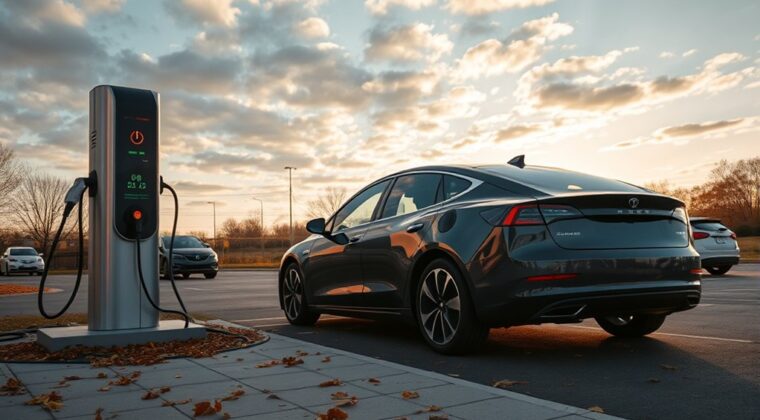
Your EV charging session may end early because the vehicle, charger, app, site power system, or safety protection has stopped the session. Common causes include a charge limit being reached, scheduled charging conflicts, battery temperature limits, charger load sharing, payment or network errors, loose connections, damaged cables, overheating, or a tripped breaker. Start with the simple checks first, but stop using the charger if you see heat damage, smell burning, or repeated electrical faults.
Quick Answer
An EV charging session usually ends early because the car reached a set charge limit, the charger lost communication, the battery got too hot or cold, the station reduced power for load management, or an electrical safety device stopped the session. Check settings, plug fit, charger status, error messages, and temperature before restarting.
Key Takeaways
- If charging stops at the same percentage each time, check your vehicle charge limit, departure schedule, and battery protection settings first.
- If it stops at random times, inspect the plug, cable, charger screen, app status, payment status, and Wi-Fi or network connection.
- Cold or hot weather can slow or pause charging because the battery management system protects the pack.
- Repeated breaker trips, melted plastic, hot plugs, burning smells, or damaged cables are safety issues. Stop charging and call a qualified professional.
At a Glance
| Time Required | 5 to 20 minutes for basic checks; longer if the charger, circuit, or vehicle needs service |
| Difficulty | Easy for settings and visual checks; professional help needed for electrical faults |
| Tools Needed | Vehicle app, charger app, owner’s manual, phone camera, and access to charger error messages |
| Cost | Usually free for settings fixes; electrician or charger service costs vary if hardware is faulty |
Common Reasons for Early Charging Stops
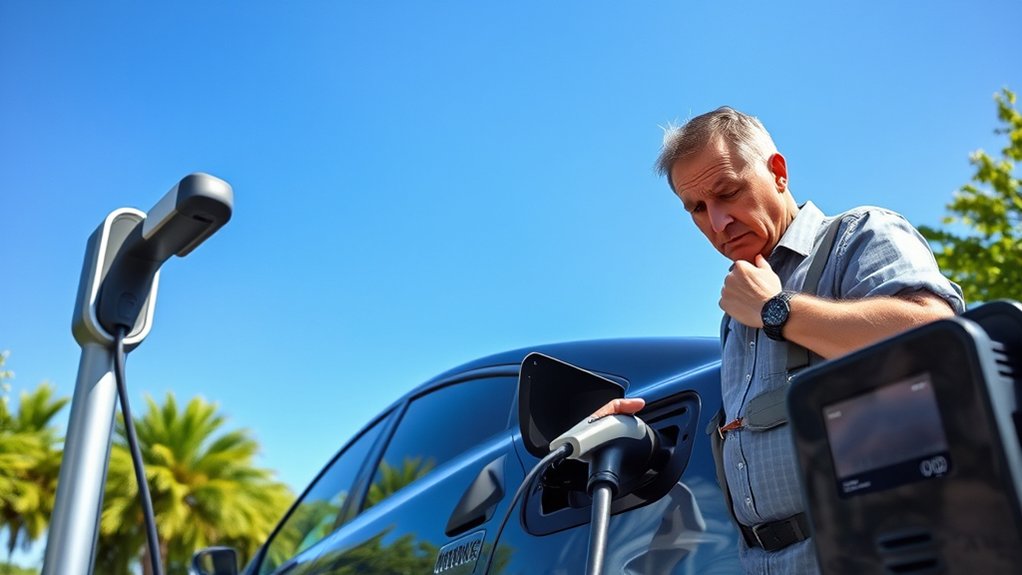
Charging can stop early for two broad reasons: the session ended normally, or something interrupted it. A normal stop happens when your EV reaches its charge limit, the battery is full enough for a scheduled departure, or a public station reaches a posted time limit. A problem stop happens when the charger, vehicle, cable, payment system, network, or electrical circuit cannot keep the session running.
At home, early stops often come from vehicle schedules, charger schedules, weak Wi-Fi, utility demand-response settings, a tripped breaker, or overheating at the plug or outlet. Public stations add more variables, including payment authorization, charger network communication, site maintenance, cable damage, shared power, or a station that is listed as available in an app but is not working correctly.
The safest approach is to separate the issue into three groups:
- Vehicle-side causes: charge limit reached, battery too hot or cold, software update needed, or a vehicle error message.
- Charger-side causes: damaged connector, loose plug, network failure, payment failure, station time limit, or charger fault.
- Electrical-supply causes: overloaded circuit, breaker trip, ground-fault protection trip, undersized wiring, overheating, or a utility/site power limit.
Note: Charging that slows near a high battery percentage is often normal. Charging that fully stops, shows an error, trips a breaker, or leaves the battery far below your target needs troubleshooting.
Normal Charging Stop vs. a Real Problem
Before you assume the charger is broken, check whether the session actually ended for a normal reason. Many EVs let you set a daily charge limit, such as 70%, 80%, or 90%. If your car stops at that same number every time, your charge limit is probably working as intended.
Some EVs and home chargers also use departure-time settings. In that case, the car may delay charging, pause charging, or stop once it has enough energy for the scheduled time. Your charger app, vehicle app, and utility program may each have separate schedule settings, so one setting can conflict with another.
A real problem is more likely when the session stops at random percentages, the charger displays an error, the plug feels loose, the breaker trips, the app says the station went offline, or the session ends before the car reaches the limit you selected.
How Charging Schedules Affect Your Sessions
Charging schedules are useful when you want lower electricity rates or a ready battery by morning, but they can also create confusing early stops. The conflict may be in your EV, charger app, smart-home app, or utility program.
Scheduled Charging Settings Issues
If your EV charging session ends early at home, open both the vehicle app and the charger app. Look for charge limit, departure time, off-peak charging, battery-care mode, and utility demand-response settings. If more than one schedule is active, temporarily turn off all but one and test again.
Also check whether your charger lost Wi-Fi. Many smart Level 2 chargers can still charge without Wi-Fi, but some app-based controls, session logs, notifications, or remote starts may fail when the charger loses its network connection.
Pro Tip: For one test session, plug in with no vehicle schedule, no charger schedule, and a simple charge limit. If the session completes, add your preferred schedule back one setting at a time.
Public Charger Time Limits and Site Rules
Some public chargers limit session length, parking time, idle time, or charging after the battery reaches a certain state of charge. These rules may come from the charging network, property owner, parking operator, or local policy. Check the charger screen and app before assuming your EV caused the stop.
At busy DC fast-charging sites, power may also be shared across stalls. If another vehicle plugs in, your charge rate may drop. At some sites, the station may also reduce output during peak electrical demand or maintenance windows.
How Temperature Affects Charging Performance
Temperature has a major effect on EV charging. Your battery management system protects the battery from unsafe heat or cold, so it may slow charging, pause charging, or stop the session if the battery is outside its preferred temperature range.
Cold weather can also reduce driving range and charging speed. FuelEconomy.gov reports that EV fuel economy can drop sharply in cold conditions, especially when the cabin heater is used. It also recommends preheating the cabin while plugged in to help preserve range. FuelEconomy.gov’s cold-weather guidance explains why winter driving affects EV range.
Impact of Cold Weather
Cold batteries accept energy more slowly. If your EV has battery preconditioning, use it before DC fast charging in freezing weather. Some vehicles precondition automatically when you navigate to a fast charger, while others require a manual setting.
You can also improve results by parking in a garage, plugging in before the battery gets very low, and allowing extra time for the car to warm the battery. If your EV shows a message such as “battery heating,” “charging limited,” or “charging delayed,” wait for the battery to warm before assuming the charger is faulty.
Overheating Protection Mechanisms
Heat can also stop a charging session. The battery, onboard charger, DC fast charger, connector, cable, outlet, and electrical panel can all have temperature limits. If the system detects unsafe heat, it may reduce current or end the session to prevent damage.
Hot-weather issues are more likely when charging in direct sun, using a damaged connector, fast charging after highway driving, charging with poor ventilation, or using a home outlet or plug that is not rated for continuous EV charging. FuelEconomy.gov also notes that air conditioning and hot-weather comfort loads can affect electric range, and it recommends pre-cooling plug-in vehicles while they are connected when possible. FuelEconomy.gov’s hot-weather guidance explains these effects.
Warning: Stop charging immediately if the plug, outlet, adapter, breaker, or cable is hot to the touch, melted, discolored, buzzing, sparking, or smells burned. Do not reset a breaker repeatedly. Use another charger and call a licensed electrician or charger service provider.
The Role of Software Glitches in Charging Interruptions
Software can end or misreport a session. The issue may come from the car, charger, charging network, phone app, payment system, or communication between the vehicle and charger.
For example, your app may say the session ended early even though the vehicle reached its charge limit. A public charger may fail during payment authorization. A home charger may stop logging sessions if Wi-Fi drops. A DC fast charger may fail the handshake with your EV and never move from “preparing” to “charging.”
Public charger reliability is a real issue in some areas. One field study of open public DC fast chargers in the Greater Bay Area found that 72.5% of evaluated CCS connectors were functional during testing, while failures included payment problems, network failures, charge-initiation failures, broken connectors, and unavailable screens. The public DC fast-charger reliability study highlights why a charger can appear available yet still fail during a session.
To reduce software-related interruptions, update your EV software, update the charger app, restart the charger app, check payment status, and try a different charger if the same public unit fails twice.
User Behavior and Charging Etiquette
Some interruptions happen because of how the charger is used. A connector that is not fully seated may begin charging, then stop when the latch or communication pin loses contact. A cable under tension may pull slightly loose. In a shared charging area, another person may press stop, unplug the connector, or move a cable if the station allows it.
Good charging etiquette helps everyone:
- Do not unplug another EV unless the owner has clearly allowed it.
- Move your vehicle after charging is complete so others can use the stall.
- Use the app or dashboard to confirm charging has started before walking away.
- Enable plug lock or cable lock settings if your vehicle supports them.
- Report broken chargers in the network app so other drivers do not waste time.
Diagnosing Issues With Specific Chargers
If the same charger keeps ending sessions early, treat the charger as a suspect. Look for a damaged cable, cracked connector, bent pins, broken screen, failed payment reader, water intrusion, warning light, or app status that says unavailable.
For home charging, check whether the charger is hardwired or plugged into a receptacle. EV charging is a continuous electrical load, and the U.S. Department of Energy’s Alternative Fuels Data Center notes that charging equipment installations must comply with local codes and that NEC Article 625 covers EV charging equipment. If your home charger trips breakers or overheats, have a qualified electrician inspect the circuit, breaker, wiring, receptacle, and EVSE.
For public charging, try another stall at the same site. If the second stall works, the first charger is likely the issue. If multiple stalls fail with your car but work for other cars, your vehicle, adapter, charge port, or account may need attention.
Step-by-Step Troubleshooting Charging Problems
Use this order so you do not miss an easy fix:
- Check the battery percentage. If the car stopped at your selected limit, the session likely ended normally.
- Read the charger screen and vehicle message. Write down the exact error code or take a photo.
- Check schedules. Temporarily disable vehicle, charger, and utility charging schedules for one test.
- Reseat the connector. Unplug, inspect the connector, then plug in firmly until it latches.
- Inspect for heat or damage. Stop immediately if anything looks melted, cracked, burned, wet, or unusually hot.
- Try a different charger. If another charger works, the first unit or site is likely the problem.
- Try a lower charge rate at home. If a lower amperage works but a higher setting trips the circuit, call an electrician.
- Update software. Update the vehicle, charger firmware, and charging app when updates are available.
- Check payment and account status. Public stations may stop if authorization fails or your account has an expired card.
- Call support with details. Provide the charger ID, location, time, error code, vehicle model, battery percentage, and photos.
When to Call a Pro for Charging Issues
Call a licensed electrician, charger installer, charging network, or vehicle service center when the problem points beyond a simple settings fix. Do not keep restarting a session that fails for safety reasons.
Signs of Serious Issues
Stop using the charger and get professional help if you notice any of these warning signs:
- Frequent overheating: The plug, outlet, cable, adapter, breaker, or charger body feels hot or looks discolored.
- Repeated breaker or ground-fault trips: The circuit may be overloaded, miswired, damaged, or exposed to moisture.
- Visible damage: Cracked housing, bent pins, frayed cable, melted plastic, water inside the connector, or a loose wall outlet.
- Burning smell or buzzing: These can signal arcing, loose wiring, or unsafe heat buildup.
- Errors across multiple chargers: The vehicle charge port, adapter, onboard charging system, or battery management system may need service.
Persistent Charging Failures
If your EV stops charging at the same point every time, document the pattern. Note the battery percentage, outside temperature, charger type, error message, and whether the issue happens at home, at public Level 2 chargers, or at DC fast chargers.
If the problem follows the car to different chargers, contact your vehicle service center. If the problem happens only at one home charger, contact the installer or charger maker. If it happens only at one public station, report the station in the network app and move to another stall.
How to Prevent Early Charging Stops
You cannot prevent every interruption, but you can reduce the odds:
- Use the owner’s manual as the final authority. EV battery and charging guidance varies by model. FuelEconomy.gov also recommends checking the owner’s manual for model-specific charging advice.
- Keep software current. Install vehicle, charger, and app updates when available.
- Use one schedule at a time. Avoid stacking a vehicle schedule, charger schedule, and utility schedule unless you know how they interact.
- Protect the connector. Keep plugs off the ground, avoid pulling the cable tight, and do not use damaged adapters.
- Charge in moderate temperatures when possible. Preheat or pre-cool while plugged in, and use battery preconditioning before fast charging if your EV supports it.
- Choose reliable chargers. Check recent app reviews, PlugShare comments, network status, and nearby backup chargers before long trips.
Engaging With the EV Community for Support
EV owner groups can help when the issue is model-specific. Search for your exact vehicle model, charger model, and error message. Many owners share fixes for schedule conflicts, app bugs, adapter problems, and cold-weather charging behavior.
Use community advice carefully. A forum can help you recognize a pattern, but it should not replace your owner’s manual, charging network support, a qualified electrician, or vehicle service when safety or warranty issues are involved.
Frequently Asked Questions
Why does my EV keep stopping charging?
Your EV may stop charging because it reached a charge limit, a schedule paused the session, the battery is too hot or cold, the charger lost communication, the payment failed, the connector is loose, or a safety device stopped power. Check the vehicle message, charger screen, app log, and charge limit first.
Why does my charger keep randomly stopping?
Random stops often point to a loose connector, weak Wi-Fi, charger network problem, payment issue, overheating, ground-fault trip, breaker trip, or charger fault. Try another charger. If another charger works, report or service the original charger. If every charger fails, have the vehicle checked.
How long can an EV sit without being charged?
Many EVs can sit for weeks, but storage depends on the vehicle, battery percentage, temperature, and background power use. Avoid leaving the battery at 0%. For longer storage, check your owner’s manual, use the recommended storage state of charge, and monitor the battery through the app when possible.
What is the 80/20 rule for EV charging?
The 80/20 rule is a common battery-care guideline that means using roughly 20% to 80% for routine driving instead of constantly draining to empty or charging to full. It is not universal. Some EVs and battery types have different recommendations, so follow your owner’s manual.
Should I restart a charging session after it ends early?
You can restart once if there is no heat, damage, warning smell, breaker trip, or serious error. Do not keep restarting if the charger trips a breaker, shows a safety fault, overheats, or displays the same error repeatedly. Move to another charger or call support.
Conclusion
An EV charging session that ends early is usually caused by a setting, temperature limit, charger communication problem, site rule, loose connection, or electrical safety protection. Start with the easy checks: charge limit, schedule, app status, connector fit, error message, and another charger. If you see heat, damage, burning smells, or repeated breaker trips, stop charging and get professional help. With a clear troubleshooting process, you can tell whether the problem is the car, the charger, the site, or the electrical supply.
Sources
- U.S. Department of Energy Alternative Fuels Data Center — home EV charging, equipment, electrical capacity, certified equipment, and code considerations
- FuelEconomy.gov: Fuel Economy in Cold Weather — cold-weather effects on EV range and preheating guidance
- FuelEconomy.gov: Fuel Economy in Hot Weather — hot-weather climate-control effects and pre-cooling guidance
- FuelEconomy.gov: Tips for Hybrids, Plug-in Hybrids, and Electric Vehicles — owner’s manual guidance, battery charging, and accessory use
- FuelEconomy.gov: All-Electric Vehicles — EV charging time, battery life, and charging-efficiency context
- Reliability of Open Public Electric Vehicle Direct Current Fast Chargers — public DC fast-charger functionality and failure categories
