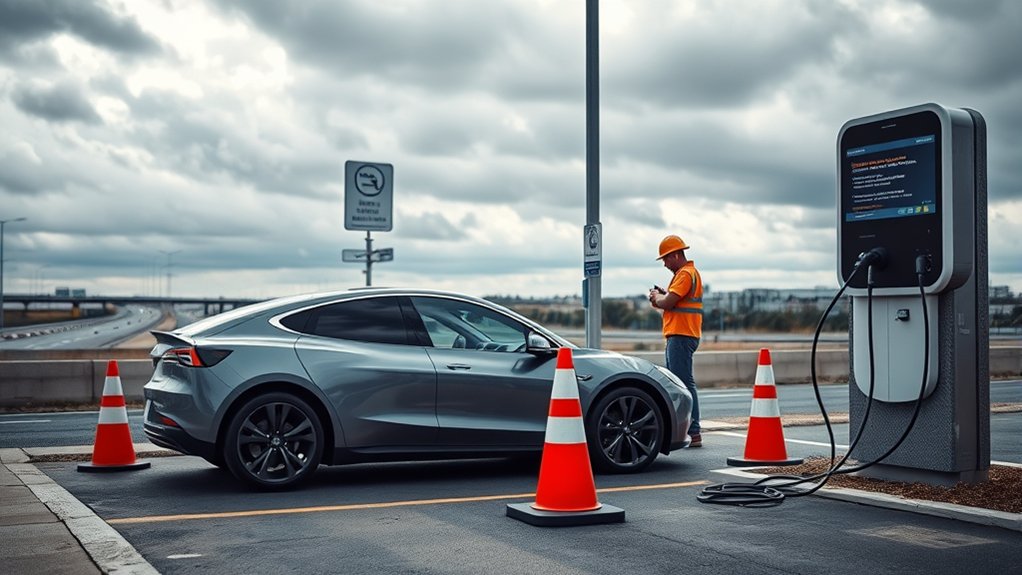
If your EV will not charge at a public station, do not assume the car is broken right away. Most failed sessions come down to a few common issues: the wrong connector, a loose plug, an app or payment problem, a charger fault, a locked charge port, or a vehicle setting that blocks charging. Start with the simple checks, then move to the station app, connector type, payment method, and your EV’s dashboard alerts.
Quick Answer
If your EV will not charge at a public station, unplug and reconnect firmly, confirm the connector matches your car, check the charger screen for an error, verify the port number in the app, retry payment, and look for EV dashboard alerts. If it still fails, try another port or station before calling support.
Key Takeaways
- A public charging failure is often caused by connector mismatch, app authorization, payment failure, charger downtime, or a loose cable.
- For DC fast charging, check whether your EV needs CCS1, CHAdeMO, or NACS/J3400 access. For Level 2 charging, most non-Tesla EVs use J1772.
- Use only manufacturer-approved DC fast-charging adapters. A plug that physically fits is not always safe or supported.
- If one port fails, try another port at the same site. If multiple ports fail, move to another station and report the issue.
- Call the charging network first for station, app, or payment errors. Call your automaker if the same warning follows you to multiple stations.
At a Glance
| Time Required | 2 to 10 minutes for basic checks; longer if support must reset the charger |
| Difficulty | Easy for driver checks; medium if the issue involves adapters, app access, or vehicle alerts |
| Tools Needed | Charging app, payment card, RFID card if used, phone signal, flashlight, and approved adapter if required |
| Cost | Usually free to troubleshoot; charging costs, idle fees, or authorization holds may still apply |
Top Reasons Your EV Isn’t Charging at Public Stations
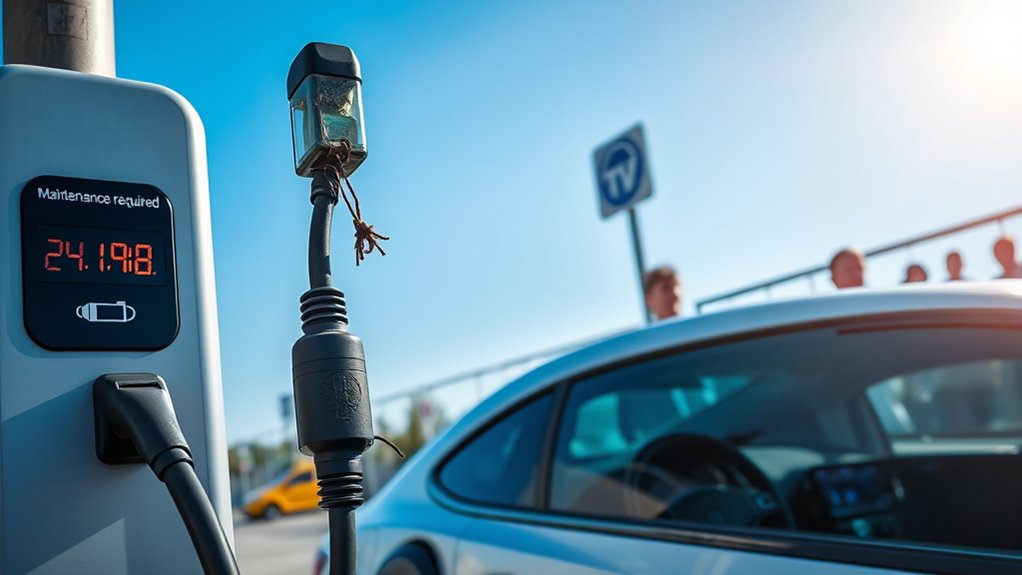
When your EV won’t charge at a public station, the problem usually falls into one of five buckets: the station, the cable, the connector, the payment system, or the vehicle. A quick, organized check keeps you from wasting time at a bad charger when the fix might be as simple as choosing the correct port in the app.
Public chargers can also fail even when they appear online. A field study of open public DC fast chargers in the San Francisco Bay Area found that some chargers did not work because of unresponsive screens, payment failures, charge-start failures, network failures, or broken connectors. The study also found that some cables were too short to reach the vehicle’s inlet, which is a real issue on sites designed around one charge-port location.
A failed charging session does not always mean your EV has a fault. Public chargers depend on hardware, software, payment authorization, network connectivity, cable reach, and vehicle compatibility all working at the same time.
Before you leave the site, check whether the station is actually available, whether you selected the right stall number, whether your payment was accepted, and whether your EV is showing a message such as “charging delayed,” “unable to charge,” “connector not latched,” or “charging equipment not ready.”
Step-by-Step Troubleshooting for Charging Issues
Use this order when your EV does not start charging. It moves from the fastest fixes to the problems that need support.
Initial Station Checks
Start with the charging station itself. Look at the screen, the charger light, and the app status before you assume the car is the issue.
| Check | What to Do |
|---|---|
| Station display | Look for “out of service,” “network unavailable,” “payment failed,” or charger fault messages. |
| Port number | Make sure the stall or port number in the app matches the cable you plugged in. |
| Emergency stop | Check whether the emergency-stop button has been pressed. Do not reset it if the station looks damaged. |
| App status | Refresh the app and compare “available,” “in use,” and “out of service” status. |
| Another port | If one port fails, try another working port at the same site before leaving. |
Note: A charger can show as available in an app and still fail at the stall. Real-time status is helpful, but the screen, cable, connector, and payment flow still matter.
Cable and Connector Inspection
After checking the station, inspect the cable and plug. A loose latch or slightly misaligned connector can stop the handshake between the car and the charger.
- Push the connector in firmly until it is fully seated and latched.
- Support heavy DC fast-charging cables so the weight does not pull the plug downward.
- Check for bent pins, cracked plastic, burn marks, corrosion, or moisture inside the connector.
- Look inside your EV’s charge port for leaves, ice, dirt, or a stuck charge-port door.
- Make sure the cable can reach without stretching, twisting, or pulling sideways on the charge port.
Warning: Do not use a charger with a cracked connector, exposed wire, scorch marks, a hot handle, or obvious damage. Report the station and move to another charger.
Check Your EV Before Blaming the Station
Your EV can also block a session. Check the vehicle screen or mobile app for messages before you unplug and leave.
- Charge limit: If your battery is already at or above the set limit, the car may not start charging.
- Scheduled charging: A home-charging schedule can sometimes delay public AC charging until a later time.
- Battery temperature: Very cold or very hot batteries may charge slowly or delay fast charging.
- Locked connector: Some EVs require the car to be unlocked before the connector will latch or release.
- Software alert: A charging-system warning that appears at several stations may point to the vehicle, not the charger.
Confirming Connector and Cable Compatibility
Public EV charging requires the right connector, the right charging level, and the right network access. A plug that looks close is not enough. Your EV must support that connector and the charger must be able to communicate with your vehicle.
The U.S. Department of Energy’s Alternative Fuels Data Center explains that AC Level 2 charging commonly uses J1772 or J3400/NACS, while DC fast charging uses systems such as CCS, CHAdeMO, and J3400. Charging speed also depends on the vehicle, battery state of charge, battery temperature, charger output, and electrical service.
Connector Compatibility Check
- J1772: Common for AC Level 2 charging on many non-Tesla EVs and plug-in hybrids in North America.
- CCS1: Common for DC fast charging on many non-Tesla EVs in North America.
- CHAdeMO: A legacy DC fast-charging connector used by some older EVs, especially older Nissan Leaf models.
- NACS / SAE J3400: The connector used by Tesla vehicles and increasingly by other North American EVs.
- Adapters: Some EVs can use a station only with an approved adapter. Check your automaker’s instructions before fast charging.
Pro Tip: Save your EV’s connector type, adapter status, and preferred networks in charging apps before a road trip. That helps the app filter out stations your car cannot use.
Tesla Supercharger and NACS Adapter Checks
Not every Tesla Supercharger works for every non-Tesla EV. Tesla lists three broad site types: Tesla-only Superchargers, All EVs Superchargers with a Magic Dock adapter, and NACS Superchargers that open by vehicle manufacturer and adapter support. Tesla also says non-Tesla drivers may need the Tesla app, a compatible vehicle, and a manufacturer-provided NACS DC adapter.
Before driving to a Supercharger in a non-Tesla EV, check the Tesla Supercharging Other EVs support page, add your vehicle details in the Tesla app, and confirm that the site appears as compatible for your specific model.
If the cable barely reaches, do not park diagonally or stretch the cable across another stall. Some Supercharger cables were designed around Tesla charge-port placement, and Tesla notes that port locations can affect reach.
Handling Payment and Subscription Issues
Payment problems are one of the most frustrating public charging failures because the cable may be connected correctly, but the charger never starts. The issue may be a declined card, an expired app session, a missing RFID card, a weak cellular signal, a station-network outage, or a membership setting.
| Issue | Fix | Tip |
|---|---|---|
| App will not start session | Close and reopen the app, confirm the port number, and retry. | Try the charger’s QR code only if it appears official and undamaged. |
| Payment declined | Use another card, check wallet limits, or update billing details. | Some stations place a temporary authorization hold. |
| RFID card not accepted | Use the network app or contactless card if available. | Keep at least two payment options for road trips. |
| Membership required message | Check whether the station is private, fleet-only, or restricted. | Filter for public stations in your route app. |
| Network outage | Try another port or call the phone number on the charger. | Some stations can be reset remotely by support. |
Federally funded public charging projects covered by the National Electric Vehicle Infrastructure standards must support secure payment methods, including contactless major credit and debit cards plus either an automated toll-free number or SMS payment option. They also may not require a membership for use. You can read the rule in the Federal Register NEVI standards.
How to Evaluate Different Charging Stations
If you have a choice between stations, do not choose only by distance. A station five minutes farther away may save time if it has more working ports, better recent check-ins, the right connector, and clear payment options.
Station Condition Assessment
- Recent check-ins: Use charging apps to see whether drivers have reported failures or successful sessions.
- Number of ports: A site with several working ports gives you a backup if one stall fails.
- Power level: Choose DC fast charging for road trips and Level 2 for longer stops.
- Connector type: Filter for the exact connector your EV supports.
- Access rules: Check whether the charger is public, dealership-only, hotel-only, fleet-only, or limited by parking hours.
- Payment options: Look for app, RFID, contactless card, phone, or SMS payment options before plugging in.
When Charging Is Slow but Not Failed
Slow charging is not the same as a failed session. DC fast charging often slows down when the battery is very cold, very hot, or already at a high state of charge. Some vehicles also limit speed when battery preconditioning has not happened before arrival.
If charging starts but the speed is low, check the charger’s kW rating, your car’s current battery percentage, battery temperature messages, and whether another vehicle is sharing power at the same cabinet. If the speed is far below normal after 5 to 10 minutes, try another port.
Verifying Your EV’s Compatibility With Charging Stations
To avoid arriving at the wrong charger, confirm compatibility before you navigate there. This matters most on road trips, in rural areas, and during the current transition between CCS1 and NACS/J3400.
- Check your owner’s manual: Confirm which connectors your EV supports for AC and DC charging.
- Use your vehicle navigation: Many EV route planners filter for compatible stations and precondition the battery for fast charging.
- Add your exact trim in apps: Some charging apps filter by model year, connector, and adapter access.
- Confirm adapter approval: Use only adapters approved by your automaker or the charging network for DC fast charging.
- Check charging limits: Some plug-in hybrids use Level 1 or Level 2 only and cannot DC fast charge.
Warning: Never force a connector or use an unapproved fast-charging adapter. DC fast charging uses high power, and unsupported adapters can damage equipment, fail to communicate safely, or void charging-network access.
Using Community Resources for Support
Community feedback can help you avoid stations that look good on a map but fail in real life. Apps such as PlugShare let drivers leave check-ins, photos, and notes about broken screens, blocked stalls, short cables, payment issues, and recent successful sessions.
When a charger fails, leave a useful report. Include the station name, stall number, connector type, date, time, error message, and whether another port worked. This helps other drivers and gives the network better information for repairs.
You can also report station data issues through the charging network app or the U.S. Department of Energy station locator when station details are wrong. A bad listing can be almost as frustrating as a bad charger because it sends drivers to the wrong place.
When to Contact Manufacturer Support for Help
Call the charging network first when the issue appears to be tied to one station, one app, one payment method, or one port. The phone number is usually printed on the charger. Support may be able to reboot the station, start a session remotely, confirm a known outage, or tell you which nearby port is working.
Contact your vehicle manufacturer or roadside assistance if any of these happen:
- Your EV fails at several different stations and networks.
- The car shows the same charging-system warning each time.
- The charge port will not release the connector after following the normal unlock process.
- You see damage, debris, or a stuck pin inside the vehicle charge port.
- Your EV will not accept Level 2 or DC fast charging anywhere.
- The battery is very low and you cannot safely reach another station.
Do not keep retrying a charger if the connector feels hot, smells burned, clicks repeatedly, or shows a ground fault or isolation fault message. Move to a safe location and call support.
Frequently Asked Questions
How do I charge an EV at a public charging station?
Park so the cable reaches without strain, confirm the connector matches your EV, plug in firmly, start the session through the app, RFID card, contactless payment, or station screen, then watch your vehicle display until charging begins. Before leaving the car, confirm the charging speed and estimated cost.
Why does the charger click but not start charging?
A click usually means the charger and car are trying to start the session, but the handshake failed. Common causes include a loose connector, payment authorization failure, wrong port selection in the app, a charger fault, a locked charge port, or a vehicle setting such as scheduled charging.
Can I use a Tesla Supercharger if I do not drive a Tesla?
Sometimes. Select Tesla Superchargers support non-Tesla EVs through Magic Dock, native NACS/J3400 ports, or manufacturer-provided NACS DC adapters. Check the Tesla app or your vehicle app before you go because access depends on the site, your vehicle brand, and adapter support.
Why do EV charging stations fail?
Public chargers can fail because of damaged connectors, broken screens, payment errors, network outages, software faults, cable reach problems, power-sharing limits, or poor maintenance. The car can also stop the session if the battery is too hot, too cold, too full, or showing a charging-system alert.
What should I do if the connector is stuck in my EV?
Stop the session in the app or on the station first, unlock the vehicle, and use your EV’s normal charge-port release process. Do not yank the cable. If it remains stuck, check your owner’s manual for the manual release procedure or call the charging network and your automaker’s roadside support.
Is it worth buying an electric car in 2026 if public chargers can fail?
For many drivers, yes, especially if they can charge at home or work most of the time. Public charging is improving, but reliability still varies by location and network. Before buying, check the charging options near your home, commute, and common road-trip routes.
Conclusion
When your EV will not charge at a public station, work through the problem in order: station status, cable fit, connector type, app or payment authorization, EV settings, and dashboard alerts. If one port fails, try another. If the whole site looks down, move to a different station and report the issue. If the same problem follows your EV across multiple stations, contact your automaker because the vehicle or charge port may need attention.
The best habit is to plan with backup chargers, keep more than one payment method ready, know your connector type, and use only approved adapters. That way, a failed public charging session becomes a short delay instead of a stranded trip.
Sources
- U.S. Department of Energy Alternative Fuels Data Center — Electric Vehicle Charging Stations — connector types, charging levels, and factors that affect charging time.
- Federal Register — National Electric Vehicle Infrastructure Standards and Requirements — payment, accessibility, interoperability, and uptime standards for covered public chargers.
- Tesla Support — Supercharging Other EVs — non-Tesla Supercharger access, Magic Dock, NACS adapters, payment, and cable reach guidance.
- Reliability of Open Public Electric Vehicle Direct Current Fast Chargers — field study of DC fast charger functionality and common failure causes.
- PlugShare — community station check-ins, driver reports, and charger location support.