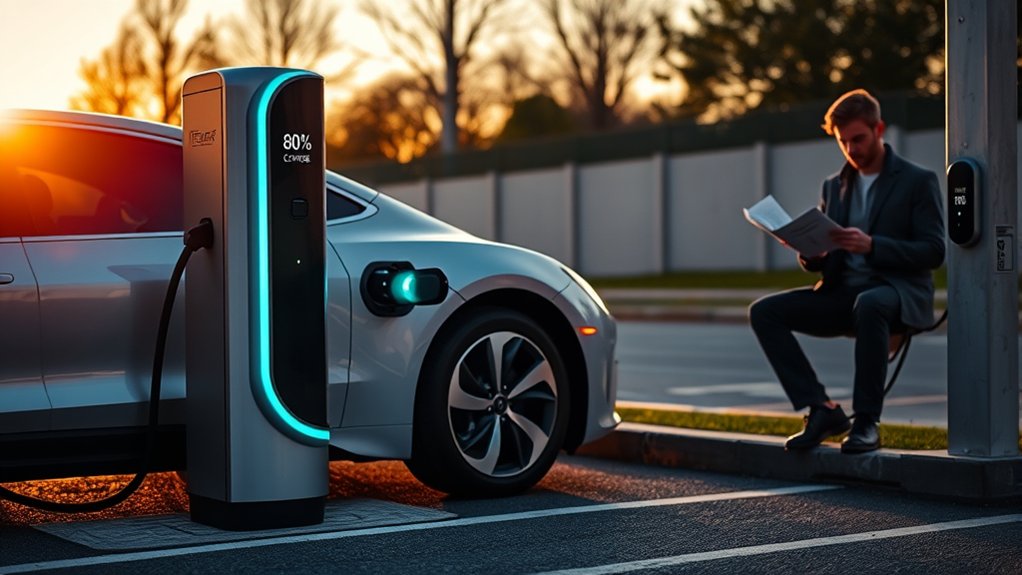
If your EV will not charge past 80%, the most likely reason is a charge-limit setting in the car or mobile app, especially if the car stops at the same percentage every time. It can also happen during DC fast charging because the battery management system slows charging as the battery fills. If the limit appears suddenly, happens on both home and public chargers, or comes with warning messages, treat it as a charging fault that needs troubleshooting.
Quick Answer
An EV usually stops at 80% because a daily charge limit, scheduled charging rule, or battery protection setting is active. On DC fast chargers, charging often slows sharply after about 80% to reduce heat and stress. Check your vehicle settings first, then test another charger if the limit seems abnormal.
Key Takeaways
- An 80% stop is often normal if your EV is set to a daily charging limit.
- DC fast charging is usually fastest below 80%, then slows as the battery fills.
- Cold or hot battery temperatures can reduce charging speed or stop charging early.
- A bad cable, dirty charge port, weak outlet, charger app issue, or public-station fault can interrupt charging.
- Repeated warnings, range loss, overheating, breaker trips, or charging failures at multiple stations need professional diagnosis.
At a Glance
| Time Required | 5 to 30 minutes for basic setting, cable, app, and charger checks |
| Difficulty | Easy for owner checks; professional for electrical, battery, or repeated warning issues |
| Tools Needed | Vehicle screen, mobile app, owner manual, charger app, flashlight, clean dry cloth, and error-code notes |
| Cost | Usually free for basic checks; diagnostic or electrician costs vary if a fault is found |
How Battery Management Systems Work
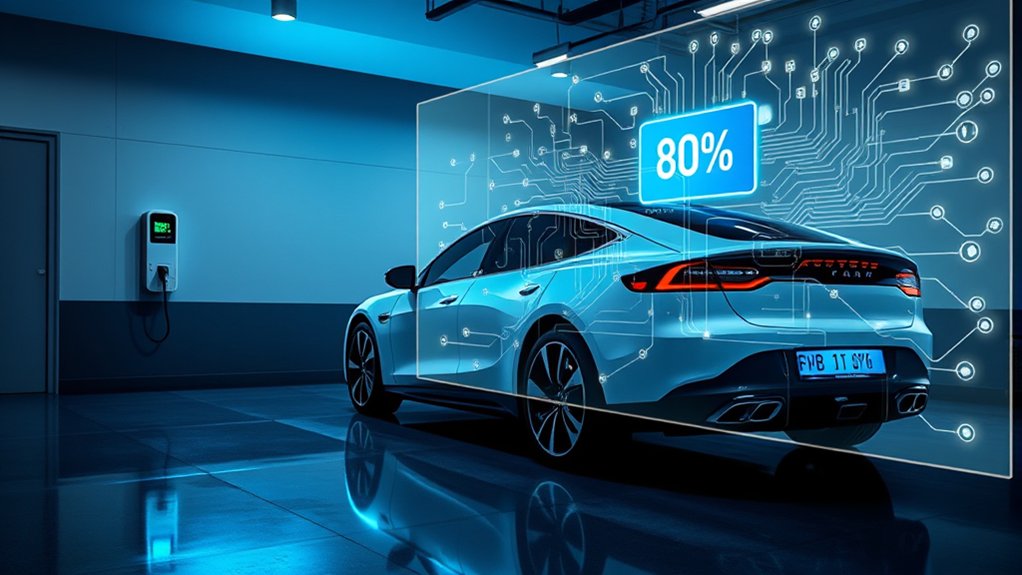
Your EV uses a battery management system, often called a BMS, to protect the high-voltage battery pack. It monitors battery temperature, voltage, current, state of charge, and cell balance so the pack stays within safe operating limits.
This matters because lithium-ion batteries do not like being too hot, too cold, fully drained, or held at high charge for long periods. For daily use, many EVs let you set a charge limit around 70% to 90%. That does not mean the battery is broken. It usually means the car is following a battery-care setting.
The BMS also controls how much power the car requests from a charger. During DC fast charging, your EV may accept high power at a low or moderate state of charge, then request less power as it approaches the top of the pack. That is why a fast charger may add energy quickly up to about 80%, then slow down for the final 20%.
You can read more about charging equipment types and how charging speed depends on the battery state of charge in the U.S. Department of Energy Alternative Fuels Data Center charging guide.
Top Reasons Your EV Stops Charging at 80% and How to Fix It
Your EV may stop at 80% for a normal reason or because something is wrong. Start with the simple checks before assuming battery degradation.
| Possible Cause | What You May Notice | Best First Fix |
|---|---|---|
| Charge limit set to 80% | The car stops at the same percentage every time | Raise the charge limit in the car or app when you need more range |
| DC fast-charging taper | Charging slows sharply near 80% | Stop at 80% on road trips unless you need the extra range |
| Scheduled charging or departure timer | Charging starts or stops at unexpected times | Check the schedule in both the vehicle and charger app |
| Cold or hot battery | Charging is slow, paused, or limited in extreme weather | Precondition the battery or charge in a milder location |
| Charger, cable, or port issue | Session fails, restarts, or shows a charger error | Inspect the connector, try another charger, and update the EVSE app or firmware |
| Vehicle software or battery fault | Warnings appear or the problem happens at multiple chargers | Install updates, document errors, and schedule service |
Battery Management System
The BMS can limit charging to protect the battery, but it usually works together with your selected charge settings. For daily commuting, an 80% limit can be a good choice because it reduces time spent at a high state of charge. For a long trip, you can usually raise the limit to 90% or 100% if your vehicle manual allows it.
Note: Some EVs with lithium iron phosphate batteries may recommend periodic 100% charging for battery calibration. Other EVs recommend lower daily limits. Follow your specific owner manual instead of applying one rule to every EV.
Charging Protocol Limitations
Charging equipment and the vehicle communicate throughout the session. The charger does not simply push power into the car. Your EV requests the amount of power it can safely accept, based on temperature, battery state of charge, pack voltage, and software limits.
At public DC fast chargers, this means the car may charge quickly from a low percentage, then slow as it nears 80%. The final 20% often takes much longer, so many road-trip charging stops are planned around charging to 70% or 80% and moving on.
Check Your EV Charging Settings Before Anything Else
Before blaming the charger or battery, check every place where a charge limit may be set. Many EVs store different limits for home, work, public charging, or saved locations.
- Open the vehicle charging screen. Look for “charge limit,” “target charge,” “daily,” “trip,” or “maximum charge.”
- Check the mobile app. The app may override the dashboard setting.
- Look for location-based limits. Some EVs remember an 80% limit at your home charger but use another limit elsewhere.
- Review scheduled charging. A utility rate schedule or departure timer may stop charging before the battery reaches 100%.
- Check charger-app settings. Smart home chargers may have their own current limit, schedule, energy budget, or stop percentage.
- Install available updates. Vehicle or charger software updates can change charging behavior or fix communication problems.
Pro Tip: Take screenshots of your vehicle charge-limit screen and charger-app schedule before changing anything. If the problem returns, you can quickly see whether a setting changed again.
The Impact of Battery Degradation on Charging Limits
Battery degradation can affect range and charging behavior, but it is not the first thing to blame when an EV stops at exactly 80%. A clean 80% stop usually points to a setting, schedule, or normal DC fast-charging behavior.
Degradation becomes more likely if you also see a sudden range drop, battery-health warning, repeated thermal alert, or charging failure at several unrelated chargers. As a battery ages, the BMS may become more cautious with charge speed, pack temperature, or usable capacity.
To check battery health, use the vehicle’s built-in battery report if available, ask the dealer or service center for a diagnostic scan, or use an independent EV battery-health report that supports your model. Avoid opening, probing, or attempting to repair the high-voltage battery yourself.
How Charging Equipment Affects Your EV’s Charge
Your EV’s charging result depends on the vehicle, charger, cable, electrical supply, software, connector, and battery state of charge. The U.S. DOE home-charging guidance explains that many drivers charge at home with Level 1 or Level 2 equipment, and that Level 2 installation may require electrical capacity checks, permits, and a qualified electrician.
Compatibility Issues
Compatibility problems can stop or slow a charging session. Common issues include:
- Wrong or limited adapter: An adapter may support AC charging but not full-power DC fast charging.
- Low home circuit capacity: A charger may reduce output if the circuit cannot support the requested current.
- Damaged connector or cable: Worn pins, loose handles, or damaged cords can interrupt communication.
- Charger app or payment failure: Public chargers may fail before the vehicle even begins charging.
- Network or station derating: A charger may be online but delivering less power due to heat, grid limits, or equipment faults.
Equipment Maintenance Importance
Check the basics before assuming a battery problem. Inspect the connector for dirt, moisture, cracked plastic, bent pins, or signs of heat. Make sure the plug seats fully in the charge port and the car confirms the session has started.
At home, a hardwired Level 2 charger or a properly installed outlet should stay cool during normal use. A warm charger body can be normal, but a hot plug, burning smell, melted plastic, buzzing outlet, or repeated breaker trip is not normal.
Warning: Stop charging and call a licensed electrician if an outlet, plug, breaker, or charging cable gets hot, smells burnt, shows melting, or repeatedly trips. Do not use extension cords or bypass a breaker to force charging.
Environmental Factors That Influence Charging Performance
Battery temperature has a major effect on charging. In cold weather, battery chemistry slows and the pack may need to warm before it can accept higher power. In hot weather, the BMS may reduce charging to avoid overheating.
FuelEconomy.gov, a U.S. DOE and EPA resource, reports that cold weather can reduce EV efficiency and driving range. It also recommends preheating the cabin while plugged in for plug-in vehicles because it can extend range in cold conditions. You can review the official guidance at Fuel Economy in Cold Weather.
To reduce weather-related charging problems:
- Precondition the battery before DC fast charging if your EV offers that feature.
- Use the in-car navigation system to route to a fast charger when your EV requires navigation-based battery preconditioning.
- Park in a garage or shaded area when possible.
- Charge soon after driving in cold weather, when the battery is already warmer.
- Give the car time to heat or cool the battery before expecting full charging speed.
Why Might Fast Charging Stop at 80%?
Fast charging may stop or slow at 80% because that is where the session becomes less efficient. Below 80%, many EVs can accept higher power. Above 80%, the car often tapers charging to manage voltage, heat, and cell balance.
This is why DC fast-charging estimates are often advertised as a 10% to 80% time rather than a 10% to 100% time. The last 20% can take much longer than expected. On a road trip, it is often faster to charge to around 80%, drive to the next stop, and charge again.
For daily driving, 80% is often enough. For road trips, use 100% only when you actually need the extra range to reach the next charger safely.
Checking Your EV Charging Settings and Software
Software controls many parts of EV charging. A simple setting or app rule can look like a battery problem if you do not know where to check.
- Raise the charge target temporarily. Set it to 90% or 100% only if your manual allows it and you need the range.
- Disable scheduled charging for one test. Plug in again and see whether the car continues past 80%.
- Check both apps. Review the vehicle app and the charger app because either one can stop a session.
- Restart the charging session. Unplug, wait for the car to sleep or reset the session, then reconnect.
- Update software. Install vehicle and charger updates if available.
- Save error messages. Photograph warnings, charger screens, and app notifications before they disappear.
What to Do When Your EV Won’t Charge Beyond 80%
Use this order so you do not waste time replacing parts or scheduling service too early.
| Step | What to Check | What It Tells You |
|---|---|---|
| 1 | Vehicle and app charge limit | A set limit is the most common reason for a clean 80% stop |
| 2 | Schedules and departure timers | The car may be waiting for a cheaper rate or planned departure |
| 3 | Home charger settings | The EVSE may have its own limit or schedule |
| 4 | Another charger | A second successful charger points to station or equipment trouble |
| 5 | Temperature and preconditioning | A cold or hot battery may need thermal management before charging normally |
| 6 | Warnings and error codes | Repeated warnings need dealer, service-center, or EV technician diagnosis |
How to Spot Battery Issues After Charging Failures
A true battery or high-voltage charging issue usually comes with more than an 80% stop. Watch for patterns rather than one failed public-charger session.
Common Warning Signs
- Sudden usable range drop: The car shows far less range than normal in mild weather.
- Battery or charging warnings: The dashboard or app reports high-voltage, thermal, insulation, or charging-system faults.
- Repeated failure at unrelated chargers: The same problem happens at home, at Level 2 chargers, and at DC fast chargers.
- Charging stops with heat warnings: The car may pause charging to cool or protect the battery.
- Unusual noises, smells, or heat: Stop charging if you notice popping, burning smells, melted plastic, or abnormal heat.
Diagnosing Battery Performance Issues
When you contact service, bring useful evidence. Note the date, outside temperature, charger location, charger type, starting percentage, stopping percentage, error messages, and whether the issue happened on AC or DC charging.
A technician can check vehicle software, charging logs, battery-health data, coolant or thermal-management faults, charge-port hardware, contactors, and high-voltage system codes. If the issue is at home, a licensed electrician can check the EV circuit, breaker, outlet, wiring, and EVSE installation.
When to Call a Professional for EV Charging Problems
Call a professional if the problem is repeated, unsafe, or tied to warning messages. Choose the right professional based on where the fault appears.
- Call an electrician for breaker trips, hot outlets, melted plugs, buzzing panels, flickering lights, or charger installation concerns.
- Call the charger manufacturer if the EVSE app, Wi-Fi connection, firmware, display, or cable is failing.
- Call your dealer or EV service center for battery warnings, high-voltage alerts, sudden range loss, stuck charge-port locks, or failures at multiple chargers.
- Stop charging immediately if you smell burning, see smoke, see melted plastic, or hear unusual electrical sounds.
Do not open the battery pack, modify a charger, bypass a breaker, or force a damaged connector into the port. EV charging systems are designed with safety checks for a reason.
Frequently Asked Questions
Why won’t my car charge past 80%?
Your car may have a charge limit set to 80% in the vehicle screen, mobile app, or charger app. If you are using a DC fast charger, the car may also slow or stop near 80% because charging above that level takes longer and creates more heat.
Why won’t my EV charge to 100%?
The most common reason is a daily charge limit. Check the charge target in your vehicle and app. Also review scheduled charging, location-based charging rules, and charger-app settings. If the car still will not charge to 100% on more than one charger, check for software updates and service warnings.
Is it bad to charge my EV to 100%?
Charging to 100% is usually fine when you need the range, such as before a long trip. For daily use, many EV makers recommend a lower limit to reduce time spent at a high state of charge. Some LFP-battery EVs may have different guidance, so follow your owner manual.
How do I reset an EV charger?
First stop the session in the vehicle or charger app, then unplug from the car. For a portable charger, follow the manufacturer instructions before disconnecting power. For a hardwired Level 2 charger, use the app or breaker only if the manual says it is safe. If the charger keeps faulting, contact the charger maker or an electrician.
Why is my battery not charging beyond 80% in cold weather?
Cold batteries may charge more slowly or pause charging until they warm up. Use battery preconditioning if your EV has it, park in a warmer location when possible, and charge soon after driving. If the issue happens in mild weather too, check charge-limit settings and software warnings.
Should I stop DC fast charging at 80%?
Usually, yes, unless you need more range to reach your next stop. DC fast charging often slows after about 80%, so charging from 80% to 100% can take much longer than expected. On many trips, a shorter stop to 80% plus another later stop is faster.
Conclusion
If your EV stops charging at 80%, start with the simplest answer: a charge limit, schedule, or normal DC fast-charging taper. Check the vehicle screen, mobile app, charger app, and saved-location settings first. Then inspect the cable, charge port, charger status, and weather conditions. If the problem happens at several chargers or comes with warnings, range loss, heat, or electrical trouble, stop guessing and get the vehicle or home charging setup checked by a qualified professional.
Sources
- U.S. Department of Energy Alternative Fuels Data Center: Electric Vehicle Charging Stations — charging levels, connector types, DC fast-charging context, and charging-speed factors.
- U.S. Department of Energy Alternative Fuels Data Center: Charging Electric Vehicles at Home — home charging, Level 1 and Level 2 equipment, electrical capacity, permits, and safety-certified equipment.
- FuelEconomy.gov: Fuel Economy in Cold Weather — cold-weather effects on EV range and plug-in vehicle preheating guidance.
- National Renewable Energy Laboratory: Continuous Cell-Level Balancing to Improve Performance of Large Battery Packs — battery cell balancing, state-of-charge control, and pack-lifetime concepts.
- Quantifying Realizable Flexibility Limits in Fast and Ultra-Fast EV Charging Using Real-World Data — real-world fast-charging behavior, BMS limits, and charging beyond 80% state of charge.
- Reliability of Open Public Electric Vehicle Direct Current Fast Chargers — public DC fast-charger reliability issues and common failure modes.