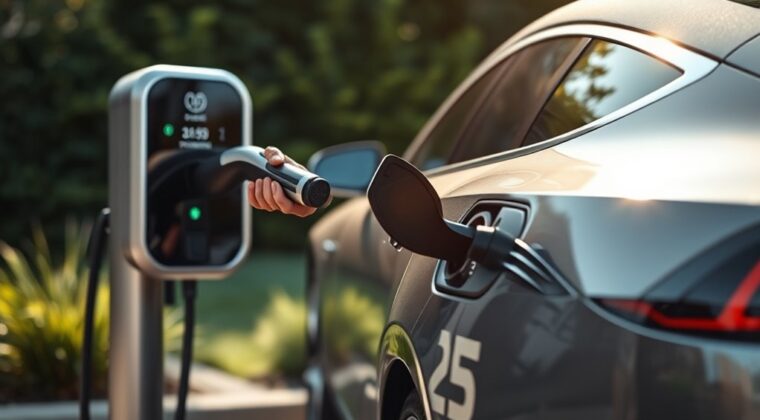
Charging an electric vehicle is simple once you know which charger to use, how long charging usually takes, and what to check before you plug in. Most daily charging happens at home with Level 1 or Level 2 equipment, while DC fast charging is best for road trips and quick top-ups.
Quick Answer
To charge an EV, park close enough for the cable to reach without strain, confirm the connector matches your vehicle, plug in firmly, start the session if needed, and monitor charging through the dashboard, charger screen, or app. Use Level 1 for slow overnight charging, Level 2 for faster home charging, and DC fast charging for travel.
Key Takeaways
- Level 1 uses a standard 120-volt outlet and is slow but useful for short daily driving.
- Level 2 uses 240-volt residential power and is the best home setup for many full EV owners.
- DC fast charging is mainly for road trips because it can add a large amount of range quickly, but speed depends on your EV and battery state of charge.
- Always use safety-certified charging equipment and hire a licensed electrician for Level 2 installation or panel changes.
- Before using a public charger, check the connector type, live availability, price, and idle-fee rules.
At a Glance
| Time Required | A few seconds to plug in; charging can take 20 minutes to more than 20 hours depending on charger type, battery size, and starting charge level. |
| Difficulty | Easy for daily charging; moderate if you are choosing or installing home Level 2 equipment. |
| Tools Needed | Vehicle charge cable or EVSE, matching connector or approved adapter, charger app or payment method, and a licensed electrician for Level 2 installation. |
| Cost | Home cost depends on your utility rate and kWh used. Public charging may bill by kWh, session, minute, or idle time. |
What You Need for Home EV Charging
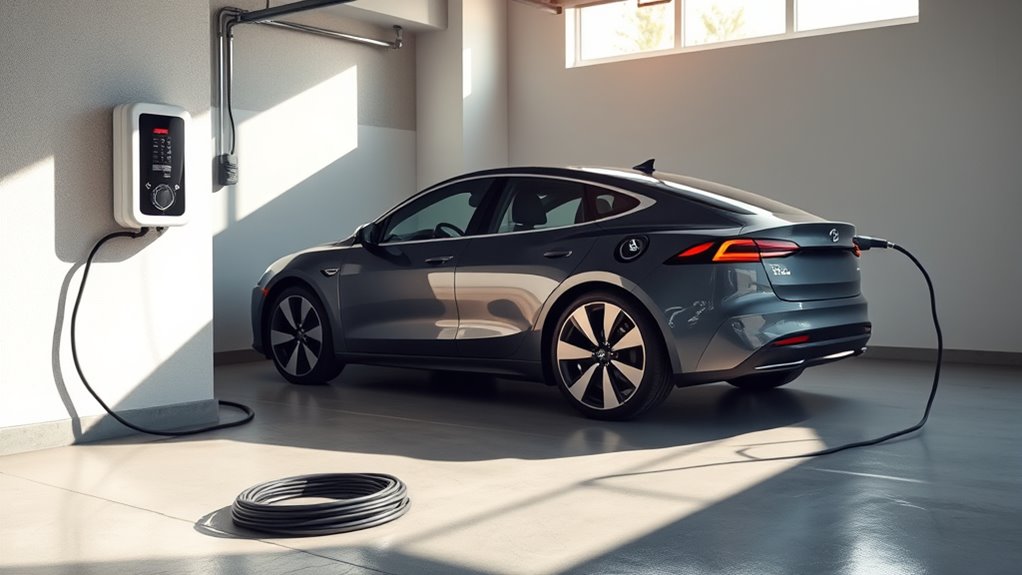
For home EV charging, you need three things: a safe power source, the right charging equipment, and a connector that fits your vehicle. Many EVs include a portable Level 1 cord set that plugs into a standard 120-volt outlet. For faster charging, many owners install Level 2 equipment on a 240-volt circuit.
Before installing Level 2 charging, ask a licensed electrician to check your electrical panel, available capacity, wiring route, outlet or hardwired setup, local permit needs, and whether load management is required. This matters because EV charging is a long, continuous electrical load, not a quick appliance use.
Choose charging equipment that is safety certified. ENERGY STAR notes that certified EV chargers are tested for safety by a nationally recognized testing laboratory, and certified models can also reduce standby energy use.
Warning: Do not charge with a damaged cable, loose outlet, overheated plug, improvised adapter, or household extension cord. Stop charging and call a qualified electrician if the plug, outlet, breaker, or cable feels hot or smells burnt.
Understanding EV Charging Levels
EV charging is usually grouped into three practical levels: Level 1, Level 2, and DC fast charging. The best choice depends on how far you drive, where you park, and how quickly you need to add range.
| Charging Type | Power Source | Typical Use | Typical Range Added |
|---|---|---|---|
| Level 1 | 120-volt AC outlet | Short commutes, plug-in hybrids, overnight top-offs | About 2 to 5 miles per hour of charging |
| Level 2 | 240-volt residential or 208-volt commercial AC service | Daily home, workplace, hotel, and public destination charging | Often about 10 to 25+ miles per hour, depending on charger and vehicle |
| DC Fast Charging | High-power DC equipment at public stations | Road trips and fast top-ups | About 100 to 200+ miles in 30 minutes on many compatible EVs |
The U.S. Department of Energy Alternative Fuels Data Center explains that charging time depends on battery capacity, battery state of charge, charger power, vehicle limits, and electrical service. That is why two EVs at the same charger may charge at different speeds.
EV Charging Connectors: J1772, CCS, CHAdeMO, and J3400
Before you plug in, check the connector. In North America, many non-Tesla EVs use J1772 for Level 1 and Level 2 AC charging. Many DC fast-charging vehicles use CCS. Some older or Japanese-market EVs use CHAdeMO for DC fast charging. Tesla-style NACS is now standardized as SAE J3400 and is becoming more common on new North American EVs.
Your vehicle may support more than one network with an approved adapter, but adapters are not universal. Check your owner’s manual, the vehicle app, or the charging network app before you depend on a station during a trip.
Note: A station may show several connector types, but one charging port usually charges only one vehicle at a time. If a charger has two plugs on one unit, that does not always mean two cars can charge at once.
Step 1: Plugging In at Home
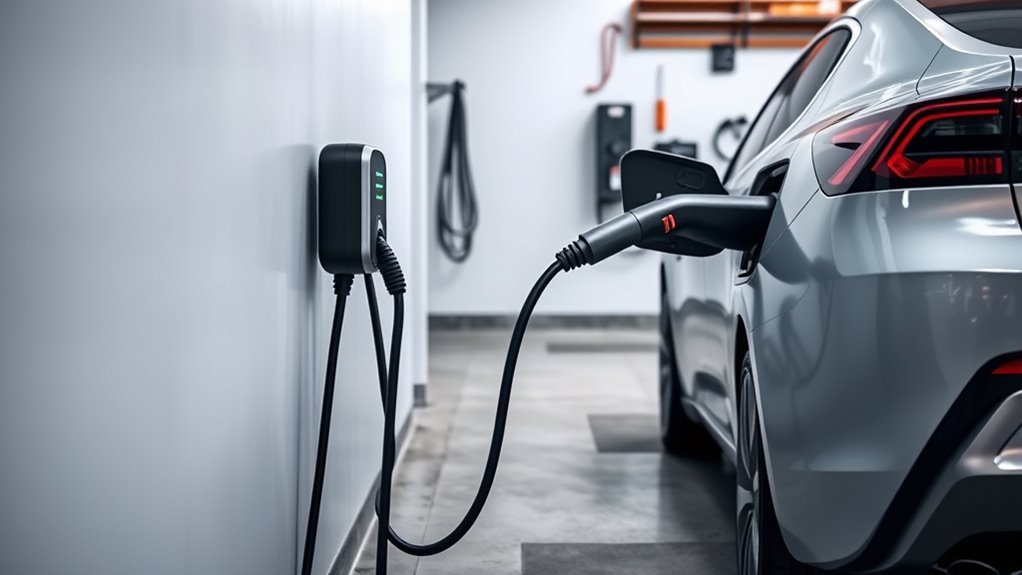
Park close enough for the cable to reach without stretching across a walkway or pulling on the connector. Open the charge-port door, inspect the cable and connector for damage, then plug the connector into the vehicle until it seats firmly.
- Confirm the power source. Use a proper 120-volt outlet for Level 1 or a professionally installed Level 2 setup.
- Plug in firmly. The connector should sit straight and lock or latch as designed.
- Check the indicator. Your EV, charger, or app should show that charging has started.
- Set a charge limit if needed. Many drivers use a daily charge limit around 80% and save 100% for long trips, but you should follow your vehicle maker’s guidance.
- Keep the area clear. Do not coil the cable tightly while charging, place the connector in standing water, or leave the cable where someone may trip.
Step 2: Charging Time
Charging time depends on the battery size, the battery’s current charge, the vehicle’s maximum charge rate, the station’s output, and temperature. A small battery may charge quickly on Level 2, while a large battery may need several hours.
Level 1 can take overnight or more than a day for a large EV battery, but it may still cover a short commute if you plug in every night. Level 2 is usually the most practical home choice for full EVs because it can often recover a normal day of driving overnight.
DC fast charging is different. It is fastest when the battery is low to mid-level, then slows as the battery gets closer to full. For road trips, charging from about 10% to 80% is often faster than waiting for the final 20%.
For most daily driving, charging while the car is parked at home is easier than waiting until the battery is nearly empty.
How to Monitor Charging Progress
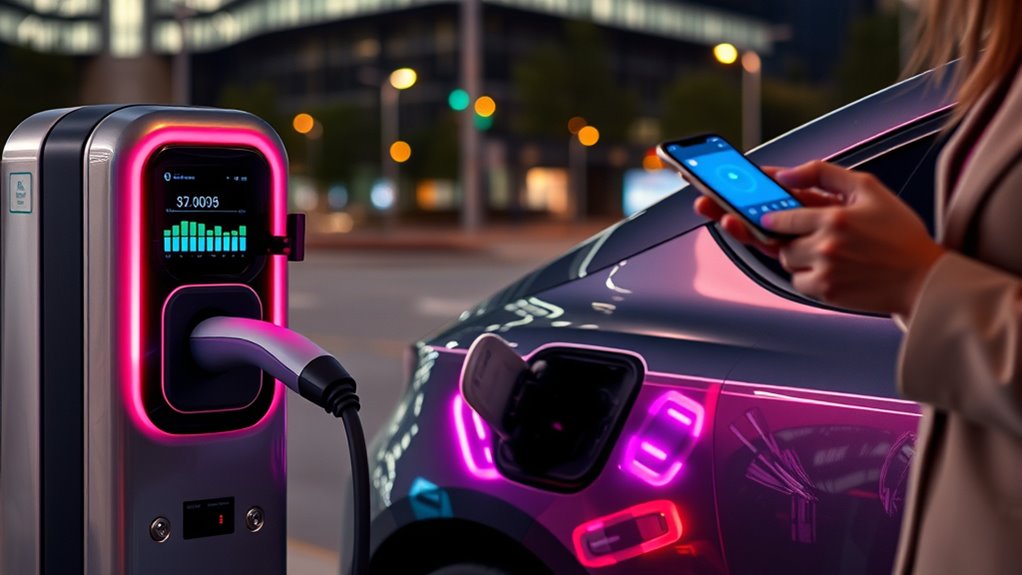
You can monitor charging from the vehicle screen, charger display, mobile app, or public charging network app. Most EVs show the current battery percentage, estimated range, charge speed, and estimated time remaining.
Charging App Notifications
Charging apps can tell you when charging starts, slows, stops, or reaches your selected limit. Turn on notifications before road trips so you know when to move your vehicle from a public charger.
- Set milestone alerts. Ask for a notification at 80%, 90%, or your preferred limit.
- Watch for interruptions. A tripped breaker, poor connection, payment issue, or station fault can stop charging.
- Track cost. Some apps show kWh used, session price, idle fees, and charging history.
Onboard Vehicle Display
The onboard display is the fastest place to confirm the charge level and estimated time remaining. Many EVs also show whether the cable is locked, whether charging is scheduled for later, and whether a charge limit is active.
Smart Home Integration
Smart Level 2 chargers can help you schedule charging for off-peak utility rates, track energy use, and pause or restart sessions from your phone. Some utilities also offer time-of-use plans or demand-response programs that reward charging outside peak hours.
Pro Tip: If your utility has lower overnight rates, schedule charging after the peak evening window. This can reduce your cost without changing how you drive.
What to Do Once Charging Is Complete
When your EV reaches the target charge level, confirm the session is complete on the vehicle display, charger screen, or app. If you are at a public station, end the session in the app or on the station screen before unplugging if the network requires it.
Unplugging Safely
- Unlock the connector if needed. Some EVs lock the plug until you unlock the vehicle or press a release button.
- Hold the connector, not the cable. Pulling on the cable can damage the cord or plug.
- Close the charge-port door. This helps keep dirt and moisture away from the inlet.
- Store the cable neatly. Keep the connector off the ground and away from sharp bends.
- Move your vehicle at public stations. Once charging is done, free the charger for the next driver.
Checking Charge Levels
Check the final charge level before you drive away. For daily use, you may not need a full battery. For a long trip, set the charge limit higher the night before, then return to your normal daily limit afterward if your vehicle maker recommends it.
How Much Does EV Charging Cost?
Home charging cost depends on your electricity rate and how many kilowatt-hours you add. A simple estimate is:
kWh added × your electricity rate = charging cost
For example, if you add 40 kWh and your electricity rate is $0.16 per kWh, the session costs about $6.40 before taxes or fees. Public chargers may cost more because they include station hardware, site rent, network fees, payment processing, and maintenance.
Public stations may bill by kilowatt-hour, by minute, by session, or through a membership plan. Some also charge idle fees after your car stops charging, especially at DC fast chargers.
Charging Your EV While Traveling
Road-trip charging works best when you plan stops before the battery gets low. Use your vehicle navigation, Google Maps, PlugShare, ChargePoint, the AFDC Station Locator, or your charging network apps to check station location, connector type, live availability, power level, price, and recent driver notes.
For long trips, favor DC fast chargers near highways, food, restrooms, and safe lighting. The EPA says the U.S. has over 77,000 public charging stations and 219,000 public EV charging ports, but availability still varies by region, route, and network.
- Arrive with a buffer. Do not plan to reach every charger at 0%.
- Check connector type. Make sure the station supports your EV or your approved adapter.
- Preload apps. Add payment details before your trip so you are not setting up an account in a parking lot.
- Watch the charge curve. Leaving at 70% to 85% may be faster than waiting for 100%.
- Have a backup stop. Public chargers can be busy, blocked, offline, or slower than listed.
Tips for Using Public Charging Stations
Public charging is easy once you know the station rules. The main things to check are plug type, charger speed, payment method, parking rules, and idle fees.
Locate Nearby Charging Stations
Use more than one source when accuracy matters. Your EV’s navigation may precondition the battery before a fast charger, while third-party apps may show recent driver check-ins, broken plugs, or parking notes.
Understand Charging Types
Level 2 public chargers are useful at hotels, workplaces, parking garages, restaurants, and shopping areas where your car can sit for a while. DC fast chargers are better when you need to add range quickly and leave.
Monitor Charging Speed
Charging speed may start high, then slow as the battery fills. Cold weather, a cold battery, a busy station, a shared power cabinet, or a vehicle charge limit can also reduce speed.
Public Charging Etiquette
- Do not park in a charging space unless you are charging.
- Move when finished. This avoids idle fees and helps the next driver.
- Use DC fast chargers for fast charging, not long parking.
- Report broken equipment. Use the network app or the phone number on the station.
- Leave the cable neatly. Return the connector to its holster when done.
Charging at Apartments, Condos, and Work
If you rent or park in a shared garage, ask your landlord, property manager, or homeowners association about charging rules before buying equipment. Some buildings offer shared Level 2 stations, assigned EV spaces, charging outlets, or billing through a networked charger.
If home charging is not available, workplace charging and nearby public Level 2 stations can still work well. The key is building a routine. For example, you might charge twice a week at work or top up at a grocery-store Level 2 charger while shopping.
Troubleshooting Common EV Charging Issues
If your EV will not charge, start with the simplest checks before assuming the vehicle or charger has failed.
| Problem | Common Cause | What to Try |
|---|---|---|
| Charging will not start | Loose connector, locked schedule, payment issue, or station fault | Reseat the plug, check the dashboard, confirm app payment, and try another port if available. |
| Charging is slower than expected | Battery is cold, battery is near full, vehicle limit is lower than station output, or power is shared | Check the vehicle’s charge limit, battery temperature, and charger output. Try a different charger if speed is unusually low. |
| Breaker trips at home | Circuit overload, damaged equipment, incorrect installation, or charger setting too high | Stop charging and contact a licensed electrician. Do not keep resetting the breaker. |
| Connector will not release | Vehicle charge-port lock is active | Unlock the vehicle, use the release button, or follow the emergency release steps in your owner’s manual. |
| Public station will not authenticate | App, RFID card, credit-card reader, or network problem | Try the network app, call the station support number, or move to another charger. |
Maintaining Your Home Charging Equipment
Regular maintenance helps keep home charging safe and reliable. Inspect the cable, connector, wall unit, outlet, and holster often. Look for cracks, melted plastic, bent pins, discoloration, corrosion, loose mounting, or damaged insulation.
Keep the charging area clean, dry, and easy to access. If your charger is outdoors, make sure it is rated for outdoor use and mounted according to the manufacturer’s instructions. Do not pressure-wash the charging unit or leave the connector on the ground.
If charging becomes inconsistent, the breaker trips, the plug overheats, or the charger displays repeated faults, stop using the equipment until a qualified technician or electrician checks it.
Frequently Asked Questions
Can I charge my EV during a power outage?
A normal home charger will not work during a grid outage unless it is connected to a properly installed backup system. Some homes can charge from a standby generator, stationary battery, solar-plus-storage system, or approved bidirectional charging setup, but the system must be rated for the EV load and installed safely. Never use an improvised adapter or run a generator in a garage or enclosed space.
Is charging an EV safe in the rain?
Yes, charging is generally safe in rain when you use undamaged, safety-certified equipment installed and used as directed. EV charging equipment is designed with safety protections, but you should never use a damaged cable, submerged connector, loose outlet, or non-weather-rated setup outdoors.
How often should I charge my EV?
Charge as often as needed for your driving routine. Many owners plug in at home several nights a week or every night and let the vehicle stop at a set limit. Avoid waiting until the battery is almost empty unless you have a reason, and follow your owner’s manual for daily charge-limit guidance.
Can I use a regular outlet to charge my EV?
Yes, many EVs can charge from a regular 120-volt outlet with the proper Level 1 cord set. The outlet should be in good condition, grounded, and suitable for the load. Do not use a household extension cord. If the outlet feels warm, the breaker trips, or charging stops, have an electrician inspect the circuit.
Will charging affect my home’s electricity bill significantly?
It can increase your electric bill, but the amount depends on how many miles you drive, your EV’s efficiency, and your utility rate. Multiply the kWh added by your price per kWh to estimate cost. Time-of-use rates, off-peak charging, utility rebates, and solar can reduce the cost.
Should I charge my EV to 100% every day?
Usually, you do not need to charge to 100% every day unless your vehicle maker recommends it or you need the full range. Many EVs let you set a daily limit and save 100% for road trips. Always follow your owner’s manual because battery chemistry and manufacturer guidance vary.
Is DC fast charging bad for my EV?
Occasional DC fast charging is normal for road trips and quick stops. For daily use, Level 2 home charging is usually cheaper and easier. If you fast charge often, follow your vehicle’s battery-care guidance and avoid staying connected long after charging slows near full.
Conclusion
Charging your EV is mostly about building the right routine. Use Level 1 if your daily driving is light, install Level 2 if you want faster home charging, and use DC fast charging when you travel. Check connector compatibility, monitor the session, unplug carefully, and keep your equipment in good condition. With safe equipment and a little planning, EV charging becomes as ordinary as charging your phone overnight.
Sources
- U.S. Department of Energy Alternative Fuels Data Center: Electric Vehicle Charging Stations — charging levels, range added, charging-time factors, and connector types.
- ENERGY STAR: Electric Vehicle Chargers — Level 1 and Level 2 buying guidance, charger safety certification, efficiency, and professional installation guidance.
- U.S. EPA: Electric Vehicle Myths — public charging count, EV emissions context, and grid charging facts.
- U.S. Department of Energy Alternative Fuels Data Center: EV Charging Infrastructure Trends — current infrastructure tracking and growth context.
- Alternative Fueling Station Locator — public station lookup for EV charging locations and route planning.