
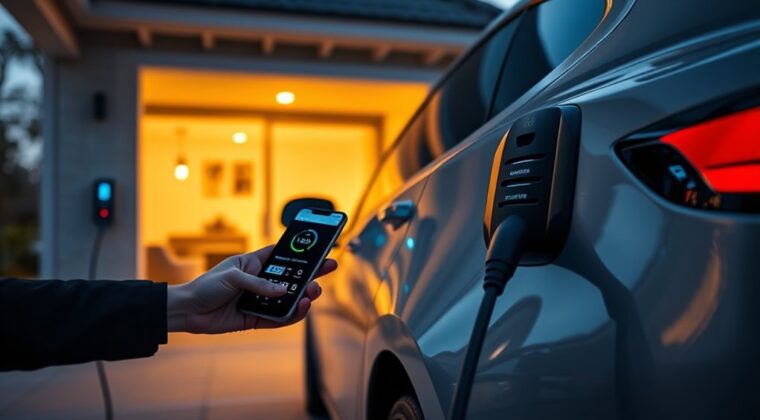
Setting an EV charging schedule at home helps you charge when electricity is cheaper, keeps your vehicle ready for the next drive, and avoids unnecessary charging at peak times. The best schedule is not the same for every home. It depends on your utility rate plan, your charger, your vehicle settings, and how much range you need each day.
Quick Answer
To set an EV charging schedule, check your utility’s off-peak hours, confirm your vehicle or charger supports scheduled charging, choose a start time after the expensive peak window, set a routine charge limit, and save the schedule in either the vehicle app or charger app. Use one scheduler at a time to avoid conflicts.
Key Takeaways
- The cheapest EV charging schedule is usually the one that avoids your utility’s peak-rate window, but the exact hours vary by provider.
- Use either the vehicle’s scheduler or the charger’s scheduler, not both, unless the manuals say they work together.
- For daily driving, many EV owners set a routine target below 100%, then charge higher only when needed for a trip or when the owner’s manual recommends it.
- Level 2 home charging is common for scheduled charging because it can add meaningful range overnight.
At a Glance
| Time Required | 10 to 20 minutes for app setup, plus time to review your utility rate plan |
| Difficulty | Easy if your EV or charger app already supports scheduling |
| Tools Needed | Vehicle app, charger app or in-car screen, utility rate plan, Wi-Fi or cellular connection if required |
| Cost | Usually free after your charger is installed; savings depend on your utility rate and driving habits |
Warning: Do not install or modify a 240V EV charging circuit unless you are qualified to do that work. Use safety-certified equipment, check local permit rules, and hire a qualified electrician for Level 2 installation or panel-capacity questions.
Which EV Charging Schedule Saves the Most?
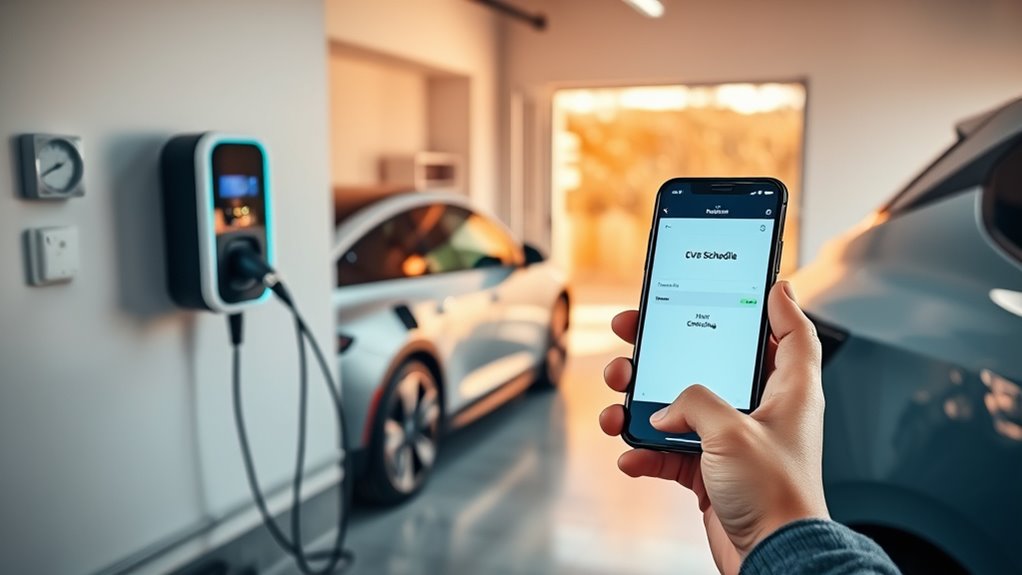
The EV charging schedule that saves the most is the one that shifts most of your charging away from your utility’s expensive hours. For many homes, that means charging overnight. In some areas, the cheapest window may be late at night, early morning, midday, weekends, or a special EV-only rate period.
The U.S. Department of Energy’s Alternative Fuels Data Center notes that home charging costs depend on the equipment, the time of day, and how long the station is used. It also notes that some utilities offer time-of-use rates or other incentives for charging equipment owners.
That means you should not guess. Open your utility account, rate sheet, or EV rate page and write down three things:
- Your peak-rate hours, when electricity costs the most.
- Your off-peak or super off-peak hours, when charging may cost less.
- Any seasonal changes, weekend rules, demand charges, or managed-charging program requirements.
A better charging schedule is not just “charge after 9 PM.” It is “charge during the cheapest hours on your actual utility plan.”
Check Smart Charger Compatibility First
Before you set a schedule, confirm that your vehicle, charger, or both can control charging times. Many EVs include scheduling in the in-car screen or mobile app. Many smart Level 2 chargers also include app-based timers, charging history, alerts, and energy-use tracking.
The AFDC charging equipment guide explains that Level 2 equipment commonly uses 240V service in residential settings and can charge a typical EV battery overnight. It also explains that charging time depends on battery size, state of charge, charger output, and the vehicle’s onboard charging capacity.
Use One Main Scheduler
If your vehicle and charger both have timers, choose one as the main scheduler. Running both at the same time can cause missed sessions. For example, the charger may allow power from 11 PM to 6 AM, while the vehicle waits until 2 AM and then cannot finish before your departure.
A simple rule works best:
- Use the vehicle app if you want departure-time charging, cabin preconditioning, or vehicle-specific charge limits.
- Use the charger app if your charger tracks energy cost, connects to a utility program, or serves more than one EV.
- Use the utility program app if you enrolled in managed charging and agreed to let the program adjust timing within your chosen limits.
Confirm Safe Equipment and Installation
For Level 2 home charging, confirm that the charger is properly installed, the circuit is sized correctly, and the equipment is rated for the location. Outdoor charging can be safe when the equipment is outdoor-rated and installed correctly. If you are buying a charger, look for recognized safety certification and check options such as ENERGY STAR certified EV chargers.
Note: If your breaker trips, the charger overheats, the plug feels loose, or charging stops repeatedly, pause use and have the installation checked. Do not solve electrical problems by increasing amperage in the app.
Choose the Best Off-Peak Hours
Start with your utility’s rate plan, not a generic online schedule. Many utilities charge more during late afternoon and early evening because that is when household demand can be high. Off-peak periods often fall overnight, but your local plan may be different.
Understand Utility Peak Times
Peak times are the hours when electricity costs more. Off-peak times are the hours when it may cost less. Some plans also include “super off-peak” hours with the lowest rate. Others offer EV-specific plans or rewards programs that reduce your bill when you let the utility or a partner app schedule charging within your chosen departure time and battery target.
Check these details before saving a schedule:
- Weekday peak hours
- Weekend and holiday rules
- Summer and winter rate changes
- EV-specific rate plans
- Demand charges or monthly participation fees
- Utility rewards for managed charging
Estimate Your Charging Cost
Use this simple formula before you decide whether a rate plan is worth it:
Estimated charging cost = kWh added × electricity rate ÷ charging efficiency
For example, if you add 30 kWh and your rate is $0.15 per kWh, the energy cost is about $4.50 before minor charging losses. If the same 30 kWh costs $0.30 per kWh during peak hours, the energy cost is about $9.00 before losses. Your real number will depend on your utility bill, charger efficiency, taxes, and fees.
A study in Joule on the levelized cost of EV charging in the United States found that costs vary widely by location, charging behavior, equipment cost, and time of day. That is why the best schedule is personal to your home and rate plan.
Match Charging Duration to Your Battery Needs
Do not schedule a longer charging block than you need unless your vehicle or charger stops automatically at the target level. To estimate your needed time, check how many kWh you need to add and divide that by your charger’s usable charging power.
Example:
- You need to add 24 kWh.
- Your Level 2 charger delivers about 7.2 kW.
- 24 ÷ 7.2 = about 3.3 hours, plus a little extra for charging losses and tapering.
If your off-peak window is six hours, this session should fit easily. If you need a large charge before an early trip, you may need to start earlier or raise the target for that night only.
Set Your Charging Schedule in the App
The exact menu names vary by brand. Your app may say “Scheduled Charging,” “Charge Later,” “Departure Time,” “Preferred Charge Times,” or “Charging Schedule.” The goal is the same: tell the vehicle or charger when to start, when to stop, and how much charge you want by departure.
Open the Charging Controls
Open your vehicle app, charger app, or center display. Select the vehicle or charger you want to schedule. Then look for the charging menu. Make sure the vehicle is plugged in or that the app can see the charger online.
- Open the app or in-car charging screen.
- Select the correct vehicle or charger.
- Choose scheduled charging, charge later, preferred times, or departure time.
- Confirm the app shows the correct home location if it uses location-based charging.
Choose Charge Later or Scheduled Charging
Choose the setting that delays charging until your preferred window. If your app offers both a start-time schedule and a departure-time schedule, choose the one that fits your goal:
- Start-time schedule: best when your utility has a clear off-peak start time.
- End-time schedule: useful when you want charging finished before rates rise.
- Departure-time schedule: best when the vehicle can calculate when to start so it is ready by morning.
Set the schedule so charging begins after the peak window ends and finishes before you need the car. If your utility has a super off-peak period, keep most charging inside that window when possible.
Set a Target Charge Limit
Many EV owners set a routine charge target below 100% for daily driving, often around 70% to 90%, depending on the vehicle and battery type. This can reduce time spent at a high state of charge and still leave plenty of range for normal use.
Follow your owner’s manual first. Some vehicles with certain battery chemistries may recommend periodic charging to 100%. Other EVs advise saving 100% for long trips. When in doubt, use the manufacturer’s guidance for your exact model and battery.
Pro Tip: Create a “trip” routine separately from your daily routine. Keep daily charging conservative, then raise the target the night before a long drive.
Save and Test the Schedule
After you enter the charging window and target level, save the schedule. Then check the app status. It should show that the vehicle is plugged in and waiting, scheduled, or ready to charge later.
For the first night, check the session after the scheduled start time. Confirm that charging began, the estimated finish time looks right, and the target level matches what you saved. After one billing cycle, compare your charging history with your utility bill to see whether the schedule is actually saving money.
Use Charge Later, Departure Time, and Target Limits Wisely
Charge Later is useful when you know the cheapest start time. Departure-time charging is useful when you care most about having the car ready at a certain time. Target limits help stop charging once the battery reaches the level you chose.
For the best setup, combine these settings carefully:
- Set your charging window to match off-peak hours.
- Set your target charge based on daily driving needs and owner’s-manual guidance.
- Set your departure time if your vehicle uses it to finish charging and precondition the cabin.
- Turn on notifications for charging started, charging interrupted, and charging complete.
If your vehicle lets you save home-specific charging settings, use them. That way, the schedule applies at home but does not block charging when you are using public stations during a trip.
Avoid These Scheduling Mistakes
- Using two timers at once: A vehicle timer and charger timer can block each other if their windows do not match.
- Assuming every night is off-peak: Some plans change by season, weekday, weekend, or holiday.
- Setting the target too low: A low daily limit is only helpful if it still covers your real driving needs.
- Forgetting early departures: A schedule that works for a normal commute may not work for a 5 AM road trip.
- Ignoring charging speed: A short off-peak window may not be enough after a long driving day.
- Skipping app alerts: A loose connector, Wi-Fi issue, or fault can stop a session without you noticing.
A good schedule should save money without making the car unreliable. If you regularly wake up with less range than you expected, adjust the start time, target, or charger output.
Save More With Utility Rate Plans
Once your schedule works, check whether your utility offers a better plan for EV owners. Some utilities offer time-of-use rates, EV-specific meters, charger rebates, bill credits, or managed-charging rewards. These programs can help if your driving routine is predictable and you can shift charging away from expensive hours.
Before switching plans, compare your whole home’s energy use. A cheaper EV charging window may come with higher rates during other hours. If your household uses a lot of electricity during the peak window, the plan may not save as much as it appears.
Review these items before enrolling:
- Your monthly EV charging kWh
- Your normal household peak-hour use
- Any added meter or monthly fees
- Whether the plan requires a specific charger or vehicle brand
- Whether the utility can pause or shift charging during grid events
- How to override the program when you need an urgent charge
Troubleshooting: Why Your EV Did Not Charge on Schedule
If your EV did not charge when expected, do not delete the schedule right away. Check the simple causes first.
| Problem | Likely Cause | Fix |
| Car stayed plugged in but did not charge | Vehicle timer and charger timer conflict | Disable one timer and test again |
| Charging started too early | Wrong time zone, location setting, or saved schedule | Check app time zone, home location, and weekday settings |
| Charging stopped before target | Power fault, connector issue, charger limit, or utility event | Check alerts, connector fit, charger status, and utility program rules |
| App cannot save the schedule | Weak Wi-Fi, outdated app, or charger offline | Update the app, reconnect the charger, and test a short schedule |
If the schedule still fails, check the owner’s manual for your vehicle and charger. Some vehicles need location-based charging enabled. Others require the car to be locked, fully plugged in, or below the target charge before a schedule activates.
Override Your Schedule When Needed
A schedule should help you, not trap you. Most EVs and smart chargers include a “charge now,” “boost,” or “override” button. Use it when you need an urgent top-up, return home with a low battery, or plan to leave before the normal charging window.
- Use charge-now mode for urgent charging.
- Raise the target level before a long trip.
- Pause the schedule for one day instead of deleting it.
- Turn the schedule back on after travel.
If you are enrolled in a utility managed-charging program, check how overrides affect rewards or bill credits. Some programs allow a certain number of overrides each month, while others reduce the credit if you override too often.
Frequently Asked Questions
How do I schedule my EV charging?
Open your vehicle app, charger app, or in-car charging screen. Choose scheduled charging, charge later, preferred times, or departure time. Set the charging window to match your utility’s lower-cost hours, choose a target charge level, save the schedule, and confirm the app shows the vehicle is waiting to charge.
What is the 80/20 rule for EV charging?
The 80/20 rule is a common habit of keeping the battery roughly between 20% and 80% for routine driving. It is not a law for every EV. Some vehicles and battery types have different guidance, so follow your owner’s manual first.
Is 9 PM to 6 AM always the best EV charging window?
No. Overnight charging is common, but the cheapest hours depend on your utility rate plan. Some plans have super off-peak hours later at night, some include weekends, and some managed-charging programs choose the best time for you within your departure and battery settings.
Should I use my car timer or my charger timer?
Use the car timer if you want vehicle-specific charge limits, departure time, or preconditioning. Use the charger timer if it tracks energy costs, links to your utility, or serves more than one EV. Avoid running both timers unless you know they are compatible.
How often should an EV be charged at home?
Charge based on your driving needs. Daily charging works well for high-mileage drivers. If you drive less, charging every few days may be enough. The goal is to start each day with enough range without charging to a higher level than you need.
Do home EV chargers have timers?
Many smart home EV chargers include timers or app-based scheduling. Some basic chargers do not, but the vehicle itself may still offer scheduled charging. Check both the charger manual and the vehicle app before assuming you need new hardware.
Conclusion
A good EV charging schedule starts with your real utility rate plan. Check the peak and off-peak hours, choose one main scheduler, set a realistic charge target, and test the schedule before relying on it. For most homes, scheduled charging is a simple way to reduce peak-rate charging, protect your morning routine, and make home charging easier to manage.
Sources
- U.S. Department of Energy Alternative Fuels Data Center: Charging Electric Vehicles at Home — home charging equipment, Level 1 and Level 2 use, utility rates, incentives, outdoor-rated equipment, and installation safety.
- U.S. Department of Energy Alternative Fuels Data Center: Electric Vehicle Charging Stations — charging levels, Level 2 charging speed, charging-time variables, connector terminology, and equipment basics.
- Joule: Levelized Cost of Charging Electric Vehicles in the United States — charging-cost variation by location, time of day, charging behavior, and equipment cost.
- ENERGY STAR Certified EV Chargers — certified EV charging equipment options.