
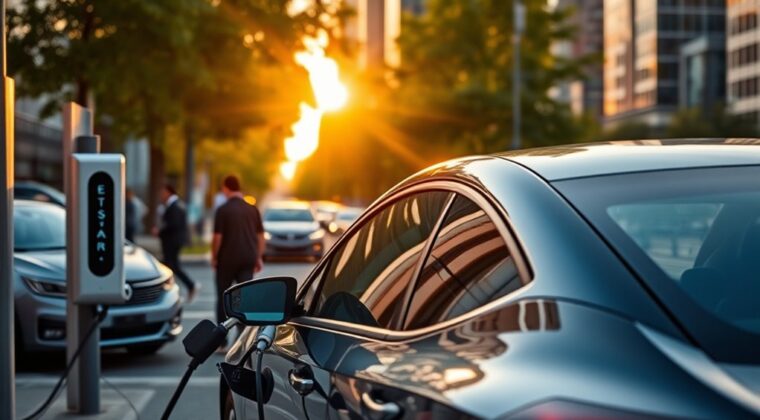
Driving an EV for Uber or Lyft can work very well when charging is part of your shift plan, not an emergency stop at the end of a long trip. The goal is simple: start each day with enough range, use the cheapest charging first, save DC fast charging for paid-driving hours, and avoid sitting at a charger longer than your next trips require.
Quick Answer
The best EV charging strategy for Uber and Lyft drivers is to charge at home overnight when possible, start each shift with a planned range buffer, use DC fast chargers only for quick mid-shift top-ups, and choose public stations by connector type, price, speed, safety, and real-time availability.
Key Takeaways
- Home Level 2 charging is usually the cheapest and least disruptive option for rideshare drivers who can install it safely.
- DC fast charging is best for short top-ups during busy hours, not for slowly charging from 80% to 100%.
- Check connector type, live stall status, charging price, parking fees, restroom access, and a backup charger before you drive across town.
- Keep a practical range buffer for airport trips, long suburban rides, bad weather, and dead or crowded chargers.
- Uber and Lyft EV incentives vary by market and time, so confirm current bonuses, EV ride categories, and charging discounts inside your driver app.
At a Glance
| Time Required | 10 minutes to plan your charger map; overnight for home charging; 15 to 45+ minutes for most useful DC fast-charge stops, depending on vehicle and charger. |
| Difficulty | Easy once you know your vehicle range, local charger network, and rideshare demand zones. |
| Tools Needed | Vehicle navigation, Uber or Lyft driver app, charging network apps, PlugShare or Google Maps, payment setup, and your EV owner manual. |
| Cost | Usually lowest at home, higher at public DC fast chargers, and variable by time of day, network, location, idle fees, and parking fees. |
Essential EV Charging Strategies for Uber and Lyft Drivers
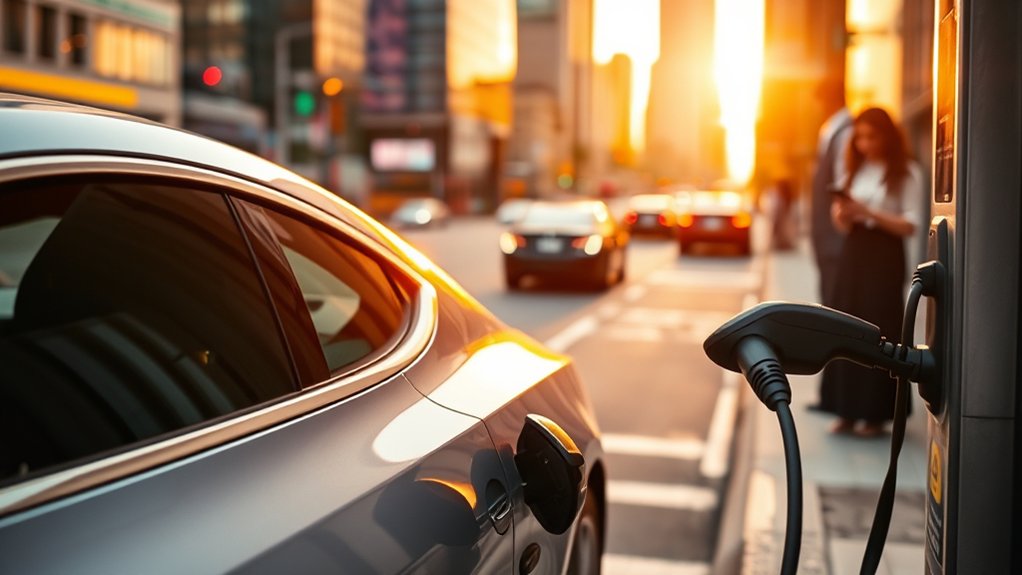
Start with a simple charging rule: use slow, cheap charging while you are sleeping or off duty, then use fast charging only when it protects your earning time. The U.S. Department of Energy’s Alternative Fuels Data Center explains that most EV owners do most of their charging at home, while public charging helps extend daily range and support longer trips.
For many drivers, the best setup is a home Level 2 charger. A typical Level 2 setup adds about 25 miles of range per hour, though the real number depends on your EV, charger power, weather, and battery state. If you cannot charge at home, build a routine around reliable public Level 2 chargers near your home, gym, grocery store, or overnight parking location.
Use DC fast charging when you need a short mid-shift top-up. The AFDC says DC fast chargers can add about 100 to 200+ miles of range in 30 minutes, but charging speed changes as the battery fills. In many EVs, the fastest charging happens at a lower state of charge and slows down sharply near 80%.
Pro Tip: For rideshare work, a quick charge from about 20% to 60% or 70% often gives better dollars per minute than waiting for the final stretch from 80% to 100%.
Build a Charging Plan Before Your Shift
Before you go online, check your starting range, the weather, your busiest pickup zones, and the chargers near those zones. A good plan keeps you close to fares while your car charges.
- Start with a buffer: Try to begin the shift with enough range for your normal shift plus a backup margin. A 40 to 70 mile buffer helps with airport runs, long suburban rides, detours, or a dead charger.
- Know your “safe return” number: Decide the lowest range you will accept before heading toward a charger or home. Do not let a long ride strand you far from reliable charging.
- Pair charging with breaks: Charge during meals, restroom stops, school pickup gaps, airport waiting, or slow demand periods.
- Mark backup chargers: Save at least two alternates near each busy area. Public chargers can be full, broken, blocked, or slower than advertised.
- Check trip direction: If your app shows a long trip away from your charger network, make sure the fare is worth the range and return time.
Understand Level 1, Level 2, and DC Fast Charging
Not every charger is useful during a rideshare shift. The right charger depends on whether you are parked for hours or trying to get back online fast.
- Level 1: Uses a standard 120-volt outlet. It is slow, usually best for emergency or overnight trickle charging.
- Level 2: Uses 240 volts at home or 208 volts in many commercial locations. It is good for overnight charging, workplace charging, hotels, parking garages, and long breaks.
- DC fast charging: Best for short, paid-workday top-ups because it can add useful range quickly. It usually costs more than home charging.
Connector type matters. Many public Level 2 chargers use J1772. Many fast chargers use CCS, CHAdeMO, or the Tesla-style NACS connector, now standardized as SAE J3400. The AFDC notes that several vehicle manufacturers announced J3400 adoption as early as 2025, so drivers should know which connector or adapter their EV supports.
Note: Do not assume a charger fits your EV just because it appears on a map. Filter by connector, charging speed, network access, and live availability before driving there.
How to Choose the Right Charging Station for Your EV
Choosing the right charging station is about more than speed. For Uber and Lyft drivers, the best station is the one that gives you useful range, low total cost, and a fast return to ride requests.
Check these points before you navigate to a station:
- Connector compatibility: Match your car with J1772, CCS, CHAdeMO, or NACS/J3400. Carry the adapter your manufacturer allows, but do not rely on an adapter you have never tested.
- Real-time availability: Use the car’s navigation, the charging network app, PlugShare, or Google Maps to check open stalls and recent driver reports.
- Total price: Compare per-kWh or per-minute price, session fees, membership rates, parking fees, and idle or congestion fees.
- Charging speed: A 350 kW station does not help if your car can only accept a much lower rate. Pick the charger that matches your EV’s real charging curve.
- Location quality: Favor chargers near restaurants, restrooms, safe lighting, busy pickup areas, and easy road access.
- Backup options: Avoid charging plans that depend on one stall at one station with no nearby alternative.
Tesla drivers and some non-Tesla drivers using Superchargers should also watch for Supercharger congestion fees. Tesla says congestion fees may apply at busy sites when the battery is at or above the congestion-fee level of 80% or when the charging session has ended.
Optimizing Charging During Rides for Maximum Efficiency
The most profitable charging stop is usually planned before you need it. Waiting until the car is nearly empty can force you to accept a slow, expensive, or poorly located charger.
Use this simple mid-shift charging strategy:
- Charge before the rush: If dinner, airport, event, or bar-close demand is coming, top up before prices and wait times rise.
- Charge near demand: A slightly more expensive charger near strong ride demand may beat a cheaper charger that pulls you far away from passengers.
- Stop charging when the next range target is met: Do not wait for 100% unless you truly need it for a long trip or poor charging area.
- Precondition when your car supports it: Many EVs warm the battery for faster DC charging when you navigate to a compatible fast charger.
- Use slower charging off duty: Let home, apartment, workplace, or overnight public Level 2 charging handle the full battery refill.
A charger that saves 15 minutes during peak demand can be worth more than a cheaper charger across town.
Why Home Charging Is a Game-Changer for Your Wallet
Home charging is often the biggest EV advantage for Uber and Lyft drivers because it moves fueling time outside your paid driving hours. Instead of spending prime demand time at a public charger, you can wake up with usable range already in the battery.
The cost advantage can be large, but it depends on your local electricity rate and your EV’s efficiency. The AFDC gives this example: if electricity costs 10.7 cents per kWh and the EV uses 27 kWh per 100 miles, the driving cost is about 3 cents per mile. Your number may be higher or lower.
Use this quick formula:
Cost per mile = electricity price per kWh × your EV’s kWh per mile
For example, if your electricity is $0.15 per kWh and your EV uses 0.30 kWh per mile, your energy cost is about $0.045 per mile. Compare that with public fast-charging prices and your local gasoline cost before deciding when to charge.
Warning: Have Level 2 home charging installed by a qualified electrician when a new circuit, outlet, or hardwired charger is needed. EV charging is a continuous electrical load and must follow local code, permitting, and your vehicle manufacturer’s instructions.
Charging If You Live in an Apartment or Park on the Street
You can still drive an EV for rideshare without a private garage, but your plan must be tighter. Apartment and street-parking drivers should look for reliable overnight or long-dwell charging before depending on public DC fast charging every day.
- Ask your building about EV charging: Some multifamily properties add shared Level 2 stations or reserved charging spaces.
- Use workplace or gym charging: A few hours on Level 2 while you are parked can cover a large part of the next shift.
- Find overnight public Level 2 stations: Parking garages, municipal lots, hotels, and shopping areas may work if rules allow long stays.
- Watch idle and parking rules: A cheap charger can become expensive if the lot adds hourly parking, overstay fees, or towing risk.
- Keep a weekly fast-charge budget: If you must rely on DC fast charging, track how it changes your net earnings after fees and downtime.
Protect Battery Health While Driving for Rideshare
Rideshare driving adds miles quickly, so battery habits matter. Modern EVs are designed for long battery life, and fueleconomy.gov notes that EV batteries may last 12 to 15 years in moderate climates and 8 to 12 years in severe climates. Still, daily charging behavior can affect range, speed, and long-term wear.
For most daily rideshare use, aim to stay in a practical middle range, often around 20% to 80%, unless your owner manual says otherwise or you need more range for the next shift. Charging to 100% is useful before a long day, a road trip, or limited charging access, but leaving the car full for long periods is usually not ideal for many battery chemistries.
Also pay attention to what drains range fastest:
- High speed: Highway trips use more energy than city trips because air resistance rises quickly.
- Hard acceleration: Smooth starts protect range and make passengers more comfortable.
- Cabin heat and air conditioning: FuelEconomy.gov says accessories such as heating and air conditioning can lower EV range, and pre-heating or pre-cooling while plugged in can help.
- Cold weather: FuelEconomy.gov reports that EV range can drop sharply in cold conditions, especially when cabin heat is used.
- Extra weight: Luggage, multiple passengers, and roof cargo increase energy use.
- Hills and wind: Elevation changes and strong headwinds can reduce range more than expected.
Troubleshooting Common EV Charging Issues on the Road
Charging problems happen, even at stations that look available in an app. Keep the process calm and quick so you do not waste a full break on one bad stall.
- Confirm the connector: Make sure the station plug matches your EV or approved adapter.
- Check the screen and app: Some stations require app activation, a wallet balance, RFID card, or credit card tap.
- Try another stall: If the first cable fails, move to a different dispenser before calling support.
- Unplug and restart: End the session in the app, unplug fully, lock and unlock the car if needed, then try again.
- Look for charge-rate limits: A cold battery, high battery percentage, shared power cabinet, or vehicle setting can slow charging.
- Report the problem: Note the station ID and report the failure in the network app so other drivers know.
- Leave before the buffer is gone: If a station does not work quickly, go to your backup charger before your range becomes stressful.
Uber and Lyft EV Incentives: What to Check
Do not assume an EV automatically pays more on Uber or Lyft. Incentives, ride categories, rental deals, charging discounts, and bonuses change by city, driver account, vehicle, and date. Check the current Uber Driver app, Lyft Driver app, local utility rebates, state EV programs, and charging-network discounts before you count any incentive as income.
When comparing incentives, look at the full picture:
- Per-trip bonus: Is it still active in your market, and does your vehicle qualify?
- EV ride category: Can riders request an EV-only or green ride where you drive?
- Rental cost: If you rent through a rideshare partner, compare weekly rental cost with expected charging and maintenance savings.
- Charging discount: A network discount helps only if those chargers are near your best earning zones.
- Purchase or lease rebate: Confirm eligibility, income rules, vehicle rules, and whether the incentive is paid before or after purchase.
Frequently Asked Questions
What is the 80/20 rule for EV charging?
The 80/20 rule means keeping the battery roughly between 20% and 80% for everyday driving when possible. It is not a law, and your owner manual comes first, but it is a useful habit because many EVs charge slower above 80% and sitting at very high or very low charge is not ideal for many batteries.
Does Lyft pay EV drivers more?
Not automatically in every market. Lyft EV perks, bonuses, ride categories, and rental options can change by city and driver account. Check the Lyft Driver app before counting an EV bonus as part of your earnings plan.
Does Uber pay EV drivers more?
Uber EV incentives also vary by market and time. Some drivers may see EV ride options, grants, rental deals, or charging discounts, while others may not. Always confirm the current offer inside the Uber Driver app and read the eligibility rules before buying or renting an EV.
What drains an EV battery the most during rideshare driving?
High speeds, hard acceleration, cabin heat, air conditioning, cold weather, hills, heavy passenger or luggage loads, and low tire pressure can all reduce range. Smooth driving, cabin preconditioning while plugged in, and smart route planning help preserve range.
What is the best charging strategy for an EV rideshare driver?
Charge at home or another low-cost Level 2 charger when you are off duty, start your shift with a planned range buffer, use DC fast charging for short top-ups near busy zones, and avoid waiting for 100% unless you truly need the range.
Should Uber and Lyft drivers fast charge every day?
Daily fast charging may be necessary for some apartment or high-mileage drivers, but it is usually more expensive than home charging. Use DC fast charging when it protects earning time, and use Level 2 charging when you are sleeping, parked, or off duty.
Conclusion
EV charging works best for Uber and Lyft drivers when it is planned around earnings, not panic. Charge cheaply when you are off duty, keep enough range for surprise long trips, use fast chargers for short top-ups near demand, and leave a charger before slow charging or fees eat into your shift. With a good home or backup charging routine, an EV can cut your energy cost and keep you on the road with less wasted time.
Sources
- U.S. Department of Energy AFDC: Electric Vehicle Charging Stations – charging levels, connector types, Level 2 speed, and DC fast charging guidance.
- U.S. Department of Energy AFDC: Charging Electric Vehicles at Home – home charging setup, electrical safety, and charging cost examples.
- U.S. Department of Energy AFDC: Charging Electric Vehicles in Public – public charging location planning and fleet charging considerations.
- FuelEconomy.gov: All-Electric Vehicles – EV efficiency, fast charging, range, and battery life guidance.
- FuelEconomy.gov: Tips for Hybrids, Plug-in Hybrids, and Electric Vehicles – driving, regenerative braking, battery charging, and accessory-use tips.
- Tesla Support: Supercharger Fees – Supercharger congestion fee rules and idle behavior.