
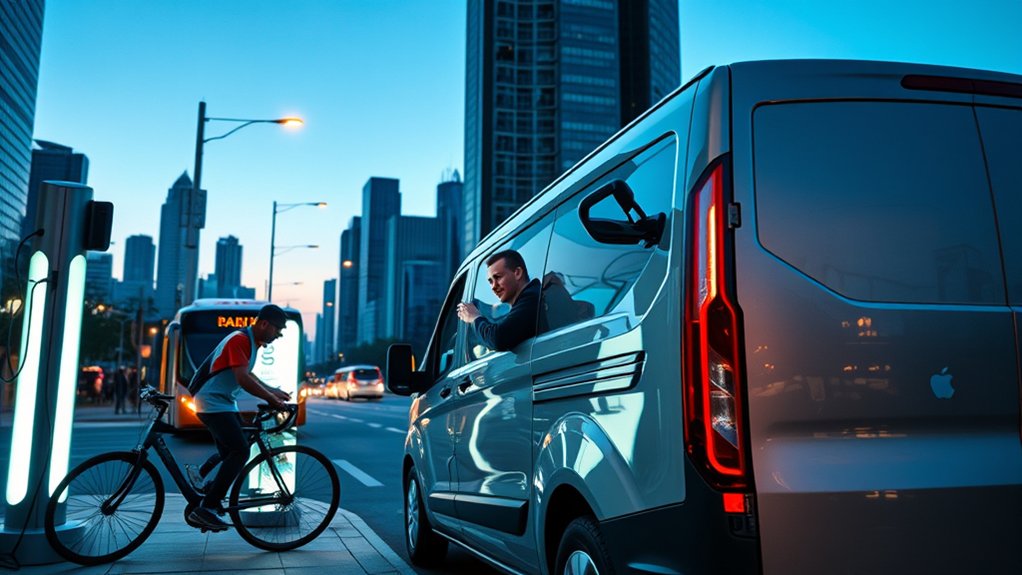
Charging an EV as a delivery or gig economy driver is mostly about timing. You need enough range to finish orders, but you also need to avoid wasting paid driving time at a slow, busy, or expensive charger. The best approach is to plan charging around natural breaks, filter stations by connector and speed, and keep a backup charger within reach before your battery gets too low.
Quick Answer
Delivery and gig drivers should charge during meals, app downtime, or low-demand windows, preferably at reliable Level 2 or DC fast chargers near busy delivery zones. Keep a 15% to 20% buffer, use route-planning apps, check live station status, and avoid charging past 80% during a shift unless you need the extra range.
Key Takeaways
- Use DC fast charging for short delivery breaks, but stop around 80% when possible because charging usually slows after that point.
- Use Level 2 charging at home, work, apartments, hotels, or long meal breaks to lower your average charging cost.
- Before a shift, save two backup chargers near your delivery zone in case your first station is busy, broken, blocked, or incompatible.
- Check pricing, idle fees, connector type, plug count, and live availability before driving to a station.
- For daily battery care, stay near 20% to 80% or 20% to 90% unless your owner’s manual gives different guidance.
At a Glance
| Time Required | 5 minutes to plan before a shift; 20 to 40 minutes for a useful DC fast-charge stop; several hours for Level 2 charging |
| Difficulty | Easy once your apps, payment accounts, and favorite stations are saved |
| Tools Needed | PlugShare, ABRP, Chargeway, Google Maps or Apple Maps, charging-network apps, and your vehicle app |
| Cost | Varies by network, state, time of day, kWh price, session fees, parking fees, and idle fees |
Maximize Charging During Delivery Breaks
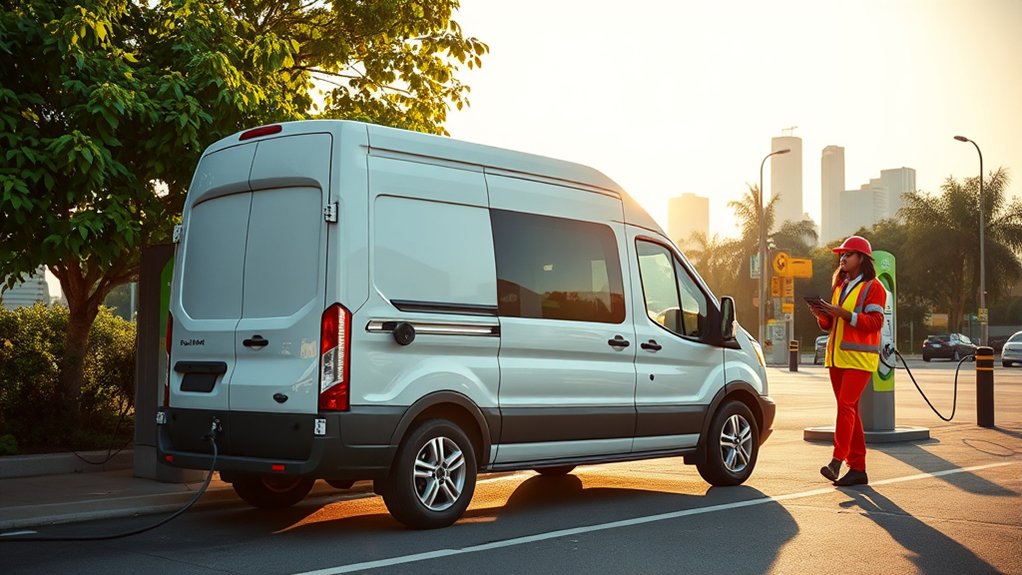
To make the most of your delivery breaks, plan charging stops around places where you already pause. Good spots include grocery plazas, shopping centers, restaurants, restrooms, and coffee shops near busy delivery zones.
The goal is not always to charge to full. During a working shift, a shorter charge from about 20% to 70% or 80% is often better than waiting for the final 20%, which can be slower on many EVs. This keeps you moving while still giving you enough range for the next batch of orders.
According to the U.S. Department of Energy Alternative Fuels Data Center, the United States had 81,182 public electric station locations and 253,000 public charging ports as of July 8, 2026. A station location is the physical place, while a charging port is the plug position that can charge one vehicle at a time.
For gig drivers, the best charging stop is not always the fastest charger. It is the charger that is available, compatible, fairly priced, and close enough to orders that you do not lose the next good delivery window.
Use this simple break strategy:
- Before your shift: start with enough charge to cover your first delivery block plus a backup buffer.
- During lunch or dinner rush: avoid charging unless you are low or the apps are slow. Those hours may be your best earning window.
- During slower windows: use a DC fast charger if you need range quickly, or use Level 2 if you are taking a longer meal break.
- Near the end of the shift: charge only enough to get home or to your next planned charger unless late orders are still profitable.
Pro Tip: Save a “charging loop” in your map app with three reliable stations near your usual delivery area. If the first charger is full, you can move to the next one without wasting time searching from scratch.
Top Apps for Finding and Using Charging Stations
The right apps help you avoid bad stops. A charger may appear on a map, but that does not mean it is open, working, affordable, or compatible with your EV. Always check connector type, charging speed, recent check-ins, pricing, and idle fees before you drive there.
| App or Tool | Best Use for Delivery Drivers |
| PlugShare | Checking station reviews, photos, recent check-ins, plug type, and whether drivers report broken stalls. |
| A Better Routeplanner | Planning longer routes with estimated battery use, charging stops, arrival charge, and vehicle-specific settings. |
| Chargeway | Understanding charging speed and compatibility in simpler terms, especially if you find plug names confusing. |
| Google Maps or Apple Maps | Finding chargers near restaurants, restrooms, grocery stores, and pickup zones during a live shift. |
| Charging network apps | Starting sessions, checking live availability, viewing exact pricing, using membership discounts, and avoiding payment delays. |
Set up your main network accounts before you need them. Add a payment card, test the login, and save the stations you trust. Some stations also support tap-to-pay, but relying on one payment method can slow you down when you are working.
Note: Do not trust one app by itself. Cross-check high-value stops in at least two apps when you are low on battery or driving in an unfamiliar area.
Know Your Charging Options: Level 1, Level 2, and Fast Charging
Understanding charger levels helps you choose the right stop for the moment. For full technical details, the DOE AFDC EV charging guide explains Level 1, Level 2, and DC fast charging speeds, connector types, and public charging terminology.
| Charging Type | Typical Speed | Best Use |
| Level 1 | About 2 to 5 miles of range per hour, depending on vehicle and conditions | Emergency backup, overnight trickle charging, plug-in hybrids, or very light daily mileage. |
| Level 2 | Often about 10 to 25+ miles of range per hour, depending on charger amperage and vehicle onboard charger | Home charging, apartment charging, workplace charging, overnight charging, and long breaks. |
| DC Fast Charging | Often adds about 100 to 200+ miles in 30 minutes when the vehicle, battery temperature, and charger support it | Mid-shift charging, highway work, rideshare airport runs, and days when you cannot wait several hours. |
Also check your connector. Most non-Tesla EVs in the United States have used J1772 for Level 1 and Level 2 charging and CCS for many DC fast chargers. Some older EVs use CHAdeMO for fast charging. Newer vehicles may use or support J3400, also known as NACS. If you need an adapter, confirm it is approved for your vehicle and the network you plan to use.
Warning: Do not use a damaged cable, cracked connector, overheated plug, or charger with exposed wiring. Report the station in the network app and move to another charger.
How to Plan Your Route With Charging Stops
Route planning is the biggest difference between casual EV ownership and delivery driving. You are not only trying to reach a destination. You are trying to stay near profitable zones while avoiding long detours.
- Start with your real working range. Use your vehicle’s trip history, not only the EPA range. City driving, highway speed, hills, heat, cold, and cabin climate can change your range.
- Set a minimum battery buffer. For delivery work, keep at least 15% to 20% available when possible. In cold weather or unfamiliar areas, raise that buffer.
- Filter by connector and speed. Do not drive to a charger until you know it works with your EV and provides the charging speed you need.
- Check plug count. A station with one working plug is riskier than a station with six or eight plugs, even if both appear available in an app.
- Match charging to downtime. Use DC fast charging for short breaks and Level 2 charging for home, overnight, or long breaks.
- Pick a backup before you arrive. If the first station is full or broken, you should already know the next stop.
- Stop before the final stretch gets stressful. Waiting until 5% battery can force you into an expensive or unreliable charger.
A practical mid-shift target is to arrive at a fast charger with about 15% to 35% battery, charge to about 70% or 80%, and return to your delivery zone. This takes advantage of the faster part of the charging curve while avoiding the slower final stretch.
How to Reduce EV Charging Costs While Doing Deliveries
Charging cost can make a big difference in your daily profit. Public DC fast charging is convenient, but it is often more expensive than home or workplace Level 2 charging. When possible, start the day from home at a lower electricity rate and use public charging only to extend your shift.
Use this simple formula before a long charging stop:
Estimated charging cost = kWh added × price per kWh + session fees + parking or idle fees.
For example, if you add 30 kWh at $0.42 per kWh, your energy cost is $12.60 before taxes, session fees, or parking charges. If the same 30 kWh costs $0.16 per kWh at home overnight, the energy cost is $4.80. That difference matters over hundreds of delivery miles.
To lower costs:
- Use your utility’s off-peak or EV charging plan if available.
- Join charging-network memberships only when your monthly savings exceed the fee.
- Avoid idle fees by moving the vehicle as soon as charging is complete.
- Check whether pricing is per kWh, per minute, or session-based.
- Use free or discounted Level 2 stations only when they fit your schedule and are reliable.
- Track cost per mile, not just cost per session.
The ENERGY STAR EV charger guide notes that utilities may offer EV charging incentives, demand-response programs, and reduced off-peak electricity rates. These programs vary by area, so check your local utility before assuming public fast charging is your cheapest option.
What to Do When a Charger Is Busy, Broken, or Too Slow
Charging problems are part of delivery driving. The best drivers plan for them before they happen.
- If the station is full: check the app for wait times, then compare the next backup charger. A 10-minute detour can be better than a 30-minute wait.
- If the charger will not start: try a different stall, restart the session in the network app, or call the support number on the station.
- If the plug is too slow: check whether another vehicle is sharing power, whether your battery is cold, or whether your battery is already near 80%.
- If pricing is unclear: avoid the charger unless you have enough margin in the order or shift to absorb a higher fee.
- If the charger is blocked: report it in the network app and move to your backup station.
Note: In cold weather, many EVs charge slower until the battery warms up. If your vehicle supports battery preconditioning, route to the charger through the car’s navigation system so the battery can prepare for fast charging.
Tips for Maintaining Your EV Battery Health
Delivery driving can put more cycles on an EV battery than casual commuting, but good habits can reduce unnecessary wear. For most lithium-ion EVs, daily use is easiest on the battery when you avoid staying very low or very full for long periods.
A practical daily target is to keep the battery roughly between 20% and 80% or 20% and 90%, depending on your vehicle and workday. Charge to 100% when you truly need the range, but avoid letting the car sit at 100% for long periods unless your owner’s manual recommends that behavior for your battery chemistry.
Battery health habits that matter for gig drivers include:
- Use DC fast charging when it saves work time, but do not use it as your only charging method if affordable Level 2 charging is available.
- Precondition before fast charging in cold weather if your EV supports it.
- Avoid deep discharges when you can. Regularly arriving near 0% adds stress and reduces your backup options.
- Do not park at 100% in hot weather unless you are leaving soon for a long drive.
- Watch tire pressure and speed. Low tires and high highway speeds increase energy use, which forces more charging stops.
- Use your vehicle app or dashboard to monitor range trends, charging speed, and battery warnings.
Modern EV batteries are generally durable, but high heat, frequent high-power fast charging, and long periods at very high or very low state of charge can still add wear over time. Follow your vehicle manual first because battery chemistry and software limits vary by model.
Public Charging Safety and Etiquette
Good charging etiquette helps everyone, and it also protects your account from fees or complaints.
- Move your EV when charging is complete, especially at DC fast chargers.
- Do not unplug another driver unless the station clearly says it is allowed and the vehicle has finished charging.
- Keep the cable flat and out of walkways when possible.
- Do not occupy a fast charger to charge slowly from 90% to 100% during a busy period.
- Report broken stalls in the app so other drivers can avoid them.
- Keep your charging area clean, especially when using stations near restaurants or shopping centers.
Pro Tip: If a charger has idle fees, set a phone timer for five minutes before your session is expected to finish. That small habit can save money and keep the stall open for the next driver.
Frequently Asked Questions
How long does it take to charge an EV fully?
A full charge can take more than 20 hours on Level 1, several hours on Level 2, or less than an hour for a useful DC fast-charge stop, depending on battery size, charger power, battery temperature, and starting charge. For delivery work, focus on adding enough range for the next few hours rather than charging fully every time.
What is the cost of charging at different stations?
Charging cost varies by network, location, time of day, speed, and pricing method. Some stations charge per kWh, some add session fees, and some add idle or parking fees. Home Level 2 charging is often cheaper than public DC fast charging, especially if your utility offers off-peak EV rates.
Can I charge my EV at home overnight?
Yes. Home charging is usually the most convenient and predictable option. Level 1 may work for light mileage or plug-in hybrids, but many full-time delivery drivers benefit from a properly installed Level 2 charger. Use a licensed electrician for installation and follow local electrical codes.
Are there charging networks with membership benefits?
Yes. Some charging networks offer monthly memberships, discounted kWh rates, free session starts, or app-only pricing. Do the math before joining. A membership is worth it only if your monthly savings exceed the fee and the network has reliable chargers near your work zones.
How can weather affect EV charging efficiency?
Cold weather can reduce range and slow charging because the battery may need to warm before it accepts full power. Hot weather can also affect battery temperature and energy use. In extreme weather, keep a larger range buffer, precondition the cabin while plugged in, and use battery preconditioning before DC fast charging if your EV supports it.
Should delivery drivers use DC fast charging every day?
Use DC fast charging when it protects your earning time, but rely on Level 2 charging at home, work, or overnight when possible. Fast charging is useful during a shift, but it can cost more and may add more battery stress if it is your only charging method.
What battery percentage should I arrive at a charger with?
For normal delivery work, try to reach a planned charger with about 15% to 35% remaining. That gives you a safety buffer if the station is busy or broken while still letting you use the faster part of the charging curve. In cold weather or rural areas, keep a larger buffer.
Conclusion
Charging your EV during delivery work does not have to cut into your earnings. Plan your stops before your battery is low, use fast charging only when it saves time, and rely on cheaper Level 2 charging whenever your schedule allows. With the right apps, backup stations, and battery habits, you can turn downtime into useful range and keep your gig work running smoothly.
Sources
- U.S. Department of Energy Alternative Fuels Data Center: Station Counts by State — current public electric station location and charging-port counts.
- U.S. Department of Energy Alternative Fuels Data Center: Electric Vehicle Charging Stations — Level 1, Level 2, DC fast charging, connector terminology, and charging-speed guidance.
- ENERGY STAR: Electric Vehicle Chargers — home charging rates, charger efficiency, safety certification, utility incentives, and off-peak charging guidance.
- PlugShare — public EV charging map and driver check-in tool.
- A Better Routeplanner — EV route planning tool for estimating charging stops and arrival battery levels.
- Chargeway — EV charging app and compatibility tool for drivers.

