
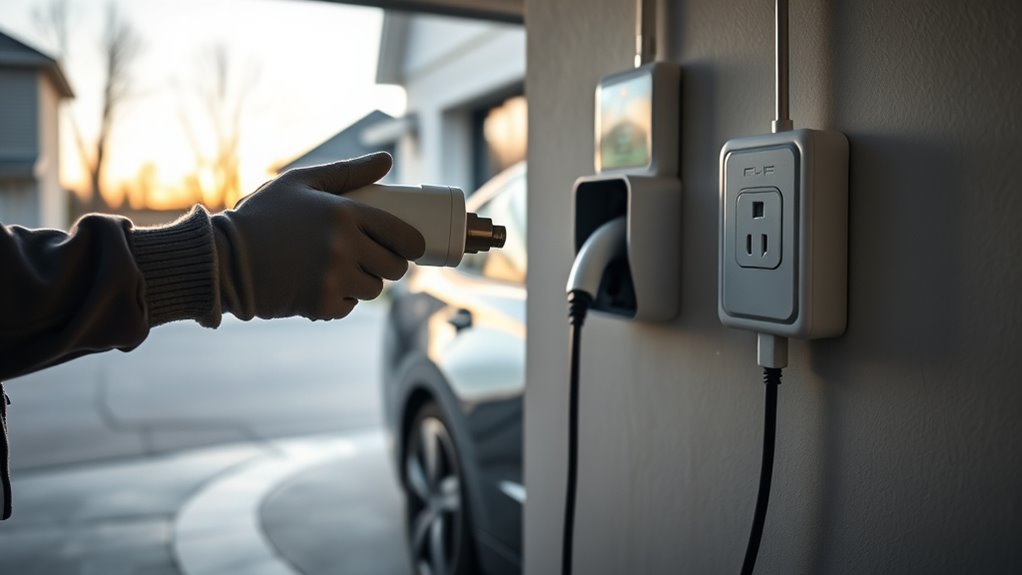
Using an EV charging adapter safely at home starts before you plug anything in. Check the adapter, match it to the right connector type, use a safe outlet or properly installed charger, and stop charging if you see heat, damage, moisture, or fault warnings. A small adapter carries a serious electrical load, so treat it like safety equipment, not a casual accessory.
Quick Answer
To use an EV charging adapter safely at home, inspect it for cracks, burns, bent pins, looseness, and dirt before every charge. Use only the adapter approved for your vehicle and charger type, plug into a safe circuit, avoid extension cords, keep connections dry, and stop immediately if anything feels hot or smells burnt.
Key Takeaways
- Use the adapter only for the charging type it was designed for, such as J1772 AC charging, NACS/J3400 charging, or approved CCS1 DC fast charging.
- Do not use cracked, burned, loose, corroded, or overheated adapters, plugs, outlets, or charging cables.
- For home charging, use a grounded outlet on a suitable circuit or a properly installed Level 2 EV charger.
- Outdoor charging can be safe only when the equipment is rated for outdoor use and the connector is not damaged, submerged, or contaminated.
- Store adapters clean, capped, dry, and away from heat, sunlight, heavy tools, and sharp objects.
At a Glance
| Time Required | 1 to 2 minutes before each charge |
| Difficulty | Easy visual safety check; electrical repairs require a licensed electrician |
| Tools Needed | Dry hands, flashlight, clean dry cloth, adapter storage cap or bag |
| Cost | Usually $0 for inspection; replacement adapters or electrical repairs vary by vehicle, charger, and electrician |
Inspect Your EV Charging Adapter
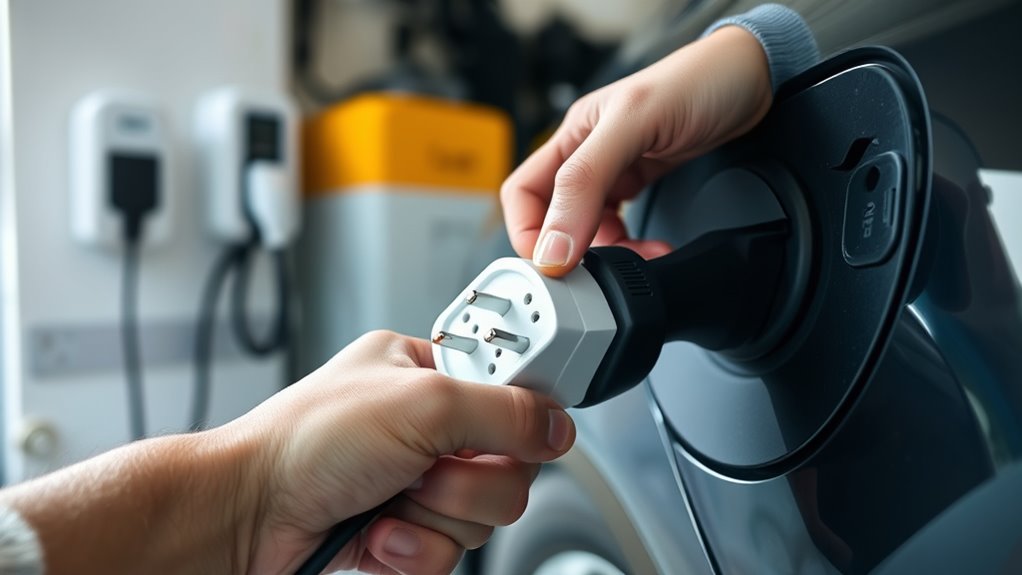
Before you connect an EV charging adapter, inspect it carefully for visible cracks, burns, melted plastic, broken latches, bent pins, corrosion, dirt, looseness, or discoloration. These signs can point to poor contact, heat damage, or a weakened housing.
Check the adapter body, plug face, locking tab, cable connection, and vehicle-side connector. If the adapter no longer clicks firmly into place, feels loose, or shows exposed metal where insulation should be, do not use it.
Warning: Stop charging immediately if the adapter, outlet, plug, or vehicle charge port feels hot, smells burnt, sparks, buzzes, trips a breaker repeatedly, or shows melting or discoloration. Unplug only when safe, then contact the charger maker, vehicle maker, or a licensed electrician.
Keep the connector faces clean so electrical contact stays firm. Use a clean, dry cloth to remove light dust from the outside. Do not spray cleaner into the adapter, scrape pins with metal tools, or force a connector that does not fit.
After each session, let the adapter cool if it feels slightly warm from normal use. Then cap it or place it in its storage bag so grit, moisture, and impact do not damage the contacts.
Match the EV Charging Adapter to Your Car
Once the adapter is intact, confirm that it matches your vehicle, charger, and charging type. This matters because AC Level 1/Level 2 charging and DC fast charging use different electrical paths, communication methods, and safety controls.
In North America, many non-Tesla EVs use a SAE J1772 connector for AC Level 1 and Level 2 charging, while CCS1 adds two larger DC pins for fast charging. Tesla and many newer North American EVs use or are moving toward the NACS/J3400 connector. Do not assume one adapter works for every charging station.
Note: A home adapter used for AC charging is not the same thing as a DC fast-charging adapter. Never use an AC adapter on a DC fast charger, and never stack multiple adapters unless your vehicle maker and charger maker specifically allow it.
| Charging situation | Typical adapter need | Safety check |
|---|---|---|
| Non-Tesla EV with J1772 inlet using a J1772 home charger | Usually no adapter | Confirm the plug seats fully and the charger amperage matches the circuit |
| Tesla or NACS vehicle using a J1772 AC charger | J1772-to-NACS AC adapter | Use the vehicle maker’s adapter or another properly rated approved adapter |
| CCS1 vehicle using eligible Tesla Superchargers | Manufacturer-approved NACS DC adapter | Use only adapters approved by Tesla or your vehicle maker |
| Any vehicle with an unknown charger or unknown adapter | Do not guess | Check the owner manual, charger label, app instructions, or manufacturer support |
For public Supercharging, Tesla says non-Tesla access depends on NACS-equipped vehicles or CCS1 vehicles using supported NACS DC adapters, and it prohibits third-party adapters at Superchargers for safety reasons. At home, follow the same principle: use only a properly rated adapter that your vehicle and charging equipment support.
Use a Safe, Grounded Outlet
Use a grounded, undamaged outlet or a properly installed home EV charger. According to the U.S. Department of Energy’s Alternative Fuels Data Center, many EV drivers can meet daily range needs with Level 1 charging on a dedicated branch circuit, while Level 2 charging uses 240-volt equipment for faster charging.
Inspect the receptacle before each session. Do not charge from an outlet that is loose, cracked, scorched, buzzing, wet, or unable to hold the plug firmly. If the plug sags, slips out, or feels hot during charging, stop using that outlet.
EV charging is a long-duration electrical load. The AFDC notes that EV charging installations must follow local and state codes, permits may be required, and the National Electrical Code treats EV charging infrastructure as a continuous load. A licensed electrician should verify the circuit, breaker, wiring, receptacle, and panel capacity before Level 2 installation or when you are unsure about an existing outlet.
- Use a dedicated outlet or EV circuit whenever the charger manual requires it.
- Match the charger plug to the correct receptacle type, such as a standard 120-volt outlet for Level 1 or a properly installed 240-volt outlet for some Level 2 units.
- Avoid extension cords, power strips, multi-plug adapters, and worn receptacles.
- Do not reset a breaker repeatedly to “force” charging to continue.
- Have a licensed electrician inspect recurring trips, heat, burning smells, or flickering lights during charging.
Pro Tip: Take a clear photo of your charger label, adapter label, outlet type, and breaker rating. If you need help from an electrician or manufacturer support, those details make the safety check faster and more accurate.
Keep EV Charging Dry and Secure
Keep your EV charging adapter dry, clean, and protected from standing water. Dry your hands before handling the adapter, and check the connector faces before plugging in. If you see water inside the connector, mud on the pins, or corrosion on the contacts, do not connect it.
Outdoor charging is not automatically unsafe. The DOE notes that outdoor EV charging can be safe, even in rain, when the equipment is rated for outdoor installation and use. The unsafe setup is using damaged, indoor-only, submerged, loose, or contaminated equipment outdoors.
| Check | Action | Why it matters |
|---|---|---|
| Hands are wet | Dry your hands first | Reduces shock risk while handling electrical equipment |
| Connector face is wet or dirty | Do not plug in; let it dry and clean only as the manual allows | Helps prevent poor contact, faults, and corrosion |
| Charging outdoors | Use outdoor-rated EVSE and keep the connection off the ground | Outdoor-rated equipment is built for weather exposure |
| Standing water, flooding, or submerged gear | Do not touch or charge; call a professional if needed | Water intrusion can create shock and equipment damage hazards |
| Adapter not in use | Cap it and store it in a dry bag or case | Protects pins, seals, and plastic housings |
Do not leave an adapter hanging from a cable where rain, snow, dirt, or gravity can strain the connection. Keep the cable relaxed, avoid sharp bends, and make sure the adapter is fully seated before charging begins.
Store Your EV Charging Gear Properly
After charging, store your EV charging gear in a cool, dry place. Heat, sunlight, moisture, and impact can weaken plastic housings, seals, and insulation over time.
Use a dedicated storage bag, case, or clean shelf so charging cables and adapters stay organized. Do not throw adapters loose in a trunk with tools, cargo, towing gear, or sharp objects that can crush or scratch the housing.
Clean only the outside of the adapter with a dry cloth unless the manufacturer gives different instructions. Avoid chemical cleaners, compressed air directly into contacts, grease, oil, and metal picks.
- Install the protective cap before storing the adapter.
- Store adapters away from direct sunlight and high heat.
- Keep adapters separated from heavy objects that could deform the housing.
- Do not coil cables tightly around adapters or strain the plug ends.
- Inspect the adapter again before the next use, even if it looked fine when stored.
Troubleshoot Common EV Adapter Safety Problems
Small problems during charging can point to a bigger safety issue. Use the vehicle screen, charger app, and charger indicator lights together, but do not ignore physical warning signs.
| Problem | Likely concern | Safe response |
|---|---|---|
| Adapter feels hot | Poor contact, overloaded circuit, damaged adapter, or normal warmth becoming excessive | Stop charging and let it cool; do not reuse until inspected |
| Breaker trips repeatedly | Circuit overload, ground fault, wiring issue, or charger fault | Do not keep resetting it; call a licensed electrician or charger support |
| Adapter will not latch | Wrong adapter, dirt, broken latch, or connector damage | Do not force it; verify compatibility and inspect both sides |
| Charging starts and stops | Loose connection, app setting, charger fault, vehicle limit, or overheating protection | Check the app and warning lights; stop if heat or damage is present |
| Burning smell or visible melting | Serious heat or electrical fault | Stop using the equipment and get professional help before charging again |
Frequently Asked Questions
How do you use an EV charger at home safely?
Park close enough that the charging cable is relaxed, inspect the charger and adapter, confirm the connector matches your vehicle, plug into a safe grounded outlet or installed EV charger, and start charging through the vehicle or charger app. Do not use damaged gear, extension cords, loose outlets, or adapters that are not approved for your vehicle.
What drains an EV battery the most?
High speed, hard acceleration, cold weather, cabin heating, heavy cargo, roof racks, steep terrain, underinflated tires, and accessory use can reduce range. Battery age and state of charge also matter. Charging adapter safety does not usually affect driving range unless a fault prevents a full charge.
What charger does the Chevy Equinox EV use?
Most current Chevrolet Equinox EV models use J1772 for Level 1 and Level 2 AC charging and CCS1 for DC fast charging. Access to some NACS/Tesla fast chargers may require a GM-approved NACS DC adapter and software support. Always verify your exact model year in the owner manual or the myChevrolet app before buying or using an adapter.
Are EV chargers safe at home?
Yes, EV chargers can be safe at home when the equipment is properly rated, installed, grounded, and maintained. Use safety-certified charging equipment, follow the vehicle and charger manuals, avoid extension cords, keep connectors clean and dry, and have a licensed electrician check any outlet, circuit, or Level 2 installation you are unsure about.
Can you use an extension cord with an EV charging adapter?
In most home EV charging setups, you should not use an extension cord. EV charging draws power for many hours, and the added cord can overheat, create voltage drop, or defeat the charger maker’s safety instructions. If the charger cannot reach, install a proper outlet or EV charger closer to the vehicle.
Can you charge an EV in the rain?
Yes, charging in rain can be safe when you use outdoor-rated EV charging equipment in good condition. Do not charge with damaged, indoor-only, submerged, or contaminated equipment. Keep the connector off the ground, avoid standing water, and stop if you see faults, heat, or moisture inside the connector.
Conclusion
Using an EV charging adapter safely at home comes down to five habits: inspect the adapter, match it to the correct connector type, use a safe grounded circuit, protect the connection from damage and moisture, and store the gear properly after each charge. Do not force a connector, ignore heat, reset breakers repeatedly, or use an adapter that your vehicle or charger maker does not support. When in doubt, stop charging and get help from the vehicle manufacturer, charger manufacturer, or a licensed electrician.
Sources
- U.S. Department of Energy Alternative Fuels Data Center — home EV charging, Level 1/Level 2 equipment, outdoor-rated equipment, permits, NEC Article 625, and electrician guidance
- ENERGY STAR EV Chargers — safety-certified and energy-efficient EV charging equipment guidance
- Tesla Support: Supercharging Other EVs — NACS/J3400, approved adapter use, and third-party adapter warning for Superchargers
- Tesla Charging & Adapter Product Guides — manufacturer manuals for Mobile Connectors, Wall Connectors, J1772 adapters, and CCS adapters
- SAE J1772 Standard — North American AC conductive charge coupler reference
- SAE J3400 Standard — North American Charging System/NACS standard reference

