
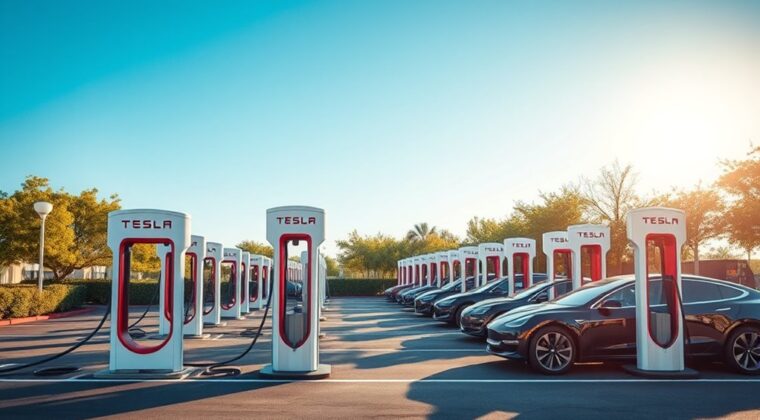
A Tesla Supercharger is Tesla’s DC fast-charging system for road trips and other times when you need to add range quickly. Instead of charging overnight like a home charger, a Supercharger can add a useful amount of range in minutes, with the exact speed depending on your vehicle, battery temperature, battery percentage, charger type, and site conditions.
Quick Answer
A Tesla Supercharger is a high-power DC fast charger built for quick EV charging, especially on long drives. Tesla says Superchargers can add up to 200 miles of range in about 15 minutes on some models, while pricing, speed, and availability vary by vehicle and location.
Key Takeaways
- Superchargers are Tesla’s fast public chargers, best for road trips and quick top-ups.
- V3 Superchargers can deliver up to 250 kW, while Cybertruck can reach up to 325 kW at V4 Superchargers in North America.
- Charging is usually fastest below 80%; the final 20% often takes much longer.
- Costs vary by site, time, billing method, vehicle type, and local fees, so check the Tesla app or vehicle screen before charging.
- Some non-Tesla EVs can use select Superchargers through Magic Dock, NACS ports, or manufacturer-provided NACS DC adapters.
At a Glance
| Time Required | Often 15 to 30 minutes for a road-trip stop; longer if charging close to 100%. |
| Difficulty | Easy for Tesla owners; moderate for some non-Tesla EV owners because adapter and app steps may apply. |
| Tools Needed | Tesla app or vehicle touchscreen, saved payment method, and a compatible NACS DC adapter for many non-Tesla EVs. |
| Cost | Varies by site, time, billing method, vehicle type, taxes, and possible congestion fees. |
What Is a Tesla Supercharger?
A Tesla Supercharger is a public Tesla fast-charging station designed to recharge an EV battery much faster than a typical home or Level 2 charger. Superchargers deliver direct current, or DC, power to the vehicle battery, which helps reduce charging time during long-distance travel.
Tesla says there are more than 80,000 global Superchargers. That number refers to charging units or stalls, not 80,000 separate station sites. A single Supercharger site can have several stalls, and each stall is a place where one vehicle can plug in.
Tesla says its Supercharger network has more than 80,000 global Superchargers and can add up to 200 miles of range in about 15 minutes on some vehicles.
The experience is built around the Tesla app and the vehicle’s navigation system. In a Tesla, you can route to a Supercharger, see stall availability, precondition the battery on the way, plug in, monitor charging, and pay automatically through your saved payment method.
Note: A Supercharger is different from a Tesla Destination Charger. Superchargers are DC fast chargers for quick stops, while Destination Chargers are usually slower AC chargers found at hotels, restaurants, and parking areas.
Charging Speed at Tesla Superchargers
Charging speed depends on both the charger and your vehicle. Tesla lists the following estimated Supercharger speeds for current vehicles:
| Vehicle | Tesla-listed Supercharging speed |
|---|---|
| Model S | Up to 200 miles in 15 minutes |
| Model 3 | Up to 175 miles in 15 minutes |
| Model X | Up to 175 miles in 15 minutes |
| Model Y | Up to 162 miles in 15 minutes |
| Cybertruck | Up to 137 miles in 15 minutes |
Those numbers are best-case estimates. Real charging speed can drop because of a cold battery, a very full battery, extreme weather, vehicle limits, charger limits, or site demand. Your car and the Supercharger communicate during the session to choose the correct charging rate.
Charging is usually fastest when the battery is at a lower state of charge. As the battery fills, charging slows to protect the battery. That is why road-trip stops often target roughly enough charge to reach the next stop rather than charging all the way to 100%.
Pro Tip: Use Trip Planner in the vehicle or Tesla app before you arrive. When your Tesla navigates to a Supercharger, it can warm or cool the battery for faster charging when conditions allow.
Tesla Supercharger Locations Worldwide
Tesla Superchargers are placed along major travel routes and near amenities such as restaurants, shops, restrooms, and Wi-Fi hot spots. You can find them through the in-car navigation system, the Tesla app, or Tesla’s Find Us map.
Almost all Supercharger stations are open for charging 24 hours a day, but nearby businesses may have different hours. If a site has limited access, Tesla says those hours appear when the site is selected on the vehicle touchscreen.
When planning a trip, do not rely only on a general map search. Use Tesla’s route planner or the Tesla app because it can show compatible sites, stall availability, maximum power, pricing, and site notes such as parking instructions or access codes.
How to Use a Tesla Supercharger
Using a Supercharger is simple in a Tesla because the car, charger, and app are designed to work together. For a non-Tesla EV, the process may require the Tesla app, vehicle details, a compatible site, and an approved adapter.
Finding Supercharger Locations
In a Tesla, enter your destination into the vehicle touchscreen. Trip Planner can add Supercharger stops based on your route, current charge, driving conditions, traffic, elevation, temperature, and stall availability.
In the Tesla app, you can also search for charging locations, view availability, monitor the session, and receive notifications when your vehicle is ready to go. For a non-Tesla EV, open the Tesla app, choose the charging option for another EV, add your vehicle details, and check which sites are compatible.
Charging Process Steps
Once you arrive, choose an open stall that your cable can reach safely. Then follow these steps:
| Step | What to do | What to check |
|---|---|---|
| 1 | Open the charge port from the touchscreen, app, or charge port door. | The vehicle is unlocked and parked correctly. |
| 2 | Plug the connector into the charge port. | The charge port LED flashes green after charging starts. |
| 3 | Monitor progress in the Tesla app or on the touchscreen. | Charge percentage, estimated time, price, and any fee warnings. |
| 4 | When done, hold the button on the connector handle and unplug. | Payment processes through the saved method in the Tesla app. |
| 5 | Move your vehicle promptly after charging. | Avoid congestion fees and free the stall for the next driver. |
Warning: Do not leave your vehicle parked at a Supercharger after charging is complete. At busy sites, Tesla may apply congestion fees once your vehicle is at or above the site’s fee threshold or the charging session has ended.
Types of Tesla Superchargers: V1, V2, V3, and V4
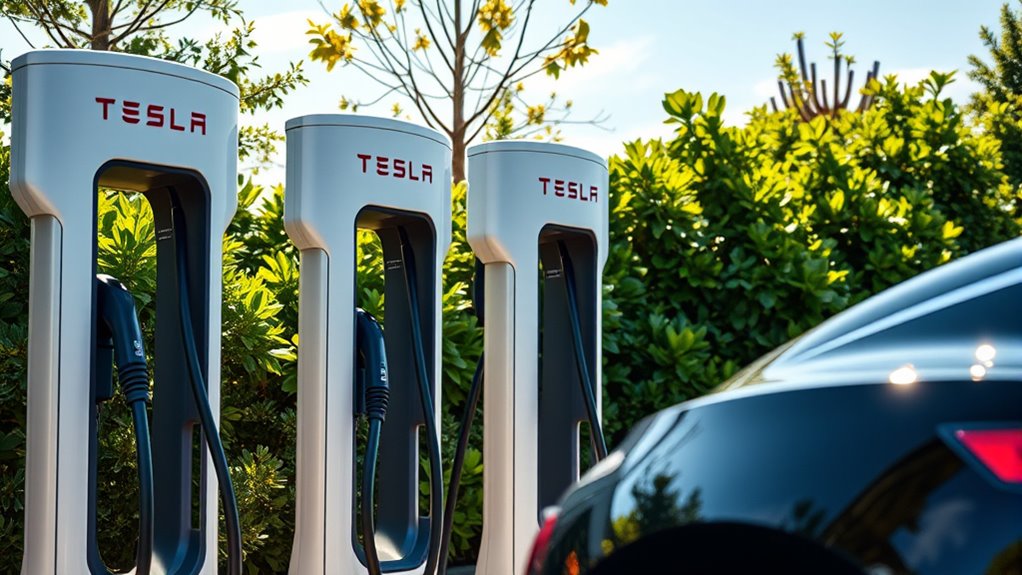
Tesla has used several Supercharger generations. The most important differences are peak power, cable design, power sharing, and compatibility with newer vehicles.
| Type | Typical peak power | What to know |
|---|---|---|
| V1 | Older, lower power | Early Supercharger generation. Less common today. |
| V2 | Up to about 150 kW | Older sites may share power between paired stalls, so charging can slow when both are in use. |
| V3 | Up to 250 kW | Uses a newer architecture and does not split power with the vehicle next to you. |
| V4 | Up to 250 kW for Model S, 3, X, and Y in North America; up to 325 kW for Cybertruck at V4 sites | Longer cables help more EV charge-port locations. Tesla is expanding V4 sites over time. |
| Urban Supercharger | Up to 72 kW | Designed for city areas and shorter charging needs, not maximum road-trip speed. |
For the best estimate at a specific stop, tap the Supercharger pin in the Tesla app or on the vehicle touchscreen. Tesla displays the maximum kW available at each site’s pop-up card.
What Will You Pay to Charge at a Tesla Supercharger?
Supercharger pricing is not one flat national rate. Tesla says pricing is shown for each selected site in the vehicle or Tesla app, and prices can vary by location, time of day, site demand, billing method, and whether you drive a Tesla or another EV.
Pricing Structure Overview
Whenever possible, Tesla bills by the kilowatt-hour, or kWh. In some areas, Tesla bills by the minute instead. When billing by the minute, Tesla uses different tiers based on charging speed.
Some sites also use peak and off-peak pricing. Tesla says certain sites use live pricing based on Supercharger utilization, and the price is determined by the time you plug in. It does not change in the middle of that session.
Note: Check the site price in the Tesla app or on the vehicle screen before you plug in. Avoid relying on old average prices from blogs or forums because Supercharger rates can change by location and time.
Additional Fees Explained
The most important extra fee to understand is the Supercharger congestion fee. Tesla says this fee can apply when a site is busy and either your battery is at or above the congestion fee level, commonly 80%, or your charging session has ended.
| Cost factor | What it means |
|---|---|
| Energy or time charge | You may be billed per kWh or per minute, depending on local rules and site setup. |
| Peak/off-peak pricing | Some sites cost more during busy hours and less during quieter periods. |
| Congestion fee | At busy sites, fees may start after a five-minute grace period when your vehicle is above the fee threshold or the session has ended. |
| Non-Tesla pricing | Other EV drivers may pay different rates unless they use an eligible Supercharging Membership where available. |
| Free Supercharging | Some vehicles or promotions may include credits or free Supercharging, but terms vary and extra fees may still apply. |
Can Non-Tesla Vehicles Use Superchargers?
Yes, but not every Supercharger works with every non-Tesla EV. Tesla currently describes three main Supercharger access types for other EV drivers:
- Tesla-only Superchargers: These work only for Tesla vehicles.
- All EVs Superchargers: These are available to compatible non-Tesla EVs through a Magic Dock adapter provided at the charging post.
- NACS Superchargers: These open gradually by automaker and require a manufacturer-provided NACS DC adapter unless the EV has a built-in NACS charge port.
Tesla says many non-Tesla automakers now have access to NACS Superchargers, including Ford, GM, Rivian, Volvo, Polestar, Nissan, Lucid, Mercedes-Benz, Hyundai, Genesis, Kia, Honda, Acura, JLR, Audi, Porsche, Toyota, Volkswagen, Subaru, BMW, and Stellantis. Availability can still vary by vehicle, software, region, and site, so add your vehicle details in the Tesla app before planning a stop.
If you drive a non-Tesla EV, you can usually find compatible stations in the Tesla app by selecting the option to charge your EV, adding your vehicle details, adding a payment method, and following the prompts. Some limited sites may also support direct payment at the charger.
Warning: Use only a NACS DC adapter provided by Tesla or your vehicle manufacturer. Tesla says third-party adapters are prohibited for safety reasons, and using the wrong adapter can damage your vehicle.
Understanding Tesla’s Congestion Fees and Charges
Congestion fees exist to keep charging stalls open at busy Supercharger sites. Tesla says a congestion fee may apply when the site is busy and your vehicle is already at or above the congestion fee level, often 80%, or when your charging session has ended.
Tesla provides a five-minute grace period before the fee starts. After that, the fee is billed by the minute until the vehicle is moved. The typical U.S. congestion fee is listed as $0.50 per minute, but Tesla says fees can vary by location and may be up to $1.00 per minute.
The easiest way to avoid extra fees is to watch the app notification, charge only what you need, and move your vehicle as soon as your session is complete.
How Does Tesla Supercharging Stand Out From Other Networks?
Tesla Supercharging stands out because it is deeply integrated with Tesla vehicles. The car can plan charging stops, estimate arrival battery percentage, precondition the battery, show live stall availability, and handle payment through the Tesla app.
The network also benefits from consistent charger design and broad route coverage. Tesla says Superchargers make up three out of four fast chargers in North America and that the Supercharger network has achieved 99.95% uptime.
Compared with many public charging networks, the biggest convenience for Tesla owners is the plug-and-charge-style experience: drive up, plug in, charge, unplug, and let the app process the payment. For non-Tesla EVs, the experience is improving as more automakers adopt NACS, but app setup, adapter availability, and cable reach can still matter.
Upcoming Features and Enhancements for Tesla Superchargers
The biggest ongoing change is broader access for vehicles outside Tesla. Tesla says the North American Supercharging network continues to open to more automakers as vehicles transition to NACS and as adapters become available from manufacturers.
V4 Superchargers are also important because they use longer cables, which helps EVs with different charge-port locations. Tesla says V4 Supercharger posts are being rapidly deployed and are designed to better reach all EVs in the same stall.
For drivers, the practical improvements to watch are more compatible sites, better cable reach, clearer pricing, app-based availability, and easier payment options at select locations.
Troubleshooting Common Supercharger Problems
If a Supercharger session does not start or seems slower than expected, check these common causes first:
- No payment method: Add and designate a Supercharging payment method in the Tesla app.
- High battery percentage: Charging slows as the battery fills, especially near 80% and above.
- Cold or hot battery: Navigate to the Supercharger ahead of time so the vehicle can precondition the battery when possible.
- Busy or limited site: Try another stall at the same location if one is open.
- Wrong adapter: Non-Tesla EVs need a compatible NACS port, Magic Dock, or approved NACS DC adapter.
- Cable reach issue: Use a compatible stall without blocking other posts or parking diagonally.
- Site problem: Use the Tesla app to report issues such as a damaged charger, access problem, or broken equipment.
Frequently Asked Questions
What is the difference between a Tesla Supercharger and a regular charger?
A Tesla Supercharger is a DC fast charger made for quick public charging. A regular home charger or Level 2 public charger usually uses AC power and is much slower, which makes it better for overnight charging, work charging, or long parking stops.
How much does it cost to use a Tesla Supercharger?
The cost varies by location, time, billing method, vehicle type, taxes, and possible fees. Tesla shows site pricing in the vehicle touchscreen or Tesla app before and during a charging session.
What does a Tesla Supercharger do?
A Tesla Supercharger sends high-power DC electricity to your EV battery so you can add range quickly. It is most useful on long trips, during busy driving days, or when you cannot wait for slower Level 2 charging.
Are Tesla Superchargers free?
Not for most drivers. Some Tesla vehicles or promotions may include free Supercharging or credits, but most Supercharger sessions are pay-per-use. Even vehicles with free charging may still be subject to congestion fees in certain situations.
Can a non-Tesla EV use a Tesla Supercharger?
Some non-Tesla EVs can use select Tesla Superchargers. Access depends on the site type, your vehicle, your region, your automaker’s support, and whether you have a NACS port, Magic Dock access, or an approved NACS DC adapter.
Why does Supercharging slow down after 80%?
Fast charging slows as the battery fills because the vehicle manages power to protect the battery. For road trips, it is often faster to charge enough to reach the next stop than to wait for the final percentage points.
Conclusion
Tesla Superchargers make electric road trips easier by adding range far faster than a typical home or Level 2 charger. The best experience comes from planning through the Tesla app or vehicle navigation, arriving with a preconditioned battery, charging only what you need, and moving your vehicle promptly when the session ends.
For Tesla owners, the process is usually plug in, monitor, unplug, and go. For non-Tesla EV drivers, Supercharger access is growing, but compatibility still depends on the site, vehicle, automaker support, and adapter type.
Sources
- Tesla Supercharger — global Supercharger count, 15-minute range claim, app monitoring, route planning, and max charging rate overview.
- Tesla Support: Supercharging — charging steps, vehicle speed estimates, 24-hour access notes, pricing structure, V3, V4, and troubleshooting.
- Tesla Support: Supercharger Fees — congestion fee rules, grace period, country/region fee examples, and fee FAQs.
- Tesla Support: Supercharging Other EVs — non-Tesla access, Magic Dock, NACS adapters, payment, cable reach, and safety guidance.
- U.S. Department of Energy AFDC: Electric Vehicle Charging Stations — charging levels, DC fast charging basics, connector terminology, and J3400/NACS context.
- Tesla Blog: Introducing V3 Supercharging — V3 launch details, 250 kW peak rate, and battery preconditioning benefits.