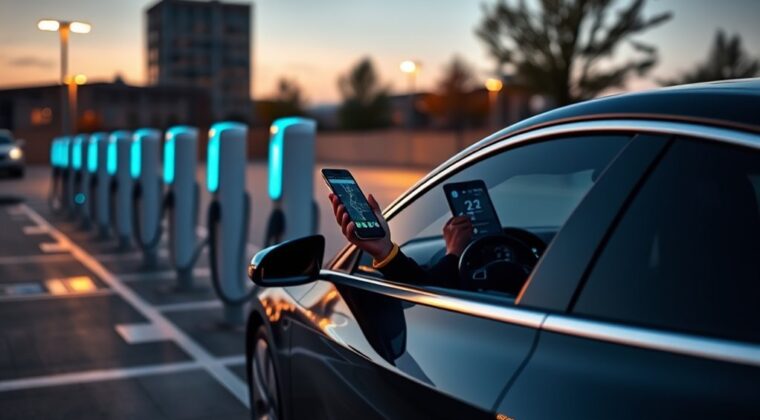
You can find EV charging stations near you fastest by using a charging app or official station locator, then narrowing the map by plug type, charging speed, live status, payment method, and nearby amenities. The key is not just finding the closest pin. You need a charger that is compatible, available, accessible, and worth the stop.
Quick Answer
Open a trusted EV charging app, set your vehicle or connector type, check live availability, and choose a station with the right power level for your stop. Before driving there, confirm pricing, access hours, payment method, recent driver feedback, and at least one nearby backup charger.
Key Takeaways
- Use apps like ChargePoint, PlugShare, FLO, Google Maps, your vehicle app, or the official AFDC locator to find nearby stations.
- Filter by connector first, then power level. A fast charger is useless if your EV or adapter cannot use it.
- Live status helps, but it is not perfect. Check recent reviews, photos, and backup stations before you drive.
- Compare kWh rates, time-based fees, session fees, parking fees, and idle fees before plugging in.
- For road trips, plan charging stops around range, weather, elevation, amenities, and a backup charger near each stop.
At a Glance
| Time Required | 2 to 5 minutes to find a nearby charger; 20 minutes to several hours to charge, depending on charger speed and vehicle limits. |
| Difficulty | Easy once your vehicle profile, plug type, and payment method are set up. |
| Tools Needed | Charging app, vehicle app, map app, payment card or mobile wallet, and any approved adapter your EV requires. |
| Cost | Varies by network, location, power level, membership, parking rules, taxes, and idle fees. Always check the station price screen before starting. |
Find EV Charging Stations Near You
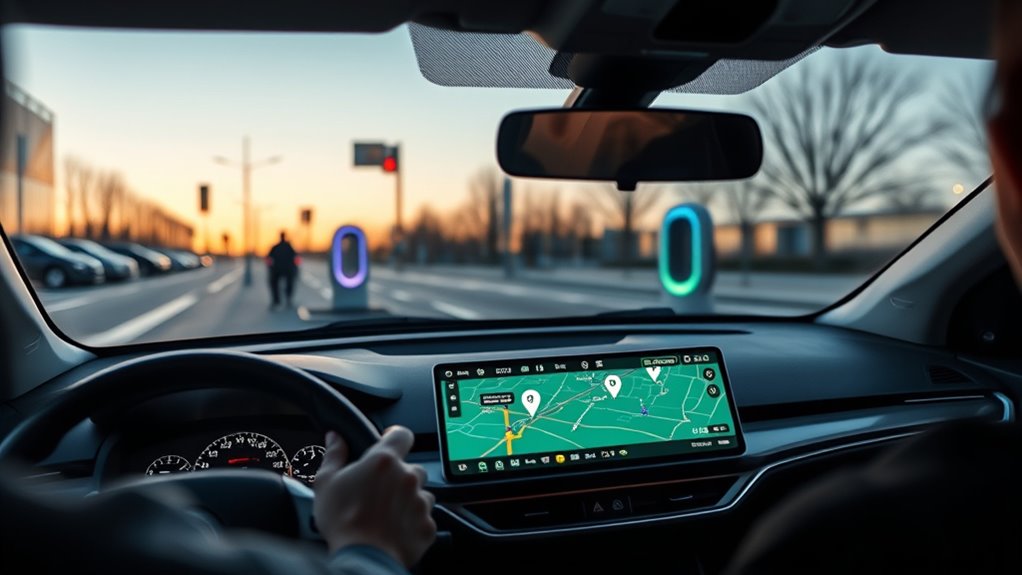
Start with a charging app that lets you view nearby stations on a map. Good options include your vehicle’s built-in navigation, your automaker’s app, ChargePoint, PlugShare, FLO, Google Maps, Apple Maps, and network-specific apps such as Electrify America, EVgo, Shell Recharge, or Tesla.
For an official U.S. and Canada fallback, use the Alternative Fuels Data Center Station Locator. It is useful when you want a broad public-station search instead of relying on one network’s app.
In a dense city, a 2-mile or 3.2-kilometer radius is a good first search. On highways, in suburbs, or in rural areas, widen the radius until you see at least two realistic options. The closest charger is not always the best choice if it is slow, restricted, busy, or poorly reviewed.
Note: Map pins can be outdated. Before you drive to a station, open the station details and check live status, access hours, plug type, recent check-ins, and whether the charger is open to the public.
Choose the Right App or Locator
No single app is perfect everywhere. The best choice depends on your location, your EV, and the charger networks near you.
| Your EV’s built-in navigation | Best for route planning when it knows your battery level, range estimate, and vehicle charging limits. |
| ChargePoint | Strong for filters, pricing details, nearby amenities, reviews, in-app navigation, and payments across multiple networks. |
| PlugShare | Useful for driver check-ins, photos, access notes, and real-world reliability comments. |
| FLO | Helpful where FLO and partner stations are common. Confirm plug type, power, access, and payment inside the app. |
| Google Maps or Apple Maps | Good for basic discovery, route context, ratings, and nearby businesses. Confirm charger status in a charging app before detouring. |
| AFDC Station Locator | Best official backup for finding public alternative-fueling stations in the United States and Canada. |
Filter by Plug Type and Power
Filter by plug type before anything else. A nearby station is only useful if your EV can physically connect to it and the station supports your vehicle’s charging standard.
In North America, common connector terms include J1772 for many Level 2 AC chargers, CCS for many non-Tesla DC fast chargers, CHAdeMO for some older or specific EVs, and NACS / SAE J3400 for Tesla and a growing number of newer EVs. Your owner’s manual, charge-port label, vehicle app, or automaker support page is the safest source for your exact model year.
Warning: Do not assume any adapter will work just because the plug fits. Use only adapters approved for your vehicle and charging network. Unapproved adapters can fail, charge slowly, or create safety risks.
Compare Charger Levels
| Charger Type | Best For | What to Expect |
|---|---|---|
| Level 1 AC | Emergency or overnight home charging | Very slow. Usually not ideal for public road-trip charging. |
| Level 2 AC | Workplaces, hotels, shopping, parking garages, and long stops | Good for adding range while you are parked for one or more hours. |
| DC fast charging | Road trips and quick top-ups | Often much faster, but speed depends on the vehicle, charger output, battery temperature, and state of charge. |
If your car can accept only 50 kW, choosing a 350 kW charger will not make it charge at 350 kW. If your car can accept 200 kW but the station can deliver only 50 kW, the station limits the session. Match charger power to your EV’s real intake rate, not just the biggest number on the map.
Check Station Status Before You Go
Before you leave, check real-time station status in your charging app. Look for available ports, in-use ports, outage alerts, access restrictions, and recent driver notes. Live data is helpful, but it can lag, so do not rely on one signal alone.
Read the Status Correctly
| Signal | What It Usually Means | Best Action |
|---|---|---|
| Available | A port is reported open | Check recent reviews, then navigate |
| In use | Another driver is charging | Use waitlist if available or choose a backup |
| Offline | The charger may be down or disconnected | Do not drive there unless you have no alternative |
| Unknown | The app lacks current data | Check another app or call the site if possible |
The safest charging stop is not always the closest one. It is the closest compatible station with live availability, recent successful check-ins, clear pricing, and a backup nearby.
Avoid Empty Stops
Use at least two signals before choosing a charger: live app status and recent driver feedback. A charger may appear available but be behind a closed gate, blocked by a parked car, limited to hotel guests, damaged, or payment-restricted.
Scan recent comments for phrases like “broken screen,” “cable too short,” “payment failed,” “restricted parking,” “inside garage,” “charger iced,” or “only available during business hours.” These details can save you a wasted trip.
Compare Charging Prices and Payment Options
Charging prices can change by network, state or province, time of day, membership status, charger speed, and site owner rules. Before plugging in, check whether the station bills by kWh, by minute, by session, or through a parking system.
Also look for:
- idle fees after your charging session ends
- parking garage or lot fees
- connection fees or minimum session fees
- taxes and local surcharges
- member versus guest pricing
- credit-card hold amounts
- app-only payment rules
The ChargePoint app, for example, highlights pricing details, payment options, surrounding amenities, and in-app navigation. Other network apps offer similar tools, but the exact details vary by station.
Pro Tip: If you are road-tripping, keep at least two payment options ready: the network app and a physical or mobile-wallet credit card. Some stations also support RFID cards, plug-and-charge, or guest checkout.
Use Map View to Route Faster
Map view helps you compare nearby chargers quickly. Instead of reading a long list, you can see which stations are closest to your route, which ones are near food or restrooms, and which ones avoid awkward detours.
Map View Navigation
Use map filters in this order:
- Connector: show only stations your EV can use.
- Power level: choose Level 2 for long stops or DC fast charging for short stops.
- Status: prioritize available or recently successful chargers.
- Access: confirm public access, hours, parking rules, and height restrictions.
- Amenities: choose stops near restrooms, food, shops, lodging, or safe waiting areas.
Faster Route Planning
For a local charge, choose the closest compatible station with good recent feedback. For a trip, plan each stop before your battery is low. Add a backup charger near every planned stop, especially in cold weather, mountains, construction zones, or low-density charging areas.
Keep a practical range buffer. Many drivers aim to arrive at a charger with enough battery to reach a backup station if the first one is full or down. The right buffer depends on your route, weather, traffic, terrain, and comfort level.
Plan Your EV Trip Around Charging Stops
When you plan an EV trip, build the route around your vehicle’s real range, not just the rated range. Speed, wind, hills, cold temperatures, rain, snow, roof boxes, towing, and heavy loads can all reduce range.
A good trip plan includes:
- your starting battery percentage
- your preferred arrival battery percentage
- each charger’s plug type and power
- backup chargers near each planned stop
- estimated charging time
- food, restroom, or lodging options
- access hours and parking rules
- weather and elevation changes
Use your vehicle’s navigation when it can precondition the battery before DC fast charging. Battery preconditioning can improve charging speed in some EVs, especially in cold weather, but it depends on the vehicle and route-planning system.
Find Amenities Near EV Chargers
Charging is easier when the stop fits your day. Use map filters and station details to find chargers near hotels, restaurants, grocery stores, parks, coffee shops, restrooms, or shopping centers.
Nearby Hotels and Lodging
For overnight trips, look for lodging with on-site Level 2 charging or reliable nearby charging. Before booking, confirm the charger is public or guest-accessible, ask whether there is a fee, and check recent driver reviews. Some hotel chargers are first come, first served, and some are limited to valet or guest parking areas.
- Verify connector type and power output.
- Ask whether charging is free, paid, or included with parking.
- Check whether the charger is blocked often.
- Look for more than one nearby station if you need a morning departure charge.
- Do not rely on a hotel listing alone. Confirm in a charging app.
Food, Shops, and Services
For daytime charging, choose stations where you can use the stop well. A slower Level 2 charger can work if you are shopping, eating, or working nearby. A DC fast charger is better when you need to continue driving soon.
Check whether the site has lighting, seating, restrooms, snow clearance, security, and safe pedestrian access. These details matter more when charging at night or with children, pets, or luggage.
Map Filters for Amenities
Apps can show nearby amenities, but driver comments often tell the real story. Look for recent notes about restroom access, store hours, parking enforcement, broken payment terminals, and whether the charger is easy to find.
Save Favorite Stations and Search History
Save stations you use often. Favorites make it faster to return to dependable chargers, compare pricing, and spot changes in status. Some apps can also notify you when a charger becomes available or help you reopen recent searches.
Good stations to save include:
- your most reliable local fast charger
- a workplace or school charger
- a backup charger near home
- a hotel charger you trust
- a highway charger you use on repeat trips
Add personal notes if your app allows it. For example, record which entrance to use, whether a garage has a height limit, or which stall has the longest cable reach.
Start a Public Charging Session
Once you arrive, check the stall ID and connector before you park. Make sure the cable reaches your charge port without strain. Do not stretch a cable across traffic, sidewalks, or another parking space.
- Park in the correct EV charging space.
- Open the station in the network app or scan the station QR code if it looks legitimate.
- Check price, idle fees, and payment method.
- Select the correct stall or connector number.
- Plug in firmly and wait for the vehicle and charger to communicate.
- Confirm charging has started in the app, charger screen, or vehicle display.
- Set a reminder to move your car before idle fees begin.
If charging does not start within a minute or two, stop the session in the app if needed, unplug safely, and try another stall. Report the failed stall so other drivers do not waste time.
Report Charging Issues and Share Feedback
If a charging session fails or a connector is damaged, report it in the app. Include the station name, stall ID, time, error message, and what happened. Photos can help when a cable, screen, plug, sign, or parking issue is involved.
Useful reports include:
- offline charger or failed session
- broken cable, damaged connector, or unsafe hardware
- payment failure
- charger blocked by a non-charging vehicle
- incorrect plug type shown in the app
- restricted access, locked gate, or wrong location pin
- poor lighting, snow blockage, or safety concern
Good feedback improves station data for other drivers and helps networks prioritize maintenance.
Troubleshooting Common Charging Problems
Charger Says Available but Is Occupied
Refresh the app, check other stalls at the same site, and look for a waitlist option. If you are on a trip, do not wait too long if a backup station is nearby.
Payment Will Not Work
Try the network app, mobile wallet, RFID card, or credit-card reader if available. If the station supports guest checkout, use that as a fallback. Avoid repeatedly starting sessions if the app shows pending holds.
Charging Is Slower Than Expected
Slow charging can happen because the battery is cold, the battery is already above 70% to 80%, the station is power-sharing, the charger is limited, or your vehicle has a lower maximum charging rate than the station.
Connector Will Not Release
Stop the session in the app or on the charger, unlock the vehicle, and use your vehicle’s charge-port release process. If it remains stuck, contact the station network or your vehicle’s roadside support.
Station Location Is Wrong
Check satellite view, driver photos, parking-garage notes, and business names. Some chargers are behind buildings, inside paid garages, or on a different level than the map pin suggests.
Frequently Asked Questions
Can you find EV charging stations on Google Maps?
Yes. Search “EV charging stations” in Google Maps, then check connector type, speed, ratings, hours, and route details. Because live charger data can vary by network and region, confirm availability in a charging app before making a long detour.
What charger does the Hyundai Kona Electric use?
Many North American Hyundai Kona Electric models use J1772 for Level 2 AC charging and CCS1 for DC fast charging. Connector support can change by model year and market as NACS adoption expands, so check your owner’s manual, charge-port label, or Hyundai app before filtering stations.
What is the best app for finding EV chargers?
The best app depends on your EV and region. ChargePoint is strong for filters, pricing, payment, and amenities. PlugShare is useful for driver reviews and check-ins. Your vehicle app may be best for route planning because it can know your battery and charging limits.
How do you find charging stations on your route?
Use your EV’s navigation, a route planner, or a charging app. Enter your destination, filter by connector and power level, check live availability, and add backup chargers near each planned stop. For long trips, plan around range, weather, elevation, and amenities.
Why is my EV charging slower than the station’s advertised speed?
Advertised charger speed is the station’s maximum, not a guarantee. Your actual speed depends on your EV’s limit, battery temperature, state of charge, charger condition, cable rating, and whether the site shares power across multiple stalls.
Should I charge to 100% at a public fast charger?
Usually no, unless you need the range to reach your next stop. Many EVs charge much more slowly above about 80%, so stopping earlier can save time and free the charger for another driver.
Are free EV charging stations really free?
Some are free, but always check the details. A charger may be free while the parking lot, garage, hotel, or shopping center charges a fee. Some free chargers also have time limits or access restrictions.
Conclusion
Finding EV charging stations near you is simple when you filter for the right connector, power level, live status, price, payment method, and access rules. Use a trusted charging app, confirm recent driver feedback, and keep a backup charger in mind before you drive. For road trips, plan stops around your real range, not just the nearest map pin.
Sources
- Alternative Fuels Data Center Station Locator — official U.S. and Canada station-locator fallback.
- AFDC Electric Vehicle Charging Station Locations — public EV charging station location resource.
- ChargePoint Mobile App — app features for filters, amenities, reviews, pricing, navigation, and payment.
- SAE J3400 North American Charging System — NACS / SAE J3400 charging standard reference.
- Reliability of Open Public Electric Vehicle Direct Current Fast Chargers — field reliability study supporting the need to verify live status and recent charger reports.
