
Your EV charger keeps losing Wi-Fi connection most often because the charger is too far from the router, the garage signal is weak, the charger is on the wrong Wi-Fi band, or nearby devices are causing interference. In many homes, the charger will still deliver power without Wi-Fi, but you may lose smart features such as scheduling, app control, charging history, remote start or stop, and firmware updates.
Quick Answer
If your EV charger keeps dropping Wi-Fi, first confirm your internet service itself is up, then test the signal right at the charger, not beside the router. A reading around -70 dBm or weaker is unreliable. Use the charger’s required Wi-Fi band, usually 2.4GHz, update firmware, cut interference, and add mesh or Ethernet in weak spots.
Key Takeaways
- Most EV charger Wi-Fi problems come from weak garage signal, router distance, metal obstacles, network-band mismatch, or outdated firmware.
- Many smart chargers need a 2.4GHz network during setup, so a 5GHz-only network or aggressive band steering can cause connection failures.
- A dead ISP connection or a failed Wi-Fi radio inside the charger can look identical to a simple network glitch, so rule out both before repeated resets.
- Restart the charger, router, and app in a planned order before resetting the charger completely.
- Use mesh, a wired access point, Ethernet, or a well-placed extender if the charger sits in a garage or driveway dead zone.
- Do not open the charger housing or change electrical wiring unless you are qualified to work on EV charging equipment.
At a Glance
| Time Required | 15 to 45 minutes for basic checks; longer if you add mesh, Ethernet, or a new access point |
| Difficulty | Easy for app, router, and signal checks; moderate for network settings; professional help for wiring issues |
| Tools Needed | Phone, charger app, router app, Wi-Fi analyzer app, charger manual, and optional mesh node or wired access point |
| Cost | $0 for settings fixes; about $40 to $300+ for extenders, mesh nodes, Ethernet adapters, or professional network help |
Why Your EV Charger Keeps Losing Wi-Fi
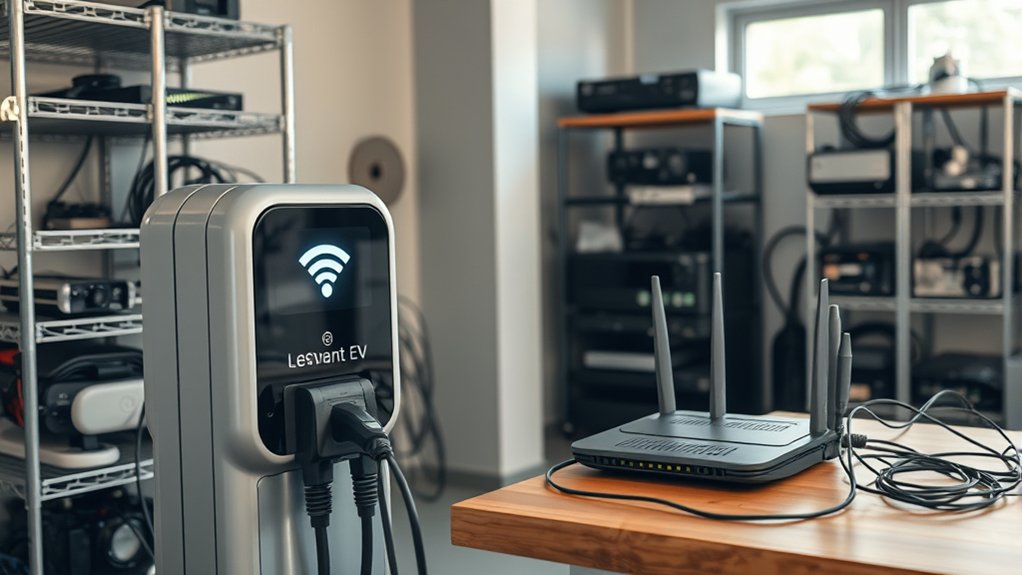
A smart EV charger depends on Wi-Fi for communication, not for the physical flow of electricity to the vehicle. That difference matters. If the charger goes offline in the app but still charges the car, the issue is usually networking. If the charger stops charging or trips a breaker, treat it as an electrical or charger fault instead.
The most common causes are weak signal at the charger, a router placed too far from the garage, thick walls, metal garage doors, electrical panels, water heaters, competing networks, and router settings that the charger does not support. Many smart-home devices also rely on the 2.4GHz Wi-Fi band because it travels farther through walls than 5GHz.
Signal strength is often shown in dBm. The closer the number is to zero, the stronger the signal — for example, -55 dBm is stronger than -70 dBm. You can check how to measure your own Wi-Fi signal strength in dBm from a phone or laptop. A charger sitting near -70 dBm or weaker may connect during setup but drop offline later when the garage door moves, a microwave runs, or the router changes channels.
Check Whether the Charger Is Really Offline
Before changing router settings, confirm what is actually failing. Open the charger app and compare it with the charger lights, the car’s charging screen, and your router’s connected-device list.
- If the car still charges: the Wi-Fi connection, app, cloud service, or firmware is the likely issue.
- If the app says offline but the router shows the charger connected: the issue may be the charger’s cloud service, app login, or firewall settings.
- If the router does not show the charger: focus on signal strength, band compatibility, password, DHCP, and router security settings.
- If the charger stops charging: check the charger manual and call support. Do not treat a charging fault as a simple Wi-Fi problem.
Note: Some chargers keep a schedule inside the charger, while others depend more heavily on the app or cloud service. If your car starts charging at the wrong time after Wi-Fi drops, check both the charger schedule and the vehicle schedule.
Rule Out an Internet or ISP Outage First
Before you touch any router settings, confirm your internet service itself is working. If your internet provider’s connection is down, the charger cannot reach its cloud service even though your Wi-Fi network still looks normal on your phone. ChargePoint’s own troubleshooting guidance lists a dead ISP connection as one of the first things to check, ahead of any charger-specific fix.
- Connect a laptop, tablet, or phone to the same Wi-Fi network and confirm it can load a website with cellular data turned off.
- Check your internet provider’s outage map or status page for maintenance in your area.
- Look at your modem and router for a solid internet or WAN light rather than a blinking or red one.
- If other Wi-Fi devices in the house are also offline, the problem is almost certainly the network or ISP, not the charger.
If everything else online works fine and only the charger is affected, move on to testing signal strength and Wi-Fi settings below.
Test Wi-Fi Signal Strength at the Charger
Do not judge Wi-Fi strength from your living room. Test it where the charger is mounted, with the garage door both open and closed if possible.
- Stand next to the charger with your phone connected to the same Wi-Fi network the charger uses.
- Open your router app, charger app, or a trusted Wi-Fi analyzer app.
- Look for the signal reading in dBm or a device-quality score.
- If the reading is around -70 dBm or weaker, improve coverage before blaming the charger.
- Run a quick speed or stability check near the charger, but remember that stability matters more than high download speed for a charger.
A reading stronger than about -67 dBm is a better target for a stable smart charger. A reading around -75 dBm may work sometimes, but it leaves very little margin for interference, router channel changes, or seasonal changes in the garage.
Pro Tip: If the signal is weak only when the garage door is closed, the metal door may be blocking or reflecting the signal. Move the router, mesh node, or access point so the signal does not have to pass directly through the door.
Use the Right Wi-Fi Band and Security Settings
Network compatibility is one of the easiest things to overlook. A charger can be installed correctly and still lose Wi-Fi if the router settings do not match what the charger supports.
Choose 2.4GHz Unless Your Charger Supports 5GHz
Many EV chargers and other smart devices connect best, or only, on 2.4GHz. This band is slower than 5GHz, but it usually has better range through walls and garages. A 5GHz-only network can cause setup failures if the charger does not support it.
If your router uses one combined network name for 2.4GHz and 5GHz, the router may use band steering. That can confuse some chargers during setup. If setup keeps failing, temporarily create a separate 2.4GHz network name, connect the charger to that network, and then leave that network active for the charger. Some newer Wi-Fi 6 or 6E routers and mesh systems also push devices between bands or nodes more aggressively than older routers, which can be enough to knock an older 2.4GHz-only charger offline even when the signal looks strong.
Check Password, Security, DHCP, and Router Features
Use a simple but secure Wi-Fi setup. WPA2-Personal or WPA2/WPA3 mixed mode is usually the safest practical choice for compatibility. Avoid WEP, enterprise login pages, captive-portal guest networks, and — for some chargers — a WPA3-only network, since a few older Wi-Fi chipsets used in smart devices don’t support WPA3 on its own.
- DHCP: Keep DHCP enabled so the charger can receive an IP address.
- Password: Re-enter the Wi-Fi password carefully. Special characters can cause setup problems on some apps.
- Hidden SSID: Turn off hidden network mode during setup. You can re-test it later if your charger supports it.
- MAC filtering: Disable it during setup or add the charger’s MAC address before reconnecting.
- Guest network isolation: Avoid isolated guest networks if the app needs local communication with the charger.
- VPN or firewall rules: Temporarily disable strict blocking rules that may prevent the charger from reaching its cloud service.
Match Your Router Settings to Your Charger Brand’s Requirements
Generic Wi-Fi advice helps, but individual manufacturers publish exact network requirements, and skipping them is a common reason setup or reconnection keeps failing. Check your model’s support page before assuming your router is broken.
- Some chargers, such as the Emporia EV Charger, will connect only to a 2.4GHz network and cannot use networks that require a secondary login screen, such as hotel-style or captive-portal guest networks.
- Many chargers ask you to keep the network name under 32 characters and the password under 63 characters, and to avoid unusual special characters in either.
- Some models need legacy or mixed B/G/N mode enabled on the 2.4GHz band rather than a Wi-Fi 6-only mode, and work better with AP/client isolation turned off.
- If your charger previously worked fine and your router or mesh system was recently upgraded, check the charger manufacturer’s support page for known compatibility notes before spending time on other fixes.
Keep your charger’s model and firmware version handy so you can look up its specific Wi-Fi requirements instead of relying on generic router settings alone.
Place Your Router for a Stronger Charger Signal
Router placement has a major effect on charger reliability. Wi-Fi signals weaken as they pass through walls, floors, concrete, brick, metal, mirrors, appliances, and garage doors. Router-placement guidance from Wired recommends a central, open location and warns against thick walls, metal objects, and kitchen appliances.
Try these placement fixes:
- Move the router out of a cabinet, closet, basement corner, or utility room.
- Place it higher, such as on a shelf, instead of on the floor.
- Keep it away from refrigerators, microwaves, breaker panels, metal shelving, and water heaters.
- Point antennas according to the router manual, not randomly.
- If the charger is in a detached garage, consider a wired access point instead of relying on the main house router.
If moving the router improves the charger connection, the charger was not the root problem. The garage simply needed better Wi-Fi coverage.
Reduce Wi-Fi Interference Near the Charger
Interference can make a signal unstable even when the signal bar looks acceptable. The 2.4GHz band is unlicensed spectrum shared by many household devices, and under FCC Part 15 rules, every device on it has to tolerate interference from every other device — there’s no priority access. That makes crowded apartments, townhomes, and dense neighborhoods especially prone to noise from microwaves, Bluetooth devices, baby monitors, security cameras, cordless phones, and nearby routers.
Use these steps to reduce interference:
- Move Bluetooth hubs, baby monitors, smart speakers, and wireless cameras away from the charger and router.
- Use your router app to choose a cleaner 2.4GHz channel, often 1, 6, or 11 in the United States.
- Do not mount a mesh node directly beside large metal objects.
- Avoid placing the charger’s Wi-Fi path through a refrigerator, washer, dryer, water heater, or metal garage door.
- If your charger supports Ethernet, use it for the most stable connection.
Warning: Do not open the EV charger housing, move hardwired electrical connections, change breaker sizes, or modify conduit to fix a Wi-Fi issue unless you are qualified and authorized to do that work. For electrical faults, overheating, tripped breakers, water damage, or damaged cable, stop using the charger and call a licensed electrician or the charger manufacturer.
Restart, Update, and Reconnect in the Right Order
Random resets can make troubleshooting harder. Use a clean sequence so you know which change helped.
- Update the charger app on your phone.
- Restart the phone if the app is not finding the charger.
- Power-cycle the router and wait until the internet is fully back.
- Restart the charger using the manufacturer’s recommended method. If the manual says to use a breaker, follow the manual exactly.
- Check for router firmware updates in the router app or web dashboard.
- Check for charger firmware updates in the charger app after the charger reconnects.
- Forget and re-add Wi-Fi only after you have confirmed the correct band, password, and signal strength.
After a power outage, router replacement, new Wi-Fi password, or ISP equipment swap, the charger may need to be reconnected to the network even if nothing changed on the charger itself.
Should You Use a Wi-Fi Extender, Mesh System, or Ethernet?
If the charger is too far from the router, better network hardware can solve the problem. Research on home Wi-Fi networks has found that well-placed secondary access points and extenders can meaningfully raise throughput and reduce congestion compared with relying on a single router — one real-world deployment study measured a 77% throughput improvement after adding load-aware secondary access points. The best option for your home depends on your layout and whether the charger supports wired networking.
| Option | Best For | Watch Out For |
| Wi-Fi extender | A single weak spot near the garage | Place it where it still receives a strong router signal, not in the dead zone itself |
| Mesh Wi-Fi | Whole-home coverage and multiple weak rooms | Some chargers dislike band steering, so you may still need a dedicated 2.4GHz network |
| Wired access point | Detached garages, thick walls, and long distances | Requires Ethernet wiring or professional installation |
| Ethernet to charger | Chargers with Ethernet ports or approved adapters | Only use the connection method approved by the charger manufacturer |
For a charger in an attached garage, a mesh node near the door to the garage often works better than an extender plugged in beside the charger. For a detached garage, a wired access point is usually more reliable than trying to push Wi-Fi through exterior walls and open air.
Advanced Fixes for Persistent Wi-Fi Connection Issues
If your EV charger still drops offline after basic fixes, check the deeper network settings.
- Reserve an IP address: In your router app, assign the charger a reserved IP address to reduce IP conflicts.
- Check for duplicate network names: If your old router name was reused, the charger may be trying to join a saved network with mismatched settings.
- Disable aggressive roaming features temporarily: Some mesh systems push devices between nodes too often.
- Review router logs: Look for repeated disconnects, authentication failures, DHCP failures, or weak RSSI warnings.
- Test a simple 2.4GHz SSID: Use a short network name, WPA2-Personal or WPA2/WPA3 mixed mode, and a standard password.
- Avoid captive portals: Apartment, workplace, hotel, and some guest networks that require a browser login may not work with chargers.
- Check cloud outages: If the charger is connected to Wi-Fi but the app says offline, the manufacturer’s service may be down.
A charger that shows strong Wi-Fi at setup but drops offline later usually needs more signal margin, simpler router settings, or a more stable access point near the garage.
When to Call Support or an Electrician
Call the charger manufacturer if the charger repeatedly forgets Wi-Fi, fails firmware updates, disappears from the app despite strong signal, or shows an error code. Have the model number, serial number, app version, firmware version, router model, Wi-Fi band, and signal reading ready.
If you have already worked through every software and network fix above and the charger still will not hold a Wi-Fi connection — especially if it repeatedly forgets saved networks or cannot detect any Wi-Fi at all even with strong signal nearby — the charger’s internal Wi-Fi radio itself may have failed. This is a recognized hardware fault on some models, and manufacturers typically resolve it with a warranty replacement rather than another reset.
Call your internet provider or network technician if several devices lose Wi-Fi in the garage, the router frequently reboots, or your mesh system shows poor backhaul quality.
Call a licensed electrician if the charger stops charging, overheats, trips the breaker, shows ground-fault errors, has water damage, or has damaged wiring. Wi-Fi fixes should never be used to work around an electrical safety problem.
Frequently Asked Questions
Why does my EV charger keep disconnecting from Wi-Fi?
Your EV charger usually disconnects because the signal at the charger is weak, the router is too far away, the charger is using an unsupported band, or nearby devices are causing interference. Outdated firmware, DHCP problems, hidden networks, and router security settings can also cause repeated disconnects.
How do I fix my Wi-Fi connection if it keeps disconnecting?
Start by confirming your internet service is actually up, then test signal strength beside the charger. Restart the router and charger, update the app and firmware, confirm the charger is on the correct 2.4GHz or supported Wi-Fi band, and move the router or add a mesh node if the garage signal is weak.
Why do EV chargers go offline after working before?
An EV charger can go offline after a router update, new Wi-Fi password, power outage, ISP equipment swap, mesh node change, weak signal event, or failed firmware update. If the charger still charges the car, the problem is usually communication rather than power delivery.
Will my EV charger work without Wi-Fi?
Most home EV chargers can still charge without Wi-Fi, but smart features may be limited. You may lose app control, remote start or stop, charging history, utility-rate scheduling, load management, and firmware updates. Check your charger manual because offline behavior varies by model.
Is 2.4GHz or 5GHz better for an EV charger?
Use 2.4GHz unless your charger manual confirms 5GHz support. The 2.4GHz band usually travels farther through walls and garages, which helps chargers mounted far from the router. A 5GHz network may be faster, but it often has shorter range.
Do I need a mesh network for my EV charger?
You need mesh only if the charger sits in a weak coverage area and router placement fixes do not help. For an attached garage, a mesh node near the garage may be enough. For a detached garage, a wired access point or Ethernet connection is often more reliable.
Can an internet or ISP outage make my EV charger look offline?
Yes. If your internet service provider’s connection is down, the charger’s Wi-Fi radio may still connect to your router, but it cannot reach the manufacturer’s cloud service. Check whether other devices on the same network can load a website before assuming the charger or router is broken.
Could my charger’s Wi-Fi problem actually be a hardware failure?
It’s possible. If the charger keeps forgetting saved networks or can’t detect any Wi-Fi at all despite a strong signal, and you’ve already tried every software and router fix, the internal Wi-Fi radio may have failed. Manufacturers typically handle this with a warranty replacement rather than another reset.
Conclusion
If your EV charger keeps losing Wi-Fi, do not start with a full reset. First confirm your internet service is actually up and whether the charger is truly offline or only the app is offline. Then test signal strength at the charger, use the correct Wi-Fi band, check your charger brand’s specific network requirements, simplify router security settings, update firmware, and reduce interference near the garage. If the signal is weak, a mesh node, wired access point, or Ethernet connection can make the charger far more reliable. If every fix fails, a hardware Wi-Fi fault may be to blame. If the charger has electrical errors, heat, damaged wiring, or breaker trips, stop troubleshooting Wi-Fi and get qualified help.
Sources
- Lifewire: How to Measure Your Wi-Fi Signal Strength — supports dBm signal-strength guidance and Wi-Fi measurement basics.
- Wired: How to Set Up Smart Home Devices With 2.4-GHz Wi-Fi — supports 2.4GHz setup guidance for smart devices.
- Wired: Where to Put Your Router for Better Home Wi-Fi — supports router placement, wall, metal, and appliance guidance.
- Wired: How to Buy a Router — supports WPA2/WPA3, firmware updates, and modern router considerations.
- Adame et al.: Channel Load Aware AP / Extender Selection in Home WiFi Networks — supports the role of secondary access points and extenders in home Wi-Fi performance.
- eCFR Title 47 Part 15 — supports the general regulatory context for unlicensed radio devices that must accept interference.
- Emporia Help Center: EV Charger Not Connecting to Wi-Fi — supports brand-specific 2.4GHz-only and captive-portal-network requirements.
- ChargePoint Home Troubleshooting — supports checking for an ISP/internet outage before assuming a charger or router fault.