
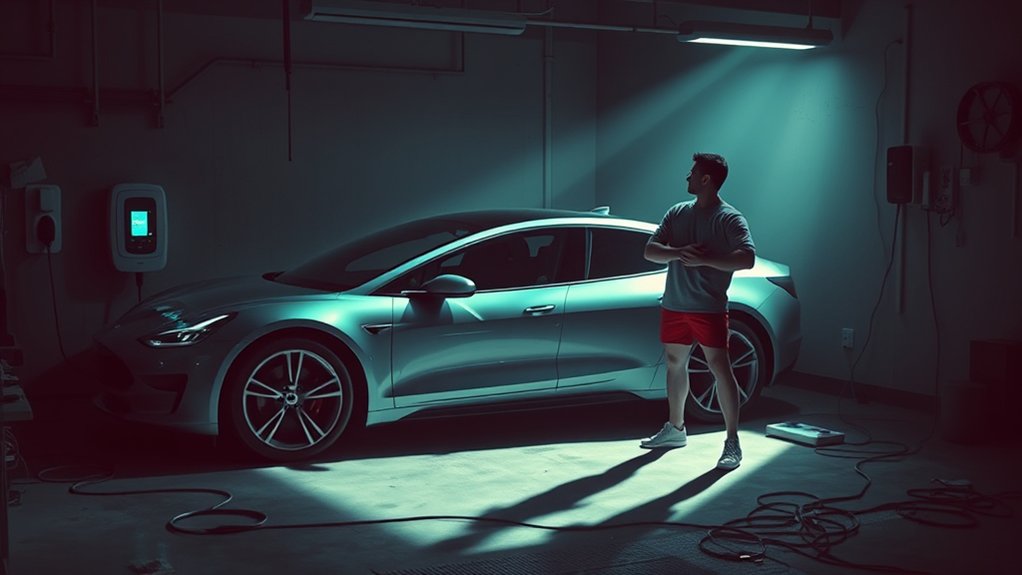
If your home EV charging suddenly slowed down, start with the basics: the charger level, vehicle settings, battery temperature, cable condition, and your home’s electrical capacity. A slow session is often caused by a reduced amperage setting, cold battery, high battery state of charge, damaged connector, shared circuit, or a Level 1 setup that is working normally but slowly.
Quick Answer
Your home EV charging is usually slow because the charger is limited by its power level, the car’s onboard charger, battery temperature, app settings, a high battery percentage, or a weak electrical circuit. Check the charging rate in kW, inspect the cable, review current limits, and call an electrician if you see heat, buzzing, flickering lights, or breaker trips.
Key Takeaways
- A Level 1 charger can be normal but slow, often adding only about 2 to 5 miles of range per hour.
- A Level 2 charger is faster, but it cannot exceed your EV’s onboard AC charging limit.
- Cold weather, hot weather, and a high battery state of charge can make the car reduce charging power to protect the battery.
- Reduced amperage settings, scheduled charging, load sharing, or utility demand-response programs can make a charger look faulty when it is only being limited.
- Breaker trips, warm panels, buzzing sounds, burning smells, or flickering lights are safety red flags that need a licensed electrician.
At a Glance
| Time Required | 10 to 20 minutes for basic checks; longer if an electrician needs to inspect the circuit |
| Difficulty | Easy for app and cable checks; professional for wiring, panel, outlet, or breaker work |
| Tools Needed | Vehicle app, charger app, flashlight, owner’s manual, and charging history screen |
| Cost | $0 for basic checks; varies if you need a charger, outlet, circuit, panel, permit, or electrical repair |
Why Is My Home EV Charging Slow?
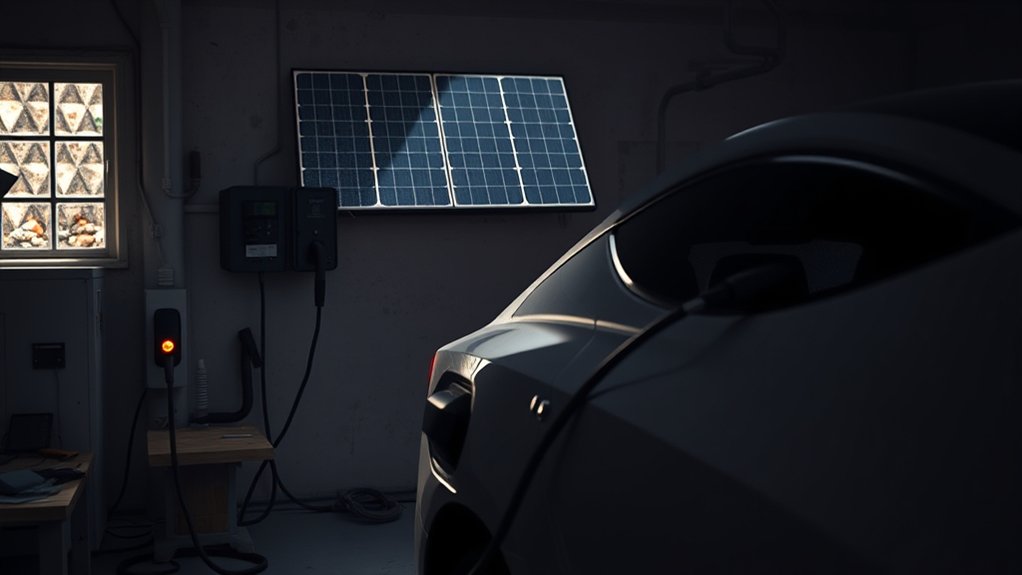
Your home EV charging can be slow for several reasons. The most common cause is simple: the charger is not powerful enough for the range you expect. The U.S. Department of Energy’s Alternative Fuels Data Center explains that charging time depends on battery capacity, state of charge, the vehicle’s onboard charger capacity, charger output, and electrical service specifications.
If you use a standard 120-volt Level 1 cord, slow charging may be normal. ENERGY STAR lists Level 1 charging at about 2 to 5 miles of range per hour. That can work for short commutes, plug-in hybrids, or overnight top-ups, but it will feel painfully slow if you drive a lot or have a large battery.
Level 2 charging uses 240 volts in most homes and is much faster. ENERGY STAR lists many Level 2 chargers at about 10 to 20 miles of range per hour, while the AFDC notes that Level 2 output can vary by charger power and vehicle. Still, a Level 2 charger will not always charge at the number printed on the charger. Your car must also be able to accept that AC power.
Note: The wall unit is not the only limit. Your EV’s onboard charger, battery temperature, battery percentage, charger settings, and home circuit can all reduce the final charging rate.
Check Your Charging Level and Onboard Charger Limit
Before assuming something is broken, compare three numbers:
- Your charger output: For example, 120 volts on Level 1 or 240 volts on Level 2.
- Your charger amperage setting: Many chargers and EVs let you lower amps in the app.
- Your EV’s onboard AC charging limit: A car with a 7.2 kW onboard charger will not take 11 kW from a home AC charger, even if the charger can supply it.
For a rough estimate, multiply volts by amps and divide by 1,000. A 240-volt charger at 32 amps can supply about 7.7 kW before normal losses. A 120-volt outlet at 12 amps supplies only about 1.4 kW. That is why Level 1 charging often looks slow even when it is working as designed.
| Charging Setup | Typical Result | What It Means |
| Level 1, 120 volts | About 2 to 5 miles per hour | Normal for a wall outlet, but slow for large batteries |
| Level 2, 240 volts | Often 10 to 25 miles per hour | Better for overnight home charging |
| Level 2 with reduced amps | Lower than expected kW | Check app settings, load sharing, and circuit limits |
The Impact of Temperature on Charging Performance
Temperature can change how fast your EV accepts power. In cold weather, battery chemistry slows down, so the battery management system may reduce charging current until the pack warms up. FuelEconomy.gov, the official U.S. government source run by the DOE and EPA, notes that EV efficiency and range can drop significantly in cold conditions and that battery performance decreases in cold weather.
Heat can also affect charging. If the battery, charger, cable, or garage area is too hot, the vehicle or charging equipment may reduce power to protect components. This is more likely when the charger is in direct sun, the garage is hot, the cable is coiled tightly, or the battery was heated by a long highway drive.
To reduce temperature-related slowdowns:
- Park in a garage or shaded area when possible.
- Use battery or cabin preconditioning if your EV offers it.
- Start charging soon after arriving home in winter if the battery is already warm from driving.
- Keep the cable uncoiled during charging so it can shed heat.
- Clear snow, ice, and moisture from the charge port before plugging in.
Pro Tip: When charging seems slow, write down the outside temperature, battery percentage, charger amps, and kW shown in the app. Those four numbers make it much easier to spot whether the problem is weather, settings, equipment, or wiring.
Vehicle Settings That Can Slow Home Charging
Many slow EV charging problems come from settings rather than hardware failure. Check the vehicle screen and charger app before you call for service.
- Current limit: Your EV or charger may be set to 8, 12, 16, or 24 amps instead of the circuit’s normal charging limit.
- Scheduled charging: The car may be waiting for off-peak hours instead of charging right away.
- Departure time: Some EVs delay charging so the battery finishes near your planned departure.
- Charge limit: If your battery is near your selected limit, charging may slow or stop.
- Battery state of charge: Charging is often faster at a lower battery percentage and slower as the battery gets close to full.
- Load sharing: If two EVs share one electrical feed, each car may receive less power.
- Utility program: Some smart chargers reduce or pause charging during peak demand if you opted into a utility plan.
If your EV says “charging scheduled,” “waiting,” “reduced power,” or “limited by charger,” open the app settings first. A single current-limit toggle can make a Level 2 charger behave like a much weaker unit.
How to Troubleshoot Slow EV Charging
Use this sequence to find the cause without guessing. Stop if you see heat, damage, burning smells, repeated breaker trips, or anything unsafe.
Step 1: Confirm the Actual Charging Rate
Open your vehicle app or dashboard and look for kW, volts, and amps. Do not rely only on “miles added per hour,” because that estimate changes with vehicle efficiency, weather, and driving history.
Step 2: Compare the Rate to Your Equipment
If you are using Level 1, slow charging may be normal. If you are using Level 2, compare the displayed amps with the charger setting and circuit size. A 32-amp charger should not be expected to behave like a 48-amp charger.
Step 3: Check App Settings and Schedules
Turn off scheduled charging for one test session. Raise the current limit only to the safe limit allowed by your charger, circuit, and vehicle manual. Do not increase amperage to “see what happens” if you are unsure about the circuit.
Step 4: Inspect the Cable, Connector, and Charge Port
Unplug after the session stops, then inspect the cable and connector. Look for bent pins, corrosion, cracks, fraying, melted plastic, loose fit, water intrusion, or a connector that feels hotter than normal. Replace damaged charging equipment rather than trying to repair it yourself.
Step 5: Test a Different Charging Source
If safe, try a different Level 2 charger or a public AC charger. If the car charges normally elsewhere, your home charger, outlet, wiring, breaker, or settings may be the issue. If it is slow everywhere, the vehicle settings, battery temperature, onboard charger, or software may be involved.
Step 6: Check for Electrical Warning Signs
Watch for dimming lights when charging starts, buzzing from the panel, repeated breaker trips, warm outlets, warm breakers, or a burning smell. These signs point to an electrical issue that needs professional inspection.
Step 7: Reset and Update Equipment
If there are no safety concerns, restart the charger according to the manufacturer’s instructions and check for vehicle or charger software updates. Networked chargers may also need a Wi-Fi reconnection before app settings, schedules, or firmware updates work correctly.
Warning: Do not keep charging if you notice a hot outlet, hot plug, burning smell, buzzing panel, melted plastic, repeated breaker trips, or flickering lights. Stop using the charger and call a licensed electrician.
What You Need to Know About Chargers and Compatibility
Not all EV chargers deliver the same speed, and not every EV can accept the same AC charging rate. Level 1 uses a standard 120-volt outlet. Level 2 uses 240 volts in most homes. DC fast charging is mainly for public stations and is not the same as a home Level 2 charger.
Connector compatibility also matters. In North America, many non-Tesla EVs use J1772 for AC Level 1 and Level 2 charging, while many newer vehicles and chargers use or support J3400, also known as NACS. Adapters can help in some cases, but the adapter must be approved for your vehicle and charging equipment.
When buying or replacing charging equipment, choose a unit that matches your vehicle, circuit, parking location, and connector. The ENERGY STAR EV charger guide also recommends safety-certified chargers and notes that certified models are tested by a nationally recognized testing laboratory.
Diagnosing Wiring and Panel Problems
Even with the right charger, your home’s electrical system can limit EV charging. The AFDC guide to charging at home says a qualified electrician can determine whether your home has enough electrical capacity for Level 2 equipment. Some homes need added circuits, load management, service upgrades, permits, or other code-compliant work.
Common electrical issues that can reduce charging speed include:
- Loose terminals or worn outlets that create resistance and heat.
- Undersized wiring for the charger’s current setting.
- A breaker that is not matched to the charger and circuit.
- A shared circuit that also powers other heavy loads.
- A panel that lacks capacity for a continuous EV charging load.
- Voltage drop from a long wiring run or poor connection.
EV charging is a long-duration electrical load. That is why a setup that seems fine for short appliance use may struggle during several hours of charging. Do not open the panel or modify wiring unless you are qualified to do so.
Resolving Software and Equipment Issues Affecting Charging
Software and equipment problems can also reduce charging speed. These issues are usually easier to check than wiring, so review them before scheduling a service call.
Common Software Glitches
A vehicle or charger may reduce charging after a failed handshake, network error, app setting conflict, or temporary fault. Check the charger screen, vehicle screen, and app for error messages. If the manual allows it, restart the charger and vehicle charging session, then plug in again.
Outdated Charger Firmware
Networked chargers may receive firmware updates that improve reliability, scheduling, reporting, or compatibility. Open the charger app and check for updates. If your charger is offline, reconnect it to Wi-Fi so it can sync settings and report accurate charging data.
Faulty Charging Cables
A damaged cable or connector can restrict power delivery and create heat. Inspect the full cable length, plug, wall connection, and vehicle connector. If the cable is frayed, cracked, loose, scorched, or unusually hot, stop using it and replace it with equipment rated for your charger and vehicle.
When to Seek Professional Help for EV Charging Problems
Call a licensed electrician if your charger repeatedly trips a breaker, the outlet or panel feels warm, lights dim when charging starts, the panel buzzes, you smell burning, or the charger delivers much less power than expected after you have checked settings and temperature.
You should also get professional help before upgrading from Level 1 to Level 2. The AFDC notes that charging equipment installations must comply with local and state codes, and permits may be required from local building authorities. A qualified electrician can confirm the safe circuit size, wiring, breaker, outlet or hardwired setup, and whether load management is needed.
A slow charger is annoying. A hot plug, buzzing panel, or tripping breaker is a safety warning. Treat electrical symptoms as a repair issue, not a charging inconvenience.
Frequently Asked Questions
Why is my charger charging slowly all of a sudden?
A sudden slowdown often comes from a changed amperage setting, scheduled charging, cold battery, high battery percentage, charger fault, utility load-control event, or a cable or outlet issue. Check the kW and amps shown in the app, then inspect the cable and review settings.
Why is my EV charging slowly at home?
Home EV charging is usually slow because you are using Level 1, your Level 2 charger is set to low amps, your vehicle’s onboard charger is the limiting factor, the battery is cold or hot, or your home circuit cannot safely deliver more current.
How can I increase EV charging speed at home?
Use a properly installed Level 2 charger, raise the current limit only within the safe circuit rating, disable accidental scheduled charging, precondition the battery in cold weather, keep the connector clean, and choose safety-certified equipment. For wiring or panel changes, hire a licensed electrician.
Why did my EV charger reduce power?
Your EV charger may reduce power because of a current-limit setting, shared load management, utility demand response, heat in the cable or charger, a cold or hot battery, a high battery state of charge, or a detected fault. Check app messages before resetting anything.
Is Level 1 charging too slow for a full EV?
Level 1 can work if you drive short distances and can charge for many hours. It is often too slow for long daily commutes or large batteries. If you need to recover a lot of range overnight, a Level 2 charger is usually the better home setup.
Can I use an extension cord to make home EV charging easier?
Avoid extension cords unless your vehicle and charger manual specifically allow one with the correct rating. Underrated cords can overheat during long EV charging sessions. A properly located outlet or hardwired Level 2 charger is safer.
Conclusion
Slow home EV charging usually comes down to one of five things: charger output, vehicle limits, battery temperature, settings, or electrical capacity. Start by checking the kW and amps in your app, then review schedules, current limits, battery percentage, cable condition, and weather. If the charger, plug, outlet, breaker, or panel shows signs of heat or strain, stop charging and bring in a licensed electrician. A reliable charge starts with safe equipment, correct settings, and a circuit that is built for the load.
Sources
- U.S. Department of Energy Alternative Fuels Data Center: Electric Vehicle Charging Stations — charging levels, charging-rate variables, connectors, and equipment basics
- U.S. Department of Energy Alternative Fuels Data Center: Charging Electric Vehicles at Home — home charging, Level 2 installation, electrical capacity, codes, permits, and safety-certified equipment
- ENERGY STAR: Electric Vehicle Chargers — Level 1 and Level 2 charging-rate ranges, charger efficiency, and safety-certification guidance
- FuelEconomy.gov: Fuel Economy in Cold Weather — cold-weather effects on EV efficiency, range, and battery performance

