
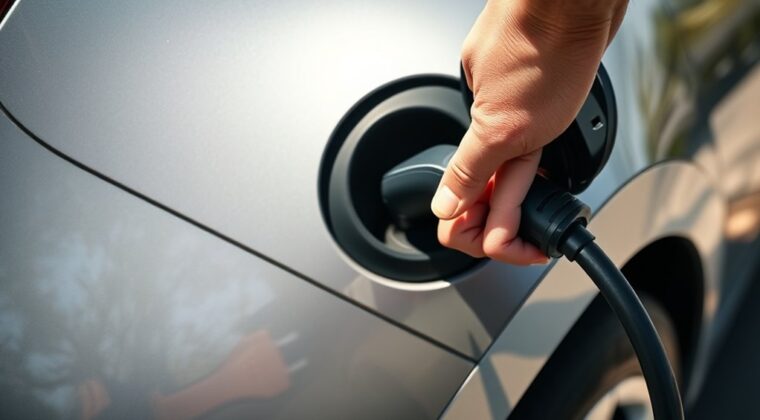
If your EV charge port will not open, start with the simple checks before you touch the door. Make sure the vehicle is in Park, unlocked, awake, and not actively charging. Then look for ice, dirt, a locked connector, app or screen lag, or a failed charge-port actuator. Work gently, because forcing the door or cable can damage the port.
Quick Answer
An EV charge port usually will not open because the vehicle is locked, asleep, not in Park, frozen, blocked by debris, stuck on a locked cable, or affected by a software or actuator fault. Try the app, dashboard control, gentle cleaning, and cold-weather defrost steps first. Do not pry the door open.
Key Takeaways
- Check Park, unlock status, key detection, and app or screen controls before touching the charge port.
- Cold weather can freeze the latch, so use defrost, preconditioning, or an inlet heater if your EV offers one.
- A stuck charge-port door is different from a stuck charging connector, so use the right steps for the right problem.
- Never force the door or pull a manual release while the vehicle is actively charging.
- Call service if the door keeps failing, the connector is locked, the warning light is red, or the port will not close.
At a Glance
| Time Required | 2 to 15 minutes for basic checks; longer if ice must thaw |
| Difficulty | Easy for checks and cleaning; professional service for actuator or wiring faults |
| Tools Needed | Owner’s manual, vehicle app, microfiber cloth, warm hands, and a soft plastic card for edge debris only |
| Cost | Usually free for cleaning or thawing; dealer diagnosis or actuator repair depends on model and warranty coverage |
Top Issues Preventing Your EV Charge Port From Opening
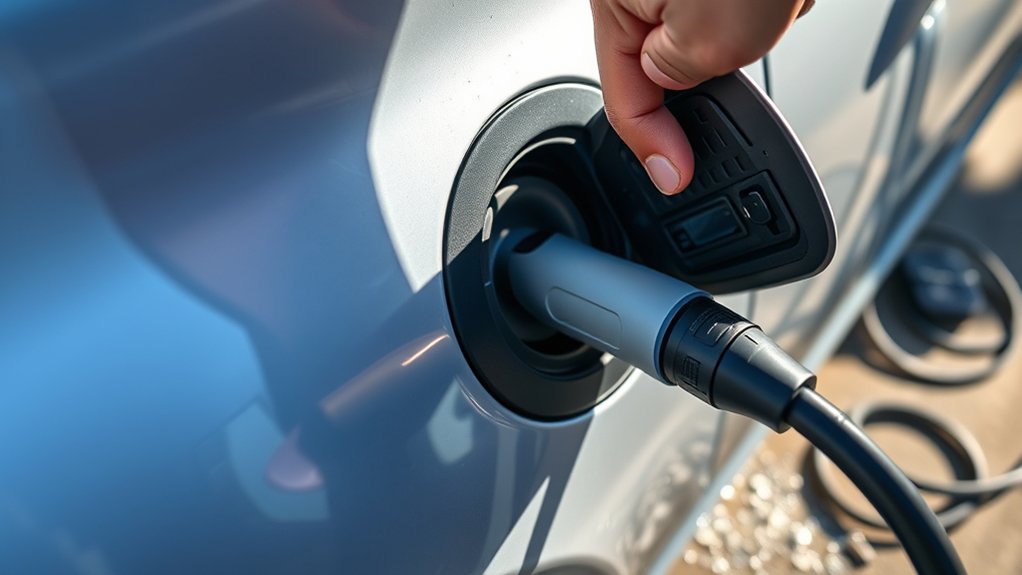
When your EV charge port will not open, the cause is usually one of five things: the car is locked or asleep, the latch is frozen, debris is blocking the door, the connector lock is still engaged, or the actuator has failed. Start with the easiest checks first so you do not damage the door.
| Symptom | Likely Cause | Safe First Step |
|---|---|---|
| Door will not pop open | Vehicle locked, asleep, or not detecting the key | Unlock the car, wake it from the app, and try the dashboard control |
| Door feels stuck in freezing weather | Frozen latch or ice around the port | Use defrost or preconditioning before clearing the edge gently |
| Cable will not release | Charging has not stopped or connector lock is engaged | Stop charging, unlock the vehicle, then use the normal release button |
| Port opens but charging fails | Charger, adapter, cable, grounding, or equipment fault | Check charger lights, vehicle alerts, and the charging cable |
| Door will not close or keeps popping open | Bent hinge, broken spring, damaged latch, or bad actuator | Stop using force and schedule service |
Warning: Do not force the charge port door open and do not pull on a stuck charging cable while the vehicle is actively charging. Stop charging first, then follow your owner’s manual. If you see exposed orange high-voltage parts, move away and call service.
First Checks Before You Try a Reset
Before you assume the port is broken, run through these quick checks. They solve many stuck charge-port complaints without tools.
- Shift into Park. Many EVs limit charge-port actions unless the car is parked.
- Unlock the vehicle. Some ports stay locked to prevent cable theft or unauthorized charging access.
- Bring the key or phone key close. If the car does not detect a valid key, it may ignore the release command.
- Wake the vehicle. Open a door, tap the app, or press the brake if your model allows it.
- Use the normal open command. Try the dashboard, infotainment screen, app, charge-port button, or key fob method listed in your owner’s manual.
- Look for warning lights or alerts. A red port light, dash alert, or charger error can point to a fault.
For example, Tesla’s Model 3 charging instructions list several ways to open the charge port, including the touchscreen, charge cable button, voice command, and pressing the port door when the vehicle is unlocked and an authenticated phone is nearby.
How to Handle Ice or Cold Weather Around the Charge Port
Ice is one of the most common reasons an EV charge port will not open in winter. Do not jab the door with metal tools. Instead, warm the area first and let the latch release naturally.
- Use cabin preconditioning or defrost. If your EV has a defrost feature in the mobile app, turn it on before you need to charge.
- Use the inlet heater if available. Some Tesla vehicles include an Inlet Heater setting for a frozen charge-port latch or frozen cable.
- Brush loose snow away. Use your hand, a soft brush, or a microfiber cloth.
- Clear only the outer edge. A soft plastic card can help remove light ice around the door seam, but do not pry against the latch.
- Try the normal open command again. Once the area warms, use the app, screen, or port button.
Tesla’s cold-weather guidance says Defrost Car can help melt snow, ice, and frost on the charge port, and scheduled preconditioning can help prevent a frozen charge-port latch.
Pro Tip: In freezing weather, open the charge port once before you leave home if you plan to charge later. If it feels sticky, precondition the car again before you arrive at the charger.
How to Perform a Soft Reset for Quick Fixes
A reset can help when the app or screen command is lagging, but the steps depend on the EV brand. Do not assume the Tesla scroll-wheel method works on every vehicle.
On a Tesla Model 3, Tesla says to restart the touchscreen only while the vehicle is stopped and in Park. Hold both scroll buttons on the steering wheel until the touchscreen turns black, then wait for the screen to restart. Tesla also notes that this restarts the touchscreen only and does not power the whole vehicle off and on.
For other EVs, use the reset or reboot steps in your owner’s manual. Some vehicles use a power button sequence, some use the infotainment system, and some require locking the vehicle and letting it sleep for several minutes.
Note: A screen reset is worth trying for app or touchscreen glitches, but it will not fix a broken hinge, frozen latch, damaged actuator, or stuck charging connector.
Identifying Mechanical Problems With Your Charge Port
Mechanical problems often show up as a charge-port door that moves unevenly, clicks without opening, will not close flush, or pops back open. These signs point to the hinge, spring, latch, motor, or actuator rather than the charger itself.
Look for these clues:
- Uneven door gap: The door may be bent or misaligned.
- Clicking with no movement: The actuator may be trying to open but cannot move the latch.
- Door opens by hand but will not stay shut: The latch or spring may be worn.
- Grinding or buzzing: The motor or gear may be stripped.
- Repeated failures after cleaning: The actuator or control module may need diagnosis.
If the door is partly open, check for leaves, road grit, wax residue, or dried dirt in the hinge area. Clean with a dry microfiber cloth. Use only a lubricant approved by your vehicle maker, because some products attract dirt or damage plastic and seals.
Stuck Door vs. Stuck Connector vs. Charging Failure
These three problems can feel similar, but they are not the same.
If the Charge Port Door Will Not Open
Use the app, dashboard, port button, or key fob method for your vehicle. If the door is frozen, thaw it first. If the door still will not move and you hear no actuator sound, schedule service.
If the Charging Connector Will Not Release
Stop charging from the vehicle screen, app, or charger. Unlock the vehicle. Then press the connector release button and pull straight out. If that fails, use the manual cable-release method in your owner’s manual. On some Tesla models, the manual release cable is in the rear trunk area, but Tesla warns to use it only when normal release methods fail and the vehicle is not actively charging.
If the Port Opens but the Car Will Not Charge
Now the issue may be the charger, adapter, cable, outlet, breaker, grounding, or communication between the charger and vehicle. Check the charger status light, vehicle alert, connector fit, and any adapter instructions.
When to Call for Professional Help With Your EV
Some charge-port issues are safe to solve at home, but others need a trained EV technician. Call service or roadside help if:
- The port door will not open after unlock, app, screen, and cold-weather steps.
- The charging cable is stuck and normal release methods do not work.
- The port light is red or the dashboard shows a charging-system alert.
- The door will not close, sits crooked, or pops back open.
- You hear grinding, buzzing, or repeated clicking from the actuator.
- You see broken plastic, bent pins, melted parts, water intrusion, or exposed orange high-voltage components.
- Your vehicle is still under warranty and the failure is not caused by damage or misuse.
Warranty coverage depends on the vehicle, age, mileage, part, and cause of failure. For example, Tesla separates basic vehicle coverage from battery, drive-unit, parts, body, paint, and other limited warranties. Check your own warranty before approving a paid repair.
How to Maintain Your Charge Port to Prevent Issues
Maintaining your EV charge port is simple, but it must be gentle. The goal is to keep the door, hinge, latch, seals, and connector area clean without bending parts or forcing the mechanism.
| Task | Frequency | How to Do It Safely |
|---|---|---|
| Inspect for dirt, leaves, and grit | Weekly or after bad weather | Wipe around the door edge with a dry microfiber cloth |
| Check the door movement | Monthly | Open and close the port with the normal vehicle control |
| Clean the connector area | Monthly | Use a dry cloth only; do not spray water into the port |
| Check software updates | Monthly | Install official updates and read release notes for charging changes |
| Prepare for freezing weather | Before storms or overnight freezes | Use preconditioning, defrost, or scheduled departure if your EV supports it |
| Lubricate if approved | Only as needed | Use only the product and location approved by your manufacturer |
Troubleshooting Stuck EV Charge Ports
Use this order when the door will not open:
- Park and unlock the EV. Keep the key, phone key, or fob with you.
- Wake the vehicle. Open a door, use the app, or follow your model’s wake procedure.
- Try the normal controls. Use the app, screen, key fob, port button, voice command, or charge cable button if your EV supports it.
- Check for ice and dirt. Remove loose snow or debris from the edge without prying.
- Use defrost or preconditioning. Give the latch time to warm up in freezing weather.
- Restart the screen only if controls seem frozen. Use the correct reset method for your EV.
- Stop if the door still will not move. A failed actuator, latch, or control module may need service.
The safest fix is the one that uses the vehicle’s normal release system. If the port does not respond after basic checks, do not turn a small problem into a broken door by prying it open.
Spotting Electrical Problems in Your Home Charger
If the charge port opens but the EV will not charge, then you may be dealing with the charger, not the port door. Check the charger screen, plug fit, adapter fit, circuit breaker, and vehicle alert message.
Common Electrical Issues
- Loose or damaged connector: A worn connector can stop charging or trigger a port warning.
- Tripped breaker or GFCI: A breaker trip cuts power to the EVSE and can leave the vehicle waiting for a new charge session.
- Grounding or wiring issue: Poor installation can trigger safety faults.
- Incompatible adapter or charger: The connector may fit, but the vehicle and charger still may not communicate correctly.
- Software or network fault: Smart chargers and vehicles may need updates, account access, or a restarted session.
The U.S. Department of Energy’s Alternative Fuels Data Center says home charging equipment should be safety-certified, suited to the site, code-compliant, and installed with enough electrical capacity. It also recommends working with a certified electrical contractor for Level 2 charging needs. See the AFDC guide to charging electric vehicles at home.
Charger Compatibility Checks
Before you blame the charge port, confirm that your charging equipment matches your EV and region. Check:
- The vehicle’s required connector or approved adapter.
- The charger’s voltage, amperage, and installation requirements.
- Any app account, payment, plug-and-charge, or charger activation step.
- Vehicle and charger software updates.
- Damage, bent pins, moisture, heat marks, or debris on the connector.
Warning: Do not open an electrical panel, replace breakers, or alter charger wiring unless you are qualified to do that work. For repeated breaker trips, hot plugs, burning smells, or charging faults, stop using the charger and call a licensed electrician or the charger installer.
Using Manual Release Options Safely for Charge Ports
Manual release options are backup procedures, not everyday shortcuts. They also vary by vehicle. Some releases unlock a stuck cable, while others open a door or flap. Read your owner’s manual before pulling any release cable.
Use this safe order for a stuck connector:
- Confirm charging has stopped. Use the screen, app, charger button, or station controls.
- Unlock the vehicle. Many EVs keep the cable locked while the car is locked.
- Press the connector release button. Pull straight out, not upward or sideways.
- Use the manual release only if normal methods fail. Follow the exact owner-manual location and direction.
- Call service if the cable still will not release. Do not keep pulling.
On current Tesla Model 3 guidance, Tesla says the charge cable can be manually released only after confirming the vehicle is not actively charging, and it warns against using the release cable while trying to remove the charge cable at the same time. Tesla also warns not to perform the procedure if the vehicle is charging or orange high-voltage conductors are exposed.
Frequently Asked Questions
Why is my EV charging port not opening?
Your EV charging port may not open because the vehicle is locked, asleep, not in Park, frozen, blocked by dirt, affected by a software glitch, or dealing with a failed actuator. Start by unlocking the car, waking it, using the app or dashboard control, and checking for ice or debris.
How do I open a closed charging port?
Shift into Park, unlock the vehicle, keep the key or phone key nearby, and use the normal open command for your EV. That may be the app, infotainment screen, voice command, key fob, charge cable button, or a light press on the charge-port door. Do not pry it open.
What should I do if the charge port is frozen shut?
Use your EV’s defrost, preconditioning, or inlet-heater feature if available. Brush away loose snow and gently clear the door edge with a soft plastic card only if needed. Do not use boiling water, metal tools, or hard prying force.
How much does it cost to fix a car charging port?
The cost depends on the cause. Cleaning, thawing, and software checks may cost nothing. A failed actuator, broken door, wiring fault, or damaged charge-port assembly can require dealer diagnosis and parts. Check your warranty before approving repairs, because coverage varies by model, part, age, mileage, and cause of failure.
Can I manually release a stuck EV charging cable?
Yes, many EVs have a manual cable release, but you should use it only after stopping charging and trying normal release methods. The release location and method vary by vehicle. Follow your owner’s manual and do not pull a release cable while the EV is actively charging.
Can a home charger problem keep the charge port from opening?
Usually, a home charger problem affects charging after the port is open. A tripped breaker, bad cable, damaged connector, grounding fault, or incompatible adapter can stop charging or show an alert. If the port door itself will not open, start with the vehicle’s lock, app, latch, ice, and actuator checks.
Conclusion
If your EV charge port will not open, do not panic and do not force it. Most cases come down to a locked or sleeping vehicle, ice around the latch, debris near the door, a stuck connector, or a simple software delay. Start with Park, unlock, app or dashboard controls, and cold-weather thawing. If the door still will not move, the cable will not release, or warning alerts appear, stop troubleshooting and contact service before you damage the charge port.
Sources
- Tesla Model 3 Owner’s Manual: Charging Instructions — charge-port opening methods, charge-port light meanings, cable release, and manual-release warnings
- Tesla Model 3 Owner’s Manual: Cold Weather Best Practices — frozen charge-port latch, Defrost Car, preconditioning, and inlet-heater guidance
- Tesla Model 3 Owner’s Manual: Touchscreen — touchscreen restart procedure and safety caution
- U.S. Department of Energy AFDC: Charging Electric Vehicles at Home — home charging equipment, safety-certified products, electrical capacity, and code-compliant installation
- Tesla Vehicle Warranty — example of how EV warranty coverage varies by component, mileage, and model