
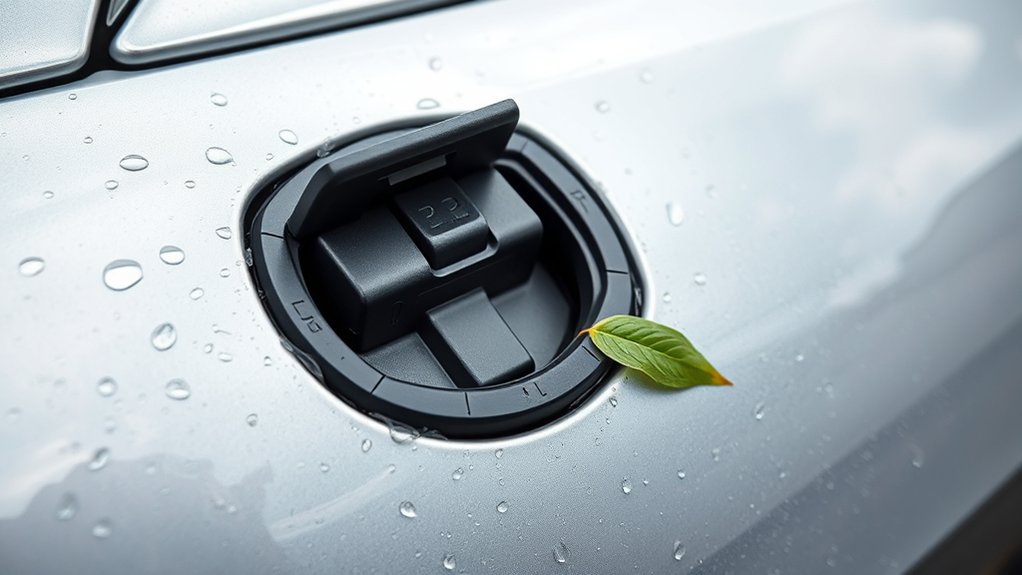
If your EV charge port won’t close, first determine whether the door is manual or powered. Debris, ice, a folded seal, a latch that has not reset, physical misalignment, or a powered-door actuator fault can all keep it open. Stop charging and fully release the connector before inspecting the area. Clean only the outer door, hinge, seal, and latch area. For a manual door, follow the owner’s manual and use only light pressure. For a powered door, use the vehicle or app close control and do not push it manually unless your manual specifically allows it.
Last updated: September 8, 2026 · Author: [VERIFY: add real author/byline and relevant EV-maintenance experience]
Quick Answer
An EV charge-port door usually stays open because dirt or ice is blocking it, the seal or inlet cover is out of position, a manual latch has not reset, or a powered door detects an obstruction or has an actuator fault. Stop charging, remove the connector using the normal unlock procedure, then inspect and clean the outer door area. Never force the flap or spray lubricant into the electrical contacts. If the door is powered, use the vehicle’s approved close control instead of pushing it shut.
Key Takeaways
- First identify whether your charge-port door is manual or powered because the safe closing method is not the same on every EV.
- Debris, frost, seal interference, hinge damage, a latch that has not reset, and powered-door actuator faults can all prevent closure.
- Do not force the door, bend a locking pin, use metal picks, or spray wet lubricant into the charging inlet.
- If the issue occurs only at one public charger, check the charging equipment before assuming the vehicle is faulty.
- Repeated popping open, warning messages, grinding sounds, powered-door reversal, or a stuck connector should be checked using the vehicle manual and, when needed, by a qualified EV technician.
At a Glance
| Manual Door Will Not Latch | Check for dirt, ice, a folded seal, an unclosed inlet cover, latch interference, or visible misalignment. Follow the owner’s manual and do not force it. |
| Powered Door Stops or Reverses | Check for an obstruction, then use the vehicle or app close command. Repeated reversal can indicate a sensor, calibration, actuator, or alignment problem. |
| Connector Will Not Release | Stop the charging session, unlock the vehicle as required, and follow the model-specific cable-release procedure. Do not pull hard on a locked connector. |
| Problem at One Charger Only | The charging equipment may be the cause. After safely ending the session, try another compatible charger before blaming the vehicle. |
Warning: Treat the charging inlet as electrical equipment. Do not insert metal tools, bend pins, spray liquid into the contacts, disassemble the lock, or force a connected charger out of the port. If a connector is stuck while charging, stop the session first and follow your owner’s manual. Do not manually force a powered charge-port door closed.
Why Your EV Charge Port Won’t Close Properly
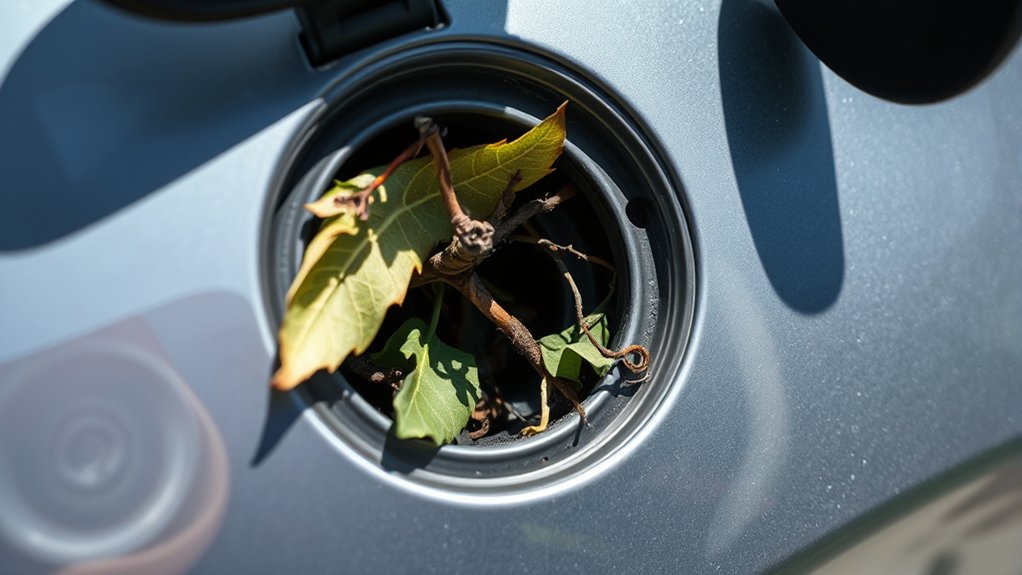
Your EV’s charge port protects several important parts. Behind the door, you may find the charging inlet, weather seals, electrical contacts, communication contacts, a hinge, a spring or motorized door mechanism, and a vehicle-side connector-locking actuator.
Not every EV uses the same design. Some vehicles use a manually operated flap. Others have a powered charge-port door. The connector-locking system is also separate from the outer door on many vehicles. Conductive charging systems use defined vehicle-inlet and connector requirements so the vehicle and charging equipment can connect and manage charging safely. Current North American references include SAE J1772_202401 and SAE J3400_202409.
That distinction matters when troubleshooting. A manual flap that refuses to latch may be obstructed or misaligned. A powered door that stops, reverses, or does not respond can involve its obstruction detection, actuator, alignment, controls, or related electronics. A charging cable that will not release is a third problem and may use a separate emergency-release procedure.
A charge-port problem is not automatically a battery problem. First identify what is actually stuck: the outer door, the door latch or actuator, or the charging connector.
Top Causes of Charge Port Malfunctions
When your EV charge port won’t close, begin with the parts you can inspect without disassembly. The likely cause depends on whether the outer door is manual or powered and whether the charging connector has already been released.
Debris in the Latch or Hinge Area
Dust, grit, leaves, soap residue, road salt, or dried wax can collect around the charge-port door. Debris around the seal, hinge, latch pocket, or an inner charging-inlet cover can stop a manual door from sitting flush or cause a powered door to detect resistance.
Use a flashlight to inspect the visible door edges, seal, hinge area, and latch pocket. Wipe accessible painted and plastic surfaces with a soft microfiber cloth. A soft dry brush can loosen loose dirt. Do not insert tools into the electrical inlet or spray liquid directly into the charging contacts.
Stuck Locking Mechanism
A stuck locking mechanism may affect the charging connector even when the outer door itself is fine. Depending on the EV, a vehicle-side actuator or locking pin can engage or release as charging starts, stops, or the vehicle locks and unlocks.
If the connector is already removed but a manual door will not latch, locking and unlocking the vehicle once may reset some vehicle-controlled mechanisms. If a powered door does not respond, use its approved vehicle-screen, app, key, or exterior control instead of forcing it. Grinding, repeated clicking, repeated reversal, or no expected actuator movement is a reason to stop troubleshooting and arrange service.
Improper Alignment Issues
Improper alignment of the charge-port door can prevent secure closure. A door may sit high, low, or outward if the hinge is damaged, a spring or actuator has a problem, the rubber seal has shifted, or the flap was bumped while open.
Do not push harder to make a visibly crooked door fit. Check whether a seal or secondary inlet cover is out of position and whether the door edge is rubbing the body. A bent, loose, or uneven flap should be inspected before repeated operation causes more damage.
Environmental Factors Impacting Performance
Cold weather and residue around the opening can interfere with the charge-port mechanism even though EV charge inlets are designed for normal outdoor use.
- Ice and frost: Water around the door, seal, or latch can freeze and restrict movement.
- Road salt: Winter residue can leave gritty buildup around the flap and hinge.
- Dust and grime: Dry debris can interfere with a manual latch or powered-door movement.
- Car-wash residue: Water left around the door can later freeze, while high-pressure spray should not be aimed directly at the charging-door mechanism.
Pro Tip: In freezing weather, use the vehicle maker’s cold-weather procedure when one exists. For example, Tesla documents preconditioning and, on supported vehicles, charge-port heating for a frozen latch. Do not substitute boiling water or force for the procedure in your owner’s manual.
Safe Step-by-Step Checklist Before You Force Anything
Use this order before assuming the charge port needs a new part.
- Stop the charging session: If the vehicle is connected, end charging using the charger, vehicle, app, or other approved control.
- Release the connector normally: Unlock the vehicle or connector as required by your model, then remove the plug only after it has released.
- Check the dashboard or app: Read the exact charging, connector, charge-door, or service message instead of diagnosing the problem from an indicator color alone.
- Identify the door type: Determine from the owner’s manual whether the outer charge-port door is manually operated or powered.
- Inspect visible parts: Look for dirt, ice, a folded seal, displaced inlet cover, body-panel interference, or obvious damage.
- Clean gently: Wipe only accessible door, hinge, seal, latch, and surrounding trim surfaces with a soft cloth or soft dry brush.
- Dry or thaw using an approved method: Move the vehicle to a warmer environment or use the manufacturer’s preconditioning or heater procedure if provided.
- Operate the door correctly: For a manual door, follow the owner’s manual and use only light pressure. For a powered door, use the approved close control and do not manually force it.
- Stop if resistance or faults remain: Repeated reversal, grinding, clicking, visible misalignment, or recurring warning messages should be professionally diagnosed.
Early Warning Signs: Does Your Charge Port Need Attention?
A charge-port problem often gives you clues before the door, latch, or connector fails completely. Pay attention to what changed and whether the symptom follows the vehicle from charger to charger.
Charge Recognition Issues
When an EV struggles to recognize a charging cable, the cause may be the charging equipment, vehicle inlet, connector lock, or communication between the vehicle and charger. Common signs include:
- The vehicle does not start charging after the connector is inserted.
- The charging session repeatedly starts and stops.
- The vehicle reports that the connector is not seated, locked, or detected.
- The charger handle appears damaged or becomes unusually difficult to insert or remove.
Do not automatically blame the vehicle. A peer-reviewed field study evaluated 655 public CCS fast-charging ports in the San Francisco Bay Area and found 73.3% functional during testing. Reported causes of nonfunctioning equipment included charge-initiation failures, network or payment problems, error screens, and broken connectors. The study did not examine charge-port doors specifically, but it shows why trying another compatible charger is a useful vehicle-versus-equipment test. See the published DC fast-charger reliability study.
Warning Light Indicators
Charge-port light colors are not universal. Use the exact dashboard, app, or charger message for your model instead of assuming that one color has the same meaning across EV brands.
| Indicator or Message | What It May Point To | What to Do |
|---|---|---|
| Charging fault or service message | Vehicle-side charging fault, inlet problem, connector issue, or charging-equipment fault | Stop and read the exact message and owner-manual procedure before retrying |
| Connector not detected or not locked | Connector seating, connector latch, damaged charging equipment, ice, or inlet issue | End the session if necessary, inspect visible parts, and retry only through the normal procedure |
| Charging paused or interrupted | Vehicle setting, charging-equipment issue, temperature condition, or communication fault | Check both the vehicle message and charging-equipment display or app |
| Powered door stops or reverses | Obstruction, alignment, sensor, actuator, calibration, or control problem | Remove visible obstruction and use the approved door control; seek service if it repeats |
| Repeated disconnects at several chargers | Vehicle inlet, locking mechanism, charging control, or another vehicle-side problem becomes more likely | Record the messages and chargers used, then schedule diagnosis if the pattern continues |
Flap Closure Failures
Flap closure failures can be mechanical or electronic depending on the design. A manual flap that no longer clicks into place points toward obstruction, latch condition, alignment, or hinge damage. A powered flap that moves and then reverses can also involve obstruction detection, calibration, the actuator, or related controls.
Watch for these warning signs:
- Inconsistent operation: The door closes sometimes but not every time.
- New resistance: A manual door feels harder to operate than it previously did.
- Powered-door reversal: The door starts moving and then stops or opens again.
- Unusual noise: You hear grinding, rapid clicking, or an abnormal actuator sound.
- Post-drive changes: The flap pops open or appears loose after vibration or driving.
Charge Port Maintenance Tips for Longevity
Charge-port maintenance should focus on cleanliness, correct operation, and the instructions for your exact vehicle. Harsh cleaners and improvised lubrication can create problems rather than solve them.
- Wipe the outer door and seal: Use a clean microfiber cloth to remove dust, pollen, wax, and salt residue.
- Avoid high-pressure spray: Do not aim a pressure washer directly into the charging-door mechanism or inlet.
- Inspect after winter washing: Remove residue and allow water around the seal and latch to dry before freezing conditions.
- Do not improvise lubricant: Use lubricant only if the owner’s manual specifies a suitable product and application point. Never coat electrical contacts.
- Check safety recalls: Search your VIN through NHTSA’s recall lookup. Also check the manufacturer’s service information for non-recall campaigns or software updates.
Note: Your owner’s manual is the final authority for the operating procedure. A Tesla, Ford, Hyundai, Kia, Rivian, Nissan, Chevrolet, Volkswagen, BMW, Audi, or Porsche may use a different outer door, inlet cover, actuator, locking system, and emergency cable-release design.
Quick Fixes for Charge Port Issues
The safest quick fix depends on the symptom. Use the matching situation rather than repeatedly pushing the door.
- If a manual door will not sit flush: Check the door edge, seal, latch pocket, and any secondary inlet cover for debris, ice, or displacement. Follow the manual before applying closing pressure.
- If a powered door will not close: Remove visible obstruction, then retry with the touchscreen, app, key, exterior control, or other method specified by the manufacturer. Do not force it by hand.
- If the area is frozen: Move the vehicle to a warmer environment or use the manufacturer’s approved preconditioning or charge-port-heater procedure when available. Do not pour boiling water on the port.
- If the connector will not release: Stop charging, unlock it normally, and follow the model-specific emergency cable-release procedure only if normal methods fail.
- If the problem happens at one charger: After safely disconnecting, try another compatible station. Report damaged public charging equipment to the network operator.
If the same symptom returns after these checks, stop repeating the procedure. Recurring resistance, reversal, warning messages, or abnormal sounds should be diagnosed rather than overcome with force.
What Not to Do With a Stuck Charge Port
These shortcuts can turn a small problem into damaged trim, a broken actuator, or a charging-system repair:
- Do not pry the charge-port door open or closed with a screwdriver, knife, key, or metal pick.
- Do not bend, remove, or modify a locking pin to make the door or connector operate.
- Do not spray wet lubricant, water-displacing oil, or cleaner into the electrical inlet or contacts.
- Do not pressure-wash directly into the charging inlet or door mechanism.
- Do not pull hard on a connector that is still locked or actively charging.
- Do not manually push a powered door closed unless the vehicle manufacturer specifically instructs you to do so.
- Do not ignore recurring service warnings, powered-door reversals, or charging interruptions.
Vehicle-Side or Charger-Side? How to Tell the Difference
A charge-port problem can come from the vehicle or the charging equipment, and one simple comparison can narrow the diagnosis.
It is more likely vehicle-side when the outer charge-port door will not operate with no cable connected, the flap is visibly crooked or loose, the powered door repeatedly reverses, the actuator makes abnormal noise, or the same connector-related warning follows the vehicle across multiple compatible chargers.
It is more likely charger-side when the problem occurs only at one public station, the station’s connector is visibly damaged, the handle is unusually difficult to insert, or the charging session fails there while the vehicle works normally elsewhere.
Trying another compatible charger is therefore a useful comparison test. The published Bay Area reliability study found multiple equipment-side causes of failed DC fast-charging attempts, including charge-initiation problems, network or payment failures, and broken connectors. That does not prove a particular station is faulty, but it is a reason to test another station before replacing vehicle parts.
When to Seek Professional Help for Your Charging Port
Contact a dealer or qualified EV technician if the charge port still will not operate after the safe, non-invasive checks above. Service is especially appropriate if you notice any of these symptoms:
- The charge-port door repeatedly pops open or will not remain secure.
- The flap looks bent, loose, damaged, or misaligned.
- A powered door repeatedly stops, reverses, or fails to respond.
- The connector will not unlock after the charging session has stopped and normal release methods have failed.
- You hear grinding, rapid clicking, or another abnormal actuator sound.
- The vehicle shows recurring charging, connector, charge-door, or service warnings.
- The problem began after impact, vandalism, a severe freeze, or forceful charger removal.
Record the exact warning text, where you charged, whether another charger worked, weather conditions, and whether the problem repeats. Photos or app screenshots can give the technician useful diagnostic context and may help document a warranty or insurance claim.
Common Failure Patterns: What the Symptom Suggests
The same phrase — “my charge port won’t close” — can describe several different failures. A manual door that stops just before latching points first toward an obstruction, displaced cover, seal, latch, or alignment problem. A powered door that starts moving and reverses suggests a different path: check for obstruction, then use only the manufacturer-approved control and seek service if the behavior repeats.
A cable that will not release should be treated separately from an outer door that will not close. Some EVs provide an emergency release specifically for the charging cable latch. For example, Tesla documents a manual cable-release procedure that is used only after charging has stopped and normal release methods fail. Do not assume that an emergency cable release is also a manual release for the outer charge-port door.
Frequently Asked Questions
How do I make my EV charging port close tightly?
First check whether the charge-port door is manual or powered. Inspect the visible door edge, seal, hinge, latch area, and any inner inlet cover for dirt, ice, or misalignment. For a manual door, follow the owner’s manual and use only light pressure. For a powered door, use the approved vehicle or app close control rather than forcing it by hand. If it still will not close correctly, arrange service.
Why is my EV charger not latching?
The connector may not be fully seated, the vehicle-side lock may not have engaged, ice or debris may be interfering, or the charging handle may be damaged. Stop the session before removing or reseating the connector. If the same latch problem occurs on several compatible chargers, a vehicle-side inspection is more appropriate.
How much does it cost to fix a car charging port?
The cost depends on what failed. Simple cleaning may require no purchased parts, while a damaged flap, hinge, actuator, charging inlet, wiring component, or locking assembly requires model-specific diagnosis. Warranty, a safety recall, another manufacturer campaign, or insurance may apply depending on the cause. Get the exact failed part diagnosed before approving a repair.
Why is my Tesla charging port not latching?
A Tesla connector latch can fail to engage or release if the connector is not seated correctly, the vehicle has not unlocked it, or the latch is affected by ice or another fault. Stop charging and use the touchscreen, app, connector button, key-based control, or model-specific manual-release procedure described by Tesla. Tesla also warns owners not to manually force its powered charge-port door closed.
Can I use WD-40 on an EV charge port?
Do not spray WD-40 or another general wet lubricant into the charging inlet or electrical contacts. If a mechanical hinge or latch requires lubrication, use only the product and application method specified for your vehicle. When the owner’s manual does not call for lubricant, do not improvise.
Can I drive with the EV charge-port door open?
Do not treat driving with the charge-port door open as normal operation. An exposed or projecting door can be damaged by movement, debris, or contact, and some manufacturers specifically instruct owners to close the charging door before driving. Follow the guidance for your exact vehicle and arrange service if the door cannot be secured.
What should I do if my EV charge port is frozen?
Do not force a frozen door or connector and do not pour boiling water over the charge port. Move the vehicle to a warmer environment or follow the cold-weather procedure in the owner’s manual. Some EVs provide preconditioning or a charge-port heater that can help thaw a frozen latch.
Conclusion
If your EV charge port won’t close, first identify whether the problem is the outer door, its latch or actuator, or the charging connector. Then determine whether the outer door is manual or powered. Remove visible debris or ice without touching the electrical contacts, follow the vehicle’s approved closing or release procedure, and never overcome resistance with force. If the door remains misaligned, reverses repeatedly, makes abnormal noise, pops open, or produces recurring charging warnings, stop troubleshooting and have the system inspected by a qualified EV technician.
Sources
- SAE International — J1772_202401 Electric Vehicle Conductive Charge Coupler — current SAE reference used for North American J1772 conductive charging terminology and vehicle-inlet/connector requirements.
- SAE International — J3400_202409 North American Charging System — current SAE reference for NACS conductive charging requirements.
- Tesla Model 3 Owner’s Manual — Charging Instructions — supports powered charge-port operation, frozen-latch guidance, cable unlocking, and the warning against manually closing the powered door.
- Hyundai Owner’s Manual — Closing the Electric Charging Door — supports model-specific manual door operation, ice guidance, closing before driving, and avoiding direct high-pressure washing.
- Rempel et al. — Reliability of Open Public Electric Vehicle Direct Current Fast Chargers — peer-reviewed field evidence supporting charger-side failures including charge-initiation, network, payment, and broken-connector problems.
- NHTSA Recall Lookup — official U.S. resource for checking VIN-specific safety recalls.

