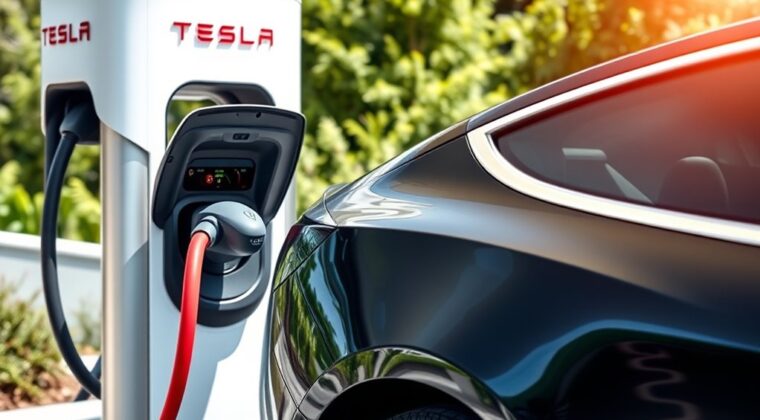
Using a Tesla Supercharger for the first time is simple once you know whether you are charging a Tesla or another compatible EV. For most Tesla drivers, the process is plug in, wait for the green charging light, monitor progress, and unplug when you have enough range. For non-Tesla EV drivers, you may need the Tesla app, a compatible station, and the right NACS or Magic Dock setup before you plug in.
Quick Answer
To use a Tesla Supercharger, add a payment method in the Tesla app, navigate to a compatible Supercharger, open the charge port, plug in the connector, and wait for the charge port light to flash green. Monitor charging in the app or on the touchscreen, then unplug and move your vehicle when finished.
Key Takeaways
- Tesla drivers usually do not need to start a session manually. Plug in, wait for the green light, and payment is handled through the Tesla app.
- Non-Tesla EV drivers must check compatibility first because some Superchargers are Tesla-only, some use Magic Dock, and some require NACS access through the vehicle maker.
- Charging is usually fastest at a lower battery percentage and slows as the battery fills, especially above 80%.
- Costs vary by site and may be billed per kWh or per minute. Some locations also use peak, off-peak, live pricing, or congestion fees.
- Move your vehicle when charging is complete so you avoid fees and free the stall for the next driver.
At a Glance
| Time Required | About 15 to 45 minutes, depending on vehicle, battery level, charger speed, weather, and how much range you need. |
| Difficulty | Easy for Tesla drivers; easy to moderate for non-Tesla EV drivers because compatibility and adapter rules matter. |
| Tools Needed | Tesla app, Tesla account, saved payment method, compatible EV, and an approved adapter if your non-Tesla EV requires one. |
| Cost | Varies by location, time, pricing model, vehicle, battery level, and possible congestion fees. Check the station pin in the Tesla app or vehicle screen before charging. |
Before You Go: Set Up the Tesla App and Payment
Before your first Supercharger stop, download the Tesla app, sign in to your Tesla Account, and add a payment method. Tesla says Supercharging payments for Tesla vehicles are managed through the Tesla app, and you need a selected payment method on file before using a Supercharger.
For a Tesla vehicle, make sure the car appears in your Tesla app and that your billing address and default payment method are correct. You can usually start charging by plugging in. You do not need to swipe a card at most Supercharger stalls.
For a non-Tesla EV, use Tesla app version 4.30.5 or later, select Charge Your EV or Charge Your Other EV, add your vehicle details, and add a payment method before you leave. This helps the app show only the Superchargers that can work with your vehicle.
Note: If you bought a used Tesla from a third party, make sure ownership has been transferred in the Tesla app. If the vehicle is not in your account, you may not be able to manage Supercharging payments correctly.
Find a Compatible Tesla Supercharger
The easiest way to find a Supercharger is through your Tesla touchscreen or the Tesla app. Tesla’s Trip Planner can add charging stops to your route based on your destination, current charge, driving conditions, elevation, traffic, and stall availability.
If you drive a Tesla, tap the charging icon or enter your destination and let Trip Planner suggest stops. If you drive another EV, open the Tesla app and use Find a Charger to see sites that are open to your vehicle. Tesla also offers an official Find Us map for checking station locations.
Most Supercharger stations are open for charging 24 hours a day, but nearby bathrooms, restaurants, shops, and parking facilities may have separate business hours. If a Supercharger has limited hours, Tesla displays that information on the station details screen.
Understand Tesla Supercharger Types
Tesla lists more than 80,000 global Superchargers, but not every stall works with every EV. Compatibility depends on the station type, the vehicle, the connector, and whether your automaker has enabled access.
| Supercharger Type | Who Can Use It | What to Know |
| Tesla-only Supercharger | Tesla vehicles only | These sites do not appear as usable options for many non-Tesla EVs in the Tesla app. |
| All EVs Supercharger | Compatible Tesla and non-Tesla EVs | These use a Magic Dock adapter built into the post for CCS1-equipped vehicles. |
| NACS Supercharger | Tesla vehicles and supported non-Tesla brands | Access opens by automaker. NACS-equipped vehicles may not need an adapter; older CCS1 vehicles may need a manufacturer-provided NACS DC adapter. |
V3 Superchargers can deliver peak rates up to 250 kW when your vehicle and conditions allow. Tesla says V4 Superchargers in North America can charge Model S, Model 3, Model X, and Model Y up to 250 kW, while Cybertruck can charge up to 325 kW at V4 Superchargers. Actual speed depends on battery temperature, state of charge, vehicle configuration, charger capacity, weather, and site demand.
Prepare Your Vehicle for Supercharging
Before you arrive, check your battery level, route, and charge limit. Supercharging is best for road trips and fast top-ups, not daily home charging. Tesla says charging speeds slow as the battery fills, so charging from a low percentage to around 70% or 80% is usually much faster than charging from 80% to 100%.
If you use Tesla navigation to route to a Supercharger, your vehicle can prepare the battery for faster charging before arrival. This is called battery preconditioning. It can reduce charging time, especially in cold weather.
Pro Tip: Enter the Supercharger as your destination in the vehicle navigation before you arrive. This helps your Tesla plan the stop and may precondition the battery for a faster session.
How to Use a Tesla Supercharger With a Tesla
Once you arrive, choose an open stall, park straight, and make sure the cable can reach your charge port without pulling hard on the connector.
- Open the charge port. Use the touchscreen, the Tesla app, or press the bottom of the charge port door while the vehicle is unlocked.
- Plug in the Supercharger connector. Push it in firmly until it seats fully.
- Watch the charge port light. A flashing green light means charging has started.
- Check the screen or app. You can see battery percentage, estimated time remaining, charging speed, cost estimate, and added range.
- Set a practical charge limit. For most trips, charge only enough to reach your next stop with a comfortable buffer.
- Stop and unplug when finished. Press and hold the button on the connector handle to release the latch, then pull the connector out and return it to the post.
- Move your vehicle. Once the session is complete, move from the stall so another driver can charge.
Tesla lists Superchargers as capable of adding up to 200 miles of range in about 15 minutes, but that is an “up to” figure. Your real charging speed depends on the vehicle, charger, battery temperature, state of charge, and site conditions.
Using Tesla Superchargers With a Non-Tesla EV
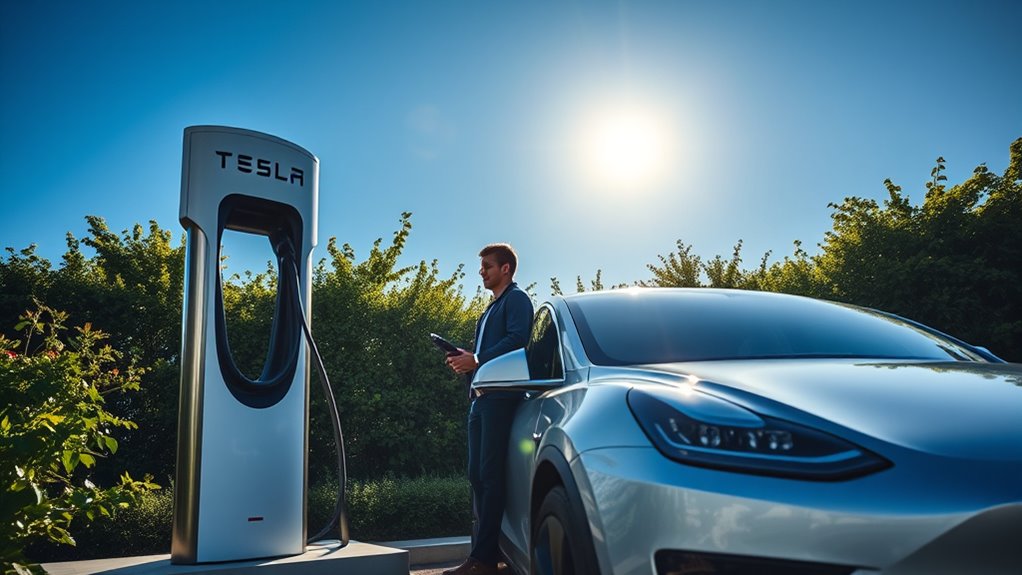
If you drive a non-Tesla EV, check compatibility in the Tesla app before you go. Tesla says select Superchargers are open to other EVs that are NACS-equipped or have supported NACS DC adapters. Some locations use Magic Dock, which provides the adapter at the charging post.
- Open the Tesla app. Use version 4.30.5 or later for non-Tesla EV charging.
- Select your charging option. Tap Charge Your EV or Charge Your Other EV, then add your vehicle details if prompted.
- Choose a compatible Supercharger. The app should show sites that work with your vehicle.
- Select the correct post. Each Supercharger post has a unique label, such as 4A. Select that exact post in the app.
- Unlock the Magic Dock or attach the approved adapter. Follow the app prompts before plugging into your vehicle.
- Plug in within the time window. Tesla notes that if you do not remove the connector within 30 seconds and plug in within one minute after selecting a post, you may need to start over.
- Monitor the session in the app. When you are done, tap Stop Charging, disconnect, and return the cable and adapter correctly.
Warning: Do not force a connector and do not use a third-party adapter at a Tesla Supercharger. Tesla says Supercharging is only accessible for NACS-equipped vehicles and CCS1-equipped vehicles using an NACS DC adapter provided by Tesla or your vehicle manufacturer. Using the wrong adapter can damage your vehicle or create a safety risk.
Monitor Charging Progress in the App
During the session, the Tesla app and the vehicle screen can show your current battery percentage, charging speed, range added, time remaining, and cost estimate. The app can also send a notification when charging is almost done or complete.
If you need to leave early, stop charging in the app or on the vehicle screen before unplugging. For a Tesla, you can release the connector by pressing the button on the handle. For a non-Tesla EV, follow the Tesla app prompts and your vehicle’s charge-port instructions.
Try not to charge to 100% unless you truly need it for the next leg of your trip. Charging above 80% is usually slower, and busy Supercharger sites may apply extra fees once your vehicle reaches the congestion-fee threshold or once the session ends.
Finish Your Supercharging Session
When you have enough range, end the session and unplug. Tesla vehicles usually process payment automatically through the selected payment method in the Tesla app after you disconnect. You can view Supercharging invoices in the app under charging history.
For non-Tesla EVs, tap Stop Charging in the Tesla app before disconnecting. If you started the session through the app, a temporary authorization hold may appear on your payment method. Tesla says the hold may take a few days to release depending on the financial institution.
After unplugging, return the cable neatly to the post and move your vehicle. Leaving a vehicle connected after charging is done can block other drivers and may trigger fees at busy locations.
Understanding Supercharging Costs and Payment Methods
Supercharging prices vary by station. Tesla says pricing is shown on the selected Supercharger pin in the Tesla app or on the vehicle touchscreen. Whenever possible, Tesla bills per kWh. In some areas, charging is billed per minute, with different tiers based on charging speed.
Some Supercharger locations have peak and off-peak pricing. Tesla has also introduced live pricing at some high-demand charging sites, where prices can change based on real-time occupancy. Your price is locked once the session starts.
| Cost or Fee Type | What It Means | Where to Check |
| Per kWh | You pay for the energy delivered to the battery. | Tesla app or vehicle touchscreen |
| Per minute | You pay based on plug-in time and the charging-speed tier. | Station pricing screen |
| Peak or off-peak pricing | Some sites cost more during busy times and less during quieter times. | Tesla app or vehicle touchscreen |
| Live pricing | At some high-demand sites, price can be based on current occupancy. | Tesla app indicators |
| Congestion fee | At busy sites, extra fees may apply when the battery is at or above the congestion-fee level, often 80%, or when charging has ended. | Tesla app or vehicle touchscreen |
A Supercharging Membership is available for non-Tesla EV owners using the Tesla app at select sites. It can lower the charging rate to Tesla-vehicle pricing at participating locations, but it is not required to use Superchargers that are open to other EVs.
How to Avoid Supercharger Fees and Delays
Supercharger fees are designed to keep stalls available. Tesla’s congestion fee can apply when a site is busy and your vehicle is at or above the congestion-fee level, or when the session has ended. Tesla gives a five-minute grace period before the fee begins.
- Use Trip Planner so the vehicle can choose efficient stops.
- Charge only to the level needed for the next part of your trip.
- Turn on app notifications so you know when charging is almost done.
- Move your vehicle as soon as the session is complete.
- Avoid using a Supercharger stall as a parking space.
Parking, Cable Reach, and Charging Etiquette
Park straight in the stall and avoid blocking nearby posts. This matters more for non-Tesla EVs because charge-port locations vary by model. Tesla says some non-Tesla EVs may need to park over the line to reach the cable, but drivers should avoid diagonal parking and obstruct as few charge posts as possible.
Be patient if the station is busy. Check the app for stall availability before arriving, and use another open post at the same site if one stall looks damaged, blocked, or out of service.
Troubleshooting Common Charging Issues
If Supercharging does not start, check the simple causes first. Most issues come from payment setup, incompatible stations, a loose connector, a cold or nearly full battery, or selecting the wrong post in the app.
| Problem | Likely Cause | What to Do |
| Charging does not start | Connector not seated, payment issue, wrong stall selected, or incompatible site | Unplug, check the app, confirm the post ID, reseat the connector, and verify payment. |
| No flashing green light | Charging has not begun | Make sure the charge port is open and the connector is fully inserted. |
| Charging is slower than expected | Cold battery, high state of charge, busy site, vehicle limit, or charger limit | Use navigation preconditioning, charge at a lower battery percentage, and check the station’s max kW. |
| Non-Tesla EV cannot plug in | Station not open to your vehicle, wrong adapter, or cable reach issue | Check compatibility in the Tesla app, use only approved adapter equipment, and try another stall if needed. |
| A charger looks broken | Damaged cable, blocked stall, or inoperative post | Use another post and report the issue in the Tesla app. Tesla says reporting requires app version 4.39.0 or later. |
Frequently Asked Questions
How do you charge a Tesla at a Supercharger for the first time?
Add a payment method in the Tesla app, drive to a Supercharger, open the charge port, plug in the connector, and wait for the charge port light to flash green. Monitor the session on the touchscreen or in the app, then unplug and move your vehicle when you have enough charge.
How do you pay at a Tesla Supercharger?
For Tesla vehicles, Supercharging is usually billed automatically to the selected payment method in the Tesla app. Non-Tesla EV drivers can pay through the Tesla app at compatible sites. A limited number of sites also support direct payment at the Supercharger using a major credit card, mobile payment, or text-to-pay.
How do you activate a Tesla Supercharger?
For a Tesla, activation usually happens automatically after you plug in. For a non-Tesla EV, open the Tesla app, select the correct Supercharger post, unlock the Magic Dock or use the approved adapter if needed, and follow the prompts before plugging in.
Is Tesla charging me $9.99 a month?
Tesla does not charge every Supercharger user a monthly fee. You pay for Supercharging sessions as you use them. A monthly Supercharging Membership is optional for non-Tesla EV owners who want Tesla-vehicle pricing at select sites through the Tesla app.
Should I charge to 100% at a Supercharger?
Usually, no. Charging slows as the battery fills, so the last 20% can take much longer. For most trips, charge enough to reach your next stop with a safe buffer. Charge to 100% only when your route or conditions truly require it.
Can any non-Tesla EV use a Tesla Supercharger?
No. Non-Tesla access depends on the station type, vehicle brand, connector, and adapter. Use the Tesla app to confirm that a specific Supercharger is compatible with your EV before driving there.
Conclusion
A Tesla Supercharger is one of the easiest fast-charging options once your account, payment method, and route are ready. Tesla drivers can usually plug in and charge automatically, while non-Tesla EV drivers should confirm compatibility in the Tesla app and use only approved adapter equipment. For the smoothest stop, navigate to the Supercharger, charge only as much as you need, watch the app for progress and fees, and move your vehicle as soon as you are finished.
Sources
- Tesla Support: Supercharging — charging steps, payment method requirements, speeds, V3/V4 details, Trip Planner, invoices, and troubleshooting.
- Tesla Supercharger — global Supercharger count, up-to-200-mile charging claim, Trip Planner overview, and real-time app monitoring.
- Tesla Support: Supercharging Other EVs — non-Tesla EV compatibility, Magic Dock, NACS access, payment, adapter rules, and cable-reach guidance.
- Tesla Support: Supercharger Fees — congestion-fee rules, grace period, billing, and country/region fee examples.
- Tesla Support: Understanding Live Pricing — live pricing, occupancy indicators, and price-lock timing.
- Tesla NACS: Charging for All — NACS access, supported automakers, and Supercharger access expansion.