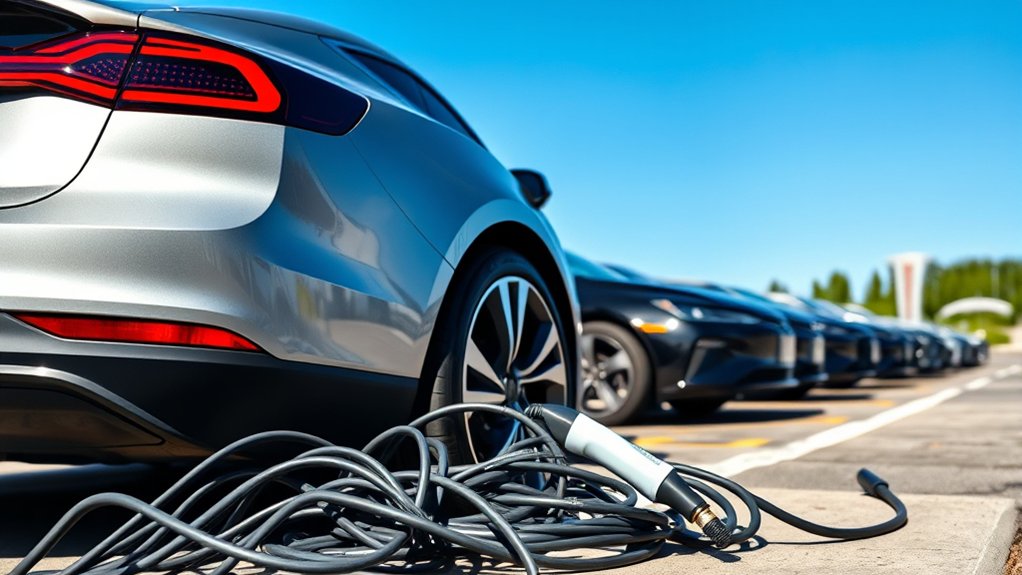
If your EV charging session won’t start today, start with the simple checks first: confirm the cable is fully seated, make sure the charger matches your vehicle’s plug type, check the station or app status, and review your payment method. If you are charging at home, also check whether a timer, charge limit, tripped breaker, or damaged cable is stopping the session.
Quick Answer
An EV charging session usually fails to start because of a loose connector, incompatible plug, inactive charger, payment problem, app or network issue, scheduled charging setting, charge limit, or vehicle-side fault. Check the cable first, then confirm the station status, payment, app, and vehicle settings before resetting anything.
Key Takeaways
- A charging session can fail even when the charger looks powered, so check the vehicle screen, charger screen, and app status together.
- Plug type matters. In North America, many AC chargers use J1772 or J3400/NACS, while DC fast chargers may use CCS, CHAdeMO, or J3400/NACS.
- Payment, network, and station errors are common at public chargers. Try another stall before assuming your EV has a problem.
- Stop troubleshooting and call support if you see a damaged cable, hot connector, burning smell, repeated breaker trips, or a warning light that will not clear.
At a Glance
| Time Required | 5–15 minutes for basic checks; longer if the station, account, or vehicle needs support |
| Difficulty | Easy for driver checks; call a professional for electrical faults |
| Tools Needed | Charging app, payment card, phone signal or Wi-Fi, flashlight, vehicle manual |
| Cost | Usually $0 for basic troubleshooting; repair costs vary if the cable, charger, outlet, breaker, or vehicle port is faulty |
Identifying Common Charging Issues
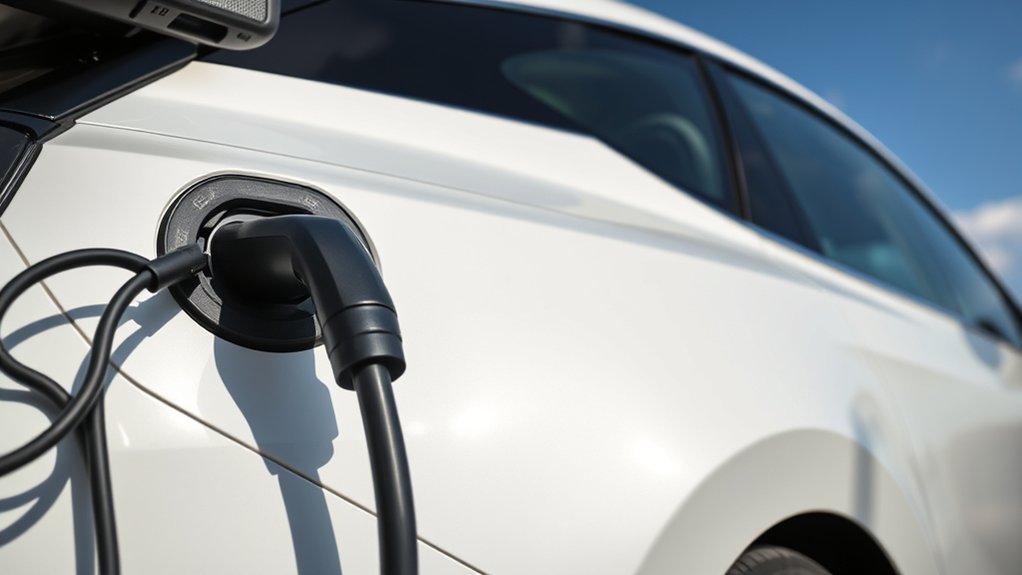
When you are ready to leave and your EV won’t charge, the problem is usually in one of five places: the vehicle settings, the charging cable, the charging port, the charging station, or the payment and network system.
Charging speed and behavior also depend on the equipment and the vehicle. The U.S. Department of Energy’s Alternative Fuels Data Center explains that charging time can vary by battery state of charge, battery capacity, onboard charger capacity, charger output, and electrical service. AFDC also explains that Level 1, Level 2, and DC fast charging use different power levels and connectors.
Start with the checks that do not require tools. Look for an error message, confirm the plug is fully seated, check the vehicle’s charging screen, and make sure the session is not waiting for a scheduled start time.
Warning: Do not use a charger, cable, adapter, or outlet if you see exposed wires, melted plastic, a burning smell, smoke, visible arcing, or a connector that feels unusually hot. Stop charging and contact the station operator, your charger manufacturer, or a licensed electrician.
Check Scheduled Charging and Charge Limits First
Before blaming the charger, check your EV’s charging settings. Many vehicles let you schedule charging for off-peak utility rates, limit the maximum battery percentage, or delay charging until a set departure time.
If your EV is plugged in but waiting, the vehicle screen may show “scheduled,” “waiting,” “charge later,” or a similar message. Open the vehicle app or infotainment screen and check:
- Scheduled charging: Turn it off temporarily if you need power now.
- Charge limit: If the battery is already at the set limit, the session may not start.
- Departure time settings: The vehicle may be delaying charging to finish closer to your planned departure.
- Port lock status: Some EVs will not start if the connector is not latched or locked correctly.
Pro Tip: If the vehicle says “waiting” instead of “charging,” the problem may be a setting, not a broken charger. Disable timers for one test session, then turn them back on later if you use off-peak charging.
Confirm Charger Compatibility
Ensuring charger compatibility is essential because not every charging plug works with every EV. Check your owner’s manual or charging app for the connector your vehicle supports.
For North American drivers, common public and home charging connectors include:
- J1772: Common for Level 1 and Level 2 AC charging on many non-Tesla EVs and plug-in hybrids.
- CCS: A common DC fast-charging connector for many battery-electric vehicles.
- CHAdeMO: An older DC fast-charging connector used by some vehicles, including certain Nissan Leaf models.
- J3400/NACS: The connector based on Tesla’s design, used by Tesla vehicles and increasingly adopted by other brands.
The U.S. Department of Transportation notes that Level 2 charging is common for home, workplace, and public use, while DC fast charging is often found along high-traffic corridors. Most plug-in hybrids do not work with DC fast chargers, so a fast-charger plug may not help if your vehicle is AC-only.
If you are using an adapter, remove it and inspect both ends. Then reconnect it firmly. A slightly loose adapter can stop the charger and vehicle from completing their handshake.
Check Your Charging Cable, Connector, and Port
A loose or dirty connector is one of the easiest problems to fix. Make sure the charging cable is fully inserted into both the EV and the station or wall unit. Listen for the latch click if your connector uses one.
Inspect Cable Condition
Look over the cable before starting a new session. Do not force anything. A safe cable should be clean, intact, and free from obvious damage.
- Look for fraying, cracks, flattened sections, exposed wires, or melted areas.
- Check the connector face for dirt, snow, ice, moisture, or debris.
- Confirm the cable is not pulled tight or stretched across the parking space.
- Make sure the cable and adapter match your EV model and charging type.
If the cable looks damaged, do not use it. At a public charger, report the stall in the app or call the support number on the station.
Secure Connection Check
After the cable looks safe, unplug and reconnect it. Push the connector straight in until it is fully seated. If your vehicle locks the charge port, wait a few seconds for the lock to engage.
Then check three places for confirmation:
- Vehicle screen: Look for “charging,” “connected,” or an error message.
- Charging station screen: Look for “ready,” “authorizing,” “charging,” or a fault code.
- Charging app: Make sure the correct stall or connector is selected.
If the station says the connector is unavailable while the vehicle says it is connected, the charger may have a communication or network issue.
Check the Public Charger Status
At a public station, a charger can appear available in an app but still fail at the stall. Independent field testing of public DC fast chargers has found problems such as unavailable screens, payment failures, charge-initiation failures, network failures, and broken connectors.
Use this public-charger checklist:
- Confirm the stall number in the app matches the charger you plugged into.
- Check whether the charger screen shows an error, maintenance mode, or unavailable status.
- Try a different connector on the same unit if the charger has more than one connector and your EV supports it.
- Move to another stall if one is open.
- Check recent user comments in your charging app if the network provides them.
- Call the support number on the station if the charger took payment but did not start.
For federally funded stations, the National Electric Vehicle Infrastructure standards require payment access, network connectivity standards, and uptime reporting. The Federal Register rule also says each charging port must have an average annual uptime greater than 97%, but real-world driver experience can still vary by location, network, and maintenance response.
Check App, Phone, and Network Stability
A reliable connection can matter when a station uses an app, account login, QR code, or remote authorization. If the app cannot communicate with the charger, your session may never move from “authorizing” to “charging.”
Try these steps:
- Check mobile data: Make sure cellular data is on and roaming is enabled if you are traveling.
- Switch connections: If Wi-Fi is weak, try cellular data. If cellular is weak, try available Wi-Fi.
- Restart the app: Close it fully, reopen it, and select the correct charger again.
- Update the app: Install any available update if the app will not authorize the session.
- Restart your phone: This can refresh Bluetooth, NFC, and network connections.
If the app still fails, use the card reader, RFID card, Plug & Charge option, toll-free number, or SMS option if the station offers one. The Federal Register’s NEVI standards require federally funded charging stations to provide contactless debit or credit card payment plus either automated toll-free phone or SMS access unless charging is permanently free.
Troubleshoot Payment Method Issues
Payment problems can stop an EV charging session before power starts flowing. The charger may show “authorization failed,” “payment declined,” “account issue,” or “session failed.”
Check the following:
- Make sure your default payment card is active and not expired.
- Confirm your billing ZIP code or card security code if the app asks for it.
- Check whether your account has a failed balance, hold, or required update.
- Try a different payment method if the first one fails.
- Use contactless card payment at the charger if the app fails.
- Call the station operator if your card was charged but no energy was delivered.
Some networks place a temporary pre-authorization hold on your card. That is different from the final charging cost, but a declined hold can still block the session.
Address App and Software Glitches
When your EV charging session will not start, the app, charger software, or vehicle software may be stuck. Start with the least disruptive steps.
- Close and reopen the charging app.
- Confirm the app is logged into the right account.
- Install app updates if available.
- Clear the app cache if your phone allows it.
- Restart your phone.
- Try starting the session from the charger screen instead of the app.
- Try starting from the vehicle app if your vehicle supports it.
If the same app fails at multiple stations on the same network, the issue may be your account, payment profile, or the network’s backend system.
Check Vehicle-Side Causes
If the charger works for other drivers or another charger gives the same error, look at the vehicle side. Your EV may pause or reject charging when it detects a port fault, battery temperature issue, software problem, or charge limit conflict.
Review these vehicle-side checks:
- Battery state of charge: If the battery is already at the limit you set, the session may not begin.
- Battery temperature: In cold weather, DC fast charging may start slowly while the battery warms. Use battery preconditioning if your EV offers it.
- Gear selection: Make sure the vehicle is in Park.
- Doors and locks: Some EVs require the charge-port lock or vehicle lock state to settle before charging begins.
- Warning messages: Read the vehicle screen before unplugging. The error wording can help support diagnose the problem.
- Software updates: Install vehicle updates when available, especially if your manufacturer mentions charging improvements.
Note: A slow DC fast-charging start in cold weather is not always a fault. The vehicle may limit charging speed until the battery reaches a safer temperature.
Home Charger Troubleshooting
If your home charger will not start, separate the problem into three areas: the vehicle, the charger, and the home electrical supply.
Try these safe checks first:
- Check that the wall charger has power and no visible fault light.
- Confirm the vehicle is not waiting for a scheduled charge.
- Test the portable cord or wall unit only as your manufacturer allows.
- Check your app for a charger firmware update.
- Review the charger manual for the exact meaning of blinking lights or error codes.
If a breaker has tripped, reset it once only if it is safe to do so and you know which breaker controls the charger. If it trips again, stop using the charger and call a licensed electrician. Repeated trips can point to overload, ground-fault issues, damaged equipment, or wiring that needs professional inspection.
ENERGY STAR advises EV owners to choose safety-tested chargers and contact a licensed electrician to evaluate whether home wiring, outlets, and other hardware can support the EV’s charging requirements. ENERGY STAR also notes that certified EV chargers are tested for safety by a nationally recognized testing laboratory.
Next Steps If You’re Still Stuck
If you have checked the cable, connector, app, payment method, station status, and vehicle settings, move to a controlled reset.
- End the session in the app or on the charger screen.
- Unlock the vehicle and unplug the connector.
- Wait 30–60 seconds.
- Restart the app or phone if authorization failed.
- Plug in again and wait for the latch or port lock.
- Start the session from the charger screen, app, RFID card, or contactless card.
- If it fails again, try another stall or another charging network.
Record the charger ID, error code, time, location, and payment status before calling support. This makes it easier for the operator to find the failed session and reverse any incorrect charge.
When to Stop and Call Support
Some problems should not be forced. Stop troubleshooting and get help if you notice any of the following:
- The connector, cable, adapter, outlet, or wall unit is hot to the touch.
- You smell burning plastic or see smoke, sparks, or melted material.
- The breaker trips more than once.
- The vehicle shows a high-voltage, battery, or charging-system warning.
- The connector is stuck in the vehicle and normal unlock steps do not release it.
- The station charged your card but did not deliver power.
For a public charger, call the station operator. For a home charger, contact the charger manufacturer or a licensed electrician. For vehicle warnings, contact your EV manufacturer or dealer service department.
Frequently Asked Questions
How do you reset an EV charging station?
End the session first, unplug the connector, wait 30–60 seconds, then try again. At a public charger, use the app, station screen, RFID card, or contactless card to restart authorization. Do not open charger cabinets or reset electrical equipment you are not authorized to handle.
Why is my EV charging not working?
Your EV may not be charging because the connector is loose, the plug type is incompatible, the charger is offline, the payment failed, the app cannot authorize the session, scheduled charging is enabled, the battery is already at its limit, or the vehicle detected a fault.
Why is my EV not starting after charging?
If the EV will not start after charging, make sure the connector is fully unplugged, the charge-port door is closed, the vehicle is in Park, and the key or phone-as-key is detected. If the dashboard shows a battery, high-voltage, or drivetrain warning, contact roadside assistance or your vehicle manufacturer.
What is the most common problem with vehicle charging systems?
There is no single problem that explains every charging failure. Common causes include loose or dirty connectors, incompatible plugs, payment authorization failures, charger network faults, broken public charger hardware, scheduled charging settings, and vehicle-side software or battery-temperature limits.
Why does the charger say connected but not charging?
“Connected but not charging” often means the cable handshake worked, but the session has not been authorized or the vehicle is waiting. Check scheduled charging, charge limit, payment authorization, app status, and station error messages.
Can cold weather stop an EV charging session?
Cold weather usually slows charging rather than stopping it completely. A cold battery may accept power at a reduced rate until it warms up. If your EV has battery preconditioning, use it before DC fast charging in low temperatures.
Conclusion
If your EV charging session won’t start today, work through the problem in order: settings, connector, cable, charger status, app, payment, and vehicle warnings. Most failures come from simple issues such as a loose plug, wrong connector, delayed charging schedule, failed payment, or public charger fault. If you see damaged equipment, repeated breaker trips, heat, smoke, or a persistent vehicle warning, stop troubleshooting and get professional help before trying again.
Sources
- U.S. Department of Energy Alternative Fuels Data Center: Electric Vehicle Charging Stations — charging levels, connector types, charging-time variables, and EVSE terminology.
- U.S. Department of Transportation: Charger Types and Speeds — Level 1, Level 2, and DC fast-charging speed ranges and use cases.
- Federal Register: National Electric Vehicle Infrastructure Standards and Requirements — payment access, uptime, network connectivity, and federally funded charger standards.
- ENERGY STAR: Electric Vehicle Chargers — charger safety certification, Level 1 and Level 2 buying guidance, and licensed electrician recommendations.
- Reliability of Open Public Electric Vehicle Direct Current Fast Chargers — field study identifying public DC fast-charger failure categories such as payment, network, screen, initiation, and connector problems.