
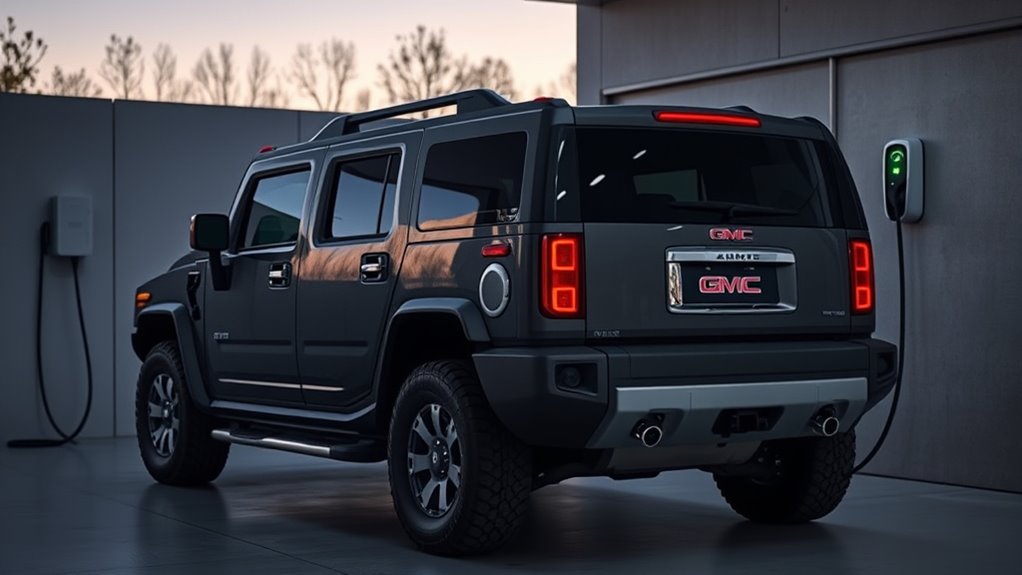
Charging your GMC Hummer EV at home is easiest when you pair the truck or SUV with a properly sized Level 2 charger, a dedicated circuit, and safe daily charging habits. The exact setup depends on your electrical panel, local code, charger output, and vehicle configuration, so plan the installation before you buy the highest-amp charger available.
Quick Answer
To charge a GMC Hummer EV at home, use a Level 2 EV charger on a dedicated 240V circuit sized by a licensed electrician. Set the charger output to match the circuit, plug in securely with the vehicle in Park, confirm charging in the app or vehicle screen, and use an 80–90% daily charge target unless you need full range.
Key Takeaways
- A Level 2 home charger is the practical choice for routine Hummer EV charging because the battery is large and Level 1 charging is too slow for most owners.
- Do not assume a 50A breaker means 50A charging. A 50A circuit commonly supports a 40A EVSE setting because EV charging is a continuous load.
- High-output 80A charging can require a much larger circuit, proper conductor sizing, permits, and a panel load calculation.
- For daily driving, a target charge around 80–90% helps reduce time spent at a high state of charge while keeping the Hummer EV ready.
At a Glance
| Time Required | 15–30 minutes to set charging preferences; several hours to a full day for professional charger installation, depending on panel work and permits. |
| Difficulty | Easy for daily plug-in use; professional-level for circuit installation or panel upgrades. |
| Tools Needed | NRTL-listed Level 2 EVSE, compatible connector or adapter, myGMC app or vehicle charging screen, and a licensed electrician for installation. |
| Cost | Varies widely by charger, labor, distance from panel, permits, and whether the home needs a panel or service upgrade. |
Choose the Best Hummer EV Home Charger
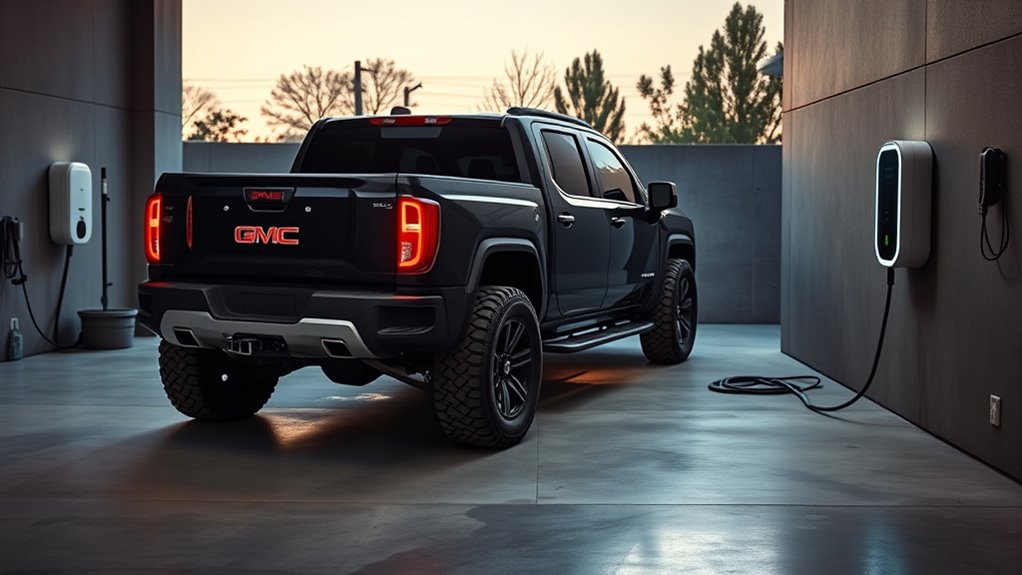
For most owners, the best GMC Hummer EV home charger is a Level 2 charger that matches the home’s real electrical capacity. A lower-output charger that is correctly installed is safer and more useful than a high-output charger placed on an overloaded panel.
Start with the output level you actually need. A Hummer EV has a large battery, so Level 2 charging is the practical daily setup, but you do not always need the maximum 80A option. A 40A or 48A charger can be enough if you plug in overnight and drive normal daily miles.
Choose the charger output your home can safely support, not just the highest number printed on the charger box.
The GM Energy PowerShift Charger is a high-output option rated up to 19.2 kW and 80A, and it can pair with GM Energy vehicle-to-home equipment for compatible GM EVs. It is worth considering if you want a GM-backed high-output setup or future home backup capability, but it requires the right electrical installation.
Third-party units such as ChargePoint, Grizzl-E, Autel, Tesla Universal Wall Connector, and other Level 2 chargers can also work when they are compatible with your vehicle connector or adapter and are installed correctly. Look for a real safety certification from a Nationally Recognized Testing Laboratory, such as UL, ETL, CSA, or another OSHA-recognized NRTL.
Common Home Charger Output Options
| EVSE Output Setting | Common Dedicated Circuit | Best For |
|---|---|---|
| 32A | 40A circuit | Moderate daily driving and homes with limited spare capacity. |
| 40A | 50A circuit | A strong everyday setup for many home garages. |
| 48A | 60A circuit | Faster overnight charging when the panel has enough capacity. |
| 80A | 100A circuit | High-output charging with compatible equipment, proper wiring, and sufficient service capacity. |
Note: Charging speed depends on the EVSE output, vehicle onboard charging capability, battery temperature, state of charge, and software settings. A charger cannot force the vehicle to accept more power than the vehicle and circuit allow.
Check Your Home Electrical Setup
Before you install a Hummer EV charger, have a licensed electrician check your panel, existing loads, grounding, available breaker space, wire route, and local permit requirements. A 200A service panel is often helpful for high-output charging, but it is not the only safe setup. The correct answer comes from a load calculation.
Warning: Do not install a high-amperage EV charger on an undersized circuit, worn receptacle, extension cord, or shared garage circuit. EV charging runs for hours, so heat buildup at weak connections can become a fire risk.
Service Panel Capacity
Your service panel must have enough spare capacity for the charger plus your normal home loads, such as HVAC, electric range, dryer, water heater, pool equipment, and other large appliances. If the load calculation is tight, your electrician may recommend a lower EVSE setting, load management device, panel upgrade, or service upgrade.
This is why the highest-output charger is not always the best first choice. A 40A or 48A Level 2 charger may fit many homes more easily, while an 80A setup may require a 100A branch circuit and more careful planning.
Circuit and Wiring
The EV charger should be on a dedicated circuit sized for the EVSE’s configured output. The electrician should choose conductor size, breaker type, conduit, grounding, and any required GFCI protection based on the charger instructions and local electrical code.
| Check | What to Confirm |
|---|---|
| Panel capacity | A load calculation shows the home can support the selected charger output. |
| Dedicated circuit | The charger is not sharing a circuit with lights, outlets, tools, or appliances. |
| EVSE setting | The charger output is configured below the breaker’s continuous-load limit. |
| Equipment listing | The charger is listed or certified by an OSHA-recognized NRTL. |
| Location | The cable reaches the Hummer EV charge port without stretching across a walkway or sharp edge. |
Hardwired vs Plug-In Charger
A hardwired charger is often the better choice for higher-output home charging because it removes the receptacle and plug from the heat path. It also helps keep the setup cleaner and more permanent. Many 48A and 80A chargers require hardwiring.
A plug-in charger can make sense if you need portability or already have a properly installed NEMA outlet. However, the outlet must be industrial-grade, correctly wired, code-compliant, and rated for EV charging use. If the plug, outlet, or wall plate feels warm or smells hot, stop charging and call an electrician.
Pro Tip: Mount the charger near the Hummer EV’s charge port parking position. A shorter, relaxed cable path reduces trip hazards, connector strain, and daily frustration.
Start Charging Your Hummer EV Safely
Once your home charger is installed, daily charging is simple. Park the Hummer EV, shift to Park, open the charge port door, and inspect the connector for dirt, moisture, cracks, or damaged pins before plugging in.
- Park close enough that the cable reaches without tension.
- Confirm the EVSE is powered and ready.
- Open the charge port door.
- Insert the connector fully until it seats securely.
- Check the vehicle screen, charge-port indicator, charger screen, or myGMC app to confirm charging has started.
- Leave the cable relaxed and off sharp edges while charging.
If charging does not begin, do not keep forcing the connector. Remove it, check for debris or damage, confirm the EVSE is online, and review any message shown in the vehicle or app.
Set Charge Limits and Schedules
For normal daily use, set a target charge level that fits your driving instead of filling the battery to 100% every night. Many EV owners use an 80–90% daily target because it reduces time spent at a high state of charge while still leaving enough range for errands, commuting, and unexpected trips.
Use the vehicle charging screen or myGMC app to set your target charge level and preferred charging times. If your utility offers time-of-use rates, schedule the Hummer EV to charge during lower-cost off-peak hours. This can reduce charging cost and may lower stress on your home and local grid during evening peak demand.
Before a long trip, it is fine to raise the target closer to 100% when you need the range. Try to time the schedule so the vehicle reaches that level near departure instead of sitting full for many hours.
Stop Charging and Unplug Correctly
When you are ready to leave, stop the charging session first if the vehicle or charger is still actively charging. Use the vehicle screen, charger control, or myGMC app, then wait for the connector lock or latch to release before pulling the cable.
Stop the session first, wait for the release, then unplug with a straight pull. Do not yank the cable or twist the connector.
- Listen or feel for the connector release before pulling.
- Keep the charge port and connector clean.
- Coil the cable loosely after use.
- Close the charge port door fully.
- Report repeated connector-lock problems instead of forcing the plug.
Troubleshoot Home Charging Problems
If your Hummer EV is not charging correctly at home, start with the safest checks first. Most issues come from charger settings, scheduling conflicts, app settings, connector seating, or electrical faults that need professional help.
| Problem | Likely Cause | What to Do |
|---|---|---|
| Charging is slower than expected | EVSE set to lower amperage, battery temperature, high state of charge, or schedule limit. | Check EVSE output setting, vehicle charge limit, schedule, and app status. |
| Breaker trips | Circuit overload, wiring fault, GFCI issue, or EVSE fault. | Stop using the charger and call a licensed electrician. |
| Plug or outlet feels hot | Loose connection, worn receptacle, undersized equipment, or heat buildup. | Stop charging immediately and have the circuit inspected. |
| Connector will not release | Session still active or lock not retracted. | Stop charging in the vehicle or app, unlock the vehicle, wait for release, then pull straight out. |
| App says waiting to charge | Schedule or departure-time setting is active. | Review charge schedule, target charge level, and off-peak settings. |
Protect Your Battery With Better Habits
Good charging habits help protect the Hummer EV battery over years of use. The simplest rule is to charge for your real driving needs. For daily use, avoid leaving the battery at 100% longer than necessary, and avoid repeatedly running it very low before plugging in.
| Habit | Why It Helps |
|---|---|
| Use an 80–90% daily target | Reduces time spent at a high state of charge during normal use. |
| Charge before the battery gets very low | Helps avoid unnecessary deep discharge stress. |
| Use scheduled charging | Can lower cost and finish charging closer to departure. |
| Precondition before departure | Uses wall power to warm or cool the cabin and battery when available. |
| Keep software and apps current | Helps maintain charging controls, app connection, and vehicle updates. |
If you regularly tow, drive long distances, or live in extreme heat or cold, adjust your schedule and target level around those conditions. For road trips, charge higher when needed, then return to your daily limit after the trip.
Frequently Asked Questions
How do you charge a GMC Hummer EV at home?
Install a properly sized Level 2 charger on a dedicated 240V circuit, park the Hummer EV close enough for a relaxed cable path, plug in the connector fully, and confirm charging from the vehicle screen, charger screen, or myGMC app. Set a daily target charge level and schedule charging around your routine.
Do I need a 200 amp panel to charge a Hummer EV at home?
Not always. A 200A panel is often helpful for high-output Level 2 charging, especially if the home has many electric appliances. Still, the real requirement depends on a load calculation, charger output, local code, and existing household loads. A licensed electrician can tell you whether your panel can support 32A, 40A, 48A, or 80A charging.
What stops someone from unplugging your electric car?
Many EVs and chargers use connector locks, vehicle locking logic, app controls, or charger authentication to reduce unwanted unplugging. At home, parking in a garage, keeping the vehicle locked, using a wall-mounted charger, and enabling app alerts can improve charging security.
Should I charge my Hummer EV to 100%?
Charge to 100% when you need maximum range for a trip, towing, or a long day of driving. For normal daily use, a lower target around 80–90% is usually better because it reduces the time the battery spends at a high state of charge.
Can I charge my EV to 100% every night?
You can, but it is usually not the best daily habit unless you need the range. For routine driving, set a lower target and schedule charging so the vehicle is ready near departure. Use 100% for long trips, then return to your normal daily limit.
Can I use a regular wall outlet for a GMC Hummer EV?
A standard household outlet may work only for very slow Level 1 charging if the vehicle equipment supports it, but it is not practical for routine Hummer EV charging because the battery is so large. A dedicated Level 2 charger is the better home setup for most owners.
Conclusion
Charging your GMC Hummer EV at home correctly comes down to three things: choose a Level 2 charger your home can safely support, have the circuit installed and inspected properly, and use smart daily charging settings. Set a practical charge limit, schedule off-peak charging when possible, stop the session before unplugging, and call a licensed electrician if you see heat, breaker trips, or charging faults. With the right setup, home charging becomes simple, safe, and dependable.
Sources
- GMC HUMMER EV Pickup Truck and SUV — official current GMC Hummer EV model reference.
- GM Energy PowerShift Charger — GM charger output, V2H equipment context, and compatible GM EV references.
- SAE J1772 Standard — North American conductive EV charging coupler and Level 2 charging standard context.
- OSHA Nationally Recognized Testing Laboratory Program — safety-certification reference for listed electrical equipment.
- A Comprehensive Electric Vehicle Model for Vehicle-to-Grid Strategy Development — battery aging context related to high state of charge and temperature.

