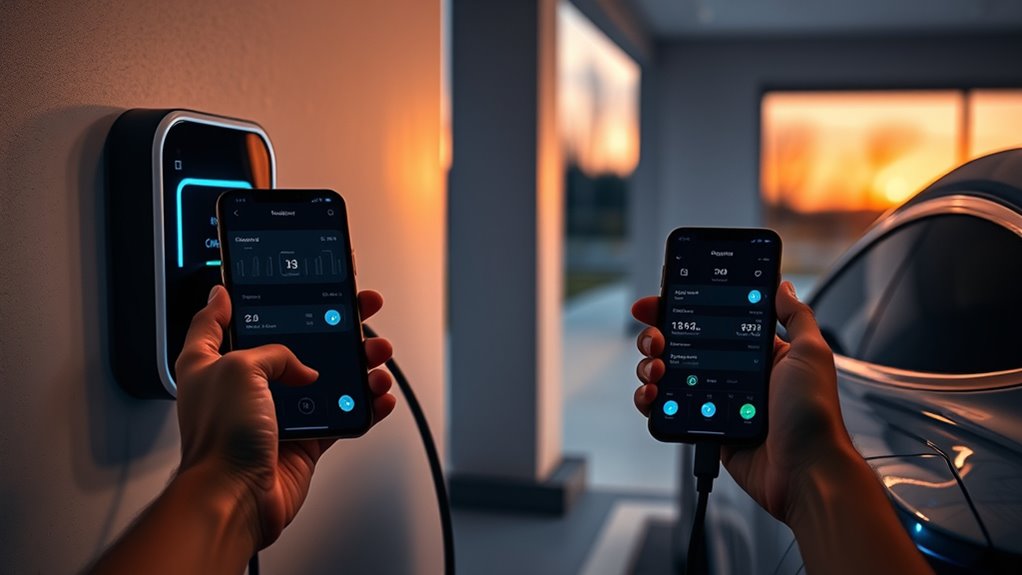
Enable smart charging by connecting a compatible EV or home charger in your charging app, opening the Smart tab, turning on smart charging, and setting a ready-by time. The app can then schedule charging around your tariff, off-peak window, carbon intensity, or utility-program rules. For best results, clear conflicting vehicle and charger timers, keep the car plugged in at home, and review charging history after each session.
Quick Answer
To turn on EV smart charging, connect your compatible car or charger in the app, open the Smart tab, enable smart charging, set your ready-by time, choose your tariff or off-peak rule, and disable any separate vehicle or charger schedules that could override the app.
Key Takeaways
- Smart charging needs either a compatible connected EV or a compatible home charger.
- Your ready-by time tells the app when the car must be charged, while the app chooses the best charging window.
- Off-peak-only settings can save money, but they may leave the car short of full charge if the cheap-rate window is too short.
- Vehicle timers, charger timers, weak Wi-Fi, stale credentials, and firmware issues are the most common causes of failed smart charging.
At a Glance
| Time Required | 10 to 20 minutes for setup, plus one charging session to verify results |
| Difficulty | Easy if your EV or charger is compatible |
| Tools Needed | Charging app, EV or charger login, home Wi-Fi, utility tariff details |
| Cost | Usually free inside the app; savings depend on your electricity rate or utility reward program |
What Is Smart Charging?
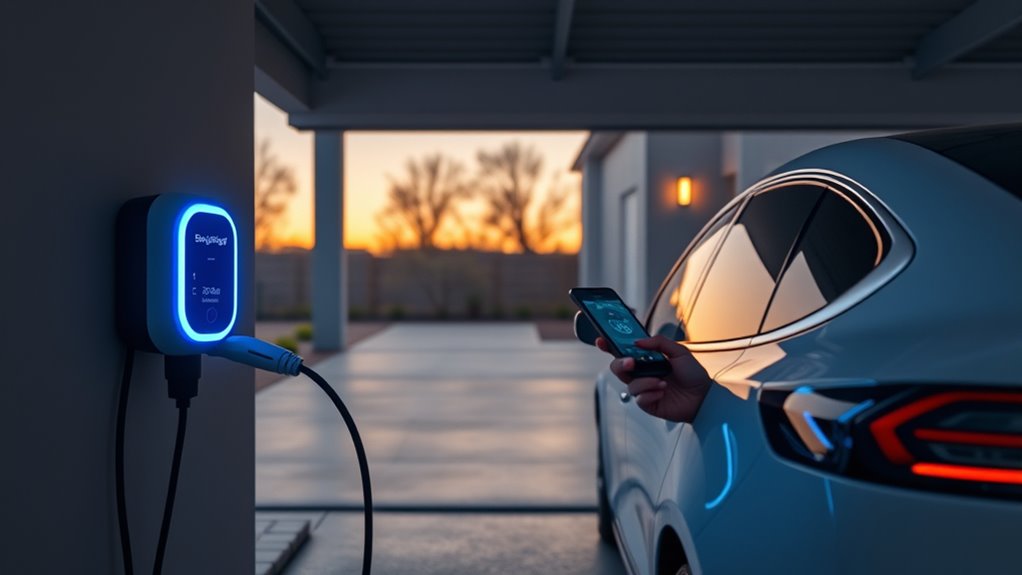
Smart charging is software-controlled EV charging that decides when to charge based on your ready-by time, electricity tariff, grid conditions, and program settings. Instead of charging at full power the moment you plug in, the system waits for a better window and still aims to have your vehicle ready when you need it.
In the ev.energy app, smart charging considers your ready-by time, energy tariff, and grid carbon intensity. Some utility-branded programs use similar logic but may also include reward rules or demand-response events.
This matters because many EV owners charge at home overnight, and some utilities offer time-of-use rates or charging incentives. If your plan has lower prices overnight, smart charging can shift energy use into those cheaper hours with less manual work.
Note: Smart charging is not the same as a battery charge limit. Keep your vehicle’s recommended charge cap, such as 80% or 90% for daily use when your manufacturer suggests it, unless you need a full charge for a trip.
Before You Turn On Smart Charging
Before you enable the feature, confirm that your setup can actually support it. Most smart-charging apps need one of two connections: a compatible connected vehicle account or a compatible smart home charger. If neither is supported, the app may track information but may not control charging.
- Compatible EV or charger: Check the app’s supported vehicle and charger list before setup.
- Correct home location: Smart charging usually applies to home charging, not every public station.
- Stable internet: Your charger, vehicle, or app connection needs working Wi-Fi, Ethernet, cellular, or cloud access.
- Utility tariff: Add your electricity plan so the app can identify cheaper or lower-carbon periods.
- Vehicle login permissions: If the app connects through your EV account, approve only the permissions needed for charging control and status.
- Charge target: Set the battery limit in your vehicle first, then let the smart-charging app schedule within that limit.
Warning: Do not bypass electrical safety settings, charger protections, breaker limits, or vehicle battery limits to make smart charging work. If your charger, outlet, breaker, or wiring needs changes, use a qualified electrician and follow local code.
Turn On Smart Charging in the App
To enable smart charging, open your EV charging app and go to the Smart tab. In ev.energy, the setup flow uses the Smart tab and a “Turn on smart charging” option. Utility-branded apps may use similar labels, such as Smart Charging, Managed Charging, Program Settings, or Charging Schedule.
- Open the charging app and confirm your EV or charger shows as connected.
- Go to the Smart tab or the app’s smart-charging settings area.
- Turn on smart charging and review the permissions or program terms.
- Choose your tariff if the app asks for your utility, supplier, rate plan, or off-peak window.
- Set your ready-by time so the app knows when your EV must be ready.
- Plug in at home and let the app schedule the session automatically.
After setup, your EV may not begin charging immediately. That is normal. The app may delay charging until a cheaper, cleaner, or program-approved window, then start charging later so the vehicle is ready by your deadline.
Pro Tip: Run one test session on a night when you do not need the full battery early. In the morning, check whether the app met your ready-by time and whether the session stayed inside your expected charging window.
Set Your Ready-By Schedule
Your ready-by schedule is the deadline for charging. If you leave for work at 7:30 a.m., set 7:30 a.m. as your ready-by time. If your schedule changes on weekends, create a different ready-by time for those days.
In ev.energy, you can set ready-by times from the Smart Schedule card, choose days of the week, and save the schedule. The app then uses your deadline to decide when it can delay charging and when it must begin.
Smart charging works best when your ready-by time is honest. Give the app enough parked-and-plugged-in time, and it has more room to find cheaper or cleaner charging periods.
Use a realistic buffer if your commute is fixed. For example, if you normally leave at 7:30 a.m., you might set the ready-by time to 7:00 a.m. during winter, before a long drive, or when your battery is deeply discharged.
Turn Off Vehicle and Charger Timers
Disable separate timers in your EV and home charger before relying on the smart-charging app. If the vehicle, charger, and app all try to control the same session, one schedule can block another.
Start with your vehicle settings. Look for charging timers, departure schedules, delayed charge settings, and location-based charge rules. Turn off any timer that conflicts with the app, but keep your battery charge limit if your vehicle uses one.
Next, check your home charger’s own app or web portal. Clear any built-in charger schedule unless your smart-charging provider specifically tells you to keep it. The goal is simple: let one system control timing, not three systems at once.
| Timer Type | Where to Check | What to Do |
|---|---|---|
| Vehicle timer | EV screen or vehicle app | Disable conflicting charging schedules |
| Charger timer | Home charger app or portal | Clear schedules unless required by your provider |
| Smart app schedule | Smart tab in the charging app | Keep this as the main timing control |
Charge Only During Off-Peak Hours
If your electricity plan has cheaper off-peak rates, enable the app’s Only Charge Off-Peak option if available. This setting tells the app to restrict charging to your cheaper tariff window instead of simply preferring it.
Use this feature carefully. If your battery is low and the off-peak window is too short, the car may not reach the target charge before your ready-by time. In that case, use a one-time Boost, temporarily turn off off-peak-only mode, or set an earlier plug-in time.
| Setting | Best For | Tradeoff |
|---|---|---|
| Smart charging | Balanced savings and readiness | May charge outside the cheapest window if needed |
| Only Charge Off-Peak | Strict off-peak savings | May not fully charge if the window is too short |
| Boost | Immediate charging | May use peak-rate electricity |
Fix Common Smart Charging Problems
When smart charging does not work as expected, start with the connection. A smart schedule cannot run correctly if the app cannot reach your car or charger.
Check Compatibility
Confirm that your EV make, charger model, or utility program is supported. Some apps can control charging through the connected vehicle account. Others need a compatible smart charger. If neither connection is available, smart charging may not start.
Check Wi-Fi and Offline Status
If the app says the charger or car is offline, refresh the app first. Then check your home internet, charger Wi-Fi, router, and vehicle connection. If the charger has lost network access, restart it only if you can do so safely through the approved switch, breaker, app, or manufacturer instructions.
Wake the Vehicle
Some EVs enter sleep mode and delay cloud commands. Open the vehicle app, unlock the car, or briefly open the door to wake it. Then return to the smart-charging app and refresh the status.
Update the App and Firmware
Install available updates for the charging app, home charger firmware, and vehicle software. Updates often fix connection, scheduling, tariff, and reporting issues.
Reconnect Stale Credentials
If you changed your vehicle account password, enabled multi-factor authentication, or removed app permissions, reconnect the EV inside the charging app. Stale credentials can stop the app from reading battery status or starting a scheduled charge.
Note: If the charger is offline, many home chargers still work as standard chargers. Your EV may charge, but it may not follow the optimized smart schedule until the connection returns.
Track Charging History and Rewards
After each session, open your app’s charging history to confirm when the charge started, when it ended, how much energy was delivered, and whether the session counted as smart charging. This is the easiest way to catch schedule conflicts early.
If your utility or charging app offers rewards, check the program tab for current eligibility rules. Reward programs vary by provider. Some may use points, bill credits, gift cards, or cash payouts, while others may only show energy and carbon insights.
View Session History
Your session history should show the charging event, duration, energy used, and location. Compare the start time with your tariff window. If the session happened outside the expected window, check whether Boost was active, the off-peak window was too short, the car was unplugged, or another timer interfered.
Use this record to adjust future schedules. If you repeatedly miss your ready-by time, plug in earlier, reduce the requested charge target, widen the allowed charging window, or turn off strict off-peak-only mode for days when you need more range.
Monitor Rewards Balance
If your program includes rewards, review the rewards balance and the session status inside the app. Look for labels such as qualified, pending, ineligible, peak event, off-peak share, or program compliance.
| Metric | What to Check | Why It Matters |
|---|---|---|
| Charging history | Start time, end time, kWh, location | Confirms whether the app followed the schedule |
| Program status | Eligible, pending, or missed session | Helps protect reward eligibility |
| Off-peak share | How much charging happened in lower-rate hours | Shows whether your schedule is saving money |
Save Money With Smart Charging
Smart charging can lower EV charging costs when your electricity plan charges less at certain times of day. The basic savings formula is simple: multiply the kWh delivered by the difference between your peak and off-peak rate.
For example, if your EV uses 40 kWh and your off-peak rate is 10 cents less per kWh than your peak rate, that session saves about $4 before taxes and fees. Your real savings depend on your utility rate, battery size, driving needs, charger speed, and how often the vehicle is plugged in long enough for the app to shift the session.
If your utility offers a managed-charging or demand-response program, the app may also show rewards. Review the current program terms inside the app or on your utility’s website before relying on a specific payout amount.
Pro Tip: The biggest savings usually come from consistency. Plug in when you get home, keep your ready-by time updated, and let the app choose the lowest-cost window instead of manually starting every session.
Frequently Asked Questions
How do I enable smart charge?
Open your charging app, connect your compatible EV or charger, go to the Smart tab, turn on smart charging, set your ready-by time, choose your tariff or off-peak rule, and save the schedule. Then plug in at home and check the next session in charging history.
Does smart charging turn on automatically?
Usually, no. You normally need to enable smart charging in the app, connect a supported vehicle or charger, and set your ready-by schedule. Some utility programs may preconfigure parts of the setup, but you should still verify the Smart tab before relying on it.
What is smart charging on an EV?
Smart charging is an app or charger feature that controls when your EV charges. It uses your ready-by time, tariff, battery needs, and sometimes grid or carbon signals to shift charging into better windows while still aiming to have the car ready on time.
Is it good to turn on smart charging?
Yes, if your EV or charger is compatible and you can leave the car plugged in long enough. Smart charging can reduce charging costs, support utility off-peak programs, and make charging more automatic. Keep a manual Boost option available for unexpected trips.
Why did my EV not fully charge overnight?
The off-peak window may have been too short, the charger or car may have gone offline, another timer may have blocked the session, or your ready-by time may not have allowed enough charging time. Check session history, app notifications, and vehicle charge limits.
Should I use Boost charging?
Use Boost when you need immediate range and cannot wait for the smart schedule. Boost may charge during peak-rate hours, so it is best for one-off needs rather than daily charging.
Conclusion
Smart charging works best when the app has clean information and one clear job. Connect a compatible EV or charger, set a realistic ready-by time, enter the correct tariff, and remove conflicting vehicle or charger timers. Then check charging history after your first few sessions. If the car misses a schedule, look for offline hardware, weak Wi-Fi, vehicle sleep mode, stale credentials, or an off-peak window that is too short. Once the setup is stable, smart charging can make home EV charging cheaper, easier, and better aligned with your daily routine.
Sources
- ev.energy: How does ev.energy choose when to charge? — ready-by time, tariff, and carbon-intensity scheduling.
- ev.energy: Scheduling a Smart Charge — Smart tab setup, ready-by times, weekly schedules, Only Charge Off-Peak, and Boost.
- ev.energy: Off-Peak Charging Explained — off-peak tariffs, tariff setup, and off-peak-only caveats.
- ev.energy: Supported cars and chargers — compatibility requirements for connected vehicles and compatible chargepoints.
- ev.energy: How to handle offline hardware — offline charger, offline vehicle, Wi-Fi, restart, and reconnect guidance.
- U.S. Department of Energy AFDC: Charging Electric Vehicles at Home — home charging, smart Level 2 features, electricity costs, and utility time-of-use incentives.