
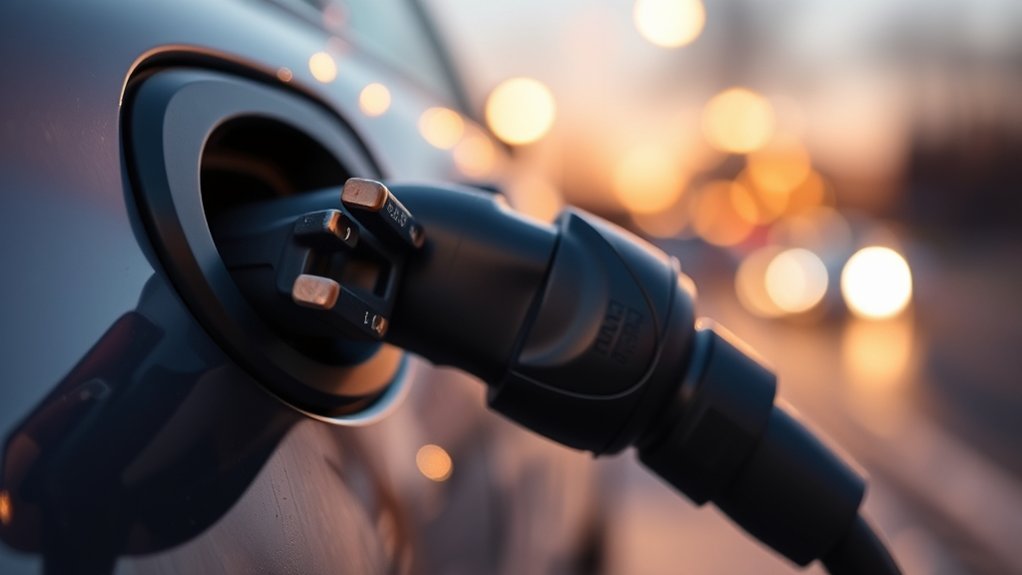
You should replace an EV charging connector when it has cracks, exposed wiring, melted plastic, bent or burned pins, heavy corrosion, a loose latch, repeated charging faults, or heat that feels abnormal for your charger. Minor dust can often be cleaned safely, but damaged, hot, or corroded charging equipment should be taken out of service until the manufacturer, installer, or a qualified electrician checks it.
Quick Answer
Replace your EV charging connector immediately if you see cracked housing, frayed insulation, exposed conductors, melted plastic, burn marks, bent pins, heavy corrosion, a loose fit, or repeated charging interruptions. Stop using the charger if the connector becomes hot, smells burnt, or trips faults.
Key Takeaways
- Replace the connector or cable assembly if damage exposes wiring, weakens the latch, affects the pins, or causes overheating.
- Clean only light dust or dry surface dirt. Do not scrape, sand, oil, or spray chemicals inside the connector.
- Repeated charge failures can come from the connector, cable, EVSE, outlet, vehicle inlet, adapter, or software, so inspect the full charging path.
- Use outdoor-rated and safety-certified charging equipment, and follow the charger and vehicle manufacturer instructions.
At a Glance
| Time Required | 5 to 10 minutes for a visual inspection |
| Difficulty | Easy for inspection; professional service for electrical repair or replacement |
| Tools Needed | Flashlight, soft dry cloth, manufacturer manual, and a phone camera for documenting damage |
| Cost | Inspection and dry cleaning are usually free; replacement cost depends on the charger model, warranty, and whether the cable assembly is serviceable |
How to Identify and Address Compromised EV Charging Connectors
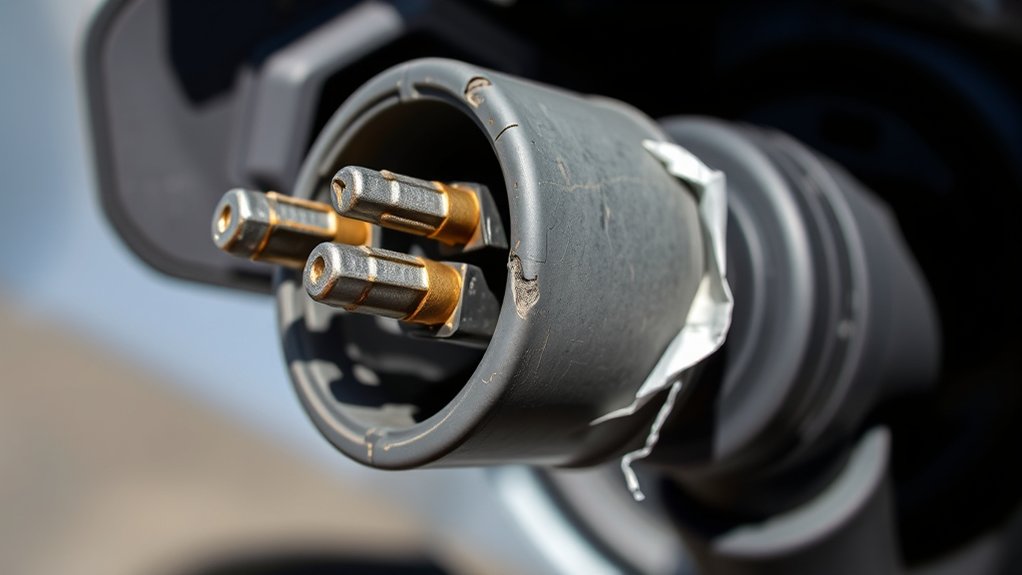
An EV charging connector is the plug end that goes into your vehicle. The charging cable and the electric vehicle supply equipment, often called EVSE, are separate parts of the same charging system. The U.S. Department of Energy’s Alternative Fuels Data Center defines a connector as the part that plugs into the vehicle to charge it.
Start with a close visual inspection before you charge. Look at the connector shell, latch, strain relief, cable jacket, pins, and the vehicle inlet. Replace the connector or cable assembly if damage affects the safe electrical connection.
- Replace immediately: cracked housing, split insulation, exposed wires, melted plastic, burn marks, bent pins, missing pieces, heavy corrosion, or a loose connector that will not stay seated.
- Stop and inspect: repeated charging interruptions, vehicle “charging fault” messages, sudden power drops, tripped breaker or GFCI events, or the vehicle failing to recognize the charger.
- Clean and retest only if safe: light dust or dry dirt on the outside of the connector, with no corrosion, heat damage, cracks, or pin damage.
Warning: Do not continue charging with a connector that is cracked, melted, burned, badly corroded, loose, or hot to the touch. Unplug only when it is safe to do so, then contact the charger manufacturer, installer, network operator, or a qualified electrician.
When to Replace an EV Charging Connector Immediately
You should replace the connector, cable assembly, or charger if the damage affects safety, fit, or electrical contact. Do not try to tape, glue, file, bend, or modify a damaged charging connector.
| Warning Sign | What It Means | Best Action |
| Cracks, splits, or broken housing | The connector may no longer protect the internal contacts. | Stop using it and replace the damaged part. |
| Frayed insulation or exposed wires | The cable jacket is no longer protecting the conductors. | Replace the cable assembly or EVSE. |
| Bent, recessed, discolored, or burned pins | The connector may not make clean electrical contact. | Do not bend pins back yourself. Replace or service it. |
| Melting, burnt smell, or heat marks | Heat may be coming from high resistance, poor contact, contamination, or internal damage. | Stop charging and have the system checked. |
| Heavy corrosion or moisture inside the plug | Corrosion can reduce contact quality and trigger faults. | Replace or professionally inspect before reuse. |
| Loose latch or poor fit | The connector may not stay fully seated during charging. | Check both the connector and vehicle inlet, then service the worn part. |
Why Visible Damage Demands Immediate Attention
Visible damage matters because EV charging uses sustained electrical load. A small contact problem can grow worse as heat builds during a charging session. Cracked plastic, damaged insulation, and loose pins can also let dirt or moisture reach areas that should stay protected.
The AFDC maintenance guidance says general charging infrastructure maintenance includes storing cables securely to prevent damage, checking parts periodically, and keeping the equipment clean. That simple routine helps you catch damage before it becomes a charging failure.
Signs of Serious Wear
Look for signs that the connector is no longer mechanically sound. These include a broken latch, cracked shell, missing pin cover, damaged strain relief, flattened cable sections, deep cuts, or hard lumps in the cable jacket.
Also look for electrical warning signs. Burn marks, brown or black discoloration, a hot-plastic smell, repeated breaker trips, or charging that starts and stops can point to a poor connection or damaged equipment.
Safety Risks Involved
Damaged charging connectors can increase the risk of shock, overheating, arcing, and equipment failure. The risk is higher if the connector is wet, dirty, loose, or damaged at the pins.
Do not assume a charger is safe just because it still starts a session. A worn connector may work briefly, then fail under load. If a warning sign appears, stop using it until the issue is identified.
Immediate Replacement Necessity
Replace the connector or cable assembly if damage affects the insulation, pins, latch, housing, or heat performance. Many EV charging cables and molded connectors are not designed for user repair. If your charger has a removable cable assembly, use only manufacturer-approved replacement parts that match the charger and vehicle connector type.
Note: If the damage is at a public charger, do not use that stall. Report it in the charging app, on the station screen, or to the network operator so the connector can be repaired.
Causes of Charging Interruptions
Charging interruptions can come from the connector, cable, charger, vehicle inlet, outlet, adapter, software, breaker, or network. Start with the visible and easy checks first, then escalate if the fault keeps returning.
- Connector wear: a loose latch, worn pins, or a poor fit can break communication or electrical contact.
- Cable damage: cuts, crushed sections, hard lumps, or frayed insulation can cause faults.
- Contamination: dirt, water, road salt, or corrosion can interfere with the connection.
- Heat: a connector that becomes unusually hot may indicate high resistance or poor contact.
- Vehicle-side issue: a damaged or dirty charge port can cause the same symptoms as a bad connector.
- Adapter mismatch: worn, uncertified, or incompatible adapters can trigger charging errors.
For home charging, also check the charger display, app error code, circuit breaker, GFCI outlet if used, and vehicle charging settings. For public charging, try another stall only if your vehicle inlet and adapter look clean and undamaged.
Effects of Dirt and Moisture on Charging Performance
Dirt and moisture can reduce charging reliability when they prevent the connector from seating correctly or contaminate the contact area. Outdoor charging can be safe when the equipment is rated for outdoor use, but storage and maintenance still matter. AFDC notes that outdoor home charging equipment should be outdoor-rated, even when charging in the rain.
Accumulation of Dirt Inside
Light dust on the outside of the connector can usually be wiped away with a soft, dry cloth. Do not use metal tools, sandpaper, oil, grease, water spray, compressed air at close range, or chemical cleaners inside the connector unless your manufacturer specifically allows it.
If dirt is packed inside the connector, if debris is stuck around the pins, or if the connector no longer seats smoothly, stop using it and ask the manufacturer or service provider what to do next.
Corrosion on Connector Pins
Corrosion can look like green, white, blue, black, or rusty buildup on or near the contacts. Corroded pins can increase resistance and heat, which may lead to intermittent charging or faults.
Do not scrape or file corroded pins. Scratching the contact surface can make the problem worse. Replace the affected connector or have it inspected by the charger manufacturer, network operator, or a qualified technician.
Impact on Charging Efficiency
A dirty, loose, or damaged connector may reduce charging speed, interrupt the session, or stop the vehicle from recognizing the cable. The charger may also limit power if it detects a safety or communication fault.
Public charging reliability studies show that failed charging sessions can come from many causes, including broken connectors, payment problems, network failures, and charge initiation failures. That is why it is important to inspect your own connector and also report damaged public equipment when you find it.
Why Does My Charging Keep Interrupting?
If charging keeps interrupting, first inspect the connector and vehicle inlet with the power off and the connector unplugged. Look for bent pins, debris, moisture, cracks, looseness, and heat marks. Then check whether the connector clicks or locks in normally.
Next, check the charger status light or app. Error codes can help separate a connector fault from a vehicle setting, network issue, breaker trip, or charger hardware problem. If the same vehicle charges normally on a different charger, the original connector or EVSE may be the issue. If several chargers fail with your vehicle, inspect the vehicle inlet and charging settings.
Pro Tip: Take clear photos of any cracks, melted areas, corrosion, or error messages before contacting support. Photos help the manufacturer, installer, warranty team, or charging network decide whether the connector needs replacement.
What Overheating Cables Indicate About Your EV Charging Connector
A slight temperature increase can happen during normal charging, especially at higher current. However, the connector should not become painfully hot, smell burnt, soften, discolor, melt, or suddenly run hotter than usual.
Unsafe heat can point to a loose connection, dirty contacts, worn pins, internal cable damage, an overloaded circuit, a failing outlet, or a damaged charger. Stop charging if you notice any of these signs:
- The connector or plug is too hot to comfortably touch.
- The plastic looks glossy, warped, browned, or melted.
- You smell burning plastic or electrical odor.
- The cable has hard lumps, crushed spots, or flattened sections.
- The charger repeatedly trips, faults, or stops charging.
Do not keep “testing” a hot connector. Let the equipment cool, unplug when safe, and have the charging system checked before the next session.
Can You Clean the Connector or Should You Replace It?
You can clean only minor dry surface dirt. Wipe the outside of the connector with a soft, dry cloth. Make sure the connector is unplugged, cool, and not connected to the vehicle before cleaning.
Replace or service the connector instead of cleaning it if you see corrosion, burn marks, melted plastic, cracked housing, exposed wiring, bent pins, loose parts, or moisture inside the connector. Cleaning is not a safe fix for electrical or structural damage.
Essential Maintenance Tips for Your EV Charging Connector
Good maintenance helps your EV charging connector last longer and reduces charging problems. The goal is simple: keep the connector clean, dry, undamaged, and properly supported.
| Maintenance Task | Why It Matters |
| Inspect the connector before regular use | Catches cracks, pin damage, corrosion, and cable wear early |
| Wipe light surface dust with a soft dry cloth | Helps the connector seat cleanly without adding moisture or chemicals |
| Return the cable to its holster or hanger | Prevents drops, tire damage, strain, and water pooling |
| Avoid tight bends and pulling by the cable | Protects the strain relief and internal conductors |
| Use safety-certified equipment | ENERGY STAR notes that certified EV chargers are safety-tested by a nationally recognized testing laboratory |
When buying or replacing charging equipment, choose a safety-certified charger. ENERGY STAR warns that not all EV chargers sold online or in stores are safety certified, and says certified models are tested by a nationally recognized testing laboratory.
When to Call a Professional
Call the charger manufacturer, installer, charging network, or a qualified electrician if you see repeated faults, damaged wiring, breaker trips, heat damage, melted parts, or a loose wall outlet. Also call a professional if the charger is hardwired, under warranty, or part of a shared building or workplace installation.
Do not open an EVSE enclosure, splice charging cables, replace molded plug ends, or bypass safety features. For Level 2 home charging, AFDC recommends using safety-certified equipment and notes that a qualified electrician can confirm whether the home has enough electrical capacity for the charging equipment.
Frequently Asked Questions
What is the lifespan of an EV charging cable?
There is no single lifespan that applies to every EV charging cable. A cable may last for years if it is stored properly, kept clean, and not crushed, overheated, dragged, or exposed to abuse. Replace it sooner if you see cracks, frays, exposed wires, heat damage, corrosion, or repeated charging faults.
What is the 80/20 rule for charging?
The 80/20 rule usually means keeping an EV battery between about 20% and 80% for daily use when your vehicle manufacturer recommends it. It is battery-care guidance, not a connector test. A damaged connector should still be replaced even if you follow good battery charging habits.
How do I know if my EV charging cable is bad?
Your EV charging cable may be bad if you see frayed insulation, crushed areas, hard lumps, exposed wires, melted spots, burn marks, corrosion, loose fit, or repeated charging interruptions. A cable that becomes unusually hot or smells burnt should be taken out of service immediately.
When should I replace my charging cable?
Replace your charging cable when the connector, insulation, pins, latch, strain relief, or cable jacket is damaged. You should also replace it if the manufacturer recommends replacement, the charger fails safety checks, or the cable keeps causing faults after the vehicle inlet and power supply have been checked.
Is it normal for an EV charging connector to feel warm?
A slight warmth can be normal during higher-current charging. It is not normal for the connector to feel very hot, smell burnt, soften, discolor, melt, or suddenly run hotter than usual. Stop charging and have the equipment inspected before using it again.
Can I repair a damaged EV charging connector myself?
No. Do not tape, glue, splice, file, bend, or modify a damaged EV charging connector. EV charging equipment carries sustained electrical load and uses safety features that should not be bypassed. Use manufacturer-approved replacement parts or professional service.
Conclusion
Replacing an EV charging connector is not something to delay when you see real damage. Cracks, frayed insulation, exposed wiring, melted plastic, burn marks, bent pins, corrosion, a loose latch, repeated faults, or abnormal heat all mean the connector should be removed from service and repaired or replaced. Keep the connector clean, dry, supported, and stored in its holster, and use safety-certified charging equipment for a safer and more reliable charging routine.
Sources
- U.S. Department of Energy AFDC: Operation and Maintenance for Electric Vehicle Charging Infrastructure — supports cable storage, periodic checks, cleaning, maintenance, and repair guidance.
- U.S. Department of Energy AFDC: Electric Vehicle Charging Stations — supports connector terminology, charging equipment context, and charging level information.
- U.S. Department of Energy AFDC: Charging Electric Vehicles at Home — supports outdoor-rated equipment, home charging, safety-certified equipment, and qualified electrician guidance.
- ENERGY STAR: Electric Vehicle Chargers — supports safety-certified EV charger guidance and NRTL-tested charger information.
- Reliability of Open Public Electric Vehicle Direct Current Fast Chargers — supports the public charging reliability context and the role of broken connectors among multiple charger failure causes.

