
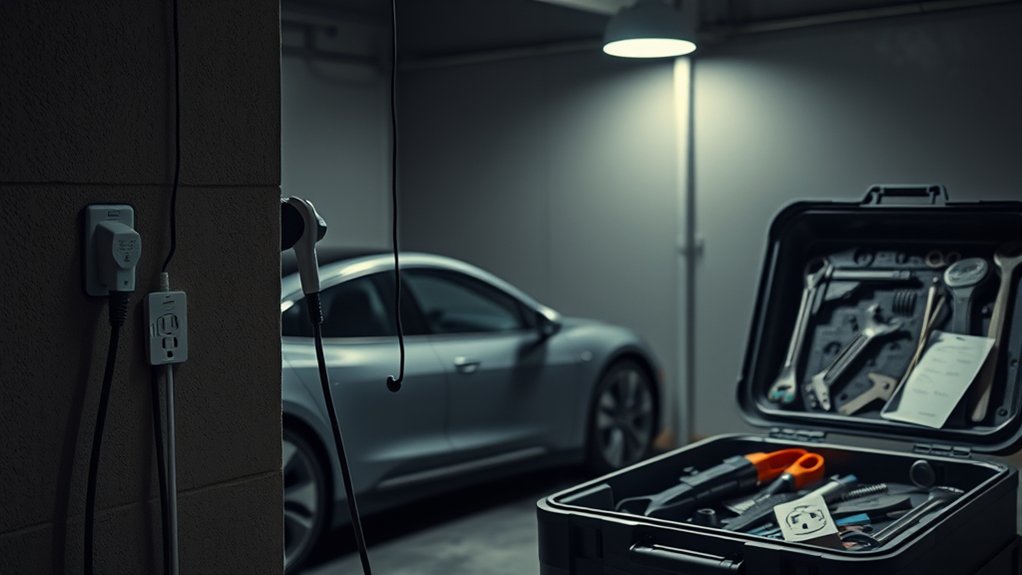
If your EV won’t charge at home, start with the simple checks before assuming the car or charger has failed. A loose plug, tripped breaker, scheduled charging setting, locked connector, or overheated outlet can stop charging even when the charger looks normal. Work from the power source to the vehicle, and stop immediately if you see heat, damage, water inside the connector, or repeated breaker trips.
Quick Answer
If your EV won’t charge at home, check the outlet or breaker first, then inspect the EVSE, cable, connector, and vehicle charge settings. Reset the charger only after unplugging safely. If the plug feels hot, the breaker keeps tripping, or wiring looks damaged, stop charging and call a licensed electrician.
Key Takeaways
- Most home EV charging problems come from power loss, loose connections, damaged cables, vehicle settings, or charger faults.
- A tripped breaker, hot outlet, melted plug, or repeated GFCI trip is a safety warning, not a nuisance to bypass.
- Scheduled charging, charge limits, plug locks, access control, and app settings can stop charging even when the hardware is fine.
- Use outdoor-rated equipment outdoors, keep connector contacts clean and dry, and avoid extension cords unless your vehicle or EVSE maker specifically allows them.
- For hardwired Level 2 chargers, panel work, new circuits, or repeated breaker trips, use a licensed electrician.
At a Glance
| Time Required | 5-20 minutes for basic checks; longer if you need an electrician or manufacturer support |
| Difficulty | Easy for visual checks and app settings; advanced electrical work requires a licensed electrician |
| Tools Needed | Vehicle app, charger app, owner’s manual, flashlight, dry cloth, and access to the breaker panel |
| Cost | Usually $0 for settings and reset checks; professional electrical diagnosis varies by location and repair needed |
Top Reasons Your EV Has Charging Issues at Home
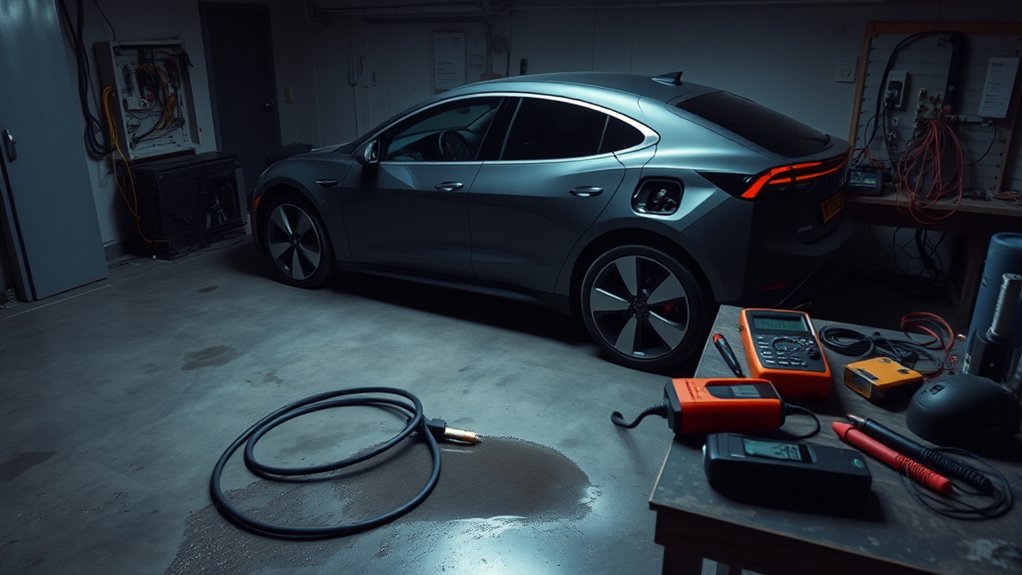
When your EV has charging issues at home, the problem usually falls into one of five areas: the home power supply, the EVSE, the cable or connector, the vehicle settings, or the environment around the charger.
Start with the power supply. A tripped breaker, dead outlet, loose receptacle, overloaded circuit, or failed GFCI can stop charging before power ever reaches the car. The U.S. Department of Energy’s Alternative Fuels Data Center explains that many drivers can use Level 1 charging overnight when a suitable outlet on a dedicated branch circuit is available, while Level 2 charging often requires a qualified electrician to confirm capacity or add a circuit.
Next, check the charger itself. A portable Level 1 cord set, wall-mounted Level 2 charger, or smart EVSE may stop charging because of a fault light, firmware issue, incorrect amperage setting, access control, or Wi-Fi setup problem. Some chargers also show different colors for “ready,” “connected,” “charging,” “fault,” or “no power.” For example, Tesla notes that its Wall Connector status lights can point to blocked scheduled charging, access control, or a power-supply issue such as a tripped breaker.
A home charger that suddenly stops working is often protecting itself from a fault. Treat heat, breaker trips, damaged insulation, and wet or corroded contacts as safety warnings.
Your vehicle settings can also block charging. A charge limit set too low, a delayed charging schedule, a plug lock, a battery temperature warning, or a “departure time” setting can make the charger look broken when the car is simply not requesting power.
Environmental factors matter too. Outdoor charging can be safe when you use outdoor-rated equipment, but dirt, standing water, snow, corrosion, damaged seals, or moisture inside the connector can trigger faults. Extreme heat or cold can also slow charging because the car and charger may reduce current to protect the battery and equipment.
Essential Safety Checks Before Troubleshooting
Before you reset anything, do a safety check. EV charging is a continuous electrical load, so small problems can become dangerous if you keep trying to charge through a bad outlet or damaged cable.
Warning: Stop charging immediately if the plug, outlet, cable, or charger feels hot, smells burned, looks melted, sparks, buzzes, or repeatedly trips a breaker. Do not replace breakers, bypass GFCI protection, open a hardwired charger, or repair household wiring yourself. Call a licensed electrician.
- Inspect the cable and connector. Look for cracks, exposed wires, melted plastic, bent pins, corrosion, dirt, or water inside the plug.
- Touch-check only from the outside. The plug, outlet face, and cable should not feel hot. Warm can be normal under load, but hot is not.
- Check the outlet fit. A plug that feels loose, droops, or wiggles in the receptacle can overheat and should not be used for EV charging.
- Check the breaker panel safely. If the breaker is tripped, reset it once. If it trips again, stop and call an electrician.
- Keep components dry and clean. Do not plug in if the connector contacts are wet, dirty, icy, or contaminated.
- Avoid extension cords. The Electrical Safety Foundation International warns that extension cords are temporary and should not replace permanent wiring. For EV charging, use only the equipment and adapters allowed by your vehicle and EVSE manufacturer.
Note: Outdoor charging is different from charging with wet or damaged parts. Outdoor-rated EVSE can be designed for rain, but the connector contacts, outlet, and plug should still be clean, seated, and free of standing water.
Checklist for Fixing Charging Issues
If your EV isn’t charging at home, use this checklist in order. This helps you avoid guessing and keeps you from resetting the same device over and over.
- Confirm the outlet or charger has power. For a plug-in charger, make sure the plug is fully seated. For a wall charger, check whether the display or status light is on.
- Check the breaker or GFCI. Reset a tripped breaker or GFCI once. If it trips again, stop using the charger until the circuit is inspected.
- Read the EVSE status light or error code. Check your charger manual or app. A “connected but not charging” light often means the car is not requesting power, not that the charger is dead.
- Inspect the charge port and connector. Remove dirt, snow, or moisture from the outside area with a dry cloth. Do not insert tools into the connector or charge port.
- Check the vehicle screen and app. Look for charge limit, scheduled charging, off-peak charging, departure time, plug lock, access control, or battery temperature messages.
- Lower the charging current if allowed. If you are using Level 1 charging on a household outlet, choose the lowest safe current setting in the vehicle or EVSE app when the circuit is shared or older. Do not exceed the outlet, circuit, or EVSE rating.
- Reset the charger. For a portable charger, unplug it from the vehicle and wall, wait 30-60 seconds, then reconnect it to the wall first and the vehicle second. For a hardwired charger, follow the manufacturer’s reset steps. Some models require cycling the breaker.
- Restart the vehicle charging session. Unlock the car, unplug, wait a moment, plug back in firmly, and confirm the car recognizes the charger.
- Test another charging source if possible. If the car charges at a public station or a different home outlet, the issue is likely your home charger, outlet, or circuit. If it fails everywhere, the vehicle may need service.
- Document the fault. Take photos of error messages, app alerts, charger lights, and breaker behavior before contacting support.
Pro Tip: If your charger has Wi-Fi or an app, confirm it is commissioned, connected, and updated. Smart chargers may use firmware, access control, power sharing, or schedules that can block charging even when the hardware is fine.
How to Identify the Source of the Charging Problem
The fastest way to solve a home EV charging problem is to isolate where the failure starts. Use the symptoms below to narrow it down.
| Symptom | Likely Source | What to Do |
| No charger lights or display | Outlet, breaker, GFCI, or charger power supply | Check breaker and outlet. If power does not return, call an electrician or charger support. |
| Charger says connected but not charging | Vehicle settings, schedule, charge limit, or access control | Check the car screen and app for delayed charging, low charge limit, or blocked access. |
| Breaker trips when charging starts | Overload, wiring fault, EVSE fault, or GFCI issue | Do not keep resetting it. Lower current only if allowed, then call an electrician if it trips again. |
| Plug or outlet feels hot | Loose outlet, bad connection, overload, or worn receptacle | Stop using it immediately and have the outlet and circuit inspected. |
| Car fails at every charger | Vehicle charge port, onboard charger, battery system, or software | Record the error message and contact the vehicle manufacturer or service center. |
Level 1 vs. Level 2 Home Charging Issues
A Level 1 charger plugs into a standard 120-volt outlet. ENERGY STAR notes that Level 1 charging commonly adds about 2-5 miles of driving range per hour, depending on conditions and battery state. Because it runs for many hours, the outlet and circuit must be in good condition.
A Level 2 charger uses 240 volts and charges much faster. ENERGY STAR describes Level 2 charging as commonly adding about 10-20 miles of range per hour, with some higher-current setups charging faster. Level 2 units may be plug-in or hardwired, but the circuit, breaker, wiring, receptacle, and charger settings all need to match.
If a Level 1 charger keeps tripping a breaker, the outlet may be shared with other loads or the receptacle may be worn. If a Level 2 charger trips, loses power, or shows a ground-fault warning, stop using it until the charger manual, manufacturer support, or an electrician confirms the cause.
How to Avoid Future Home Charging Issues
To keep your home charging reliable, start with the right electrical setup. A dedicated circuit for your EV charger helps prevent overloads and voltage drops from other appliances. For Level 2 charging, ask a licensed electrician to confirm panel capacity, circuit size, breaker type, wiring, receptacle quality, and local code requirements. EV charging installations must follow local rules and the National Electrical Code, including EV charging guidance in NFPA 70.
Choose a safety-certified charger. ENERGY STAR says certified EV chargers are tested for safety by a nationally recognized testing laboratory, and its EV charger guidance also explains the difference between Level 1 and Level 2 charging.
Keep your charging area clean and dry. Do not leave the connector on the ground, drive over the cable, coil the cable tightly while charging, or pull the cable by the cord. Inspect the cable jacket, plug, and connector every few weeks, especially if the charger sits outdoors.
Keep smart chargers updated. Tesla’s Wall Connector troubleshooting guide notes that status lights, Wi-Fi setup, firmware, scheduled charging, and access control can all affect charging. Other smart chargers have similar app-based settings, so check your EVSE app after power outages, router changes, or software updates.
Finally, keep a simple log. If charging stops again, write down the time, weather, battery percentage, charger light, vehicle message, and whether the breaker tripped. That record helps an electrician or manufacturer support team find the fault faster.
Frequently Asked Questions
Why is the home EV charger not working?
Your home EV charger may not be working because the outlet has no power, the breaker or GFCI tripped, the cable is damaged, the connector is not fully seated, or the vehicle is blocking charging through a schedule, charge limit, plug lock, access control, or app setting.
What do I do if my EV won’t charge?
Check power first, then inspect the charger, cable, connector, and charge port. Look at the vehicle screen and app for scheduled charging or a charge limit. Reset the EVSE only after unplugging safely. If anything is hot, damaged, wet inside, or repeatedly tripping the breaker, stop and call a licensed electrician.
How do I reset an EV charger?
For a portable EV charger, unplug it from the vehicle and wall outlet, wait 30-60 seconds, plug it back into the wall first, then reconnect it to the vehicle. For a hardwired wall charger, follow the manufacturer’s instructions. Some models require cycling the breaker, but do not open the charger or electrical panel wiring yourself.
Why does my EV charger keep tripping the breaker?
A breaker that keeps tripping may point to an overloaded circuit, loose outlet, ground fault, damaged EVSE, incorrect charger setting, or wiring problem. Reset it only once. If it trips again, stop charging and have the circuit inspected by a licensed electrician.
Can I use an extension cord for EV charging?
Do not use an extension cord unless your vehicle or EVSE manufacturer specifically allows it. EV charging is a long-duration load, and extension cords can overheat, wear out, run through water, or be underrated for the current. A proper outlet or dedicated circuit is the safer fix.
Is it safe to charge an EV in the rain?
It can be safe to charge outdoors in rain when the charger, outlet, and installation are outdoor-rated and undamaged. Do not charge if the connector contacts are wet, dirty, corroded, cracked, submerged, or not fully seated. Do not troubleshoot a charger during extreme weather.
Conclusion
When your EV won’t charge at home, work through the problem in a safe order: power source, breaker or GFCI, charger status, cable, connector, vehicle settings, reset, and then a test at another charger if needed. Many fixes are simple, but heat, repeated breaker trips, damaged cords, loose outlets, and wet connector contacts are signs to stop charging. With a dedicated circuit, certified equipment, clean connections, updated charger software, and routine inspections, you can make home EV charging safer and more reliable.
Sources
- U.S. Department of Energy Alternative Fuels Data Center: Charging Electric Vehicles at Home — supports home charging levels, dedicated branch circuit guidance, outdoor-rated equipment, and code compliance.
- ENERGY STAR: Electric Vehicle Chargers — supports Level 1 vs. Level 2 charging rates, safety-certified charger guidance, and licensed electrician recommendations.
- Tesla Support: Troubleshooting a Wall Connector — supports status-light troubleshooting, scheduled charging, access control, firmware, and power cycling context.
- Tesla Support: Wall Connector — supports home charger amperage, circuit breaker matching, power levels, and charging speed examples.
- Electrical Safety Foundation International: Extension Cord Safety Tips — supports warnings about damaged, hot, wet, overloaded, or long-term extension cord use.
- NFPA 70: National Electrical Code — supports electrical code context for EV charging installations.

